Travel connectivity guide
m:tel eSIM in Bosnia and Herzegovina: guide
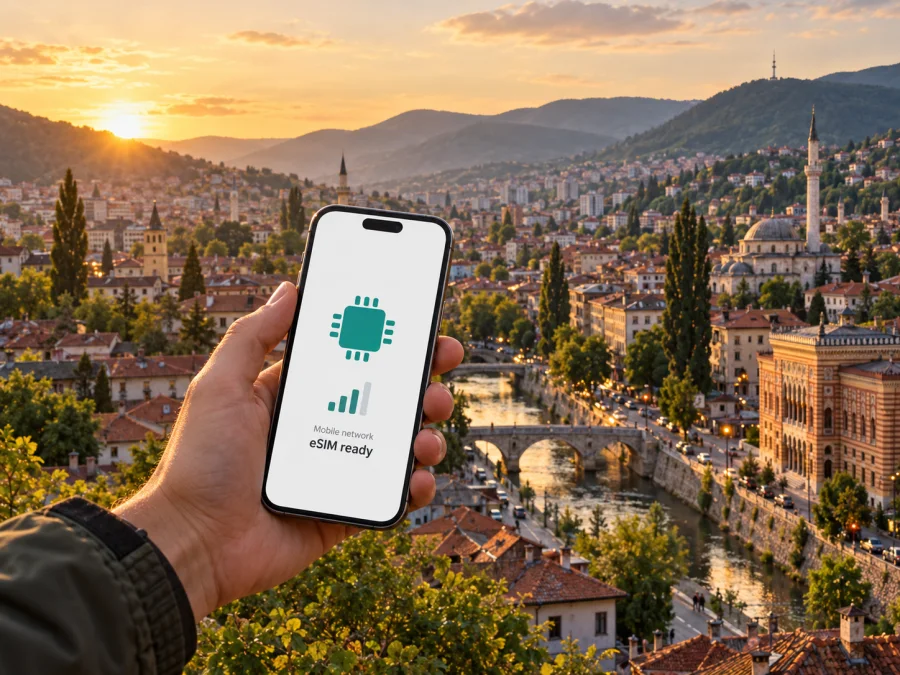
m:tel eSIM in Bosnia and Herzegovina: what travellers should know
If you are travelling to Bosnia and Herzegovina, an eSIM can help you get mobile service without inserting a plastic SIM card. m:tel offers eSIM options connected with its local mobile service, including an online route for visitors and an eSIM profile for customers who want to replace a physical SIM. The right process depends on whether you are a visitor buying local service or an existing m:tel subscriber changing the format of a number. In either case, check device support, the activation steps and the current conditions directly with m:tel before you travel.
This guide explains what the operator’s public information confirms, what to prepare before scanning a QR code, and how a local operator eSIM differs from a travel eSIM intended mainly for mobile data. It does not reproduce package names, prices, allowances, validity periods or other plan-specific terms. m:tel’s online offer and service conditions can change, so treat the operator’s current purchase flow and customer support as the final reference for your own order.
m:tel and mobile service in Bosnia and Herzegovina
m:tel is a mobile service provider in Bosnia and Herzegovina. Mtel a.d. Banja Luka’s 2025 annual report identifies three licensed mobile network operators active in the country and covers the company’s local mobile business. This places m:tel within Bosnia and Herzegovina’s licensed mobile market; the brand should not be confused with similarly named services in neighbouring countries. Its public website presents mobile services for both subscription and prepaid customers, alongside a coverage-map section and an eSIM area. Its eSIM offer is relevant in two different situations: a visitor may want a local prepaid connection during a stay, while an existing customer may want to use an eSIM profile in place of a physical card. The names and conditions of available options are subject to change and should be checked before purchase or conversion.
The distinction matters. A traveller who buys a local prepaid eSIM is setting up a service associated with the local operator in Bosnia and Herzegovina. A subscriber who converts an existing number to eSIM is changing the SIM format for that service; it is not a new travel data product. The steps, eligibility and account requirements may therefore differ. Do not assume that an online visitor offer can be used to replace an existing line, or that every m:tel customer can complete a conversion online.
As of 17 October 2026, m:tel’s official eSIM visitor page lists an online purchase path and describes sending activation information to the email address entered during checkout. The same page says the QR code is provided in a PDF and must be scanned using the phone’s mobile-network settings or, depending on the device and operating system, the camera. Its instructions also require a device that supports eSIM and an internet connection during installation. These are process details, not a guarantee that every device, order or future offer will follow an identical flow. Confirm what applies on the live operator page before paying.
Is m:tel eSIM available to visitors?
Yes. m:tel’s official tourist eSIM page describes an online eSIM offer for visitors, and the operator’s public materials also discuss prepaid service for people visiting Bosnia and Herzegovina. The operator’s website explains that a buyer should enter an email address accurately because activation details and the QR code are delivered there. It also notes that online card payment is part of the purchase process. The exact documents, eligibility rules, supported payment methods and any registration requirements should be confirmed at checkout or with m:tel; the public page does not justify assuming the same rules for every visitor or every future order.
Before buying, make sure you can receive email while travelling, retain access to the address used for the order, and have a second screen or a way to open the QR code when the phone needs to scan it. If the only copy of the code is displayed on the same handset on which you plan to install the profile, the setup may require an alternative method supported by that handset. Save the confirmation and setup instructions securely. m:tel’s page says its PDF also contains PIN and PUK information, so keep the document private and available if you need it later.
Device and regional-variant checks
An eSIM is a digital subscriber profile downloaded to a device with the required embedded SIM hardware. Support is not universal, even within the same product family. A phone’s market version, model number, carrier lock, operating-system version and regional configuration can affect whether eSIM setup is available. The fact that a model name appears on a compatibility list elsewhere is not conclusive for every variant.
m:tel’s help article “Which phones support e-SIM?” recommends checking the network or mobile settings on the handset for an eSIM option. That is a useful first check, but follow the manufacturer’s instructions for the exact model and variant as well. Before ordering, check all of the following:
- The phone’s precise model or product code, including its sales region variant.
- Whether the device has an eSIM option in mobile-network settings and supports downloading a carrier profile.
- Whether the phone is unlocked for use with another operator, if the device was purchased through a carrier.
- Whether its operating system is current enough for the manufacturer’s eSIM setup flow.
- Whether the device can connect to Wi-Fi or another internet connection while the profile is being installed.
- Whether the eSIM profile can be used alongside your usual SIM in the way you intend.
Do not rely only on the generic name printed on the phone box or on a list for another country. Some handset versions sold in different markets have different SIM configurations. If you are uncertain, give m:tel the exact model code and ask whether it can install the operator’s profile. You can also check eSIM device compatibility before choosing a travel option.
An eSIM profile is not the same as a removable card that can simply be moved between phones. m:tel’s tourist eSIM instructions say its QR code can be activated on one device and explain that a transfer requires deactivating the number on the current handset first. A separate help article describes removing the profile before scanning the code on another phone. As those instructions may vary by service type, do not delete an active profile or attempt a transfer until m:tel confirms the steps for your specific account. Keep in mind that deleting a profile can interrupt access and may require a new code or operator assistance.
How online purchase and activation work
The operator’s published flow is straightforward at a high level, but installation depends on the handset. The order information describes entering buyer details, paying online, receiving activation information by email, opening a PDF QR code and adding the profile through the mobile-network settings or camera. Keep the phone connected to Wi-Fi during setup, as m:tel explicitly says an internet connection is necessary to activate the eSIM. This is separate from the mobile data connection that you may use after reaching the country.
A practical preparation sequence is:
- Check the exact phone variant. Confirm eSIM support, carrier-unlocked status and a working internet connection for setup. Do this before purchase, not at the point when you need immediate connectivity.
- Clarify the type of service. Decide whether you need a local visitor connection or want to convert an existing m:tel number. Ask about account and identity requirements where relevant.
- Review the current operator checkout. Read the current conditions, confirm the delivery address and note what the operator says about the QR code, installation and support. Do not rely on an old screenshot or a previous traveller’s description.
- Keep the setup email accessible. Check the spelling of the email address and make sure you can open the attachment while connected to Wi-Fi. Retain the PDF in a secure location because it may contain security credentials.
- Install the profile using the phone’s settings. Follow the handset-specific instructions to add an eSIM and scan the operator’s code. The exact menu labels differ by manufacturer and operating-system version.
- Choose the intended line for mobile data. If another SIM remains active, check the device’s SIM settings so that data uses the line you intend. Confirm any roaming setting with the operator and handset instructions instead of assuming one universal configuration.
- Test before relying on it. Check that the profile appears in settings and that the operator’s instructions for registration or activation have been completed. If service does not connect, use m:tel’s support information rather than repeatedly scanning or deleting the profile.
The QR scan is an installation step; it should not be confused with every possible service activation condition. A particular offer may have additional steps, such as completing an on-screen prompt or following a code or instruction from the operator. Read the order email and current page carefully. The profile becoming visible on the device does not by itself establish what services are active or when any plan-specific allowance begins. Those conditions belong to the exact offer and must be checked with m:tel at the time of purchase.
Network coverage and technology
Coverage is geographic, not a promise of uninterrupted service at every address. m:tel publishes a coverage-map page with separate 2G, 3G and 4G map files. The page was marked as last updated on 25 January 2026 when checked on 17 October 2026. Use that map to assess a planned location, and remember that buildings, terrain, device bands, congestion, maintenance and local conditions can affect the connection available at a particular moment. A map indicates a modeled or mapped footprint; it cannot guarantee indoor signal or a particular speed.
The evidence reviewed for this article confirms that m:tel publishes 2G, 3G and 4G coverage information. It does not support presenting 5G as a generally available commercial service to travellers. The company’s annual report for the 2025 business year refers to a 5G non-standalone test setup integrated with 4G core elements; a test deployment is not equivalent to a public 5G service. For practical travel planning, check the current coverage map and the service details for your intended locations rather than assuming a specific generation of network will be available.
Local operator eSIM or travel eSIM?
A local m:tel eSIM and a travel eSIM can both be installed digitally, but they serve different needs. A local operator product is tied to the service and conditions m:tel offers in Bosnia and Herzegovina. It may be relevant if you want a local service relationship, need the operator’s local prepaid offer, or are converting an existing m:tel number. A travel eSIM is designed to make it easier to prepare mobile data for a trip and may be useful when you want to arrange connectivity before arrival or keep your primary SIM in the phone.
The details differ by product. A travel eSIM may be data-only and may not provide a local phone number, ordinary calls or SMS. Check the product description rather than assuming those functions are included. Your existing number can usually remain associated with your primary SIM, but whether both lines can be active together and how they handle calls, messages and mobile data depends on the handset and the terms of each service. The phone’s dual-SIM settings determine which line is used for data and calls.
Kaspersky eSIM Store is an app and website that helps travellers choose, arrange and activate an eSIM with a plan for mobile data abroad. It is not a mobile operator, network owner or mobile internet provider. For a trip to Bosnia and Herzegovina, you can review the available eSIM options for Bosnia and Herzegovina and check that the product fits your route and device. The service details shown during selection should be read before purchase, including data-only limitations, supported destinations, device compatibility and activation conditions.
Use a local operator eSIM when your priority is the local service described by m:tel and you are comfortable following its eligibility and activation steps. Consider a travel eSIM when your priority is arranging travel data through an app or website before or during the trip. Neither label by itself tells you which option is best: compare the actual coverage destination, service type, activation process, support arrangements and terms that apply to your situation. Do not compare generic product names as if they guaranteed identical network access or included services.
Frequently asked questions
Can I buy an m:tel eSIM online before arriving?
m:tel’s official tourist eSIM page describes online purchase and email delivery of activation information. Confirm that the current offer accepts your situation and payment method, and read the checkout requirements before placing an order. Availability and terms can change.
Does every m:tel eSIM use the same activation process?
No. The operator describes QR-based setup, but a visitor offer and a replacement eSIM for an existing customer may have different steps. Follow the instructions delivered with the exact order and ask m:tel if you need to convert or transfer an existing number.
Can I scan the same QR code on another phone?
Do not assume that you can. m:tel’s tourist eSIM instructions describe activation on one device and require deactivation on the current phone before transfer. Its general help page also says the profile should be removed before installing it on another device. Confirm the supported transfer process for your service before deleting anything.
Will an m:tel eSIM work everywhere in Bosnia and Herzegovina?
No operator map can guarantee service at every location or inside every building. m:tel publishes separate 2G, 3G and 4G coverage maps; use the map for your route and make offline preparations for areas where mobile service may be limited. Actual availability depends on location, handset and network conditions.
Does an eSIM include a phone number?
That depends on the type of eSIM. A local m:tel service may be associated with a local number according to its terms; a travel eSIM may provide data only. Confirm the product’s voice, SMS and number details before purchase if those functions matter to you.
Is 5G available through this offer?
The official coverage page reviewed here provides 2G, 3G and 4G maps. The company’s 2025 annual report describes a 5G test setup, which does not establish general commercial availability for travellers. Check m:tel’s latest public information if 5G access is important to your device or itinerary.
What if my phone has both a physical SIM and eSIM?
Many compatible devices can manage more than one SIM profile, but behavior varies by model. Set the intended line for mobile data and review the settings for calls, messages and roaming. Keep in mind that the network used for data may differ from the line used for your regular phone number.
A practical way to choose
Start with the service you actually need. If you want a local prepaid connection from m:tel, check the visitor offer, supported device and current identity and payment requirements on m:tel’s official page. If you already have an m:tel number, ask about converting that line rather than assuming the tourist flow applies. If you want to arrange mobile data for travel without changing your physical SIM, review a travel eSIM’s coverage, data-only status and activation instructions before choosing it.
Then check the technical details: exact phone variant, lock status, internet access for installation, QR-code handling and SIM selection after setup. Finally, review the latest network information for your route and save useful information offline. These steps keep the decision grounded in what the chosen product actually provides, rather than in assumptions about an operator name, a map or the word “eSIM.”
m:tel’s official eSIM pages, compatibility help and coverage-map section were checked on 17 October 2026. The tourist page explains online ordering, email and QR-code delivery, device compatibility and installation requirements; the compatibility help page describes checking the handset settings; and the coverage page lists 2G, 3G and 4G maps. m:tel’s 2025 annual report is the cited basis for the limited reference to 5G testing. Always verify the current service terms directly with the operator before ordering. Kaspersky eSIM Store is not affiliated with m:tel; it is an app and website for selecting and activating travel eSIM plans.


