Travel connectivity guide
MTN eSIM in Ivory Coast: activation guide
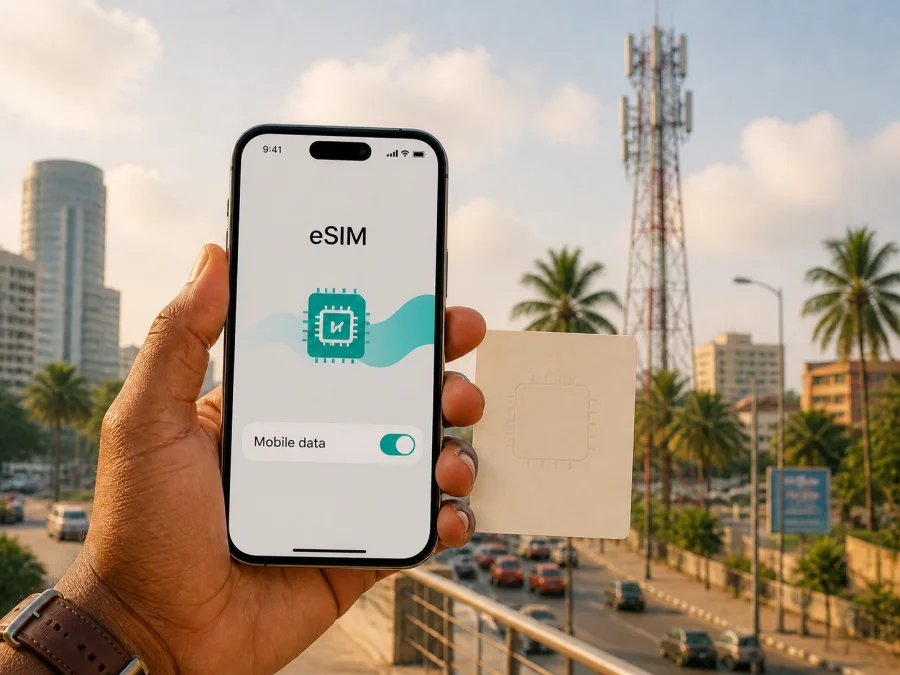
MTN eSIM in Ivory Coast: a practical guide for travelers
If you are planning a trip to Ivory Coast and are considering MTN, two different connection paths should be kept separate: an eSIM issued through the local operator and a travel eSIM intended mainly for mobile data. MTN’s current public information confirms that its eSIM service is listed in Ivory Coast, but the described process includes identification and a visit to an MTN agency. A travel eSIM follows a different setup route and does not automatically create a local telephone line.
This guide was prepared in English for travelers. Information was checked on 2 September 2026. MTN and Ivory Coast are named only to identify the service and destination; related names remain the property of their respective owners. This article is independent: Kaspersky eSIM Store is not affiliated with MTN and is not its official partner or distributor.
Quick answer
MTN offers an eSIM service in Ivory Coast. On its page titled “eSIM MTN CI,” the operator explains that the profile is activated by scanning a QR code. The same page says that a person who starts the purchase online should go to an agency for identification; a customer adviser then provides the QR code and the activation procedure. This is relevant to visitors who can complete the local registration process, but it should not be treated as an instant, identification-free travel eSIM.
MTN CI’s consumer website also presents prepaid mobile services. The public pages checked did not clearly establish a separate tourist eSIM product. A visitor should confirm the current eligibility, documents, sales channel and activation conditions with MTN before relying on a local eSIM for the itinerary.
Kaspersky eSIM Store is a separate app and website that helps users choose, purchase, install and activate a travel eSIM data option. It is not a mobile operator, does not own MTN’s network and does not provide a local MTN number.
What MTN eSIM means in Ivory Coast
An eSIM is a digital SIM profile built into a compatible device. Rather than inserting plastic, you add a carrier profile to the phone and choose the line for mobile data or other services supported by that profile. The handset still needs eSIM support, an unlocked configuration and access to a compatible network. An eSIM does not create coverage by itself.
MTN CI’s eSIM page describes the technology as a virtual SIM integrated into a smartphone. It says that activation uses a QR code and presents the profile as an alternative to a physical MTN SIM. For a traveler, the important detail is the operator-side process: obtaining the profile involves customer registration and an authorised service channel, not simply switching on an option in the phone.
A local MTN eSIM should therefore be understood as an operator-issued subscriber profile, subject to MTN’s current service conditions, identification rules, device support and network availability. Those conditions can differ from a travel eSIM purchased for data abroad.
MTN’s place in the local market
MTN CI presents itself as a telecommunications operator serving Ivory Coast. Its website covers consumer and business services, mobile and internet services, assistance and prepaid categories, while the dedicated eSIM page lists service locations in Abidjan, nearby areas and several inland cities. This confirms a local, agency-linked activation route, not a complete coverage map; ask whether the chosen agency supports eSIM identification and QR-code activation.
Is an MTN eSIM suitable for a traveler?
It may be suitable if you can complete MTN’s identification procedure and your exact device supports the profile. The operator’s public process is not purely remote: the eSIM page directs an online purchaser to an agency, where a customer adviser provides the QR code. Allow time for that step instead of assuming that an online request means completed activation.
MTN CI’s identification page says identification is required before subscribing to the operator’s service and links activation to compliant identification. It lists a valid national identity document, biometric passport and other recognised documents among the possible documents. This general list does not amount to automatic approval for every foreign visitor. Ask an MTN agency which document and additional details apply to your nationality and status.
Traveler document checklist
- Carry a valid passport and ask whether a biometric passport is accepted for your application.
- Confirm whether a local address, photograph or other personal information is required.
- Use an authorised MTN agency or service point rather than an informal seller.
- Keep the QR code and activation instructions until the profile works; ask about replacement if the phone is lost or changed.
The checklist is preparation guidance, not a substitute for the operator’s decision. MTN CI’s identification page says that activation depends on compliant identification and directs customers to authorised locations. A visitor should treat the sales point and document check as part of the connection plan.
Prepaid and tourist services
Prepaid mobile service is visible in MTN CI’s consumer navigation and product structure, supporting the general conclusion that prepaid service exists in Ivory Coast. The pages reviewed did not clearly present a visitor-specific tourist eSIM process. A visitor may still find a local route, but should confirm eligibility, identification, agency location and support directly with MTN. These labels do not by themselves tell you whether activation is remote, which services are supported or whether the profile fits your handset.
Network technologies and coverage
MTN CI’s help material documents 2G, 3G/HSPA and 4G/LTE. Its page “La 4G de MTN” lists a compatible phone, a compatible MTN SIM profile and a 4G coverage area as conditions for using 4G. The page also says that a device may fall back to MTN’s 3G network where 4G is not available.
The same official help page cautions that 4G coverage is not national and refers to Abidjan, Assinie, Bassam and large cities as covered areas at the time of that information. Treat this as a general description rather than a route-level promise. Coverage can change with expansion, maintenance, spectrum use and local conditions. Check the intended destinations before planning around a particular technology.
The evidence supports a careful conclusion: MTN has documented 2G, 3G and 4G/LTE service in Ivory Coast, but an MTN eSIM is not a guarantee of a particular generation at every stop. Before a city stay, multi-city route or rural excursion, check the specific destination. MTN’s help information provides context; it does not remove the need to verify the places on your itinerary.
Local MTN eSIM or travel eSIM?
The setup paths are different. A local MTN eSIM starts with the operator’s customer process, identification and QR-code issue. A travel eSIM starts with choosing a destination in a travel eSIM service, checking the device, installing the profile and selecting it for mobile data. Compatible dual-SIM phones may hold both profiles, but their settings and service conditions remain separate.
Choose the local route when you have a reason to become an MTN subscriber in Ivory Coast and can complete the required process. This can be relevant for a longer stay or a need for local operator support. Confirm the functions attached to the profile instead of assuming that every eSIM has the same functions as every physical SIM.
Consider a travel eSIM when the priority is to prepare mobile data before a trip, keep the primary SIM in the phone and avoid searching for a shop immediately after landing. It is not a universal replacement for local-operator functions. Kaspersky’s official blog article “How to buy and connect a travel eSIM with Kaspersky eSIM Store” describes the service as data-focused; voice calls are not part of the standard travel-data use unless the current conditions say otherwise.
You can review the Ivory Coast destination here: Choose an Ivory Coast eSIM option. This is a Kaspersky eSIM Store destination-selection link. It does not represent MTN and does not mean that Kaspersky eSIM Store supplies MTN’s local service.
How to prepare a travel eSIM
The following sequence applies to a travel eSIM and is separate from MTN CI’s local identification procedure.
1. Check the phone
Confirm that the exact model and regional variant support eSIM. Look in settings for an option to add a mobile plan or eSIM, and confirm that the phone is not locked to another operator. An unlocked device can still fail if its model or software does not support the profile.
For a quick reference, see the eSIM device compatibility guidance. Keep the phone on Wi-Fi or another trusted connection during installation, because the profile may need an internet connection to download.
2. Choose the destination and read the conditions
Select Ivory Coast if it is the only country on the route, or check a regional option for a multi-country journey. Read the current conditions for activation, data use, supported networks, refunds and support. The destination name alone is not a guarantee of service in every part of the country.
3. Install, select and test
Follow the app or website instructions, using a QR code or assisted installation as offered. Label the line “Ivory Coast data,” select it for mobile data and enable data roaming for that eSIM only if instructed. Disable automatic data switching if needed. After arrival, test a small web page or message. If there is no connection, check the selected line, roaming setting, network selection and installation status before contacting support.
Common limitations and troubleshooting
Before selecting a local MTN eSIM, confirm the identification document accepted for your case, support for the exact phone and regional variant, current coverage for the route and the services attached to the profile. A travel eSIM through Kaspersky eSIM Store is data-focused and should not be presented as a local phone number or replacement for a voice-enabled MTN subscription.
If an eSIM does not connect, restart the phone, confirm that the profile is on, select it for mobile data, enable data roaming if required, and check that the handset is unlocked. Move to another location before changing advanced settings. Contact MTN for a local profile issue or Kaspersky eSIM Store support for a travel-profile issue. Avoid deleting a profile or factory-resetting the phone as a first response.
Frequently asked questions
Does MTN offer eSIM in Ivory Coast?
Yes. MTN CI publishes a dedicated eSIM page describing QR-code activation linked to identification at an MTN agency.
Can I obtain it entirely online before flying?
Do not assume that. The public instructions direct an online purchaser to an agency for identification, after which a customer adviser provides the QR code.
Can a visitor use a passport?
MTN CI lists a biometric passport among recognised documents, but that is not automatic approval for every foreign visitor. Ask an agency to confirm the document and any additional information required.
Is there a tourist-only MTN eSIM?
The pages checked confirm eSIM and prepaid services, but did not clearly document a separate tourist eSIM product. Verify any visitor-oriented offer directly with MTN.
Final preparation list
Before leaving for Ivory Coast, decide which path matches the trip. For MTN, confirm eSIM eligibility, documents, the agency visit, the QR-code step and route coverage. For a travel eSIM, check compatibility and unlock status, read the current conditions, install with reliable internet and set the correct data line. Beyond urban areas, treat coverage as location-dependent and keep offline maps.
Information date and responsible use
This article reflects MTN CI’s public eSIM, consumer, identification, 4G and coverage information and Kaspersky’s official travel eSIM materials, reviewed on 2 September 2026. Pages, device support, activation rules and coverage data may change; confirm current conditions before purchase or an agency visit.
Kaspersky eSIM Store is not affiliated with MTN and is not its official partner or distributor. Product and service names belong to their respective owners.


