Travel connectivity guide
MTN eSIM in Nigeria: what travellers should check
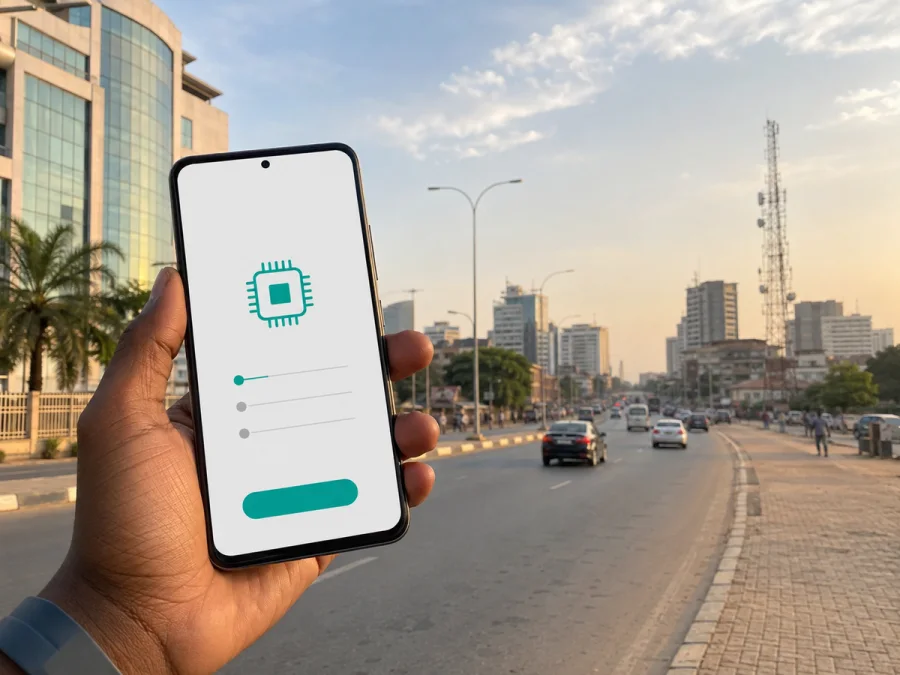
MTN eSIM in Nigeria: connection, activation, and travel tips
If you are travelling to Nigeria and want mobile data without changing a small plastic card, MTN eSIM is a local connectivity option to investigate. MTN Nigeria documents eSIM support for eligible phones and explains how a customer can request an eSIM at an MTN store, complete the usual registration, receive a QR code and download the profile. That process is different from buying a travel data eSIM online, so knowing the distinction helps you choose the right setup.
This guide covers the MTN eSIM process in Nigeria, visitor requirements, phone activation, network technologies and coverage, and the separate travel eSIM route. MTN Nigeria’s eSIM, help-centre, prepaid terms, visitor, 5G, coverage and market pages, plus Kaspersky eSIM Store’s Nigeria page, were checked on 6 September 2026. Conditions can change; confirm final details with MTN Nigeria before travel.
MTN Nigeria in the local market
MTN Nigeria is an established communications provider with mobile, data and related digital services. On its “Our Story” page, MTN says its Nigerian network began operating in 2001 and connects approximately 77 million people across communities in the country. This company-reported scale does not guarantee service at a particular address; it identifies MTN’s role as a local operator with stores, support and registration channels.
MTN’s pages point customers to stores, a help centre, a mobile application and a coverage locator. They also present prepaid, or PayAsYouGo, service and a visitor-oriented option for foreign guests on short stays. These are general market facts, not a recommendation. Check current conditions and eligibility with MTN when you travel.
Is MTN eSIM available in Nigeria?
Yes. MTN Nigeria currently publishes a dedicated eSIM page and a help-centre eSIM section. The service is for eligible devices, and MTN directs customers to an MTN store to request activation. A customer-care agent evaluates the phone, starts the relevant process and provides a QR code for downloading the eSIM profile. The help content also describes a new eSIM line and a SIM swap from a physical MTN line.
MTN does not say that every eSIM-capable phone is automatically eligible. Its instructions tell customers to have the device evaluated by an agent. This is especially relevant for an imported or region-specific model. The phone must support eSIM, must not be locked by another operator, and must be able to connect to the internet while the profile downloads. Menu labels can vary with model, software version and region of sale.
The practical points are straightforward: an MTN store or customer-care agent handles the process; the agent checks the device and provides a QR code; Wi‑Fi is needed for the download; a physical MTN line can be changed through a SIM swap; and ordinary registration still applies. Plan for an in-person device check and prepare identity and travel documents.
How to get MTN eSIM as a visitor
eSIM changes how the subscriber profile is stored; it does not remove identity checks for a local mobile line. MTN’s eSIM guidance says the agent associates the profile details with the mobile number and completes the normal registration process.
MTN’s prepaid terms state that visitors staying in Nigeria for less than 24 months do not need a NIN for SIM purchase, but do need a valid visa and an international passport or other accepted travel document for network registration. The same terms say that timelines can change in response to Nigerian Communications Commission directions. Treat this as a preparation guide, not a permanent exemption: verify the current rule, accepted documents and store procedure before arrival.
MTN’s visitor information gives additional requirements for its short-stay visitor-oriented service. It says foreign visitors register with biometric information, an international passport and a return ticket, and that first activation is completed by staff at a service centre or airport point after registration. The page describes a visitor service, not a guarantee that every visitor route is offered as eSIM. If you specifically want eSIM, ask the agent whether it is available for your device at the time of registration.
Documents and preparation checklist
- Check that the exact phone model supports eSIM and is not network-locked.
- Charge the phone and keep Wi‑Fi available for the profile download.
- Carry the passport or travel document used for entry and any visa evidence required for registration.
- For a visitor-oriented route, be ready for biometric registration and travel-detail checks.
- Keep the QR code and registration details until the profile is active and tested.
- Ask how to recover the QR code or block the line if the phone is lost.
- Decide which line will handle mobile data if the phone contains another SIM or eSIM.
An airport point may be convenient, but opening hours, staffing and procedures can change. If work, navigation or onward transport depends on data, resolve eligibility before departure where possible.
How MTN eSIM activation works
The current MTN sequence is an eligibility check, registration, QR-code delivery, profile download and association with the line. A QR code alone does not mean that mobile data is working: the phone must install the profile, enable the line and register on an available MTN network. Before visiting, look for an “add eSIM” option in mobile-network settings, confirm the exact model and check that an imported phone is not locked or regionally restricted.
Visit an MTN store and request a local eSIM. The agent evaluates the device, provides the QR code and completes association and registration. If you already have an MTN physical SIM, ask about the current SIM-swap procedure. Do not delete the physical profile until the agent confirms the change and explains what happens to the line.
MTN’s help centre says that data is required to download the profile and recommends a wireless connection. Use dependable Wi‑Fi at a store, hotel or another trusted place. Keep the QR code on a second screen or printed slip if the phone cannot scan a code displayed on itself.
On an iPhone, open Settings, choose Mobile Data or Cellular, select the option to add a mobile-data plan and scan the code from the MTN representative. On Android, the wording differs, but the path normally starts in Settings, then Network & Internet or Connections, Mobile Network or SIM Manager, followed by Add Carrier or Add eSIM. Follow the built-in QR-code workflow.
Select the data line and test it
Label the new profile clearly, for example “MTN Nigeria”, so it is not confused with your home line. Select the MTN profile for mobile data when you want the local connection. If your home SIM remains active for messages, review automatic data switching so the phone cannot silently select the home line.
An eSIM may show as installed before it has registered. Check that the profile is on, a network name or signal indicator appears, and a simple data connection works. If there is no service, recheck the selected line, restart once and test again. If the problem continues, contact MTN support or return to the store. Menu labels vary: iPhone commonly uses Mobile Data or Cellular, while Android commonly uses Mobile Network, Connections or SIM Manager.
Network technologies and coverage
MTN Nigeria publicly documents 4G LTE and 5G. Its 5G page says that a 5G-capable phone or router and a 4G-enabled SIM are needed, and that 5G is available in several locations nationwide. It also explains that a 5G phone can use 4G LTE and lower technologies where 5G is unavailable. This is technology guidance, not a promise about speed or indoor reception at a particular address.
MTN operates a coverage locator that lets users search an address or location. Read it as an area-level planning tool. Buildings, terrain, congestion, outages and the phone’s supported bands can affect the result. Check the places that matter to your itinerary rather than relying on a 5G label alone.
MTN investor information reports population-coverage figures and describes a nationwide network. Because those figures are operator-published and may use a particular methodology or measurement date, they should not be treated as a promise of uninterrupted service. Combine the coverage locator with your device specifications and a backup plan for areas where mobile service may be limited.
Local MTN eSIM or travel eSIM?
Choose according to whether you need a local line or simply manageable data during a trip. A local MTN eSIM is relevant when you want an MTN Nigeria number, local registration and MTN customer care. It may require a store visit, documents and an eligibility assessment. This can suit a longer stay, recurring travel or someone who needs local mobile services in addition to data.
A travel eSIM is a separate product category. It is generally arranged online for a destination or region, often before departure, and helps a traveller connect without searching for a physical SIM on arrival. It may be data-only, may not include a local phone number, and may use local telecommunications providers according to its conditions. Check the current destination, activation, device and usage rules. In short: a local MTN eSIM means an MTN line and MTN registration; a travel eSIM means a separate, travel-focused data workflow.
Two profiles can often be used on a compatible phone, but dual-SIM behaviour is device-specific. Set the intended data line, review automatic switching and test the settings before departure.
Kaspersky eSIM Store as a travel option
Kaspersky eSIM Store is an app and website where a traveller can choose, arrange and activate an eSIM with a suitable plan for mobile internet during an international trip. It is not a mobile operator, does not own the MTN Nigeria network and is not the provider of MTN’s local coverage. Its Nigeria page describes a travel eSIM supplied through local telecommunications providers and gives a separate online setup flow.
That flow includes checking device compatibility, selecting Nigeria as the destination, installing the eSIM from a profile or QR code, and managing it in the app or on the website. Availability, partners and conditions can change, so check the current destination information before purchase. You can choose an eSIM plan for Nigeria; this article does not reproduce specific commercial details.
If your priority is a local MTN number, ordinary calling and SMS through that local line, or direct MTN account services, ask MTN about its own eSIM process. If your priority is travel data arranged online, a separate travel eSIM may fit better. The options are not the same service, and a travel eSIM should not be called “MTN eSIM” unless its current product information explicitly says so.
What to check before departure
Confirm the exact phone model supports eSIM and is unlocked. Have the required identity and travel documents ready, and confirm the MTN store or airport procedure. Keep Wi‑Fi available for the QR-based download, label the profiles, select the intended data line and review roaming settings. Check MTN’s locator or the travel product’s stated local network for the places you will visit, save key maps and bookings offline, and keep the relevant support route at hand.
Coverage can change between an airport, hotel, highway and rural attraction. A 5G-capable phone may fall back to 4G LTE or a lower technology where newer service is unavailable, but no technology label promises service everywhere.
Frequently asked questions
Can I get MTN eSIM in Nigeria without visiting a store?
MTN Nigeria’s current eSIM instructions direct customers to an MTN store or customer-care agent for device evaluation, QR-code delivery and registration. Do not assume a remote-only process is available for a new local line; contact MTN for your exact device and line.
Can a visitor register an MTN eSIM?
MTN confirms eSIM support in Nigeria, but a visitor must still satisfy the applicable registration and eligibility checks. The operator’s public visitor and prepaid information refers to passports, travel documents and, for a visitor-oriented service, biometric and travel-detail checks. Ask whether the desired visitor route is currently available as eSIM.
Does MTN eSIM work on every smartphone?
No. The phone must support eSIM and pass MTN’s eligibility check. Regional versions can differ, so verify the exact model and operator-lock status.
Do I need Wi‑Fi to activate it?
You need an internet connection to download the profile, and MTN’s help centre specifically recommends wireless access. After installation, the line must still register on an available MTN network.
Final takeaway
MTN eSIM in Nigeria is a confirmed local service for eligible devices. The process centres on an MTN store, device evaluation, ordinary registration, an agent-provided QR code and a Wi‑Fi-assisted download. Visitors should plan for passport or travel-document checks and verify whether the visitor-oriented route is available as eSIM.
MTN’s 4G LTE, 5G and coverage information can help with planning, but location, technology, device and local conditions affect the result. A travel eSIM is a separate data-focused option for arranging connectivity online. Kaspersky eSIM Store helps users choose and activate that travel eSIM; it is not MTN, does not own MTN’s network and does not provide MTN coverage.
MTN Nigeria and Kaspersky eSIM Store are separate services. This article is not sponsored by, affiliated with, or an official publication of MTN Nigeria. Operator rules, device eligibility, registration requirements, coverage information and travel eSIM conditions may change; check the current information with the relevant service before purchase, installation or registration.


