Travel connectivity guide
MTN eSIM in Swaziland: what to check
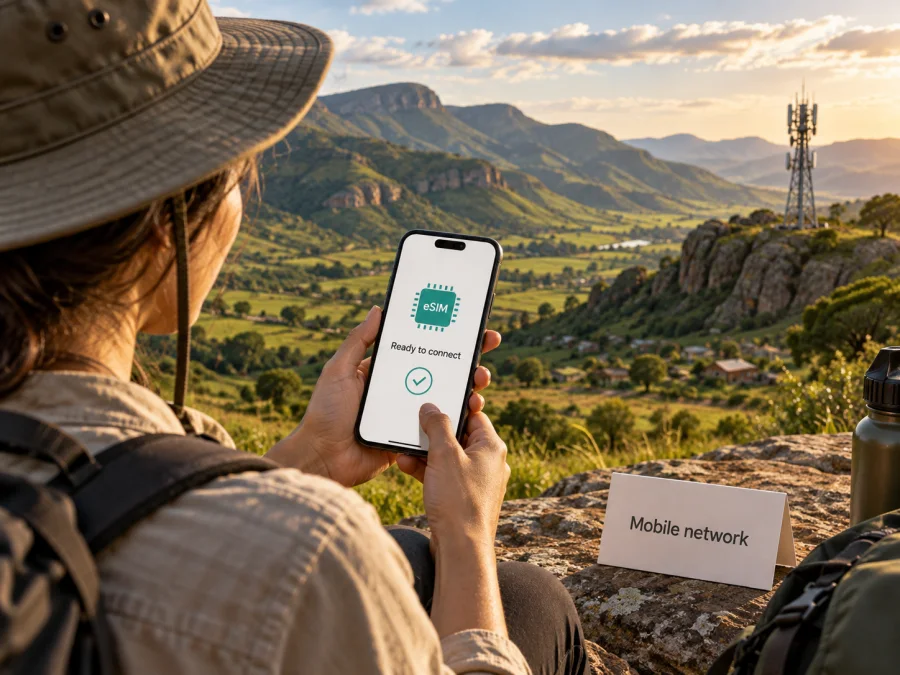
MTN eSIM in Swaziland: what travelers should check
Information checked September 26, 2026. MTN serves the destination identified here as Swaziland; its current public pages use “Eswatini.” The MTN pages reviewed did not confirm that eSIM is available locally. This guide separates confirmed information from questions to ask before travel.
MTN and Swaziland identify the operator and destination; their names and marks belong to their rights holders. Kaspersky eSIM Store is not affiliated with MTN and is not its official partner or distributor.
Does MTN offer eSIM in Swaziland?
As of September 26, 2026, the MTN eSwatini public pages reviewed did not confirm that customers can obtain or activate an MTN eSIM locally. The site has personal services, SIM registration, prepaid information, support and store details, but I found no current eSIM instructions, compatibility list or activation flow. This article therefore does not present MTN eSIM as available.
If you want MTN specifically, ask the operator whether visitors can get a new eSIM in Swaziland, whether an existing number can move to eSIM, what phones are supported, what documents are required, and whether activation must happen in person or before arrival. Ask for current official instructions. Support in another MTN market does not establish support here.
A handset’s eSIM capability and a carrier’s eSIM support are separate. A compatible phone can store a digital profile, but a carrier must issue a profile for the destination. An “Add eSIM” menu in your phone does not confirm that MTN offers one.
MTN’s role in the local mobile market
MTN operates mobile services in the destination. Its local website, branded MTN eSwatini, lists services for individuals and businesses, SIM registration, prepaid information, customer support and store details. These pages do not establish whether a particular visitor can sign up or use a digital profile.
MTN’s site lists prepaid service in general, but that does not mean every offer is open to short-term visitors. Its current VELA SIM Registration guidance says registration can be completed at an MTN outlet or VELA agent and requests a valid passport or national ID, proof of residence dated within three months, and an agent-captured photo. A traveler may not have the requested residence proof. Ask MTN what a non-resident can provide and whether any additional steps apply. I found no official MTN page confirming a tourist-specific offer; general prepaid service and a tourist offer are not the same thing.
What is known and what needs confirmation
| Topic | What public information supports | What you should verify |
|---|---|---|
| Local operator | MTN operates mobile services in the destination; its local site is branded MTN eSwatini. | Whether the service and account type you need is offered to visitors. |
| eSIM | No current public MTN confirmation was found during this check. | Whether new or existing customers can obtain an MTN eSIM locally and how activation works. |
| Prepaid | MTN lists prepaid services in general. | Visitor eligibility, registration, payment and current terms. |
| SIM registration | MTN’s VELA guidance lists a passport or national ID, recent residence proof and an agent-captured photo. | What evidence a non-resident traveler can provide and whether a shop visit is required. |
| Network technology | MTN and the regulator identify 2G, 3G and 4G/LTE service. | Which bands and services work with your handset, and coverage at each stop. |
Coverage and mobile technologies
A network map is a guide, not a guarantee of reception at every address or indoors. Terrain, buildings, site location, maintenance, congestion, device bands and the service arrangement all matter. For rural roads or accommodation outside a main town, check named locations with MTN and your host, and save essential directions offline.
MTN’s January 2024 newsroom update described 4G/LTE sites and rollout areas including Oshoek, Mbabane, Ezulwini, Matsapha and Manzini, along with the airport, Siteki and Nhlangano corridor. This is historical context, not a current route guarantee. The Eswatini Communications Commission’s 2024/25 ICT Sector Report lists MTN coverage for 2G, 3G and 4G. It separates geographic from population coverage: those measures describe land area and people, respectively, and neither promises uninterrupted service everywhere. The report shows 4G geographic coverage below population coverage.
For routes through parks, border areas, highlands or smaller settlements, ask about specific places rather than relying on a national figure. The sources checked identify 2G, 3G and 4G/LTE; they did not confirm MTN 5G in this destination. The rollout information is from MTN eSwatini’s “MTN Activates 30 New 4G Sites” (January 2024); technology and coverage context is from ESCCOM’s 2024/25 ICT Sector Report. Both were checked September 26, 2026.
Choosing between local MTN service and travel eSIM
A local SIM can suit travelers who need a local number or ordinary calls and SMS; whether visitors can register depends on MTN’s current rules. Because its eSIM support was not confirmed in the pages reviewed, ask before assuming that a new local account can be digital.
A travel eSIM is a separate way to get mobile data abroad. It requires a compatible, unlocked phone, setup access to the internet and coverage for the destination. Some travel eSIM services do not provide a local phone number or standard calls and SMS. Check the offer terms and support details before purchase.
Kaspersky eSIM Store is an app and website that helps travelers choose, purchase and activate an eSIM for mobile data abroad. It is not a mobile operator, does not own the local network and does not itself provide internet or coverage. Check the destination page for current options and terms.
See eSIM options for Swaziland to review travel connectivity. This does not confirm MTN eSIM support.
Before you travel: a practical checklist
If you want MTN, contact the operator with your phone model and ask whether it issues local eSIMs to visitors, how a profile is obtained, whether an outlet visit is required and what registration documents apply. If it cannot confirm eSIM availability, plan for another format or a separate travel eSIM.
For a travel eSIM, check destination availability, phone eligibility, local network access and the service terms. Do not infer an MTN network partnership unless the provider identifies it for your offer.
Check the exact phone model and regional version in the manufacturer’s specifications, and look for an eSIM option in cellular settings. Confirm the device is unlocked and supports the local network bands. A phone may support eSIM yet be locked to a home carrier or lack compatible radio bands.
Kaspersky eSIM Store offers a compatibility check. Its help pages say installation steps can differ by device and operating system. See its device compatibility guidance before relying on a travel eSIM.
MTN’s VELA page lists a passport or national ID, recent proof of residence and an agent-captured photo, and says SIM registration is required under a regulator directive. It does not explain how a short-term visitor without local residence evidence should proceed. Ask MTN which documents it accepts before relying on a hotel booking or host letter as a substitute.
Use an official MTN contact channel or service point to clarify the process. Carry your travel identification and keep copies securely; do not send passport details to an unverified seller.
Follow the provider’s installation steps while you have reliable internet. A profile may be added from cellular settings by scanning a QR code or using an in-app prompt. Keep the confirmation accessible and do not delete a profile unless support advises it; some activation codes cannot be reused or transferred.
Kaspersky eSIM Store provides iOS instructions and Android instructions. Menus vary by device. Label the travel line, select the correct line for mobile data, and enable roaming only as directed for that eSIM. Installation and service activation may be separate steps, so follow the provider’s current instructions and activation rules.
Save your accommodation address, transport details and essential contacts offline. If you need verification texts on your home number, ask your regular operator how incoming SMS works while roaming. Turn off automatic data switching if your phone might use the home SIM unexpectedly. Treat Wi‑Fi as a supplement, and keep an offline route to tickets and maps.
Common traveler questions
Can I activate an MTN eSIM before flying?
I could not verify that MTN offers local eSIM or remote activation in Swaziland. Ask MTN whether a visitor can receive a profile before travel. If support is not confirmed, keep a backup option.
Can visitors buy MTN prepaid service?
MTN lists prepaid service, but eligibility for every visitor is not settled by the public pages reviewed. Its VELA registration guidance requests a passport or national ID, recent proof of residence and an agent-captured photo. Ask what non-residents can present.
Does MTN have 4G throughout Swaziland?
MTN and ESCCOM publish 4G/LTE coverage information, but a national statistic cannot guarantee reception at every location. ESCCOM’s 2024/25 report distinguishes geographic and population coverage. Check named stops and routes.
Is 5G available on MTN here?
The sources checked identify 2G, 3G and 4G/LTE; I found no current public confirmation of MTN 5G in this destination. Confirm with MTN if it matters to you.
Will a travel eSIM keep my home number active?
That depends on your phone’s dual-SIM settings and your home operator. Choose the right line for data and check roaming charges. A travel eSIM may provide data without a local number or standard calls and SMS.
Is Kaspersky eSIM Store an MTN product?
No. Kaspersky eSIM Store is an app and website that helps travelers choose, purchase and activate a travel eSIM. It is separate from MTN, is not affiliated with it, does not own a network and does not itself provide mobile internet.
A simple plan for arrival day
Before leaving home, save accommodation and contact details, download anything you may need offline, and verify that your phone works with the service you selected. If you intend to use MTN, confirm eligibility and registration first. For a travel eSIM, install it over a stable connection and keep the setup instructions available.
On arrival, confirm that the selected line is active, mobile data is assigned to it, and any required roaming setting is enabled for that line. If it does not connect, recheck the data-line selection and the provider’s coverage and setup guidance. Contact support before deleting or reinstalling the profile.
Key points to remember
- MTN serves the destination, and its public site lists prepaid service in general.
- Current public MTN pages reviewed did not confirm that MTN eSIM is available in Swaziland. Contact MTN before relying on it.
- MTN’s SIM-registration page lists a passport or national identity document, recent proof of residence and an agent-captured photo. Visitors should confirm how those requirements apply to them.
- MTN’s network and regulator sources identify 2G, 3G and 4G/LTE. Coverage figures vary by geography and population and cannot promise service at every point.
- A travel eSIM is a separate option that depends on phone compatibility, unlock status, destination availability and the specific service terms.
- Check current coverage, registration, activation and support directly before you travel. Information checked September 26, 2026; operator services and coverage can change.
Kaspersky eSIM Store and MTN are separate services. MTN is responsible for its own network and customer terms; Kaspersky eSIM Store helps users choose, purchase and activate a travel eSIM. No affiliation with MTN is implied, and the names and marks mentioned belong to their respective owners.


