Travel connectivity guide
MTN Rwanda eSIM in Rwanda: setup and travel guide
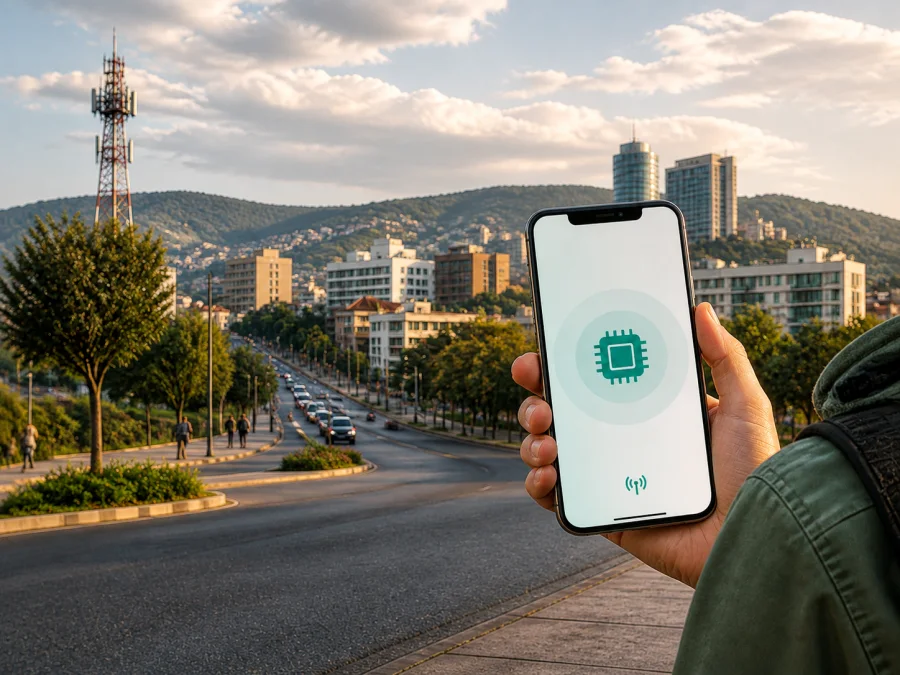
MTN Rwanda eSIM in Rwanda: connection and travel guide
If you are travelling to Rwanda and searching for an MTN Rwanda eSIM, separate the local operator route from a travel eSIM. MTN Rwanda publicly confirms eSIM support for compatible devices. Its documented process is based on an MTN Service Centre, identification and local SIM registration, so it is not automatically a remote travel solution for every visitor.
This guide covers the current eSIM process, traveller requirements, supported technologies, coverage considerations, activation and the difference between a local profile and a travel eSIM. As of 3 September 2026, MTN Rwanda’s published guidance describes eSIM support, activation and coverage conditions, while Kaspersky eSIM Store’s current public product information describes a separate app-and-website workflow for travel eSIMs. Conditions can change, so verify them immediately before departure.
MTN Rwanda and Kaspersky eSIM Store are separate services. This article is informational and does not state or imply that Kaspersky eSIM Store is affiliated with, endorsed by or an official partner of MTN Rwanda.
Is an MTN Rwanda eSIM available?
Yes. MTN Rwanda’s current English eSIM help page describes eSIM support for customers with compatible devices. It says a customer can visit an MTN Service Centre to obtain an eSIM or move an existing physical MTN SIM to an eSIM. The same guidance names an original ID document or passport, physical presence and a supported phone. It also says that the process is completed at the service centre rather than by calling customer care.
For a traveller, this means that “available” does not necessarily mean “ready to download online before departure”. Plan for a service-centre visit in Rwanda, bring the required original document and allow time for registration. If you need mobile internet before reaching a service centre, a travel eSIM arranged in advance may suit that part of the journey better.
MTN Rwanda’s eSIM page also confirms that an EID can help identify a compatible device: dial *#06# and look for the EID. It says that Wi‑Fi or another cellular connection is required to download the eSIM QR code. Its guidance describes eSIM use across 2G, 3G and 4G. 5G is conditional on the phone and the local coverage area.
MTN Rwanda’s local operator route
MTN Rwanda is a mobile operator serving customers in Rwanda with voice, messaging, data and related services. Its current Help & Support area contains consumer information about physical SIM cards, eSIM, 4G, 5G, roaming and a coverage map. It also shows prepaid-style customer journeys and starter-pack information. This establishes a conventional local operator route without requiring a discussion of specific commercial offers.
Prepaid access appears in MTN Rwanda’s current consumer resources, and its eSIM guidance mentions travellers as a possible use case. The available public guidance does not establish a separate tourist-only eSIM process for every visitor. If you travel on a passport, need a new local number or are unsure whether a local offer is intended for visitors, ask an MTN Service Centre to confirm the current procedure.
How the local eSIM process works
MTN Rwanda’s public guidance describes the following practical sequence:
- Check the device. Confirm eSIM support, look for an EID with *#06# and verify that the phone is not carrier-locked.
- Prepare an original document. The eSIM guidance names an ID document or passport and requires physical presence.
- Visit an MTN Service Centre. Explain whether you need a new local line or a SIM swap from an existing physical MTN SIM.
- Complete registration and activation. Follow the current instructions from the representative. A call to the contact centre is not described as a replacement for this visit.
- Connect the phone to the internet. Wi‑Fi or another working cellular connection is needed to download the QR code.
- Add and test the profile. Use the phone’s mobile-network settings, select the intended data line and test service before leaving if possible.
The operator’s eSIM page says that ordinary customer activities can be performed after activation. The exact functions depend on the line and current rules, so confirm what you need before removing another profile. Keep the physical SIM in place until you understand what a swap will do.
Local activation checks
| Check | Why it matters |
|---|---|
| Compatible, unlocked phone | eSIM hardware alone does not overcome a carrier lock or regional limitation. |
| EID | MTN Rwanda identifies it as a useful compatibility check. |
| Original ID or passport | The published eSIM process requires identification and physical presence. |
| Reliable internet | The QR-code download cannot be completed offline. |
| Service Centre visit | This is the published route for obtaining and activating the local profile. |
| Registration rules | Local SIM limits and visitor requirements can change. |
Documents, roaming and visitor restrictions
MTN Rwanda’s eSIM guidance names an original identification document, including a passport, and requires the customer to be present at an MTN Service Centre. Its published SIM terms state that registration follows applicable Rwandan rules and that the number of SIMs associated with an identity document can be limited. The exact allowance and acceptable documents may change, so bring the original passport and confirm the current visitor process at the point of service. Do not assume that a passport photograph, remote chat or third person can complete the process unless MTN Rwanda confirms it.
The same SIM terms indicate that a local SIM is intended for services within Rwanda unless roaming availability is stated otherwise. If Rwanda is one stop on a longer route, do not treat an MTN Rwanda eSIM as a regional travel profile for neighbouring countries. Ask about roaming separately before crossing a border.
Check the current service-centre location and opening information before travelling across Kigali or onward to another destination. Contact details and hours can change. For registration or SIM-swap problems, only MTN Rwanda can confirm the state of the local account.
Technologies and coverage in Rwanda
MTN Rwanda’s eSIM help page says that an eSIM can connect like a physical SIM across 2G, 3G and 4G. Its 4G guide states that 4G requires a compatible phone, a suitable SIM and an area covered by 4G. These are service conditions, not a promise of identical connection quality at every address.
MTN Rwanda’s current 5G FAQ says that 5G requires a compatible smartphone and a 5G coverage area. It identifies initial Kigali locations including the Kigali Convention Centre, KABC and Kigali Heights, and lists supported device families. A later MTN Rwanda announcement describes deployment in locations across Gasabo, Nyarugenge, Kicukiro and Kamonyi districts. This is a location-dependent rollout and should not be read as nationwide 5G availability.
MTN Rwanda’s audited FY2025 earnings release refers to progress toward nationwide 4G population coverage alongside targeted 5G deployment. That is a company disclosure about network development, not a substitute for checking your route. Hills, buildings, indoor spaces, weather, congestion, device bands and local sites can affect the connection received. Before travelling outside Kigali, consult the current coverage map and ask support about rural sections, national parks, border areas and long road journeys. Keep offline navigation and essential contact information as a backup.
Local MTN eSIM or travel eSIM?
The local route connects you to MTN Rwanda’s subscriber and registration process. A travel eSIM is prepared for international travel and is commonly selected by destination through an app or website before the journey. The practical choice depends on whether you need a local number, how quickly you need data and whether you can complete registration in person.
| Question | Local MTN Rwanda eSIM | Travel eSIM for Rwanda |
|---|---|---|
| Starting point | MTN Service Centre in Rwanda | Usually arranged online before departure or when another connection is available |
| Identity process | Local identification and registration apply | Depends on the travel service and selected option |
| Main purpose | Local operator access and a local subscriber relationship | Mobile internet during an international trip |
| Calling and number | Ask MTN which functions are active on the line | Often data-focused and not a replacement for a normal number |
| Network access | MTN Rwanda technologies and local coverage | Networks and locations stated in current travel conditions |
Kaspersky eSIM Store for travel connectivity
Kaspersky eSIM Store is an app and website that helps a traveller choose, arrange and activate an eSIM with a travel plan for mobile internet abroad. Kaspersky’s official announcement describes access to eSIM plans from local telecom operators and a workflow for selecting a destination, completing an order and managing the eSIM. The current app listing presents the product as a way to find an eSIM for travel and provides installation guidance.
Its role should be kept clear. Kaspersky eSIM Store is not MTN Rwanda, is not a mobile operator, does not own a Rwandan network and is not the provider of radio coverage. It is a digital route for preparing a travel eSIM; the underlying connectivity depends on the selected travel option and its current network arrangements.
To review the travel route for this destination, you can explore the eSIM option for Rwanda in Kaspersky eSIM Store. Use the page to check current availability, then confirm that the phone is compatible and that the conditions match your intended use of mobile internet.
Device compatibility and installation
Check the phone before choosing any eSIM. Use the manufacturer’s specifications and the service’s compatibility checker. On an iPhone, look for an option to add an eSIM in mobile settings. On Android, it may be called “Add eSIM” or “Download a SIM”. Menus vary by version, language and manufacturer. Also confirm that the device is unlocked; a phone can contain eSIM hardware and still restrict profiles from another operator.
For a local MTN Rwanda eSIM, compatibility is necessary but not sufficient: the service-centre process, an acceptable document and registration still apply. For a travel eSIM, confirm that Rwanda is supported, that the profile is intended for mobile data and that installation instructions are available while you have reliable internet. Further guidance is available in the eSIM compatibility instructions.
Do not delete an eSIM profile merely because it is temporarily offline. Some profiles cannot be restored after deletion without another activation process. If a local profile fails, return to the MTN Service Centre or use MTN’s current support channel. If a travel profile fails, contact its support team with the device model, operating-system version, visible error and location.
Frequently asked questions
Can I obtain an MTN Rwanda eSIM completely online?
The current public guidance does not describe a fully online route for a new eSIM or SIM swap. It directs customers to an MTN Service Centre and requires physical presence with an identification document.
Can a visitor use a passport?
The eSIM guidance names an ID or passport as an original document. The SIM terms also refer to registration limits and applicable rules. Bring the original passport and ask the service centre to confirm the current visitor process.
Does an MTN Rwanda eSIM work on 5G?
The eSIM information describes 2G, 3G and 4G access. The separate 5G FAQ requires a compatible phone and a 5G coverage area, with rollout locations and supported devices. Treat 5G as location- and device-dependent.
Do I need internet to install the local eSIM?
Yes. MTN Rwanda says the QR code cannot be downloaded without Wi‑Fi or another cellular connection.
Is a travel eSIM the same as an MTN Rwanda eSIM?
No. The MTN profile follows a local subscriber and registration process. A travel eSIM is arranged for travel through an app or website and may be data-focused.
Can I keep my usual SIM?
Often a compatible dual-SIM phone can retain a physical SIM while an eSIM is installed, but active-line combinations depend on the device. Keep the regular SIM in place until you understand the settings.
Final checklist for Rwanda
Before departure, confirm that the phone supports eSIM, shows an EID or equivalent compatibility indication and is unlocked. Decide whether you need a local MTN Rwanda number or mobile internet only. For the local route, bring the original passport or other accepted document and allow time for an MTN Service Centre visit. For a travel eSIM, confirm current Rwanda support and keep installation instructions available.
Prepare reliable internet for the download stage, choose the line that will carry mobile data, check the current MTN Rwanda coverage map for Kigali and the rest of your route, and keep offline navigation as a backup. An MTN Rwanda eSIM is a confirmed local option for compatible devices, but service-centre and registration requirements are central to the experience. A travel eSIM is a different preparation-oriented route for mobile internet. Verify final conditions with MTN Rwanda or the chosen travel eSIM service immediately before departure.


