Travel connectivity guide
MTS DOO eSIM in Kosovo: what to check
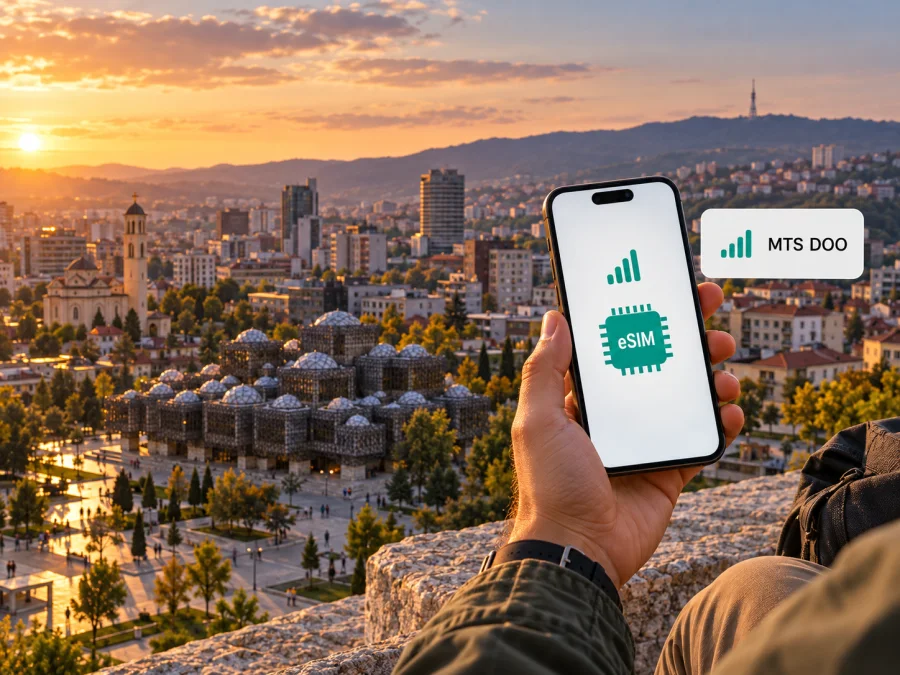
MTS DOO eSIM in Kosovo: availability, activation and travel considerations
MTS DOO offers eSIM service in Kosovo for a defined group of customers, but the published offer is not a general tourist eSIM. The operator currently describes it as available to its residential and business postpaid customers; prepaid customers are excluded. Its instructions direct customers to an MTS shop to request an eSIM, so a traveller should confirm eligibility, documentation and the activation process with the operator before relying on it.
This guide explains what the public information says about MTS DOO, how its eSIM offer differs from a travel data eSIM, and what to check before a trip to Kosovo. It covers the operator’s stated activation route, device compatibility, mobile network information and practical questions for visitors. Conditions can change, so confirm service details with MTS DOO before travelling.
Which MTS does this article cover?
This guide concerns MTS DOO, whose website identifies its office in North Mitrovica, Kosovo. It is associated with Telekom Srbija, but its Kosovo services should not be confused with the Serbian consumer operator mts. Offers from one company do not establish that the same service is available from the other.
A phone showing an MTS name while roaming in the region may be connected to a partner network. Check the country, issuing company and supported network named in any offer. Do not assume that a product for Serbia, another Balkan destination or Europe includes Kosovo; confirm that Kosovo is listed for that specific service.
MTS DOO’s position in Kosovo
MTS DOO provides telecommunications services in Kosovo. Its website describes fixed telecommunications as its primary business and wireless telecommunications as secondary. ARKEP’s 2023 annual report lists two authorised mobile network operators and describes MTS DOO as operating under temporary authorisation with limited infrastructure. The regulator’s first-quarter 2025 mobile-market chart lists MTS DOO separately from the two larger operators. These descriptions make it important to check the exact service and location rather than infer availability from the company name.
Market status is not a promise about signal strength at a particular address, and market share does not measure user experience. Coverage depends on location, device, indoor conditions, network load and available technology. For a specific town, border area or route, consult current operator information and ask support if details are unclear.
This article uses public MTS DOO service information, the Kaspersky eSIM Store website and ARKEP reports available on 17 October 2026. Public conditions can change; verify current details with the provider.
Is MTS DOO eSIM available to visitors?
MTS DOO’s public eSIM page confirms that the operator has an eSIM service. It says the service is currently available to residential and business postpaid customers and is not available to prepaid customers. This is a useful distinction for visitors: the page does not describe a visitor-only or tourist eSIM, and it does not say that a newly arrived traveller can sign up as a postpaid customer using any particular document.
The stated route is to visit an MTS shop and submit a request for an eSIM. The page also calls for checking that the device supports eSIM. It does not establish that all shops can complete every request immediately, that a foreign visitor will meet customer requirements, or that an eSIM can be ordered fully online. Contact MTS DOO before making a special trip to a shop, especially if you are not already a customer.
Prepaid service and prepaid eSIM are different questions. MTS DOO’s site describes prepaid mobile services, including mobile internet, but its eSIM page specifically excludes prepaid customers. The availability of a physical prepaid SIM therefore does not prove that MTS DOO will issue a prepaid eSIM. A short-term visitor who needs a local number should ask whether a physical prepaid SIM is available, what registration is required, and whether it can be used in their unlocked phone.
| What to check | What the public information establishes | What to confirm before travelling |
|---|---|---|
| MTS DOO eSIM | The operator advertises eSIM for residential and business postpaid customers. | Whether your existing account or a new application qualifies. |
| Prepaid eSIM | Prepaid users are currently excluded from the stated eSIM service. | Whether the operator has changed this policy since its page was updated. |
| Application route | The published instructions direct customers to an MTS shop. | Which shop handles requests, required documents and expected processing time. |
| Device | The device must support eSIM. | Whether your exact regional model and software version are compatible and unlocked. |
| Tourist use | No separate tourist eSIM is described on the public eSIM page. | Whether a visitor can register for postpaid service or should use another option. |
How to request and activate an MTS DOO eSIM
The operator’s public instructions describe an in-person request. They do not provide enough information to guarantee one identical process for every customer, device or shop, so use these steps as a preparation checklist rather than a promise of instant activation.
Before visiting a shop
- Check the phone. Confirm that the exact model supports eSIM. Phone names can cover multiple hardware variants, and support can differ by market or model number. Check the manufacturer’s specification and the eSIM option in the phone’s settings.
- Check the lock status. An eSIM-capable phone may still be restricted to a particular carrier. Ask the original seller or home operator whether the phone is unlocked for other networks.
- Contact MTS DOO. Ask whether your customer status qualifies, whether new postpaid sign-ups are accepted for your circumstances, and which identity or account documents are required. The operator’s contact page lists customer-support channels and shop information.
- Ask about the activation method. Confirm whether the shop issues a QR code, installs the profile with staff assistance, or uses another method. Ask whether you need internet access during installation and whether the profile can be reissued if the phone is replaced.
- Keep the phone connected to Wi-Fi. If the operator supplies a QR code or download details, a stable internet connection may be needed while the profile is added. Avoid leaving the shop until you know whether the profile has installed and the next step is clear.
At the shop and on the phone
Follow the shop’s instructions and the prompts on your device. On an iPhone, the eSIM controls are usually under Settings and Mobile Service or Cellular; on Android, the wording varies by manufacturer and software version, often under Network & Internet, Connections or SIM manager. Choose the option to add a mobile plan or SIM, then scan the operator’s QR code if one is provided. If the shop uses a different setup method, follow its instructions instead.
After installation, give the phone time to register. Name the line in a way you can recognize, such as “MTS DOO,” and check the line’s status in cellular settings. If you use two SIMs, choose which line handles mobile data, calls and messages. The menu may allow you to keep your home line enabled for incoming calls while selecting another line for data, but using the home line abroad may trigger roaming charges under your home operator’s terms.
Do not delete an eSIM profile to troubleshoot unless MTS DOO has told you how to restore it. Some profiles cannot be installed again with the original QR code. If activation fails, capture the exact error message, check that the phone has a network connection, and ask the operator whether the profile has been issued or activated correctly.
For general device-specific steps, use the manufacturer’s current support instructions and the relevant Kaspersky eSIM Store installation guide. You can also check the eSIM device compatibility guide. A device-compatibility check for a travel eSIM does not determine whether MTS DOO will accept a customer application or support a particular MTS profile.
Network coverage and supported technologies
MTS DOO’s mobile service should be assessed as a Kosovo-market service with its own eligibility and infrastructure conditions. ARKEP’s 2023 annual report describes MTS DOO as having temporary authorisation and limited infrastructure, while the same report separately identifies Kosovo’s two authorised mobile network operators. This is different from describing MTS DOO as having the same network footprint as those operators.
The operator’s public information lists LTE (4G) among its mobile-data technologies, and it describes service availability as dependent on the phone’s capabilities and the presence of an appropriate MTS signal. The ARKEP report discusses Kosovo mobile services in 3G and 4G terms at market level. These statements do not establish that a specific MTS DOO customer will receive 4G in every location, and they should not be read as confirmation of 5G access on the MTS DOO network. Check current technology support with the operator for your device and destination.
Coverage can differ between a town centre and a nearby rural road, or between outdoors and inside a concrete building. Before a trip involving remote areas, plan for the possibility of intermittent or unavailable service. Download maps and essential travel information in advance, and retain offline copies of reservations or transport details. If continuous connectivity is important, ask about coverage along the exact route rather than relying on a broad national description.
If you are already an MTS DOO customer, ask whether your eSIM profile uses the same service and coverage as your existing physical SIM. If you are comparing local connectivity with a travel eSIM, check the actual network access, supported data use and service area shown for each option. A provider’s name alone does not reveal which radio network a travel product uses at a destination.
Local operator service and travel eSIM: different use cases
An operator-issued eSIM is usually tied to a customer account with that operator. For MTS DOO, the currently published eSIM information is aimed at residential and business postpaid subscribers. This route may suit an existing eligible customer who wants to replace a physical SIM with a digital profile while continuing to use the operator’s account and mobile service. The operator can confirm account-specific options and any limits that apply.
A travel eSIM is a separate way to arrange mobile data for a trip. Kaspersky eSIM Store is an app and website where travellers can select, arrange and activate an eSIM with a data plan for international travel. It is not a mobile operator, does not own a mobile network, and does not itself provide mobile internet. Available destinations and the local networks used can differ by product and change over time; check that Kosovo is specifically listed before relying on a travel eSIM there.
A travel data eSIM can be useful when a visitor does not have access to the local operator’s postpaid eligibility route, wants to prepare mobile data before arrival, or prefers not to replace a physical SIM. It should not be treated as a substitute for every local mobile service. The Kaspersky eSIM Store service described on its public site is data-only and does not provide a separate local phone number for ordinary calls and SMS. Messaging and internet calls can work through apps when data access is available.
The choice depends on what you need. If you need an MTS DOO account, a local number, or voice service, ask the operator which customer route is available to you. If you mainly need mobile data, compare the destination coverage and terms of a travel eSIM with other options. Do not assume that either option includes calls, messages, tethering or roaming in neighbouring countries unless its current terms say so.
For a traveller who wants to explore the travel-data option, visit Kaspersky eSIM Store. Verify destination availability and device compatibility before arranging a plan; the store’s general service information is not proof of Kosovo coverage.
What travellers should confirm with MTS DOO
The public pages do not settle every visitor-specific question. Before relying on this option, contact MTS DOO and confirm:
- whether a new customer or visitor can apply for postpaid service, and which identity documents are accepted;
- which shop can issue the eSIM, whether an appointment is needed, and how the profile is delivered;
- which technologies and locations are supported along your itinerary;
- whether your account includes a phone number, voice service and roaming outside Kosovo;
- how to replace the profile if your phone is lost or changed.
The operator’s contact page lists customer support and shop information. Keep a note of the instructions if your trip depends on a specific feature. Business customers should also check with their account administrator about any separate approval steps.
Prepare your phone for the trip
Check the exact model number, because eSIM support can differ between regional variants. Confirm with the manufacturer and MTS DOO that the phone is compatible and unlocked. Save offline maps, transport directions and accommodation details in case coverage is unavailable on part of your route.
If you use two SIMs, decide which line should handle mobile data, calls and messages. Review your home operator’s roaming conditions before departure; disable data roaming or automatic data switching on the home line if you do not want it to carry data abroad. Keep account and support details accessible, and do not share an activation QR code. A travel eSIM may have different settings, so follow its own installation instructions.
Common eSIM issues and practical checks
If the phone has no “Add eSIM” option, recheck the exact regional model and its current specifications. If it is locked, ask the original carrier or seller about unlocking. For a QR code that will not scan, make sure the whole code is visible and contact the issuer if it appears invalid; some codes can only be used once.
If the profile installs but does not connect, confirm that it is enabled, selected for mobile data, and that airplane mode is off. Restart the phone, then ask the issuer to confirm that the profile is active and the location is covered. Do not delete the profile or reset the phone until the provider explains how to restore it. Before replacing a device, ask whether the eSIM can be reissued; transfer rules vary by provider.
Frequently asked questions
Does MTS DOO offer eSIM in Kosovo?
Yes. Its public page describes eSIM for residential and business postpaid customers. Prepaid users are currently excluded; confirm the latest eligibility with MTS DOO.
Can a tourist get an MTS DOO eSIM?
The public page does not describe a tourist product or confirm that every visitor can sign up. Ask whether your account and documents qualify before visiting a shop.
Is prepaid mobile service the same as prepaid eSIM?
No. MTS DOO describes prepaid mobile service, but its eSIM page excludes prepaid customers. A physical prepaid SIM offer does not prove that a prepaid eSIM is available.
Can I install the profile online?
The published instructions direct customers to an MTS shop and do not confirm a fully online process for all users. Ask the operator whether remote delivery is available for your account.
Does an eSIM work on any phone?
No. The exact model must support eSIM, and some regional variants differ. The device may also need to be unlocked.
Does Kaspersky eSIM Store provide an MTS DOO profile?
No. Kaspersky eSIM Store is an app and website for selecting, arranging and activating travel eSIM data plans. It is not the MTS DOO service or network. Check destination availability and current plan terms before purchase.
Is MTS DOO coverage available throughout Kosovo?
Do not assume uniform coverage. ARKEP describes MTS DOO as having limited infrastructure, and service depends on location and network conditions. Check the operator’s current information for your itinerary.
A practical decision checklist
Before relying on MTS DOO eSIM, confirm that you qualify for the postpaid offer, your documents are accepted, and a shop can issue the profile in time. Verify your exact phone variant is eSIM-compatible and unlocked. Ask which locations and technologies are supported, whether the service includes the voice features you need, and what applies outside Kosovo.
If you do not meet the eligibility conditions or only need data for a short visit, consider another option, including a travel eSIM where Kosovo is explicitly supported. Verify destination coverage before purchase. Operator-issued eSIM and travel eSIM address different customer situations and should not be treated as interchangeable.
MTS DOO is not affiliated with Kaspersky eSIM Store. Kaspersky eSIM Store is an app and website that helps travellers select, arrange and activate eSIM data plans for international travel; it is not a mobile operator or mobile-internet provider. Check current terms with the relevant provider before departure.


