Travel connectivity guide
MTS eSIM in the Russian Federation: traveler guide
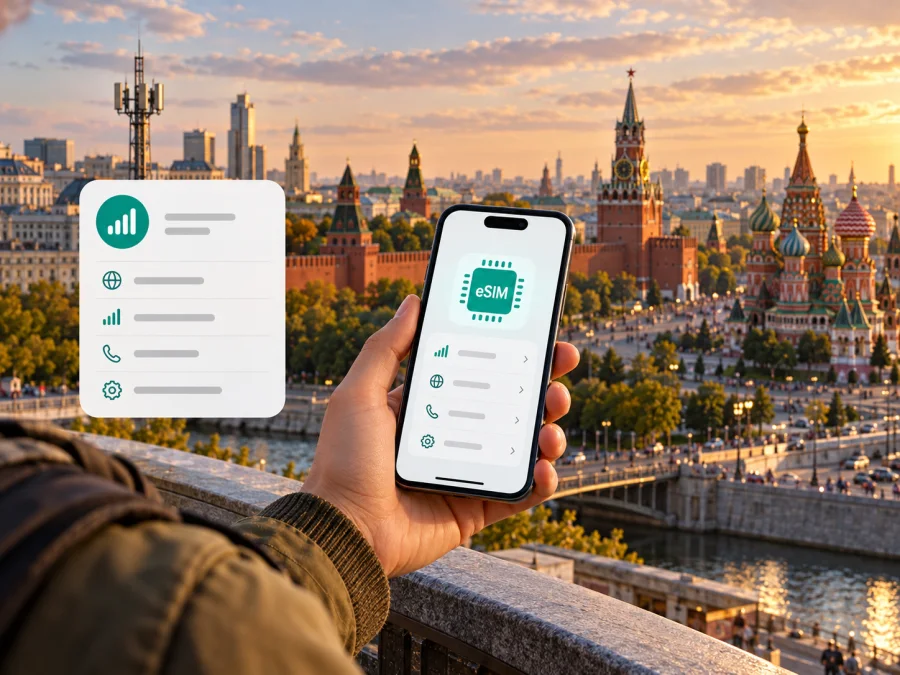
MTS eSIM in the Russian Federation: what travelers should know
MTS is one of the mobile operators serving customers in the Russian Federation. It offers eSIM as a digital alternative to a physical SIM for compatible devices. For a traveler, the key distinction is between having an MTS eSIM profile and being able to activate it: MTS says that its eSIM must be activated while connected to the MTS network in Russia. That makes advance preparation important if you are leaving the country or already abroad.
This guide explains what MTS’s public eSIM information confirms, how activation works in broad terms, what to check before travel, and how local MTS service differs from a travel eSIM. It does not list plans or prices; those details and eligibility rules can change and should be confirmed directly with MTS. Information below was checked on 17 October 2026 against MTS’s eSIM pages, MTS Support, and the operator’s current coverage and technology information.
MTS and the Russian mobile market
MTS (also written as МТС in Russian-language materials) is a mobile communications brand operating in the Russian Federation. Its consumer service includes mobile voice and data, with physical SIM and eSIM options described on the operator’s public site. In this article, “MTS” refers to that operator in the Russian market; it does not mean an MTS-branded service in another country or a roaming partner abroad.
MTS presents eSIM as a digital SIM embedded in a compatible phone or tablet. It can be added to a device that supports eSIM and used alongside a physical SIM where the device and configuration permit. That can be useful for people who want to keep a number on a digital profile, replace an existing physical MTS SIM, or use multiple mobile profiles on a device. The exact number of profiles that can be stored or active at once depends on the device model and its software, so check the manufacturer’s guidance rather than assuming the same behavior on every phone.
MTS’s official consumer page describes online issuance and replacement options and directs customers to check device compatibility before proceeding. The MTS Support article “How to order a new eSIM” describes online and in-person routes, with online issuance subject to eligibility and identity verification. It also explains that a customer who already has an MTS number can replace a physical SIM with eSIM. These are operator subscriber procedures, not a general anonymous or instant tourist registration path. MTS may change its workflow, available channels, or document requirements, so use its current instructions when applying.
Is MTS eSIM available?
Yes. MTS currently documents eSIM for its Russian Federation customers. Its eSIM product page describes ordering a new eSIM and replacing a physical SIM, while MTS Support has separate instructions for ordering, activating, and replacing an eSIM. The product page also directs users to check whether a particular device supports the technology. This confirms that eSIM is part of MTS’s local offering; it does not mean that every handset, customer type, region, or situation is eligible.
MTS’s public support material describes online issuance through the operator’s website and app, as well as an in-person option at an MTS location. The online path can require a Russian citizen to meet age and account conditions, verify a contact number, provide personal details, and sign a subscriber agreement. In-person registration is also linked to identity documents. Requirements can differ for corporate accounts, minors, representatives, and foreign citizens. MTS Support provides separate instructions for these cases; check the exact current process with MTS before relying on it.
For a foreign citizen, MTS Support lists a specific identity and registration process for obtaining a number. Its requirements include a foreign passport and steps involving the Russian state services portal and biometric registration. These requirements are important for visitors: a device being eSIM-compatible does not make the operator’s registration process optional. Rules can also change, and the support page may distinguish between customer categories. Confirm eligibility and required steps directly with MTS before visiting a store or starting an online application.
What “available” means for a traveler
The existence of MTS eSIM means that eligible customers can request a digital MTS subscriber profile under the operator’s rules. It does not by itself mean that a visitor can complete registration from any country, activate the profile abroad, or use it as a data-only travel product. MTS’s activation article says that a newly issued or replacement profile must be activated on the MTS network in Russia. It names areas where activation may not work because the operator uses partner networks there, including some areas of Khanty-Mansi Autonomous Okrug and Yamalo-Nenets Autonomous Okrug, as well as Crimea and locations outside Russia where MTS does not have its own network.
The support article also says that the downloaded profile is associated with the device on which it is installed and activated. If you change phones, MTS instructs customers to replace the eSIM and receive a new QR code. Because device transfer and profile replacement can depend on account status and current rules, do not delete a working profile or switch handsets immediately before a trip unless you have checked the replacement steps and can reach MTS support.
These restrictions make timing part of the decision. If you need a new MTS number, want to convert an existing number, or expect to replace a phone, resolve that with MTS while you are in a location where its activation process is available and before departure. A QR code alone does not override the activation-location rule. Do not plan on completing initial activation after landing abroad unless MTS has explicitly confirmed that the applicable procedure has changed for your account.
How MTS eSIM activation works
MTS’s standard process begins with a supported device and an issued QR code or activation link. The operator says online orders send the QR code to the email address supplied during registration; an in-person order may provide the code with a voucher. Keep Wi-Fi or another working data connection active while the phone downloads the profile.
At a high level, a customer checks the handset, requests an eSIM through an eligible MTS channel, receives the activation details, then adds the mobile plan in the device’s cellular settings. Menu names differ between iOS, Android, manufacturers, and software versions. MTS Support has device-specific examples for Apple, Xiaomi, Samsung, Huawei, and Google Pixel, but you should follow the instructions for your own model and current software.
The central travel constraint is location: MTS says activation must take place on the MTS network in Russia. The Support article also describes a limited time to download a newly issued or replacement profile. Check the current operator instructions when applying, and allow enough time to complete setup before departure. A QR code by itself does not override the location requirement.
A simple preparation sequence is to verify the exact device variant; confirm registration and document requirements; plan to activate where MTS’s own network is available; keep the QR code private and accessible; maintain an internet connection during installation; and test the resulting line before leaving the activation area. If changing phones, ask MTS about replacement first: its instructions say the profile is associated with the handset where it is installed and activated.
Compatibility and regional device variants
Compatibility is a handset-level requirement, not a guarantee based on a phone brand or family name. Confirm that the exact model sold in your market supports eSIM, that the device is not carrier-locked in a way that prevents adding an MTS profile, and that its software permits the required settings. Regional suffixes can matter: visually similar variants may differ in eSIM capability or supported radio bands.
MTS directs customers to its current supported-device information. Check it alongside the device maker’s specification at the time of application. For travel, also verify support for the relevant network technologies and bands at your destination. eSIM support alone does not establish that a phone will connect to every network. On dual-SIM phones, check how many profiles can be active together and choose which profile handles mobile data, calls, and messages.
Coverage and mobile technologies
MTS’s public service pages link to a coverage map that identifies 5G, 4G, LTE, and other network areas. Check the map for the towns and districts on your route rather than relying on a national outline. Maps are planning aids: they cannot guarantee signal inside a building, on every road, or at a particular moment. Terrain, construction, local network conditions, maintenance, and the phone’s supported bands can all affect service.
MTS’s current technology page describes 4G/LTE as part of its network and 5G availability in selected Russian locations. As checked on 17 October 2026, the page names Moscow, Saint Petersburg, Yekaterinburg, Ufa, Novosibirsk, and other regions among areas with 5G, and directs customers to its coverage map for specific locations. The operator says access depends on a compatible phone, local coverage, settings, and current service conditions. It also says iPhone 5G activation is currently unavailable in Russia because of restrictions from Apple. These details can change; verify them if 5G matters to your trip.
MTS separately labels some limited pilot areas “Super 5G.” This is operator terminology and should not be read as a promise of service throughout a city or region. Actual connectivity depends on device compatibility, local signal, and network conditions. An eSIM profile does not alter those geographic or radio limits.
For travel within Russia, review each stop on the MTS map. For travel abroad, distinguish the operator’s own coverage from roaming on partner networks. A roaming phone may show a different network name, and availability and charges depend on destination and account conditions. Ask MTS for current roaming information before departure; this article does not list plan parameters.
Local MTS eSIM and a travel eSIM
An MTS eSIM is the digital form of an MTS subscriber SIM for the Russian market. It may suit someone who needs an MTS number, wants to keep or convert an existing MTS line, and meets the operator’s registration, device, and activation requirements. It remains subject to MTS’s identity, network, and roaming rules.
A travel eSIM is selected for mobile data in a destination or region, under the specific conditions of that travel product. Kaspersky eSIM Store is an app and website that helps travelers choose, arrange, and activate an eSIM with a plan for mobile internet during an overseas trip. It is not a mobile network operator, does not own a network, and does not itself provide mobile internet coverage. Service is supplied under the applicable provider’s terms. A travel eSIM is not automatically a replacement for an MTS number or ordinary voice and SMS service.
If your destination is the Russian Federation, review eSIM options for the Russian Federation in Kaspersky eSIM Store. The destination page currently notes that purchases are restricted for Russian residents and describes an activation delay after connecting in Russia. Those product-specific restrictions may affect timing, so review the current conditions before purchase. Kaspersky eSIM Store can help with a travel eSIM; MTS remains the source for questions about MTS number registration, activation, coverage, roaming, and accounts.
Traveler checklist
Before applying for or relying on MTS eSIM, confirm:
- Eligibility: current identity, age, account, and document requirements for your customer category.
- Activation location: MTS says initial activation requires its own network in Russia; partner coverage may not suffice.
- Device variant: exact model, eSIM support, carrier-lock status, software, and network bands.
- Travel destination: domestic map coverage or international roaming conditions for your MTS account.
- Profile changes: how to replace an eSIM if changing phones; do not delete a working profile before checking.
- Line settings: which SIM handles mobile data, calls, and messages, and what data-roaming settings mean for your account.
- Current terms: confirm the latest instructions with MTS shortly before applying or travelling.
Frequently asked questions
Does MTS support eSIM in the Russian Federation?
Yes. MTS’s public eSIM page and MTS Support currently describe ordering, replacing, and activating eSIM for eligible customers. Availability depends on device compatibility, customer eligibility, and current operator rules.
Can I activate a new MTS eSIM while abroad?
MTS’s activation instructions say that activation must take place on the MTS network in Russia. They also name some Russian areas where activation may not work because MTS uses partner networks. Contact the operator to confirm options for your order.
Can a foreign visitor register for MTS eSIM?
MTS Support publishes requirements for foreign citizens, including identity and registration steps. Check the current instructions for your situation before applying. A compatible phone alone does not establish eligibility for a subscriber number.
Will every eSIM-compatible phone work with MTS?
No. Check the exact regional variant, software, carrier-lock status, and MTS compatibility information. Network-band and roaming support can also differ between models.
Can I move an MTS eSIM to a different phone?
MTS says the profile is associated with the device where it is installed and activated. Its support instructions describe replacing the eSIM and obtaining a new QR code when changing devices. Confirm the current process before removing a working profile.
Is MTS coverage the same as roaming coverage?
No. MTS’s coverage map describes its network areas in Russia. International roaming may use partner networks and different conditions. Ask MTS about your destination and account before travel.
Where do I find setup instructions?
Use the current MTS Support articles for ordering, activating, and replacing an MTS eSIM, plus the device maker’s instructions. For a travel eSIM, follow the instructions and terms for that product; the two activation processes may differ.
A practical decision
Choose MTS eSIM if you need an MTS subscriber line and meet the operator’s eligibility, device, and activation requirements. If travel is approaching, complete activation in a permitted Russian network area before departure and test the profile while you can still contact MTS.
If you need mobile data for an overseas trip, compare the current travel eSIM conditions for your destination with the roaming options on your MTS account. Check activation timing, coverage, device compatibility, and whether voice or SMS is included. For setup guidance, see iOS eSIM installation instructions, Android eSIM installation instructions, or device compatibility. Check that your phone is online during installation and select the correct profile for mobile data.
Sources and affiliation
MTS’s official consumer eSIM page, the MTS Support articles “How to order a new eSIM,” “How to activate an eSIM,” and “How to replace a physical SIM with an eSIM,” and MTS’s coverage and technology pages were checked on 17 October 2026. These pages confirm eSIM ordering and activation for eligible customers, while setting conditions for device support, identity checks, and activation on MTS’s network in Russia. MTS’s coverage and technology information lists 4G/LTE and area-dependent 5G; availability and conditions may change, so verify them with MTS before acting.
MTS is a trademark of its respective owner. Kaspersky eSIM Store is not affiliated with, endorsed by, or an official representative of MTS. Product names are used only to identify the operator discussed. This article is general information and does not replace MTS’s current customer terms or support instructions.


