Travel connectivity guide
Mu'a eSIM: Mobile Internet for Tonga Trips
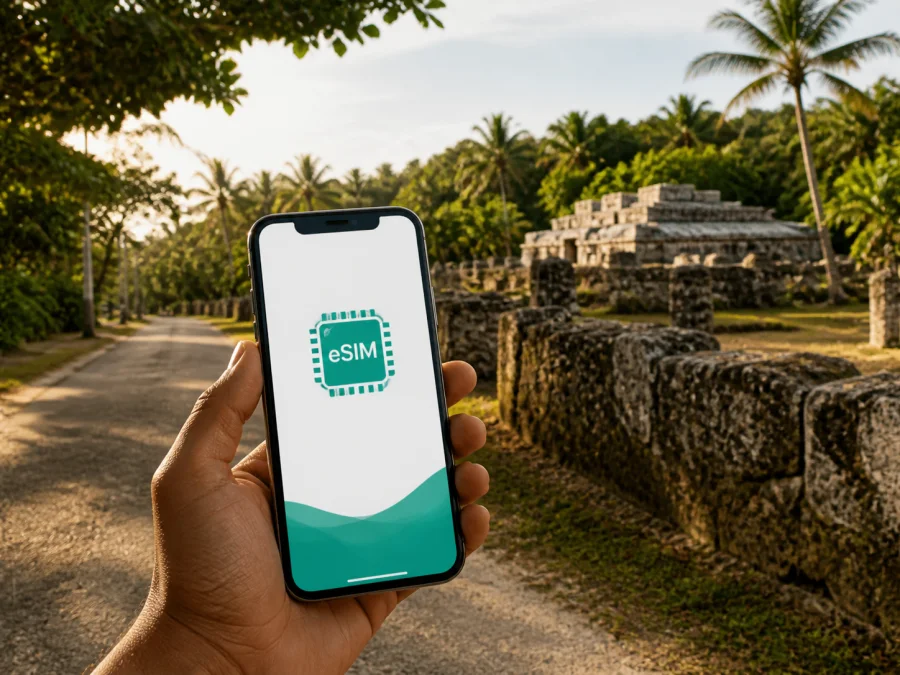
Mu'a eSIM: mobile connection and internet for your Tonga trip
Mu'a is a useful base for travellers who want to experience the history of Tongatapu while keeping practical travel tasks under control. You may need to arrange a transfer, contact a host, open a map, or confirm a booking soon after landing. A prepared eSIM can help with those tasks without looking for a physical SIM card after arrival.
This guide focuses on a Mu'a trip: arrival, eastern Tongatapu, heritage visits, accommodation, work, stopovers, and routes across the island. It explains how to plan mobile data without promising a particular speed or signal at every location.
Why mobile internet matters in Mu'a
Mu'a is a village area in eastern Tongatapu, associated with the historic landscape around Lapaha and its ancient royal tombs. It is not a dense city with a single transport hub or a large concentration of hotels. That makes preparation especially useful: the right address, meeting point, route, and contact details matter more than a generic city-centre plan.
Your phone may help you:
- check arrival instructions for a guesthouse, lodge, or holiday rental;
- share your landing time with a host, taxi, or driver;
- open a map while travelling from Fua'amotu International Airport or Nuku'alofa;
- keep a booking confirmation, translation tool, or travel note available;
- message family, colleagues, or other people in your group.
The value of an eSIM in Mu'a is often in these small moments rather than constant data use. A working mobile connection can reduce the need to search for public Wi-Fi at the airport, wait until you reach a café, or depend on one person's phone as a hotspot.
An eSIM is a digital SIM profile installed on a phone. Kaspersky eSIM Store is an app and website that helps you choose, arrange, and activate an eSIM with a suitable plan for mobile internet during an overseas trip. It is not a replacement for a local operator's ordinary phone number. Unless the selected plan says otherwise, it is intended for mobile data; regular calls and SMS are not included. Messaging and calling apps can work over data when their own account and service conditions permit.
Mu'a as a connected travel base
Mu'a is closely associated with Tongan history. The Lapaha area, within the Mu'a settlement, contains ancient royal tombs known as langi. Mu'a was the site of the third ancient capital of Tonga, and the royal centre remained there until the nineteenth century. This is a living cultural landscape, so plan a respectful visit rather than treating it like an ordinary attraction.
You might stay in or near Mu'a, visit it as part of a Tongatapu driving day, or include it between time in Nuku'alofa and other island highlights. Each pattern changes your data needs.
| Trip pattern | Likely phone use | Planning point |
|---|---|---|
| Heritage-focused stay | Maps, messages, booking details, notes, photos | Back up large photos later on Wi-Fi where possible. |
| Arrival and transfer | Driver coordination, navigation, messages, booking checks | Install and test the eSIM before departure or keep its details offline. |
| Island road trip | Route changes, weather checks, location sharing | Leave room for navigation and updates away from accommodation Wi-Fi. |
| Remote-work visit | Email, documents, two-factor sign-in, meetings | Estimate work data separately and check whether tethering is allowed. |
| Short stopover | One transfer, maps, messages, and a quick confirmation | A smaller or shorter-validity option may fit, subject to available choices. |
Arriving on Tongatapu and continuing to Mu'a
Fua'amotu International Airport is on Tongatapu. From there, a visitor continuing to Mu'a will normally use a pre-arranged transfer, taxi, rental car, or another locally available road option. Confirm the exact meeting point before departure. A village address may be described by a road, settlement, landmark, or host name rather than by a large hotel sign.
Before the flight:
- Save the accommodation name, address, phone number, and check-in instructions.
- Send your arrival details to the host or driver while you have a reliable connection.
- Screenshot essential directions so the first transfer does not depend on a live signal.
- Keep eSIM installation information separate from the email account you may need after landing.
- Charge your phone for navigation and communication.
Installing eSIM before the trip is often the calmer option. You can leave your primary line available if needed, then select the travel eSIM for mobile data after arrival. Some plans begin validity when they connect to a supported network, while others use different activation conditions. Read the plan terms instead of assuming that installation and first data use are always the same event.
Choosing an eSIM plan for Mu'a
Kaspersky eSIM Store lets you review destination, data allowance, validity, and price before you decide. For a Mu'a trip, start with the Tonga destination because Mu'a is on Tongatapu. Choose according to the full itinerary, not only the number of nights shown on a reservation.
Match the coverage area to the route
If you will stay in Mu'a and make day trips around Tongatapu, investigate a Tonga plan. If your itinerary continues to another country or island group, check whether the selected option covers that route or whether a different regional choice is needed. Do not infer coverage from a nearby destination.
Estimate real data use
Messaging, map searches, email, and occasional browsing use less data than video calls, cloud backup, social video, or hotspot use. List what you will do each day, add a margin for arrival and travel, and disable nonessential background updates before a road day.
Check validity, activation, and device conditions
Compare validity with the entire period in which you may need data, including arrival and departure days. Check when validity begins, whether unused data expires, and whether top-ups are available under the terms shown at purchase. Also check whether the plan is data-only, whether data roaming must be enabled, and whether the phone can use two lines in the way you need.
After this check, you can choose an eSIM plan for your trip to Tonga. It is the country page for a Mu'a trip; the final choice should still follow the displayed conditions, your route, and your device.
How to install eSIM before or after arrival
Install when the phone is charged, connected to the internet, and not needed for urgent navigation. Have the QR code or in-app profile ready, and decide whether the travel eSIM should become your data line immediately or only after reaching Tongatapu.
- Open the purchase confirmation or Kaspersky eSIM Store profile.
- Open the mobile-network settings on your phone.
- Choose the option to add a mobile plan or eSIM.
- Scan the QR code or follow the in-app installation flow.
- Label the new line, for example “Tonga travel data”.
- Select the eSIM as the line for mobile data when you need it.
- Keep the primary line available only if you understand its roaming charges.
- Turn on data roaming for the travel eSIM only when the plan instructions require it.
- Test a simple webpage or messaging app before leaving your accommodation.
For device-specific details, use the Android installation instructions or the iOS installation instructions. Menus differ by operating-system version and manufacturer, so follow the wording shown on your screen. If installation pauses, check Wi-Fi and account access before deleting the profile.
Compatibility checklist
Before the trip, check whether your device supports eSIM. Then confirm:
- the phone is not carrier-locked;
- the operating system supports the device's eSIM functions;
- you can access the account used for the purchase;
- the device has room for another eSIM profile;
- you know which line will use mobile data;
- you have read the plan's activation and roaming instructions.
Do not remove your primary SIM without understanding how that affects calls, messages, and account recovery. eSIM installation does not automatically change every mobile setting.
Moving around Mu'a and eastern Tongatapu
Mu'a rewards a slower, prepared approach. The heritage landscape is spread through a lived-in community, not arranged like a compact museum district. Before leaving, check the route, access information, weather, battery, and next address. During a drive, do not interact with the phone; at the site, follow local instructions about photography and access. A data connection is for logistics, not a reason to rush.
Tourism information for Tongatapu describes travel around the island by bicycle, car, bus, or tour vehicle. The suitable choice depends on accommodation, weather, confidence on local roads, and your route. Confirm current availability and schedules locally rather than building a tight itinerary around an unverified departure time. Keep a driver's number and pickup details in an offline note as well as in a chat thread.
Mu'a can be one part of a wider Tongatapu itinerary. Nuku'alofa is the capital and a practical place for markets, services, business meetings, and onward planning. Other heritage and natural sites, including the Ha'amonga 'a Maui area, caves, and blowholes, are elsewhere on the island. Treat each as a separate leg: check the route, allow flexibility, and do not assume identical data or opening conditions at every stop.
Accommodation, work, and short visits
Accommodation around Mu'a may be more personal and locally embedded than a large central-city hotel. Ask how to find the property, whether check-in is fixed, what internet access is available, and where a vehicle or taxi should meet you. If you arrive after daylight, request clear instructions before the flight and keep them offline.
For a business trip, separate email needs from meeting needs: a connection suitable for email does not automatically make a video call comfortable. Ask about Wi-Fi, use mobile data as a backup where the plan and local network support it, and download documents before leaving a reliable connection. On a short stopover, eSIM can cover the essentials—transport messages, a map, and a host notification—without unnecessary photo or video backup. Hotspot sharing can affect battery and data use and may be restricted by the plan.
If mobile data does not work
Check problems in a fixed order. Confirm that the correct eSIM is enabled and selected for mobile data, then check the local network, data-roaming setting, and plan validity. If the signal appears weak, move to a more open location and note current settings before restarting.
- Confirm that airplane mode is off and the travel eSIM is switched on.
- Confirm that mobile data points to the travel eSIM.
- Review activation, roaming, allowance, and validity information.
- Test a simple webpage instead of a data-heavy app.
- Contact support with the device model, location, and steps already tried.
Avoid deleting the eSIM profile unless support or the plan instructions tell you to do so. If you change phones, do not assume that the eSIM can be transferred; check the conditions first.
Mu'a travel checklist
- [ ] Check eSIM support and carrier-unlock status.
- [ ] Choose a Tonga plan that matches your dates and route.
- [ ] Note data allowance, validity, activation, and roaming requirements.
- [ ] Install eSIM with reliable internet and save the installation details.
- [ ] Label the line and select the correct mobile-data SIM.
- [ ] Save accommodation, transfer, and host details offline.
- [ ] Carry a charger or power bank for arrival and road days.
- [ ] Download essential maps, tickets, and confirmations where possible.
- [ ] Tell your primary operator how you intend to handle roaming.
In Mu'a, a good connection plan is less about constant screen time and more about having access when a transfer changes, a road turn is unclear, or a host needs to reach you.
Frequently asked questions
Is Mu'a a separate eSIM destination?
No. Mu'a is on Tongatapu, in Tonga. Start with the Tonga destination and verify that the selected plan's conditions match your route.
Can I use a travel eSIM for ordinary calls and SMS?
Usually, the travel eSIM in this context is for mobile data and does not supply a separate phone number. Check the exact plan description. Messaging and calling apps can use data, subject to their own requirements.
Will data work at every stop on Tongatapu?
No connection can be guaranteed at every location. Performance depends on local network conditions, terrain, the device, and the selected plan. Download essential information and keep coastal or less developed routes flexible.
What should I check first?
First check device compatibility and carrier-unlock status. Then compare the Tonga plan's coverage, data, validity, activation conditions, and hotspot rules with your actual Mu'a itinerary.
Prepare your Mu'a connection before departure
Mu'a combines a village setting, a living community, and one of Tongatapu's most important historical landscapes. Preparation keeps mobile internet in the background: directions when you need them, messages when plans change, and travel information without making the visit a race between screens.
Check your phone, estimate your data use, save arrival details, and install eSIM while you have time to review the settings. When ready, choose an eSIM plan for a trip to Tonga and prepare the digital part of your journey to Mu'a.


