Travel connectivity guide
Muhanga eSIM: Mobile Internet in Rwanda
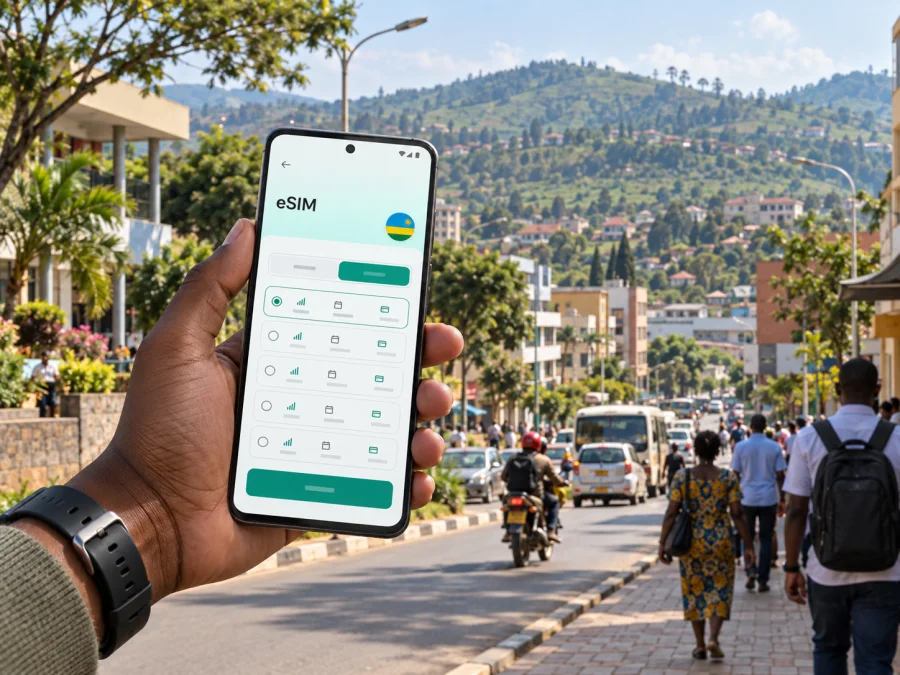
Muhanga eSIM: Mobile Connection and Internet for Your Trip
Muhanga is a useful stop in Rwanda’s Southern Province, whether you are visiting for work, meeting family, continuing south toward Huye, or spending time in the town itself. A working mobile data connection helps with the practical details: confirming a pickup, checking a route, contacting your accommodation and keeping plans accessible while you move around.
An eSIM can make that preparation easier because its profile is digital rather than a physical card. The important point is to plan for the place you are going: Muhanga is an urban centre within Muhanga District, and a travel eSIM is generally selected for the country or region covered by its plan. The exact network, validity period, data allowance and activation conditions depend on the plan you choose.
Muhanga in context: town, district and route
Muhanga is in Rwanda’s Southern Province. The name is used for both the urban centre and the wider district, so it helps to distinguish your destination when you arrange transport or enter an address. The district includes urban and rural areas; Nyamabuye is identified as its main urban centre in district planning material. If your hotel, meeting or pickup is outside the central built-up area, save the full location and confirm it with your host before setting out.
Muhanga is also described in Rwanda’s planning documents as a secondary city. It is not in Kigali, and it does not have the scale of a national capital. For a visitor, that means a useful habit is to download or save key information before leaving a larger hub: the exact lodging address, the name of the local contact, and any route instructions that may be useful if data coverage changes during a journey.
Many international visitors arrive through Kigali International Airport and continue overland to Muhanga. Rwanda’s classified national road NR 1 follows the Kigali–Muhanga–Nyanza–Huye–Akanyaru corridor. A route app can help with orientation, but traffic, weather, roadworks and the specific pickup point all affect journey time. Check the departure details close to travel and keep the destination pin available offline if your mapping app supports it.
The road journey is not a reason to assume that one particular travel eSIM profile uses one particular Rwandan network. Rwanda’s regulator lists MTN Rwanda and Airtel Rwanda among active mobile network operators, but a travel plan may use a specific partner network or roaming arrangement. Check the country plan’s displayed network and terms before purchase where those details are shown. The presence of a local operator in Rwanda does not by itself confirm that every eSIM plan connects to that operator.
Where mobile data helps around Muhanga
In a town visit, mobile internet is most useful when it supports a concrete task. Keep data available for directions and coordination, and use offline notes for the information you do not want to search for again.
| Situation | What to prepare on your phone |
|---|---|
| Meeting a driver after arriving in Rwanda | Save the driver’s name, meeting point and a local contact method before the car leaves the airport area. |
| Finding accommodation in Muhanga | Keep the address in text as well as on a map; confirm the neighbourhood or sector with the property. |
| Moving between appointments | Save each destination separately and allow time to confirm the next pickup rather than relying on one long route. |
| Visiting a town office, clinic or business | Store the organisation’s exact name and contact details, and ask your host for the correct entrance or landmark. |
| Continuing south toward Huye | Check the day’s road and transport information before departure, then keep your itinerary available offline. |
| Sending updates to family or colleagues | Use messaging or email over mobile data; standard calls and SMS depend on your regular SIM and plan. |
Muhanga is set among Rwanda’s hilly landscapes. That is useful context for route planning: two points that look close on a small map may still require a road journey, and a pin alone does not tell you whether a route is practical on foot. Confirm longer or unfamiliar trips with your accommodation, host or driver. Use turn-by-turn directions as a guide and verify that the final destination matches the address you were given.
For a short stay, a phone is often the simplest place to keep the whole travel chain together: booking details, messages, map pins, translation tools and a digital copy of your itinerary. Before heading out, charge the device and save the key details locally. This small preparation is useful even when you expect mobile data to be available.
Choosing a travel eSIM for Muhanga
A city name is useful for planning, but the coverage product is selected for its actual service area. In Kaspersky eSIM Store, choose Rwanda as the destination and check the plan details shown for that selection. Do not infer that a plan covers a neighbouring country or every road on your itinerary unless its stated coverage says so.
To compare options, begin with the length and shape of your trip rather than the biggest data allowance. A visitor staying mainly in Muhanga may use data for navigation, messages, reservations and occasional browsing. A traveller on video calls, cloud uploads or frequent hotspot use may need a different allowance. Your habits and the available plan terms matter more than a generic “light” or “heavy” label.
Before you choose, review these details in the plan screen:
- Destination and coverage: Confirm that Rwanda is included. If you will cross a border, check the terms for the other country separately.
- Data allowance: Estimate what you will use for maps, messaging, browsing, work and any hotspot connection.
- Validity: Compare the stated active period with your dates, including the day you expect to start using the profile.
- Network information: If the plan identifies a partner network, read that information as the plan’s specific arrangement; do not assume it applies to every travel eSIM in Rwanda.
- Activation conditions: Check when validity begins and whether the plan requires a network connection or a setting such as data roaming to start working.
- Device compatibility: Verify eSIM support and check that the phone is not carrier-locked. Regional model variants can differ, so confirm your exact device version.
- Data-only scope: Unless a plan explicitly says otherwise, do not expect a local phone number, conventional voice calls or SMS from a travel data eSIM.
For a multi-stop itinerary, write down where each plan is expected to work and when you intend to use it. A Rwanda plan may suit a stay in Muhanga, while travel beyond Rwanda requires separate confirmation of coverage. Avoid buying based only on a city photograph or a general claim about national connectivity; the plan conditions are the relevant source for the specific eSIM.
When you are ready to compare the destination’s available options, choose an eSIM plan for your trip to Rwanda. Kaspersky eSIM Store is the app and website where you can select, arrange and activate an eSIM with a suitable plan for mobile internet during an international trip. The mobile service itself depends on the selected plan and its network arrangements.
Prepare before you leave for Muhanga
A few decisions made at home can reduce the number of things you need to solve while moving between Kigali and Muhanga. Treat setup as two separate moments: installing the profile while you have a reliable connection, and selecting it for mobile data when you are ready to use it.
Device and account checklist
- [ ] Confirm that your exact phone model and regional variant support eSIM.
- [ ] Check that your device is not locked to a carrier that prevents adding another profile.
- [ ] Make sure you can access the email or account where your eSIM details will arrive.
- [ ] Keep access to Wi‑Fi or another internet connection for installation if the setup flow requires it.
- [ ] Read the selected Rwanda plan’s data allowance, validity and activation rules.
- [ ] Keep your regular SIM active if you still need its number for calls, SMS or account verification.
- [ ] Save your accommodation address, host contact and first destination offline.
- [ ] Carry a charging cable or power bank for a full travel day.
Compatibility matters: eSIM availability differs across phone models and regional variants. Before purchase, check whether your device supports eSIM. If a phone is carrier-locked, contact the original carrier about its policy before relying on a second profile.
Install and activate in the right order
Start with the requirements shown for your selected eSIM. You may need a compatible, unlocked device and a stable internet connection to add the profile. Keep the QR code or installation details available, and do not delete the profile after installation unless the instructions tell you to do so.
- Connect to Wi‑Fi. Use a stable connection for the installation if the plan instructions require internet access.
- Open the mobile network settings. Choose the option to add an eSIM or mobile plan on your device.
- Add the profile. Follow the instructions supplied with your plan, using its QR code or the available manual setup details.
- Label the profile. Give it a clear name such as “Rwanda data” so it is easy to identify beside your regular SIM.
- Choose the data line when you are ready. Keep your primary number selected for calls or messages if you need it, and select the travel eSIM for mobile data according to the plan instructions.
- Check the activation terms. Some plans start their validity when installed; others begin under different conditions. Follow the terms for the plan you selected rather than waiting until an assumed time.
- Allow the phone to connect. Registration can take a few minutes. If the plan instructions require data roaming for the eSIM, enable it for that profile and check the phone’s network status.
For device-specific steps, see the Android eSIM installation guide or the iOS eSIM installation guide. Menu names can vary by device software version. If the phone does not connect, check the selected data line, the plan’s activation conditions and any required roaming setting before reinstalling or deleting the eSIM.
If you would rather wait until you reach Rwanda to use the plan, install it earlier only if the plan’s validity rules allow that timing. Leave mobile data on your regular SIM until you are ready to switch, and confirm the eSIM’s start conditions in advance. Installing a profile and beginning to use its data are not necessarily the same event; the selected plan’s terms determine when validity begins.
A practical connection plan for common trips
Work meetings across town
Save each meeting location, organiser’s name and appointment time in a calendar or notes app. Keep a little data available for updates, email and route changes. If you need a video call, check the connection and power situation before the meeting and have a lower-bandwidth backup such as audio or messaging. Mobile data performance can vary by exact location and network conditions, so avoid promising that a call will be uninterrupted.
A stop on the way to Huye
Muhanga lies on the national road corridor linking Kigali with Nyanza and Huye. If the town is a stop rather than your final destination, make sure your plan covers the whole intended journey in Rwanda and that its validity includes the day you travel. Save the next lodging address and any booking reference before you leave. A route can change, so keep the driver or host contact accessible without needing to search through old messages.
Data for work or hotspot use
Remote work can consume more data than simple navigation, particularly when calls include video or a laptop connects through your phone. Estimate usage for all devices that will share the connection, and read the plan’s hotspot conditions if stated. Download large work files before travel when appropriate, and avoid assuming that a phone plan will support every work pattern equally well.
What a travel eSIM does—and what it does not
A travel eSIM is a digital mobile profile. A suitable plan can provide mobile data through its stated network arrangement, without inserting a physical travel SIM. It is useful for maps, messaging, email, bookings and other online tasks while you are away from home.
A data plan is not automatically a replacement for your regular number. Unless its terms specifically include voice and SMS service, keep your regular line for ordinary calls and text messages, or use internet-based messaging for communication where appropriate. Check roaming charges on your regular SIM before the trip, and make sure the phone is set to use the intended line for mobile data.
Kaspersky eSIM Store helps you choose, arrange and activate an eSIM for an international trip. It is not a mobile network operator and does not itself provide radio coverage in Muhanga. Coverage and performance depend on the plan’s partner network, local infrastructure, your location, device settings and other conditions. A plan that works in one part of a city may behave differently indoors, on a road or in a more rural part of the district.
If mobile data does not work
Start with the simplest checks and change one setting at a time:
- Confirm that the Rwanda eSIM is switched on and selected for mobile data.
- Check that the plan is active and that its validity has started under the stated conditions.
- Turn airplane mode on briefly, then turn it off and allow the phone to register again.
- Check whether the plan requires data roaming for its eSIM profile.
- Move to a different spot, especially if you are inside a building or in a vehicle.
- Restart the phone if the connection still does not register.
- Review the plan’s network instructions and contact support if the issue continues.
Do not remove the eSIM as a first troubleshooting step. Some profiles cannot be installed again after deletion. Keep your Wi‑Fi connection available where possible so you can read instructions or contact support without using mobile data.
Frequently asked questions
Is Muhanga a city or a district?
Both uses are common, but they describe different areas. Muhanga District is an administrative district in the Southern Province; Muhanga also refers to its urban centre. Nyamabuye is identified as the district’s main urban centre in planning material. When booking transport or accommodation, confirm the exact sector, address and pickup point.
Which country plan should I select for Muhanga?
Select Rwanda and review the plan’s stated coverage. Muhanga is in Rwanda. A plan for another country or a regional plan should only be considered if its coverage terms explicitly include the places on your route.
Which local mobile network will my travel eSIM use?
That depends on the specific plan and its network arrangement. Rwanda has local mobile operators including MTN Rwanda and Airtel Rwanda, but this does not tell you which network a particular travel eSIM uses. Check the selected plan details or ask support if the network is not displayed.
Will a Rwanda eSIM work from the airport to Muhanga?
Coverage depends on the selected plan, its partner network and conditions along your route. Do not treat the country name alone as a guarantee of uninterrupted service at every point. Download key directions and addresses in advance, and check the plan details before travelling.
Can I keep my regular phone number?
Usually, you can keep the regular SIM profile installed while using an eSIM for data, if the device supports that setup. Select the appropriate line for calls, messages and mobile data. Confirm any roaming charges with your regular mobile provider.
Does an eSIM include calls and text messages?
Not unless the selected plan explicitly includes them. Travel eSIM plans in this context are for mobile internet; messaging apps can use that data, while conventional calls and SMS remain tied to a line that supports them.
Should I install the eSIM before travelling?
You can install it beforehand if the plan instructions and validity rules allow it. Check when the plan begins before deciding when to add or enable the profile. Having the setup details ready can make it easier to switch when you need data.
What if I am also travelling outside Rwanda?
Review coverage for each country in your itinerary. Do not assume that a Rwanda plan covers another country, even if the route continues across a nearby border. Choose a plan with explicitly suitable coverage for the whole trip or confirm each country separately.
Before you set off
For a Muhanga visit, the most useful connection plan is one that matches your route, dates and actual data needs. Confirm that your device supports eSIM, read the selected Rwanda plan’s network and validity details, install it according to its instructions, and keep your first address available offline. These steps help you use mobile internet for navigation and coordination while leaving room for local conditions to vary.
When you are ready, explore eSIM options for Rwanda in Kaspersky eSIM Store and choose a plan that fits your trip to Muhanga.


