
Travel connectivity guide
Muharraq eSIM: Mobile Internet Guide
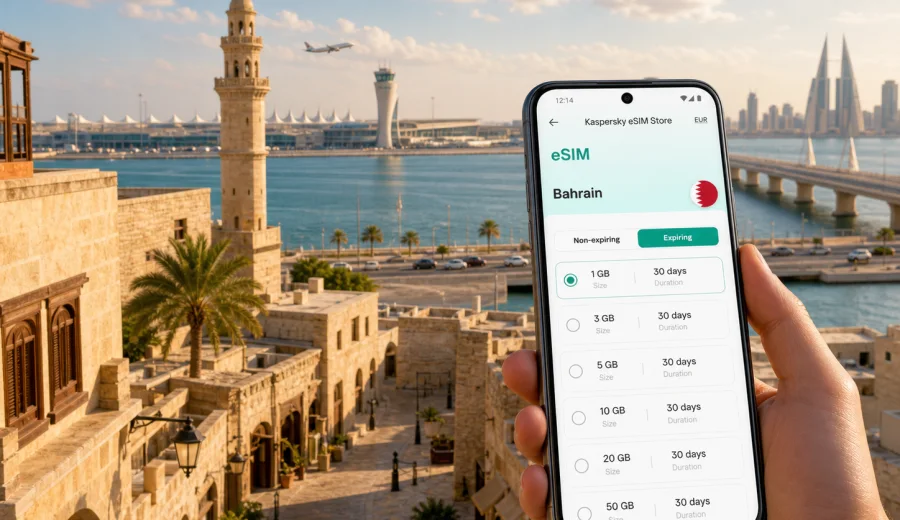
Muharraq eSIM: mobile connection and internet for your Bahrain trip
Muharraq is often the first place travellers meet Bahrain. Bahrain International Airport is on Muharraq Island, the old city is close by, and Manama is only a short drive across the bridges. That makes mobile internet useful from the first minutes of the trip: you may need a ride-hailing app, hotel messages, maps, mobile boarding passes, or quick coordination with colleagues before you reach your room.
An eSIM can make that first hour calmer. Instead of looking for a physical SIM card after landing or depending only on airport and hotel Wi-Fi, you can prepare a digital SIM profile for mobile data before the trip or shortly after arrival. Kaspersky eSIM Store helps you choose, order, install, and activate an eSIM with a suitable data plan for mobile internet during an international trip. The data allowance, validity period, destination, and activation terms should always be checked before you travel.
This guide focuses on Muharraq, not Bahrain in general. It covers airport arrival, local movement, heritage walks, hotels, business travel, stopovers, and short routes from the city to Manama and other parts of Bahrain.
Why mobile internet matters in Muharraq
Muharraq is compact, but travellers often move through it quickly. You may land at the airport, cross to a hotel in Manama, return to Muharraq for the old town, meet someone near Arad, or use the island as a base for a short stopover. In each case, mobile data is less about entertainment and more about control: knowing where you are, confirming details, and avoiding delays.
Typical Muharraq situations where mobile internet helps:
- Airport arrival: message your hotel, check the address, order a ride, or follow transfer instructions.
- Navigation: move between Bahrain International Airport, old Muharraq, Arad, Busaiteen, Hidd, and the bridges to Manama.
- Hotel check-in: open booking confirmations, receive one-time codes, and coordinate late arrival.
- Business travel: use maps, email, calendar updates, document links, and messaging between meetings.
- Stopovers: plan a short route from the airport without spending time on offline SIM counters.
- Trips beyond Muharraq: move to Manama, Bahrain Bay, Seef, Riffa, Sakhir, or the King Fahd Causeway area.
For many visitors, the main benefit is not using a huge amount of data. It is having access to the tools that keep a trip organized.
Arrival at Bahrain International Airport
The airport is one of the main reasons Muharraq is a strong city for eSIM planning. Your first mobile data task may happen before you see the city itself. If your eSIM is installed before departure, you can usually switch to the eSIM line for mobile data after landing, wait for local network registration, and continue with your route.
Prepare these items before the flight:
- hotel name and district saved offline;
- reservation number and check-in instructions;
- a map pin for your hotel or meeting location;
- the phone number or chat contact for your host;
- eSIM installation details in your email or account;
- a backup Wi-Fi option for setup if your device requires internet during installation.
The first ride from Muharraq can be short, but it may still require data. Airport roads, bridges, and hotel zones around Manama can be confusing if you are tired or arriving at night. With a working mobile data connection, you can compare the route shown by the driver, send your estimated arrival time, and check whether your destination is in Muharraq, central Manama, Bahrain Bay, Juffair, or Seef.
Short stopovers need even tighter planning. If you have only a few hours between flights, mobile internet helps you decide whether to leave the airport, call a ride, monitor traffic back to the terminal, and keep your boarding information available.
Where eSIM is useful inside Muharraq
Muharraq combines airport logistics, older streets, waterfront areas, and fast links to Manama. A data plan should match those movements.
| Muharraq situation | Why mobile data helps | Practical tip |
|---|---|---|
| Airport to hotel | Ride apps, maps, hotel messages, arrival updates | Install eSIM before the flight if your device supports it |
| Old Muharraq walk | Walking navigation and route changes | Save a rough route offline, then use mobile data for live details |
| Business visit | Email, files, calendar updates, video calls | Choose more data if you will hotspot a laptop |
| Family trip | Messaging, maps, bookings, restaurant searches | Keep one device with stable data for group coordination |
| Stopover | Fast decisions and airport timing | Keep data for maps, transport, and airline notifications |
| Day trips | Routes to Manama, Sakhir, Riffa, or the causeway area | Check that the plan covers Bahrain |
How much data do you need for Muharraq?
Your data use depends less on the city and more on your habits. Muharraq travellers often need mobile data for maps, messaging, transfers, bookings, and work. Heavy video streaming, cloud backups, and laptop tethering can change the calculation quickly.
Use this estimate:
- Light use: maps, chat, email, ride apps, and occasional browsing.
- Moderate use: daily navigation, social media, photo uploads, restaurant searches, and work messages.
- Heavy use: video calls, streaming, hotspot use, frequent file transfers, or remote work from hotels and cafés.
For a short stopover or one-night business trip, a smaller data allowance may be enough if you keep large updates for hotel Wi-Fi. For a longer stay, or if you plan to move between Muharraq and Manama every day, choose a plan with enough validity and data for the full route. If you use your phone as a hotspot for a laptop, allow extra data and check whether tethering is allowed under the selected plan conditions.
Do not estimate only by the number of days. A three-day trade visit with video calls can use more data than a week of light sightseeing. The safest approach is to decide which apps are essential, pause automatic backups, and choose a data allowance that leaves room for delays.
Choosing an eSIM plan for Muharraq and Bahrain
For a city article, the destination plan should match the country where the city is located. Muharraq is in Bahrain, so you should choose an eSIM plan that covers Bahrain and fits the length and style of your trip. Regional or global options may also be relevant for multi-country travel, but the main check is simple: the selected plan must include the destination you will actually use.
Before choosing, compare:
1. Destination coverage: confirm Bahrain is included.
2. Data allowance: match it to maps, messaging, work, and hotspot needs.
3. Validity period: make sure the plan lasts through arrival, meetings, day trips, and departure.
4. Activation rules: check when validity starts and whether activation requires a local network.
5. Device support: confirm your phone or tablet supports eSIM and is not carrier-locked.
6. Plan conditions: review whether calls, SMS, tethering, top-ups, and refunds are included or restricted.
If you already know your route, choosing is easier. Airport arrival, two nights in Manama, a Muharraq heritage walk, and a meeting near Hidd is still a Bahrain trip. If you continue to Saudi Arabia, Qatar, the UAE, or another country after Bahrain, consider whether a regional or separate plan better matches the itinerary.
When you are ready to compare available options, you can choose an eSIM plan for your trip to Muharraq and Bahrain through Kaspersky eSIM Store. Review the country, data volume, validity, and activation details before completing your order.
Preparing your phone before you fly
An eSIM is digital, but it still needs preparation. The most important check is device compatibility. Not every phone supports eSIM, and some devices can be restricted by the carrier or by the region where the device was sold. Before you order a plan, check your device and make sure it can add an eSIM profile.
A practical pre-flight checklist:
- update your phone operating system if needed;
- confirm your device supports eSIM;
- check that the phone is not carrier-locked;
- keep your primary SIM active if you need calls or SMS from your home number;
- save your eSIM order details somewhere you can access offline;
- install the eSIM profile while you still have stable internet, if the plan instructions allow it;
- label the line clearly, for example “Bahrain data”;
- turn off automatic cloud backups and large app updates on mobile data;
- keep airport and hotel addresses saved in your map app.
Remember that eSIM plans used through Kaspersky eSIM Store are intended for mobile internet in international travel. They normally do not include a regular local phone number, voice calls, or SMS unless the selected plan terms say otherwise. For calls and messages, many travellers use internet-based messaging and calling apps.
How to install and activate an eSIM for Muharraq
The exact steps depend on your device and the selected plan, but the general process is straightforward: choose the destination and plan, complete the order, add the eSIM profile to your device, and select it for mobile data. If you need device-specific guidance, use the Android installation instructions or the iOS installation instructions.
Follow this sequence:
1. Check compatibility. Confirm that your phone supports eSIM and is not locked to one carrier.
2. Choose Bahrain as the destination. Muharraq is in Bahrain, so the plan should cover Bahrain.
3. Review the plan conditions. Look at data allowance, validity, activation rules, and any tethering notes.
4. Install the eSIM profile. Use the QR code or on-screen installation flow from your account or email.
5. Name the line. A label such as “Bahrain eSIM” helps avoid confusing it with your home SIM.
6. Select the eSIM for mobile data. Keep your primary line for calls if needed.
7. Enable data roaming for the eSIM if instructed. Some plans require this setting to connect.
8. Wait for network registration. Connection can take a few minutes and depends on the device and local network.
If you install the eSIM before departure, do not start using mobile data on it until the plan instructions say it is time. Some plans begin validity when installed, while others begin after connecting to a supported network. Always follow the conditions shown for the selected plan.
Practical data settings for Muharraq
Good phone settings can make a moderate data plan last longer. This matters if you have a busy schedule, a long stopover, or a trip that includes several Bahrain districts.
Recommended settings:
- set the Bahrain eSIM as the mobile data line after arrival;
- keep your home SIM available for calls or SMS if you need it;
- disable app updates over mobile data;
- pause automatic photo and video backups;
- download offline maps before the flight;
- use hotel Wi-Fi for large file uploads when it is stable and trusted;
- monitor data usage in your phone settings and in the product account if available;
- keep low data mode enabled for background apps if your device offers it.
For business travellers, the biggest data risk is not maps. It is often laptop tethering, video meetings, document sync, and repeated file downloads. If you will work from a hotel room, client office, or café in Muharraq or Manama, choose a plan with enough data and keep a backup option for essential meetings.
City movement: Muharraq to Manama and beyond
Muharraq is closely connected to Manama, but the two feel different from a navigation perspective. Muharraq has older streets, airport access roads, waterfront areas, and residential districts. Manama has denser business and hotel zones. Moving between them often means bridges, traffic timing, and pickup points that need live maps.
Useful mobile-data tasks during local movement:
- confirming whether your destination is on Muharraq Island or across the water in Manama;
- checking the best pickup point at the airport or hotel entrance;
- sharing live location with a colleague or family member;
- changing a restaurant booking after a delayed flight;
- finding the return route to the airport from old Muharraq;
- checking traffic before a meeting in Bahrain Bay, Seef, Diplomatic Area, or Juffair.
Stopovers, business trips, and family travel
Muharraq works well for short schedules because the airport is on the island and Manama’s business districts are nearby. An eSIM can support airport arrival, transfer to meetings, calendar changes, and quick communication without waiting for hotel Wi-Fi.
For a short stopover, prioritize:
- airport-to-city and city-to-airport navigation;
- ride booking and driver messaging;
- boarding pass and airline notifications;
- one compact route, such as old Muharraq and a meal stop;
- enough battery to keep the eSIM line active;
- a clear latest return time to the terminal.
For families or small groups, decide who will have mobile data active immediately after landing, which messaging app everyone will use, and whether one phone will be used as a hotspot in limited situations. If every traveller relies only on hotel Wi-Fi, the group can lose coordination as soon as people split up.
For business travellers, separate essential data from heavy work data:
| Data layer | Typical use | Planning note |
|---|---|---|
| Essential | maps, email, chat, ride apps, calendar | Keep this available throughout the day |
| Work-heavy | document links, video calls, cloud files | Choose more data if office Wi-Fi is uncertain |
| Backup | hotspot for laptop, urgent file access | Check tethering conditions before relying on it |
Common mistakes to avoid
Many eSIM problems are preventable. Before travelling to Muharraq, avoid these mistakes:
- buying a plan without checking that Bahrain is included;
- assuming every modern phone supports eSIM;
- forgetting that some phones can be carrier-locked;
- installing the eSIM and then deleting the profile before the trip;
- expecting a travel eSIM to include a normal local phone number;
- leaving automatic updates and backups active on mobile data;
- using the wrong SIM line for data after arrival;
- waiting until the airport queue to read the activation steps;
- choosing too little data for video calls or hotspot use.
The key rule is simple: prepare the eSIM while you still have time, then use it mainly for the tasks that keep the trip moving.
Quick guide: before, during, and after arrival
| Moment | What to do | Why it matters |
|---|---|---|
| Before booking | Check compatibility and carrier lock status | Prevents buying a plan your phone cannot use |
| Before flying | Choose a Bahrain plan and install the profile if allowed | Reduces setup stress after landing |
| On landing | Select the eSIM for mobile data and wait for registration | Helps maps and messaging work for the first transfer |
| During the stay | Monitor data and limit background usage | Keeps data available for transport and work |
| Before departure | Keep enough data for airline updates and airport transport | Avoids losing access during the final transfer |
This workflow is especially useful in Muharraq because the airport, old city, and routes to Manama are close together. Small timing changes can affect transfers, and mobile internet helps you adjust without searching for Wi-Fi.
FAQ: eSIM and mobile internet in Muharraq
Is eSIM useful if I am only landing in Muharraq and staying in Manama?
Yes. Muharraq is where many travellers arrive because Bahrain International Airport is on the island. Even if your hotel is in Manama, mobile data helps with the first transfer, driver messages, maps, and check-in details.
Should I choose a Muharraq eSIM or a Bahrain eSIM?
Choose a plan that covers Bahrain. Muharraq is a city in Bahrain, so the country-level destination is the relevant one for the plan. City wording helps with travel planning, but coverage is checked by destination and plan conditions.
Can I install the eSIM before arriving in Bahrain?
Often yes, if your device supports eSIM and the selected plan instructions allow pre-installation. Check when the validity period starts, because activation rules can differ by plan.
Does an eSIM include calls and SMS?
Usually no, unless the selected plan conditions say otherwise. Travel eSIM plans used through Kaspersky eSIM Store are focused on mobile internet. You can use messaging and calling apps over data when they are available.
What if my eSIM does not connect right away after landing?
Check that the eSIM line is selected for mobile data, data roaming is enabled if required, airplane mode is off, and the device has had a few minutes to register on a local network. If the issue continues, review the plan instructions and contact support.
Choose an eSIM plan for your Muharraq trip
Muharraq is a practical city to prepare for: airport arrival, fast transfers to Manama, heritage walks, hotels, business meetings, and short Bahrain routes all depend on timely mobile internet. Before you travel, check that your device supports eSIM, choose a plan that covers Bahrain, review the data allowance and validity period, and keep the installation details available.
Kaspersky eSIM Store helps you choose, order, install, and activate an eSIM with a suitable data plan for mobile internet during your international trip. To prepare your phone before arrival, choose an eSIM plan for Muharraq and Bahrain and review the selected plan conditions carefully before you go.