Travel connectivity guide
Murun eSIM: Mobile Internet for Mongolia Trips
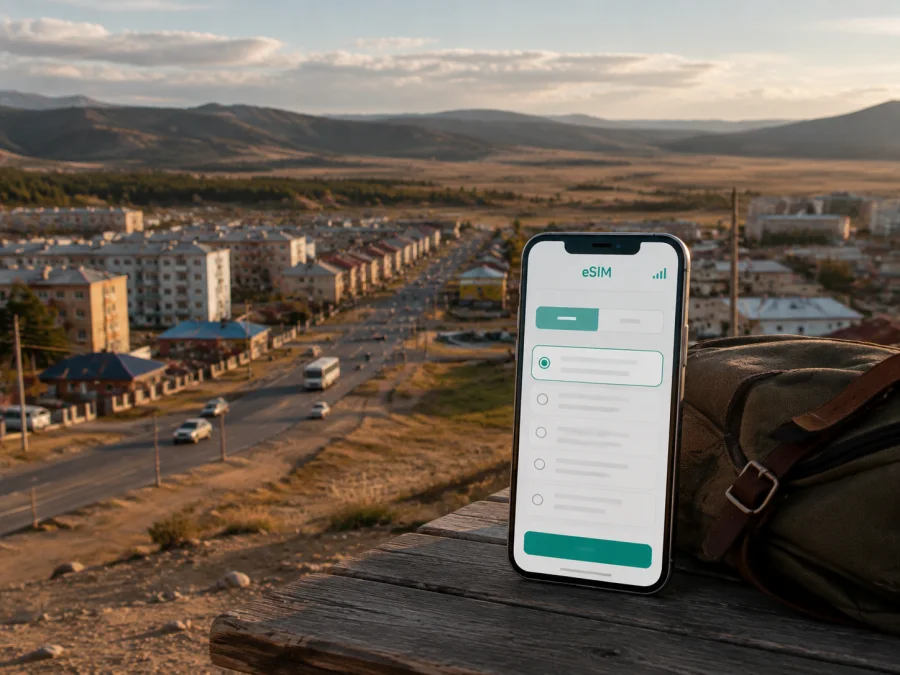
Murun eSIM: mobile connection and internet for a trip to Mongolia
Murun is a practical starting point for northern Mongolia. Travelers arrive to continue toward Lake Khövsgöl, stay for work, meet a guide, or pause between flights and road journeys. A reliable mobile connection helps with the first transfer, maps, hotel messages, payments, weather, and communication with people waiting for you.
An eSIM, or digital SIM, can provide mobile internet without a physical SIM card. You choose a country or regional plan, install it on a compatible unlocked device, and use it for mobile data. Kaspersky eSIM Store is an app and website that helps you choose, arrange, and activate an eSIM plan for an international journey. The eSIM is intended for data; a phone number, voice calls, and SMS are not included unless the plan says otherwise.
The short answer for a trip to Murun
For most visitors, the sensible setup is to prepare the eSIM before leaving and select it as the mobile-data line after arrival:
- Confirm eSIM support and that the phone is not carrier-locked.
- Check that the plan covers Mongolia and the full route.
- Choose data volume and validity for maps, messages, work, and media.
- Install the eSIM with a dependable internet connection, then select it for mobile data after arrival.
- Keep the QR code or activation details available until the profile is working.
Murun is both a destination and a gateway. A plan selected only for an urban stop may not suit a longer drive to Khatgal, the lake area, or remote camps, so check country coverage and the displayed conditions for the whole itinerary.
Why mobile internet matters in Murun
Murun is the administrative center of Khövsgöl Province, with a different travel rhythm from a large capital. A transfer arranged by a guesthouse, driver, or tour company may depend on a precise meeting point. A working data connection lets you send the address or see where the vehicle is waiting without first searching for Wi-Fi.
At the airport and during the first hour
Murun Airport is outside the central built-up area, so the first task is getting from the terminal to your accommodation or onward transport. Flight and transfer arrangements can vary by season. Keep mobile data ready to:
- open the saved hotel or guesthouse location;
- send your arrival time to a host, driver, or colleague;
- compare the pickup point with your reservation;
- translate a short address or message;
- check an onward departure or tell someone at home you arrived.
Save the accommodation address, driver’s contact details, and next destination offline before the flight. Online access then supplements your plans rather than being their only copy.
In the town center
In central Murun, your phone may be used repeatedly for short tasks: finding a shop, checking a walking route, messaging a tour organizer, or confirming a departure point. These tasks often happen while you are moving between places.
Local place names can appear in different transliterations. Murun is also commonly written as Mörön in travel and transport information. Save both spellings and compare the complete address.
Before a road journey north
Many itineraries use Murun as a staging point before continuing toward Lake Khövsgöl. A road trip may include long stretches with changing signal conditions. Download maps where possible and keep an offline note of the route.
Arriving, moving around, and finding the right meeting point
Murun travel is often arranged around a hotel, a guesthouse, the airport, a bus departure, or a private vehicle. There may not be one transport app for every leg, so use map pins, messages, internet calls, and screenshots of confirmed arrangements.
| Situation | What your phone is likely to help with | Sensible preparation |
|---|---|---|
| Airport arrival | Pickup messages, map pin, accommodation address | Save the address and driver contact before departure |
| Short stay in town | Walking directions, shops, banking, messages | Keep a local map area available offline if possible |
| Bus or shared vehicle | Departure point, timing updates, route confirmation | Ask for the exact meeting place and save it as a pin |
| Private transfer | Driver coordination and navigation | Share your arrival window and vehicle description |
| Business visit | Email, documents, video calls, location sharing | Reserve data for work and carry an offline copy of key files |
| Trip toward Lake Khövsgöl | Route changes, weather checks, accommodation messages | Confirm regional coverage and download essential information |
For a planned transfer, send one clear message with your name, arrival time, accommodation, and destination. Save a driver’s location pin before leaving the airport. If the battery is low, reduce screen brightness and use navigation only for a confirmation.
Choosing an eSIM plan for Murun and the wider route
Two nights in town and a week-long route through the province have different needs. Compare validity, total route, phone habits, and available Wi-Fi.
Match the plan to your itinerary
Before selecting a plan, note:
- when you will install and use it;
- the number of days in Murun and any nights at Lake Khövsgöl;
- whether you will return through Murun;
- how often you use video, cloud backup, social feeds, and hotspot mode.
If Murun is a short stopover, a smaller plan may be enough for messages, navigation, reservations, and browsing. A multi-day route, remote work, or hotspot use may require more data. Check the current allowance, validity, destination, activation conditions, and top-up rules.
Messages, map searches, and reservations use much less data than video meetings, photo backup, or streaming. Review which apps may use mobile data and turn off unnecessary background refresh.
Country plan or regional plan?
If your itinerary starts in Murun and remains in Mongolia, compare plans for Mongolia and read the validity conditions carefully. If it crosses another border, check whether a regional option suits the route. Ask: “Does this plan cover the places and dates on my itinerary?”
When you are ready, choose an eSIM plan for a trip to Mongolia and check the current destination, allowance, validity, and purchase conditions before deciding.
How to install and activate an eSIM for Murun
Install the profile before the flight if possible. Some devices need an internet connection to download an eSIM, so airport Wi-Fi should be a fallback. Review which line is selected for mobile data.
Before installation
Prepare:
- a compatible, unlocked smartphone;
- the eSIM profile or QR code;
- a stable internet connection and enough battery;
- the plan details and activation conditions;
- a note of which SIM will be used for calls and data.
Do not delete a working profile or reset network settings if the new eSIM has not connected. First check the selected line, mobile data, roaming setting, and activation condition.
Android steps
Menu names differ, but the sequence is usually similar:
- Open network or SIM settings and choose add mobile plan or eSIM.
- Scan the QR code or enter the activation details.
- Name the profile, such as “Mongolia travel”.
- Select it for mobile data in Murun.
- If required, enable data roaming for this eSIM only.
- Toggle mobile data and test a map search or short message.
For the device-specific flow, use the Android eSIM installation instructions.
iPhone steps
On an iPhone, you can usually add a plan through Mobile Service or Cellular settings. Follow the prompts, label the line, and set it for mobile data. Disable automatic switching unless you understand when the phone may use the other line.
- Open Mobile Service or Cellular settings.
- Add an eSIM with the QR code or manual details.
- Label the travel line.
- Choose it for mobile data after landing.
- Check roaming and other settings required by the plan.
- Test a small data action before navigating.
The iOS eSIM installation instructions provide the relevant flow. Exact labels may change with the iOS version.
What to check before purchase and after landing
Compatibility is a decision point, not a detail to leave until the airport. Before buying, check whether your device supports eSIM and confirm that the phone is not carrier-locked. Support can vary by model, region, and software configuration, so do not assume that two phones with similar names have identical capabilities.
Use this two-stage checklist.
Before leaving home
- [ ] The phone model supports eSIM in your region.
- [ ] The phone is unlocked for another operator’s profile.
- [ ] The Mongolia destination and route match the selected plan.
- [ ] Data volume is appropriate for maps, messages, work, and media.
- [ ] Validity and activation rules are clear.
- [ ] The QR code or activation details are stored securely.
- [ ] Accommodation and airport transfer details are available offline.
- [ ] The primary SIM settings are understood.
After arrival in Murun
- [ ] The travel eSIM is enabled.
- [ ] It is selected as the mobile-data line.
- [ ] Data roaming is enabled only if the plan and device require it.
- [ ] The home line is not unintentionally using roaming data.
- [ ] A map search or short message succeeds.
- [ ] Battery-saving settings are adjusted for the day’s route.
If the eSIM does not connect, wait a moment and check the basics in order: signal, selected data line, airplane mode, roaming for the travel profile, APN instructions if supplied, and the plan’s activation status. Do not repeatedly remove and reinstall the profile. If the issue continues, contact support after recording the device model, operating system, selected line, and the exact message shown on screen.
Practical Murun scenarios
A late arrival and a hotel check-in
You land and need to reach a guesthouse before reception closes. Use the eSIM for the saved map pin and arrival message. Keep a route screenshot available; use accommodation Wi-Fi for large updates.
A short business visit
For a meeting in Murun, connectivity means confirming the address, finding the entrance, sending a document, and updating a colleague. Download presentation files beforehand, pause photo backup, and reserve data for email, maps, and necessary internet calls. Check venue Wi-Fi before an essential video meeting.
A stop before Lake Khövsgöl
Murun may be where you buy supplies, meet a driver, or confirm the next leg. Ask for the route, departure time, and accommodation contact before leaving town. Save this information offline; urban service conditions may not continue on a remote road.
Returning through Murun
If your itinerary loops back to Murun, keep the profile installed until the journey is complete and its validity ends. The plan’s terms decide whether reuse is possible. Check balance and validity before the airport transfer.
Managing data without surprises
Background activity can consume data while you move between the airport and town. To keep the allowance under control:
- Set the eSIM as the mobile-data line.
- Disable updates and cloud photo backup over mobile data.
- Download media and maps before departure where possible.
- Use low-data modes and check the phone’s counter daily.
- Keep hotspot mode off unless it is deliberate.
Navigation, messaging, and translation are usually more valuable in Murun than high-volume entertainment. Estimate laptop hotspot use separately because background services can consume more data.
FAQ about eSIM use in Murun
Can I use an eSIM as my only SIM in Murun?
You can use the eSIM as the mobile-data line if your device is compatible, unlocked, and the plan supports Mongolia. It is not automatically a replacement for a normal phone number, so keep another line for voice calls or SMS when needed.
Should I install the eSIM before flying to Mongolia?
Installing before departure is often more convenient because you can use a stable connection. Whether data starts immediately or after another activation condition depends on the plan; read its displayed terms.
Will one plan cover Murun and Lake Khövsgöl?
That depends on the plan’s destination terms and local availability along the route. Murun and the lake area are in the same country, but a remote road is not the same as a city center. Confirm Mongolia coverage and prepare offline information.
Do I need Wi-Fi after installing an eSIM?
Wi-Fi is useful for large downloads, updates, and backups. Keep the eSIM for navigation, messages, and time-sensitive information while moving around Murun.
What happens if I run out of data?
Check whether the plan supports a top-up and whether its validity is still active. Use accommodation Wi-Fi and avoid background synchronization until the issue is resolved.
Can I move the eSIM to another phone during the trip?
Do not assume a profile can be transferred after activation. Check its terms before installation and contact support if you need to change devices.
Final preparation for a connected Murun trip
Murun rewards a simple setup: an unlocked compatible phone, a plan for the whole itinerary, offline addresses, and enough battery for the first transfer. Use mobile data for navigation, coordination, messages, and timely updates; use Wi-Fi for heavy downloads.
Kaspersky eSIM Store helps you review a destination, choose an eSIM plan, and activate it through the app or website. Check the device, read the plan terms, and keep activation details available. Then choose an eSIM plan for your journey to Mongolia and prepare mobile internet for Murun and the route beyond it.


