Travel connectivity guide
Muscat eSIM: Mobile Internet for Travel
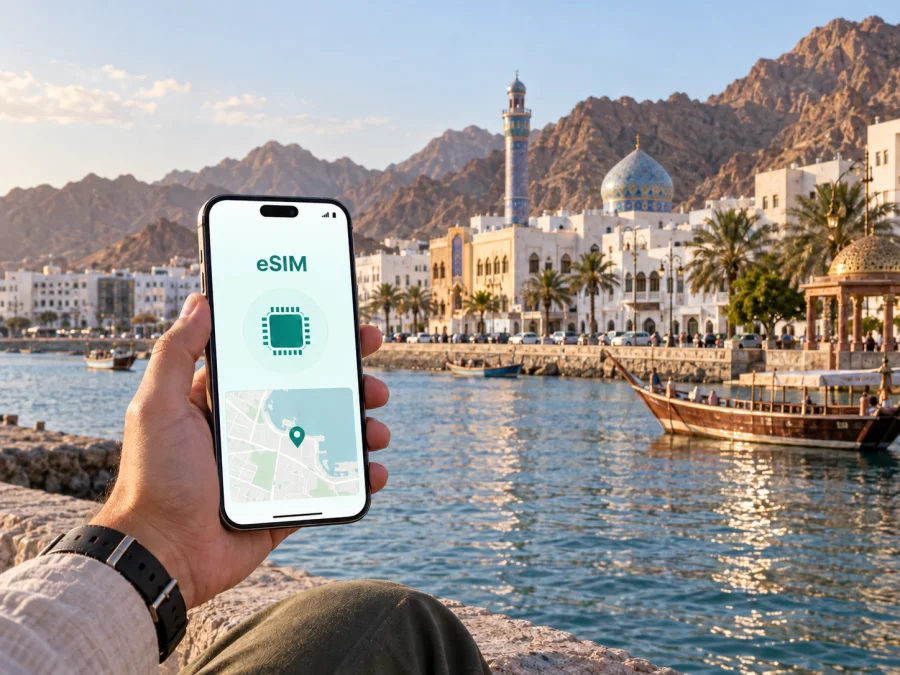
Muscat eSIM: Mobile Connection and Internet for Travel
Muscat is a city where a reliable mobile internet plan can make the difference between a relaxed day and a series of small delays. The urban area is spread along the Gulf of Oman, with mountains, coastal roads, older districts and newer commercial areas shaping the way you move around. A map, hotel message, taxi request, translation tool or digital ticket may be needed at a moment when public Wi-Fi is unavailable.
An eSIM, or digital SIM, gives a phone that supports it a way to use mobile internet in Oman without removing your everyday physical SIM; check your device compatibility before purchase. It can be useful when you arrive in Muscat for a holiday, a conference, a short stopover or a longer work trip. The practical goal is simple: prepare the connection before you need directions, then use the plan carefully as you move between the airport, hotel, meetings, souqs and the coast.
Why mobile internet matters in Muscat
Muscat is not a compact city with one single pedestrian centre. Sights and services are distributed across a long metropolitan area. You may start the morning near the airport in Seeb, spend an afternoon around Qurum, go to a meeting in Al Khuwair or Ruwi, and finish near Mutrah or Old Muscat. Each part of the day creates a different need for data.
With mobile internet, you can:
- open maps while comparing routes between districts;
- check the location of a hotel, office, restaurant or meeting venue;
- contact accommodation if your arrival time changes;
- request or coordinate a taxi and share your location;
- translate menus, signs and short messages when necessary;
- check opening information in an app before crossing the city;
- use messaging and calling apps that work through the internet;
- keep a route available while travelling outside the central districts.
The benefit is not that every task becomes automatic. Roads, traffic, weather, parking and the location of your accommodation still matter. A prepared eSIM simply gives you a practical data option for those decisions instead of making every navigation step depend on hotel Wi-Fi or a local purchase after landing.
Arrival in Muscat: plan the first hour
Muscat International Airport is in Seeb, west of the older coastal districts. The first transfer can therefore cover more road than a visitor expects from a simple city-centre map. Save the accommodation address, district and booking reference before leaving the terminal. A screenshot or offline note is useful if you need to conserve data while arranging the first ride.
Use this arrival checklist:
- Check your battery and keep the hotel address offline.
- Activate the eSIM before departure or after landing according to its conditions.
- Select it for mobile data, while keeping your primary line for the functions you still need.
- Enable data roaming for the eSIM if the instructions require it.
- Test a map search or message before setting off.
Activation and data use are not necessarily the same step. The start of validity depends on the selected tariff, so read the conditions before installation. For a transfer, send the driver the full address and district; a live location is often more useful than a landmark name alone.
Muscat’s districts and how they affect your route
Choosing an eSIM plan for Muscat is easier when you think about the shape of your itinerary. The following overview is not a substitute for a live map; it is a way to anticipate how often you may need navigation and communication.
| Area | What a visitor may use mobile internet for | Practical planning point |
|---|---|---|
| Seeb and the airport side | Arrival coordination, hotel directions and the first route into the city | Save the accommodation address before leaving the airport |
| Al Khuwair | Offices, shopping, restaurants and business appointments | Keep meeting pins and contact details ready for taxi journeys |
| Qurum | Hotels, the beach, cafés and evening plans | A map helps compare coastal and inland routes |
| Ruwi | Business errands, services and connections through a busy urban area | Allow time to confirm the exact building or street entrance |
| Mutrah | Corniche walks, the souq, harbour views and older urban streets | Use a walking route for the final part of a car journey |
| Old Muscat | Al Alam Palace area, museums and visits along the historic waterfront | Check the order of stops so you do not cross the city unnecessarily |
These districts are connected by roads, but they do not function as one continuous sightseeing zone. A visitor who treats Muscat as a sequence of separate areas will usually find it easier to group plans by geography. Mobile internet supports that approach: check the next district, confirm a venue, then navigate one leg at a time.
Navigation, taxis and public transport
A map is most useful in Muscat when a journey combines a car ride with a final walk. Pin the hotel, office, museum or souq before getting into the car, then check the walking segment after you arrive near the main road. For taxis and ride arrangements, data helps you describe the pickup point, review vehicle information where the service provides it, and share a live location when an entrance is hard to find.
Muscat also has public bus services. Check the current route, stop and operating information before setting out because schedules can change. Save the key details for an unfamiliar route, and use live data when you need to adjust the next leg. When driving, set the destination before moving and stop safely before changing it. One planned route is safer and more economical than repeatedly reopening several apps in traffic.
A practical eSIM choice for a Muscat itinerary
Choose by usage, not by the city name alone. A stopover based near one hotel has a different data pattern from a business trip with several venues or a road itinerary beginning in Muscat.
Compare four points:
- Validity: include arrival and departure days, and check when the period begins.
- Traffic: maps and messages use less data than video, cloud backups or hotspot use; background updates also count.
- Route: if Muscat is one stop on a journey through Oman, confirm that the direction or regional option fits the rest of the itinerary.
- Conditions: review limits, balance information, top-up rules and permitted use. Conditions depend on the selected tariff.
A simple estimate can be more useful than choosing by habit:
| Travel pattern | Likely data tasks | What to check first |
|---|---|---|
| One-day stopover | Airport directions, one hotel, a few messages and a map | Short validity and enough data for two transfers |
| Leisure weekend | Navigation, restaurant searches, photos, messaging and occasional bookings | Validity through the return journey and background data settings |
| Business visit | Meeting maps, email, messaging, transport and document access | Stable daily allowance and the ability to monitor balance |
| Muscat plus road travel | Long-distance navigation, accommodation messages and route changes | Whether the direction covers the whole route and the full duration |
When you are ready to compare current options, choose an eSIM plan for Oman through the Kaspersky eSIM Store site or app. It helps you choose, arrange and activate an eSIM with a suitable plan for mobile internet during an overseas trip; the selected tariff conditions and network service belong to the relevant local operator arrangement.
Hotels, apartments and business trips
Hotel Wi-Fi may cover time indoors, but mobile data is still useful when you leave, call a taxi, find a meeting room or coordinate a late arrival. An apartment stay may require extra messages about an entrance, key handover or parking area.
Save the accommodation address, booking reference, host contact, district, nearby landmark and first meeting address before departure. For business travel, use Wi-Fi for large files and reserve the eSIM plan for maps, messages, calendars and time-sensitive work. Hotspot use, video calls and system updates can consume data quickly, so check the selected plan’s conditions first.
Installing and activating an eSIM
The exact menu names vary by phone model and operating-system version, so use the Android installation instructions or iOS installation instructions. Before buying or installing, confirm that your phone supports eSIM and is not restricted by an operator lock: check your device compatibility.
The usual sequence is:
- Read the plan’s validity and activation conditions.
- Install through the phone’s mobile-network settings or the provided activation flow while connected to Wi-Fi or another available connection.
- Label the line clearly, such as “Oman travel”.
- Select it for mobile data and keep the preferred line for calls and messages.
- Enable data roaming for the eSIM if required, then test a map search.
Travel eSIMs are normally for mobile data, not a regular phone number, voice calls or SMS unless the chosen plan states otherwise. Do not delete a profile during a temporary outage; first check the active data line, airplane mode, validity, roaming setting and signal. Transfer to another device depends on the profile and tariff conditions.
If the connection does not work as expected
Start with the least disruptive checks. Confirm that the eSIM line is turned on, that it is selected for mobile data, and that airplane mode is disabled. Then check the plan’s validity and remaining balance. On some devices, data roaming for the travel eSIM may need to be enabled. If you have two SIMs active, verify that the phone did not switch mobile data back to your primary line.
If the issue continues, move to a place with a clearer signal, restart the phone and review the installation steps for your operating system. Avoid changing several network settings at once; it becomes harder to identify the cause. Keep the order of your checks simple:
- eSIM profile enabled.
- Correct line selected for data.
- Plan active and within its validity period.
- Data roaming enabled if required.
- Mobile data and airplane-mode settings correct.
- Phone restarted and location tested again.
If you still need help, use the support route available in the Kaspersky eSIM Store app or site and keep the plan details ready. Support can work more efficiently when you describe the device, the selected data line and the step at which the connection stopped.
FAQ about using an eSIM in Muscat
Can I keep my usual SIM active?
On a dual-SIM phone that supports eSIM, you can often keep the primary SIM active for its usual functions and select the eSIM for mobile data. The exact behaviour depends on the device. Check which line is used for data and be aware that your primary operator may charge for roaming or incoming services under its own conditions.
Do I need a local phone number?
Not for every travel task. An eSIM plan is generally focused on mobile internet, not a regular local number. Maps, email and internet messaging can cover many situations, but a service that specifically requires a voice call or SMS may need another arrangement.
Should I activate before flying or after landing?
Both approaches can be reasonable, depending on the plan conditions and whether you have a stable connection for installation. Preparing before departure gives you time to check the device. Activating after arrival can help align use with the trip. Read when validity begins before choosing the timing.
How much data should I choose for Muscat?
Estimate your own habits. A traveller who mainly uses maps, messages and occasional searches may need a different amount from someone who uploads photos, watches video or uses a hotspot. The length of the journey and any road travel outside Muscat are also important. Check the available package sizes, validity and usage conditions rather than relying on a generic number.
Will an eSIM work in every phone?
No. The device must support eSIM, and an operator lock or regional model variation can affect compatibility. Check your device compatibility before purchase, using the compatibility window and the instructions for your operating system.
Can I move the eSIM to another phone?
Do not assume that you can. Transfer and reinstallation depend on the profile and tariff conditions. Check those rules before deleting a profile or changing devices.
Prepare your Muscat connection before the journey
The most useful eSIM plan is one that matches the way you will actually move through Muscat: the airport transfer, the hotel district, business appointments, coastal walks, older streets and any trip that begins beyond the city. Check compatibility, compare data volume and validity, read the activation conditions, and keep important addresses available offline. That preparation leaves mobile data for the moments when a live map, message or route change matters.
When you are ready, prepare an eSIM plan for your trip to Muscat and Oman through Kaspersky eSIM Store. Choose the option that fits your dates and expected use, install it on a device after you check compatibility, and activate it according to the plan conditions.


