Travel connectivity guide
Mykonos Town eSIM: Internet for Your Trip
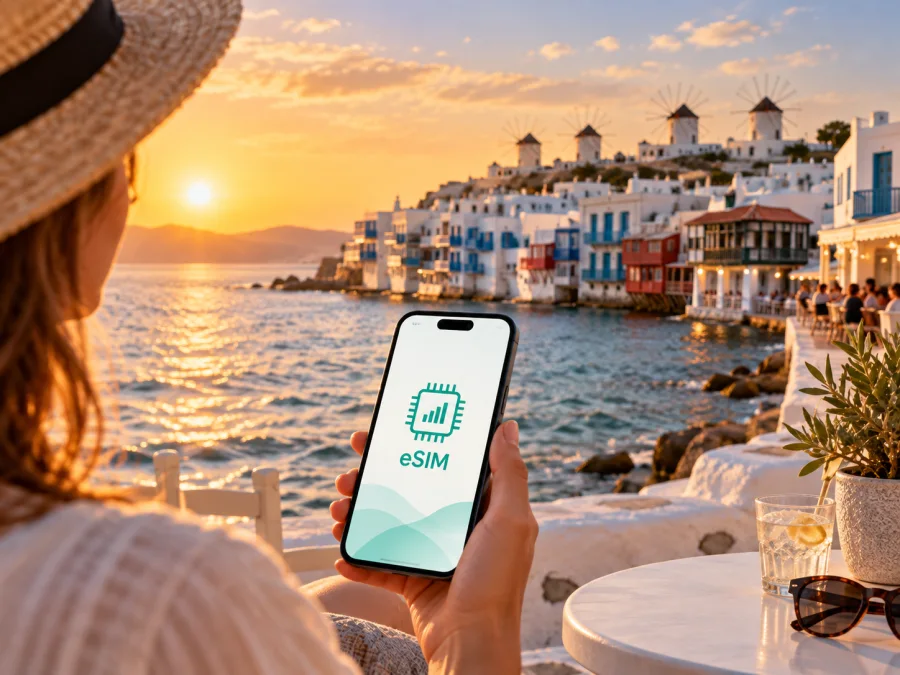
Mykonos Town eSIM: mobile connection and internet for your trip
Mykonos Town is compact, walkable and easy to underestimate. A short arrival transfer can lead to changing plans: meeting someone near the Old Port, finding a hotel on an unfamiliar lane, checking a ferry update or sharing a location. An eSIM, or digital SIM card, can help you prepare mobile internet for these moments without replacing the physical SIM in your phone.
For a trip to Mykonos Town, the practical question is whether you want a dependable way to view maps, confirm transport, contact accommodation, use translation tools and stay in touch while moving around the island. A Greece eSIM tariff can be prepared before departure or after arrival, then used on a compatible, unlocked device according to its conditions.
Why mobile internet matters in Mykonos Town
The historic centre is best explored on foot. Its whitewashed buildings, narrow lanes, small squares, shops and cafés make a memorable setting, but they can also make orientation less intuitive than the straight lines of a modern business district. A map pin, walking route or saved hotel address is useful when you leave the waterfront and need to find the same entrance again.
Mobile data is also helpful before the walk begins: check the arrival point, message a host, confirm a transfer, read a ferry notice, translate a menu or send a location.
An eSIM can be useful for three distinct stages of a Mykonos Town trip:
- Arrival: open directions, contact a driver or accommodation, and check the next step without searching for a shop that sells a physical SIM card.
- Exploration: use navigation, tickets, reservations, messaging and payments while moving between the waterfront, Chora and a hotel.
- Departure or onward travel: check port details, coordinate a transfer and keep the same travel setup while leaving the island or continuing through Greece.
The eSIM is intended for mobile internet. Unless the chosen tariff states otherwise, it does not add a regular phone number or include ordinary calls and SMS. You can still use messaging and calling apps over the internet, while keeping your usual SIM available for the functions you need from it.
Mykonos Town arrival: prepare the first hour
Many visitors reach the town after arriving at Mykonos Airport, while others come by ferry to one of the island’s port areas. The exact transfer arrangement depends on your booking and the time of day, so it is sensible to have the key information available before you leave the terminal or port.
Before leaving, save the accommodation name, address, contact and transfer details. Mark the property on your map and keep the booking accessible. This is particularly helpful because the final approach may be on foot even when a vehicle can stop nearby. With mobile internet, you can exchange a live location, read a host’s message and compare the map with the streets around you. For a short stopover, the same preparation helps you confirm the route, leave luggage and return to the meeting point without spending limited time looking for connectivity.
Moving around the town and the island
Mykonos Town is a place where walking is often part of the experience. You can move between the waterfront, the lanes of Chora, viewpoints and nearby meeting points without treating every trip as a vehicle journey. At the same time, an island itinerary may include beaches, villages, a boat departure or a second accommodation. Transport conditions can change with season, traffic, weather and demand, so check the current details for the particular journey rather than relying on an old screenshot.
Use mobile internet for the parts of transport planning that are most likely to change:
| Situation | What data helps you do | What to confirm before leaving |
|---|---|---|
| Airport arrival | Open the route and contact your transfer | Meeting point and destination entrance |
| Walk through Chora | Follow a map pin and find a saved place | Whether the final approach is pedestrian-only |
| Port transfer | Check the departure point and message companions | Port area and required arrival time |
| Trip beyond town | Keep maps, bookings and messages available | Return time and the last connection |
The point of an eSIM is to make the small digital tasks of a moving day easier. Open the map when you need it, close data-heavy applications when you do not, and choose a tariff whose validity and traffic allowance match the whole route rather than only the first evening.
Districts, landmarks and practical navigation
The centre of Mykonos Town is often called Chora. Its waterfront and shopping lanes can feel close together on a map while taking longer in practice because of turns, crowds and pedestrian-only passages. Save a few landmarks as separate pins instead of relying on one broad location.
The waterfront and Little Venice are useful orientation points, while the windmills are a familiar meeting reference. The lanes around Matogianni are busy and full of turns, so save the exact destination pin rather than relying on a broad label. If a hotel is described as “near Mykonos Town”, check its actual map position and pickup instructions; the shortest line may not be the easiest route with luggage. A saved contact, booking screenshot and live location are practical backups.
The important details are the exact door, meeting point and return route. The same mobile internet that opens a landmark pin can help you answer a hotel message, update a work calendar or send a revised arrival time.
Choosing an eSIM tariff for Mykonos Town
Start with the destination and route. For a stay based in Mykonos Town, a Greece tariff is the relevant country option. If the itinerary includes other countries or a wider regional journey, compare the scope carefully. A tariff may be organised by country or region while the trip is centred on one town.
Then estimate how you will use data. The right amount depends on your habits, not on the city name alone.
| Travel pattern | Likely mobile-data tasks | Planning priority |
|---|---|---|
| Weekend in town | Maps, messages, reservations and occasional browsing | Match validity to arrival and departure |
| Longer island stay | Navigation, transport checks, photos and regular messaging | Allow for repeated map and media use |
| Work trip | Calls, email, files, calendars and possible hotspot use | Check the traffic allowance and tethering conditions |
| Multi-stop Greece route | Directions, ferry information and accommodation messages | Confirm country scope and validity for the full route |
Before selecting, compare the visible conditions:
- destination or region of validity;
- traffic allowance, validity period and start point;
- prepaid, top-up and balance conditions;
- hotspot permissions and installation requirements;
- support options if the profile does not connect.
You can choose an eSIM tariff for a trip to Greece after checking these points. Kaspersky eSIM Store is an app and website that helps you select, arrange and activate an eSIM with a suitable tariff for mobile internet during an overseas trip; review the particular tariff’s conditions before proceeding.
Compatibility and preparation before purchase
An eSIM works only when the phone supports the feature and is not restricted by an operator lock. Models and regional versions can differ, so do not rely only on a product family name. Before you buy, open the mobile-network settings on the device or use the manufacturer’s documented specifications. You can also check whether your device is compatible before making a decision.
Use this short compatibility checklist:
- Is eSIM listed as an option for adding a mobile plan?
- Is the phone unlocked for use with another operator or tariff?
- Can it connect to the internet during installation?
- Is there enough battery for setup?
- Do you know which line will be used for mobile data after installation?
- Will you need the physical SIM for calls or SMS during the trip?
If you are travelling with more than one device, check each one separately. The profile is installed on the selected device, and transfer or reuse may be limited by its conditions. Installing before departure can make arrival simpler, but follow the instructions about when to turn the line on and when data usage begins.
How to install an eSIM for Mykonos Town
The exact menu names vary by operating system and device model. Keep the purchase or profile information available, connect to a reliable internet source for the installation, and complete the setup when you have time to read each prompt.
1. Check the device
Confirm eSIM support and make sure the phone is not operator-locked. Decide whether your current physical SIM will remain active for calls and messages.
2. Select the Greece tariff
Review the destination, traffic, validity and activation conditions. Choose an option that covers the days in Mykonos Town and any onward travel you actually plan to make.
3. Add the mobile plan
Open the mobile-network settings and choose the option for adding an eSIM or mobile plan. Use the QR code or profile details supplied after the order. If you are preparing in advance, follow the instructions about installation and activation separately.
4. Name the lines clearly
Give the new profile a simple label such as “Greece travel”. Keep your regular line recognisable so that you can choose the correct profile for calls, messages and data.
5. Select mobile data
In the cellular or mobile-data settings, select the travel eSIM for data when you are ready to use it. If the tariff instructions require data roaming for the eSIM, enable that setting for the travel profile and leave the primary line configured according to your normal needs.
6. Test the setup
When the tariff is meant to be active, turn off Wi-Fi briefly and open a simple page or map. If the profile does not connect, check the selected data line, required roaming setting and installation instructions before contacting support.
For more detail, use the Android installation instructions or the iOS installation instructions.
What to check if the eSIM does not connect
Work through the basics in order:
- Confirm that the eSIM profile is installed and switched on.
- Check that the travel profile is selected for mobile data.
- Verify that the tariff is valid for Greece and has not reached its limit or expiry.
- Review whether data roaming must be enabled for that profile.
- Turn airplane mode on briefly, then off, or restart the device if appropriate.
- Move to a place with a clearer signal and wait a few minutes.
- Make sure the physical SIM has not been selected as the data line by mistake.
Avoid deleting a profile while troubleshooting unless the instructions or support team tell you to do so. Keep the order details and device information ready if you need assistance. A support request is easier to resolve when it includes the device model, the step where the problem appeared and the settings already checked.
Quick checklist for a Mykonos Town trip
Before departure:
- [ ] Confirm that your phone supports eSIM and is unlocked.
- [ ] Select a Greece tariff whose validity matches the itinerary.
- [ ] Save the accommodation address, contact and arrival instructions.
- [ ] Install the profile at a convenient time and keep its details accessible.
- [ ] Decide which line handles calls, messages and mobile data.
- [ ] Check whether the travel eSIM needs data roaming enabled.
- [ ] Charge the phone and pack a power bank for transfers and long walks.
On arrival:
- [ ] Confirm the travel profile is selected for mobile data.
- [ ] Test a map or message with Wi-Fi turned off.
- [ ] Verify the exact meeting point, hotel entrance or port transfer location.
- [ ] Keep the accommodation pin and booking details easy to reach.
During the stay, review routes before leaving the centre, keep transport information current, limit background updates and check the remaining allowance before a work call or a long day away from Wi-Fi.
Frequently asked questions
Is an eSIM useful if I am staying mainly in Mykonos Town?
Yes. It can help with maps, messages, reservations and arrival coordination when you are walking between locations, waiting for transport or away from the hotel.
Do I need a separate Mykonos Town tariff?
Begin by checking the Greece destination rather than looking for a city-only product. The selected tariff must state that it applies to the country or region you will use. If the trip continues elsewhere, verify the wider route before purchase.
Should I install the eSIM before flying?
You may install it before departure if your device is compatible and you have a reliable internet connection, but follow the tariff’s activation instructions. Check which action starts validity or data use.
What if I visit another Greek island after Mykonos?
Review the tariff’s Greece or regional scope and validity. Plan for the complete itinerary rather than the first hotel only.
Stay ready to move through Mykonos Town
Know where you are arriving, keep the hotel and port details accessible, choose a Greece eSIM tariff that matches the route, and decide which line will handle mobile data. When you walk through Chora, wait for a transfer or leave the island, a prepared connection can make navigation and communication less distracting.
When you are ready, choose an eSIM tariff for Greece through Kaspersky eSIM Store. Install it on a compatible device and activate it when the timing suits your journey to Mykonos Town.


