Travel connectivity guide
Nafplio eSIM: Mobile Internet & Travel Guide
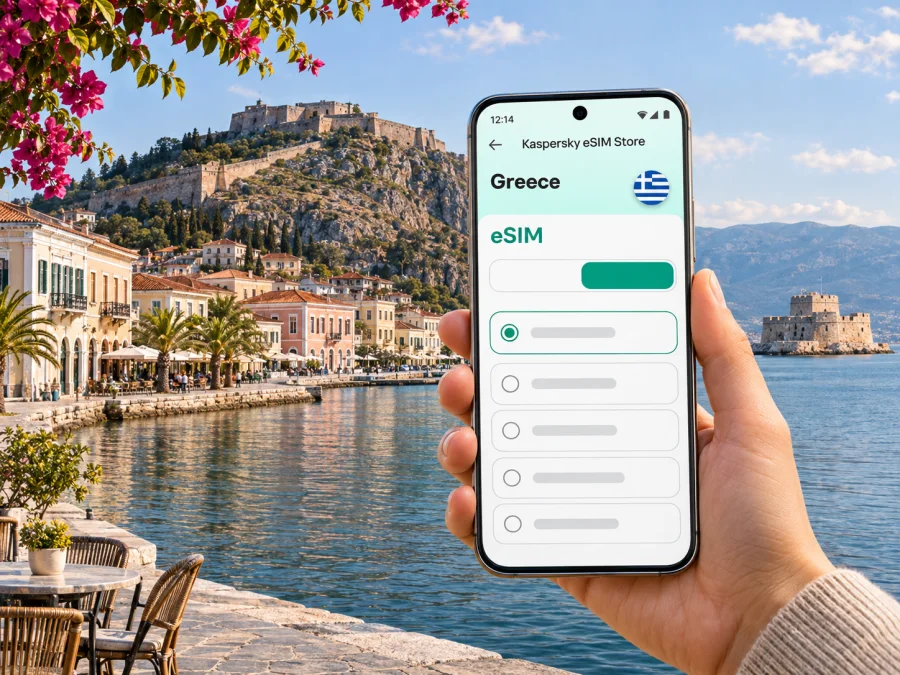
Nafplio eSIM: Mobile Connection and Internet for Your Trip
Nafplio is a compact coastal city in the Peloponnese, where a day can move from the harbour and the old town’s lanes to a climb above the rooftops at Palamidi. Mobile internet is useful here for the practical parts of the visit: checking the route from your arrival point, finding a hotel entrance in a pedestrian street, confirming a bus departure, and keeping tickets or messages close at hand. An eSIM can help you prepare data access for Greece without changing the physical SIM in your phone, provided your device and chosen plan support it.
This guide focuses on using mobile data around Nafplio: what to plan before leaving the airport, how to navigate the old town and its hills, what to check when choosing an eSIM, and how to avoid relying on a connection for every step. Signal and data performance can vary by provider, building, terrain and current network conditions, so keep offline information for the parts of your trip where you cannot afford to lose it.
What mobile internet is useful for in Nafplio
The city is easy to explore on foot in its central areas, but the shape of the visit changes as soon as you add Palamidi, the waterfront, a hotel outside the old centre, or a day trip. A connection can make it easier to:
- navigate from a bus stop or parking area to your accommodation;
- check the walking route between Syntagma Square, the harbour and the old town’s landmarks;
- message a host if your arrival is delayed or a meeting point changes;
- check current transport information before travelling to or from Athens;
- translate a menu or a short notice when needed;
- use maps, ride services where available, and online tickets or reservations;
- contact family or colleagues through internet-based messaging and calls.
An eSIM data plan is not automatically a Greek phone number. Unless the terms of a specific plan say otherwise, expect mobile data rather than ordinary cellular voice calls or SMS. You can continue to use your usual number for calls or messages if your home SIM remains active, but your home operator may charge roaming fees. Messaging apps can use the data connection for voice and text conversations.
First arrival: plan the transfer before you set off
Nafplio does not have a commercial airport in the city. Many visitors arrive in Greece through Athens and continue overland; the route and travel time depend on the transport you choose, traffic and the day’s schedule. Some itineraries use a rental car or a prearranged transfer, while others connect by intercity bus. Check your actual ticket and transfer details close to departure rather than relying on an old timetable or an estimate in a map app.
If you are taking the KTEL Argolida service, the operator publishes route information for the Athens–Isthmus–Fichti (Mycenae)–Argos–Nafplio corridor and separate departure times by day. These schedules can change. Confirm the correct date, origin station, boarding point, stops and ticket conditions on the operator’s current information before you travel. A working data connection helps with checks and messages, but save the departure details offline as well.
Before leaving your arrival point, save your accommodation address and check-in details, download a map of Nafplio, and retain the day’s ticket or transfer information offline. Keep enough battery for navigation and messages. If you use both a home SIM and travel eSIM, confirm which line is selected for data and review your home operator’s roaming settings.
The last part of the journey may involve a short walk with luggage, a taxi, or a local transfer depending on where you stay. The old centre includes narrow streets and pedestrian areas, so a pin on a map is useful but may not show the exact entrance. Read the host’s written directions and ask for a nearby landmark if the building is difficult to identify.
Getting around: old town, harbour and the hills
Nafplio’s historic centre is best approached as a walkable area rather than a sequence of car-to-door stops. Syntagma Square is a useful orientation point in the lower old town. From there, the harbour and seafront are close by, while lanes lead toward churches, museums, cafés and small squares. The municipality identifies the old town, Akronafplia and Arvanitia among the city’s defining areas. Each has a different feel and level of elevation, so choose footwear and routes accordingly.
The waterfront is an easy reference for orientation: the harbour faces the Argolic Gulf, and Bourtzi sits offshore. The coastal promenade offers open views, while the streets inland are more enclosed. A map can help you turn a scenic walk into a loop rather than repeatedly retracing your route. If you are taking photos or using live navigation, consider downloading the map before leaving your accommodation and switching to offline directions if the connection becomes unreliable.
Palamidi: plan for height and steps
Palamidi Fortress stands on a hill east of the city. The municipal history site places the fort at an elevation of 216 metres and describes access by road to the eastern entrance or by the stone staircase rising from the city. The stairs are a strenuous option, especially in heat or if you are carrying a bag. Check current opening and access information before visiting, bring water, and allow enough time for both the ascent and the walk through the fortress.
Do not assume that a route app’s estimated walking time reflects your pace on the steps. Save a return route and a meeting point before you begin. At the top, the view is a reason to pause rather than keep looking at a screen. If you need to coordinate with someone, send the plan in advance and agree on a place to meet in case either phone loses signal or battery.
Arvanitia and the seafront
The Arvanitia side of town combines a coastal walk with views toward the water and the fortress. Conditions on a waterfront path can differ from the shaded lanes in the centre; check the weather and any local notices before setting out. Keep a map available, but pay attention to signs and access instructions on site. The coast is not a reason to assume that data coverage will be identical at every point along the route.
| Area or landmark | How it fits into a visit | Useful preparation |
|---|---|---|
| Syntagma Square | A central reference point in the old town | Save it as a map pin and use it to orient short walks |
| Harbour and Bourtzi views | A waterfront route and an easy visual reference | Check any boat or access arrangements separately if you plan to visit Bourtzi |
| Palamidi | A hilltop fortress with stair or road access | Check current access details; carry water and save the return route |
| Akronafplia | Elevated historic quarter above the centre | Expect slopes and steps; plan footwear and time |
| Arvanitia | A coastal walk near the old town | Check weather and local path notices before setting out |
These locations are in and around Nafplio, but walking conditions are not interchangeable. A route between two points may include slopes, stairs, cobbles or a longer road approach. Review the route in daylight when possible, and use a taxi or other suitable transport when walking is uncomfortable or impractical.
Choosing accommodation and keeping plans accessible
Staying in the old town can put cafés, the harbour and central landmarks within walking distance, but access may involve narrow streets, steps or limited vehicle access. Newer parts of the city can offer a different balance of parking, room for luggage and distance from the historic centre. The right base depends on your mobility, arrival time, transport and daily plans rather than a single “best” district.
Before booking, check the exact location and ask the property about:
- the nearest vehicle drop-off point and whether the street is accessible by car;
- stairs, lift access and the route from the drop-off point to the entrance;
- check-in arrangements if you arrive late;
- parking availability and any restrictions, if you plan to drive;
- the nearest grocery shop, pharmacy or other essential service;
- whether mobile reception or Wi-Fi is limited inside the specific building.
Indoor reception can differ from street coverage because of walls, room location and building layout. For a remote-work call, ask about the accommodation’s Wi-Fi and keep a backup plan. A hotspot uses the eSIM’s data allowance and can drain the battery faster.
eSIM for Nafplio: what to check before choosing
An eSIM is a digital SIM profile stored on a compatible device. For a visit to Nafplio, choose a plan according to the countries or region it covers, its data allowance, validity period and the way it activates. The relevant destination is Greece. If your itinerary also includes other countries, verify that the plan explicitly covers each one; a plan for Greece should not be assumed to work across borders.
Before purchase, review the terms shown for the exact plan:
- Coverage destination: confirm that Greece is included. A city name may not appear because plans are generally organized by country or region.
- Data amount: estimate what you will use for maps, messages, browsing, video and hotspot sharing. Download large files over Wi-Fi where convenient.
- Validity: check when the validity period begins. Activation rules differ by plan, so do not assume it starts at purchase or only after arrival.
- Network and device conditions: read the plan’s network, roaming and installation requirements. Local performance depends on the networks and conditions available where you are.
- Voice and SMS: confirm whether the plan includes anything beyond data. Do not count on receiving ordinary calls or SMS through the travel eSIM unless the terms explicitly state this.
- Device status: make sure your phone supports eSIM and is not carrier-locked. Device variants can differ by market, even when model names look similar. Check whether your device supports eSIM before completing your choice.
Kaspersky eSIM Store is an app and website where you can choose, arrange and activate an eSIM with a suitable plan for mobile internet on an international trip. To review available options for the destination, browse eSIM plans for Greece. The plan page and its current terms determine what is available; this guide does not quote a particular price, data amount or coverage promise.
Installing and activating your eSIM
Complete installation while you have a stable internet connection and enough time to follow the instructions. Some plans can be installed before travel and activated later; others have different timing rules. Read the plan’s activation instructions before scanning a QR code or adding a profile. Do not delete an installed eSIM profile to troubleshoot unless support or the plan instructions tell you to do so, because some profiles cannot be reinstalled freely.
- Check compatibility and unlock status. Confirm that your exact phone variant supports eSIM and can use another carrier’s profile.
- Choose the plan and read its terms. Verify Greece, data allowance, validity, activation timing and any roaming requirements.
- Install the profile. Follow the on-screen steps in your phone settings or the instructions provided with the plan. Keep access to the QR code or manual details until installation is complete.
- Label the line clearly. For example, use “Greece data” so you can recognize it next to your usual SIM.
- Set the line for mobile data when appropriate. Keep your home number available for calls or messages if you need it, and review your home operator’s roaming settings and charges.
- Activate at the right time. Follow the specific plan’s instructions. On some devices, data roaming may need to be enabled for the travel eSIM; apply this only as instructed for that profile.
- Check the connection. Once in the destination and activation conditions are met, confirm that mobile data is enabled on the intended line. Allow time for registration and consult the plan instructions if it does not connect.
For device-specific steps, use the Android eSIM installation instructions or the iOS eSIM installation instructions. The labels and menus can vary with operating-system version and device manufacturer.
If mobile data does not connect
Start with the simple checks before changing several settings at once:
- confirm that the eSIM profile is still installed and enabled;
- make sure the travel eSIM is selected for mobile data;
- check that airplane mode is off and mobile data is on;
- verify the plan’s destination, validity and activation conditions;
- review whether the plan instructions require data roaming for that eSIM;
- restart the phone once, then allow time for it to register;
- use a stable Wi-Fi connection to check the plan details or contact support.
Menu names vary, and changing preferred network settings can affect service. Follow the device or plan guidance rather than selecting settings at random. Keep your accommodation details and a basic offline map available while troubleshooting.
Nafplio day trips and work visits
Nafplio is a practical base for exploring parts of Argolis, but every excursion changes the transport and data plan. Visitors often combine the city with nearby archaeological or coastal stops. Before leaving, check the destination’s own opening information, transport arrangements and return options. Do not rely on an informal estimate of the last bus or assume that a rural stop has the same network conditions as the city centre.
For a day trip, save the destination name in both Greek and Latin script when available, download the route, and note the meeting point. If you are travelling by bus, confirm the route and day-specific timetable with the operator. If you are driving, download directions and keep the car’s navigation or a second map available; a mobile signal may be intermittent outside built-up areas. For a short stop between Athens and Nafplio, keep all onward journey details together so a late arrival does not leave you searching through messages.
For a work visit, test the connection where you will take a call. Send large files and update devices over Wi-Fi, and keep the invitation and address offline. Mobile data is a backup, not a guarantee of a stable video call.
Three common travel scenarios
Weekend in the old town. Download maps and booking details before arrival, then use mobile data for messages and route changes. Walk between the square, harbour and nearby lanes, and keep the Palamidi visit separate if you want time for the climb.
Arrival by bus with luggage. Check the operator’s current timetable, save your ticket and confirm the accommodation’s directions from the stop. Use a map pin to approach the neighbourhood, then follow written entry instructions for the final few streets.
Several days with a day trip. Choose data allowance based on navigation, communication and any hotspot use beyond Nafplio. Save each destination and the return plan offline. Check whether the selected plan covers only Greece or a wider itinerary, and verify any cross-border coverage explicitly.
Frequently asked questions
Is an eSIM useful for a trip to Nafplio?
It can be useful for maps, messages and travel updates without replacing your physical SIM. Check device support and unlock status, and confirm that the plan includes Greece.
Does a Greece eSIM guarantee a signal everywhere in Nafplio?
No plan can guarantee reception in every building or hillside location. Terrain, indoor construction and current network conditions affect service; keep key addresses and maps available offline.
Can I use a travel eSIM for regular phone calls?
Only if the exact plan explicitly includes voice service and a number. Many travel eSIM plans are data-focused. Internet calling and messaging apps can work over mobile data, subject to the app and network conditions.
Should I install the eSIM before travelling?
Often it is convenient to install while you have reliable Wi-Fi, but the right timing depends on the plan’s rules. Read when validity begins and when activation should happen before you install or enable it.
Will an eSIM work on every version of my phone model?
Not necessarily. Support can vary by device variant, country of sale and carrier lock status. Check the exact model and regional variant using the compatibility information before choosing a plan.
How much data do I need for a short stay?
It depends on maps, uploads, video, calls and hotspot use. Use your normal data habits as a guide, download maps over Wi-Fi where practical, and review the plan’s allowance and validity.
Get ready for Nafplio
Before your trip, confirm the route into the city, save your accommodation details, and keep an offline map for the old town, waterfront and Palamidi approach. Check the exact eSIM variant and plan conditions on your device, then install and activate it according to the instructions. Kaspersky eSIM Store helps you choose, arrange and activate an eSIM with a suitable plan for mobile internet on an international trip.
When you are ready, review eSIM plan options for Greece and compare the current destination, data allowance and validity against your itinerary. Keep the plan terms and travel details accessible, and enjoy exploring Nafplio at your own pace.


