Travel connectivity guide
Nagarkot eSIM: Mobile Internet & Travel Tips
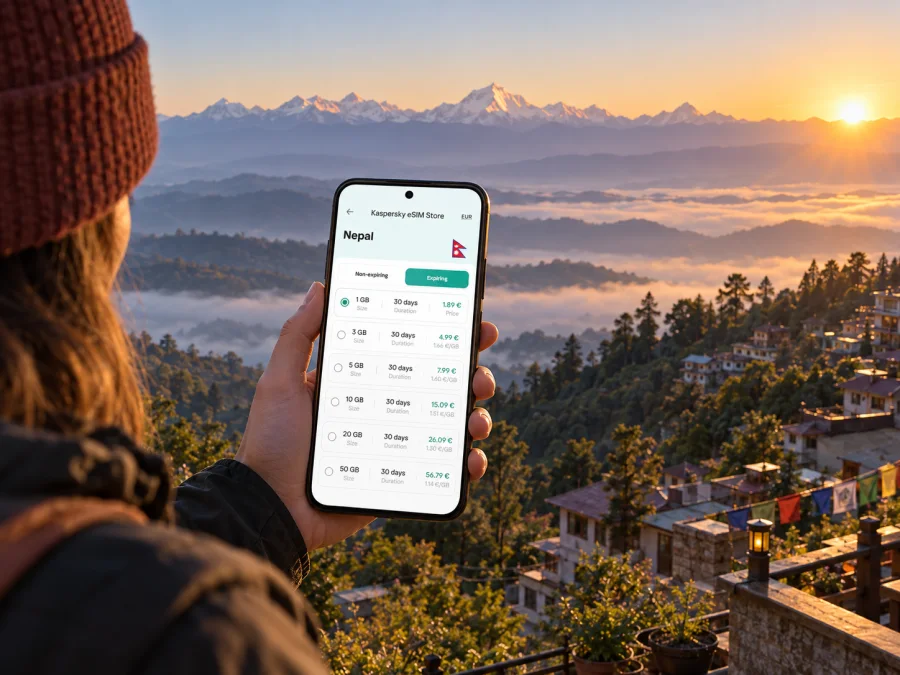
Nagarkot eSIM: Mobile Connection and Internet for a Hill Stay
Nagarkot is a hill settlement east of Kathmandu, known for sunrise and wide views across the Himalayan foothills when the weather is clear. It is close enough to combine with Kathmandu or Bhaktapur, but the winding climb and early starts make a little preparation useful. A mobile connection can help you coordinate a pickup, follow a route, check your hotel details and let someone know when you have arrived.
For a short stay, think of Nagarkot as a destination with a few distinct stages: landing in Nepal, crossing the Kathmandu Valley, climbing to your accommodation, and getting around on foot or by arranged transport. Mobile internet is most useful when it supports those transitions. It does not replace checking road conditions, confirming a driver or asking your hotel for local directions.
Plan the connection around the route
Nagarkot lies about 32 kilometres from Kathmandu according to Nepal Tourism Board, but actual travel time depends on traffic, weather and route. Public transport commonly involves going first to Bhaktapur and then continuing uphill. A private car or taxi is more direct and can suit luggage, late arrivals or a stop in Bhaktapur.
In Kathmandu, use mobile data to confirm your pickup, message the hotel and check the route. As the road climbs, a named property or landmark may be more useful than a map pin for the final turns. Save the address and booking details in advance, and confirm the exact drop-off with your driver.
| Part of the trip | Arrange | Mobile internet helps with |
|---|---|---|
| Arrival in Kathmandu | Confirm pickup and destination | Messages, booking details and route checks |
| Kathmandu to Bhaktapur | Identify departure and meeting points | Map orientation and coordination |
| Bhaktapur to Nagarkot | Check the next leg and luggage | Confirming your vehicle or accommodation |
| Arrival on the ridge | Know the entrance and any walk | Sharing your location and checking the final turn |
| Local outings | Agree on a return time and meeting point | Reopening maps or contacting your driver |
Arriving from Kathmandu
Tribhuvan International Airport is in Kathmandu, so a Nagarkot stay usually begins with a transfer across the valley before the road climbs into the hills. Travel time varies with traffic and departure point. Build flexibility into the plan if you have a timed check-in or hope to arrive before sunset; ask the property whether it can arrange pickup and what details the driver needs.
Public transport generally involves more than one leg, often via Bhaktapur. Departure points and schedules can change, so ask locally on the day and allow time for a wait or vehicle change. A private vehicle is simpler with suitcases, children or a tight arrival window. Agree the price and any waiting or return arrangements before departure, and do not assume ride-hailing availability on the ridge will match central Kathmandu.
A low-stress arrival sequence
- Before leaving the airport, confirm your destination with the hotel and decide whether the pickup is at arrivals or another meeting point.
- Check that the driver has the full property name, a usable phone number and any specific arrival instructions.
- Keep the map route available, but use the agreed destination and driver’s directions for the last section.
- When you reach the property, message someone who is expecting you if your arrival plan has changed.
- Save the return pickup time and meeting point before you begin an early-morning outing.
For the trip itself, an active data plan is useful for coordination and maps, while offline map areas and saved addresses provide a backup. Downloading essential information before departure also helps if the connection becomes intermittent in a hilly area or while moving between settlements.
Choose where to stay by how you will move
Nagarkot’s accommodation is spread along a ridge rather than clustered around one transport hub. Compare each property’s road access and walking distance to the viewpoints or activities you plan to visit. Ask whether the final approach is paved, if there are steps or an uphill walk, and where a car can stop with luggage. A map marker may not show the precise entrance.
If you are choosing a room for its panorama, ask where the view is from and remember that clouds and haze affect visibility. For a late arrival, confirm reception hours and the driver’s drop-off instructions. For work, ask the property about its internet arrangements and backup options.
| Priority | Ask the accommodation |
|---|---|
| Sunrise | Is the view from the room, terrace or a nearby viewpoint? |
| Late arrival | How should the driver find the entrance, and is reception open? |
| Work | What internet access is available in the room? |
| Walking | Which paths begin nearby, and will you need a return ride? |
| Heavy bags | Are there steps, a steep approach or luggage assistance? |
Keep navigation useful on the ridge
Nagarkot’s hillside roads and scattered accommodation make the last part of a route worth confirming. Search the exact hotel name, compare its pin with the property’s directions, and ask staff or your driver about the final turn. Save an offline map, screenshot the route and keep contact details available in case a suggested shortcut is unclear.
Practical navigation checklist
- Save your hotel name, address and phone number before the transfer.
- Keep a screenshot or offline map for the route from Bhaktapur or Kathmandu.
- Confirm the pickup and return point in words as well as on the map.
- Carry a power bank if you will use navigation and photography for several hours.
- Let your accommodation know if you expect to arrive later than planned.
- Check locally before taking a trail or road shown as a walking shortcut.
Use data for a sunrise visit, walk or day trip
An overnight stay puts you near Nagarkot’s well-known sunrise viewpoints, avoiding a pre-dawn drive from central Kathmandu. Visibility depends on weather, so confirm the route and departure time with your hotel and treat the outing as an early walk even if clouds cover the horizon. Save directions and arrange any return transport the evening before.
Nagarkot can also be a starting point for walks and nearby cultural stops. Nepal Tourism Board notes that Changu Narayan Temple is reachable on foot; the approach and duration depend on your starting point and route. Ask locally about conditions, daylight and footwear rather than assuming every path is an easy stroll. Bhaktapur can fit naturally into the road itinerary, provided you agree on luggage, waiting time and the final drop-off with your driver.
Mobile internet and eSIM for Nagarkot
An eSIM can be useful when your phone supports it and you want to prepare a mobile data option before travelling. Kaspersky eSIM Store is an app and website where you can choose, arrange and activate an eSIM with a suitable plan for mobile internet on an international trip. The available destination, data allowance, validity period and price depend on the plan shown at the time of purchase.
Nagarkot is a specific destination within Nepal, so choose coverage for Nepal rather than looking for a separate Nagarkot plan. Before selecting an option, consider how long you will be in Nepal, how much you expect to use maps and messaging, and whether the itinerary continues beyond the Kathmandu Valley. A short stay based in Nagarkot may use less data than a longer route with frequent navigation, photo uploads or video calls, but your habits and accommodation Wi‑Fi will make a difference.
You can review eSIM options for a trip to Nepal and compare the allowance and validity shown for each plan. Check the destination and terms on the plan page before choosing. A travel eSIM is primarily for mobile data; it may not include an ordinary phone number, standard voice calls or SMS unless the specific plan says otherwise. Keep access to your usual number if you need it for calls, account verification or messages.
Data use depends on your habits and whether accommodation Wi‑Fi is available. Maps and messaging are usually lighter than frequent photo uploads, video calls, streaming or cloud backups. Check the selected plan’s allowance and validity, disable large automatic downloads over mobile data if needed, and monitor usage during the trip. If your route continues beyond Nagarkot, choose a validity period that covers the full itinerary.
Before you travel: device, setup and activation
Check that your phone model and regional variant support eSIM and that the device is not locked to another carrier. Check whether your device supports eSIM before buying. Keep your usual SIM active if you need its number, and decide which line should handle mobile data.
- Confirm eSIM support and carrier-unlocked status.
- Choose a Nepal plan with suitable allowance and validity.
- Read the installation and activation conditions.
- Install the eSIM on a stable internet connection and save the confirmation details.
- Label the line and select it for data when you want to use the plan.
- Follow the plan instructions for activation and data roaming; settings vary by device and plan.
See the Android eSIM installation instructions or iOS eSIM installation instructions. Installation and activation are not always the same event, and validity may depend on a specific activation condition. Follow the selected plan’s terms. If you install before departure, do not remove the eSIM profile unless the instructions say to.
A practical plan for different kinds of visits
One night for sunrise: arrange a transfer, confirm check-in and ask the hotel which viewpoint is easiest from the property. Agree on any return pickup before bed.
A stopover: choose accommodation with a clear road approach, confirm whether a driver will wait in Bhaktapur, and save the next destination offline.
A work stay: ask the property about Wi‑Fi before booking. Treat an eSIM as a possible mobile-data backup, download meeting details in advance and keep a second option for important calls.
A walking day: confirm trail access and conditions with the hotel, carry water and a charged phone, and arrange return transport before leaving if you do not plan to walk back.
If the connection is not working as expected
An installed eSIM may not be the line selected for data. Check that the profile is enabled, selected for mobile data and active; then check whether the plan requires data roaming. Settings vary by device, so follow the plan instructions and troubleshoot one setting at a time. If service remains unavailable, pause somewhere safe, use Wi‑Fi if available and contact the support channel provided with your purchase.
Signal and performance can vary with terrain, location, local network conditions and congestion. Keep accommodation details, driver contacts and the next destination available offline. If a map pin or route becomes unclear, ask the hotel or a local driver to confirm the road.
Frequently asked questions
Is Nagarkot a city or a mountain destination?
Nagarkot is a small hill settlement east of Kathmandu, known as a place to stay for sunrise and views. Plan for hillside roads, accommodation spread along the ridge and outdoor routes rather than dense urban transport.
Can I travel from Kathmandu to Nagarkot in one day?
Yes. Visitors commonly make the road journey from Kathmandu for a day visit or overnight stay. The route takes longer than a simple distance estimate may suggest, and traffic or conditions can change the timing. An overnight stay is useful if sunrise is part of your plan.
Do I need mobile internet in Nagarkot?
It can help with transfers, messages, map checks and contacting your hotel. Prepare offline details as a backup, and ask the accommodation what connectivity is available at the property.
Can I use one eSIM around Kathmandu and Nagarkot?
A Nepal plan may suit a route that includes both places if its destination, validity and conditions cover your trip. Check the selected plan details before purchase; the eSIM is not a Nagarkot-only service.
Will an eSIM include calls and text messages?
Not necessarily. Travel eSIM plans are generally intended for mobile data, and ordinary calls or SMS should not be assumed unless they are explicitly included in the selected plan. Messaging apps can work over data.
What should I save before leaving Kathmandu?
Save your Nagarkot accommodation name and contact details, the route or offline map, transport arrangements, and the next pickup point. If you plan an early walk, confirm the route and return plan with your hotel beforehand.
Prepare for the hill stay
Confirm your transfer, lodging and early-morning route before leaving Kathmandu, and keep essential details available offline. When ready, choose an eSIM plan for your Nepal trip through Kaspersky eSIM Store, then install and activate it according to the selected plan’s instructions.


