Travel connectivity guide
Nagoya eSIM: Mobile Internet and Travel Guide
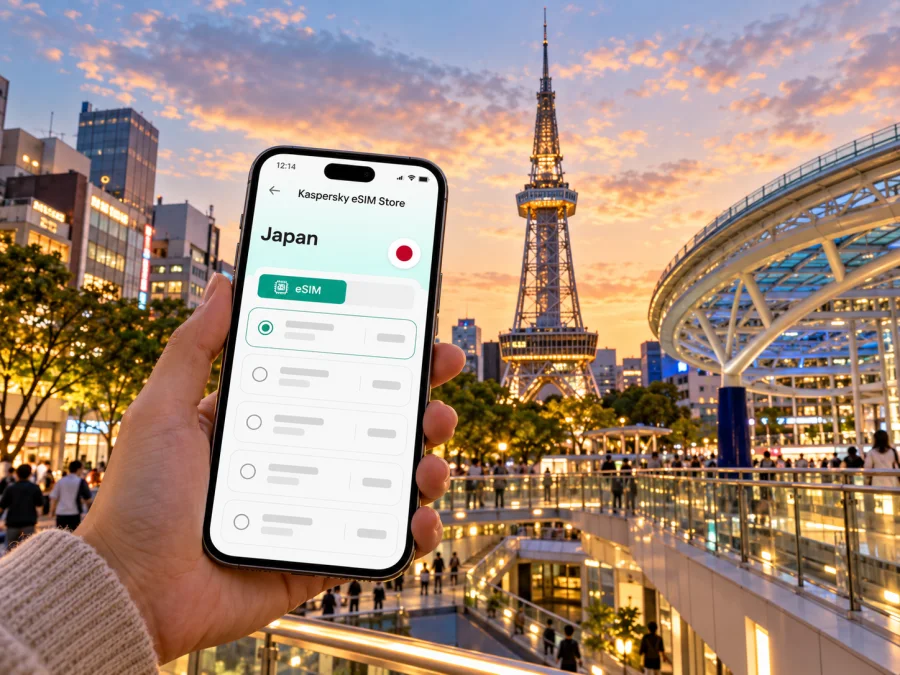
Nagoya eSIM: Mobile Connection and Internet for Your City Trip
Nagoya is a practical base for a first visit to central Japan, a business stay, or a stop between Tokyo, Kyoto, and Osaka. Mobile data helps with station exits, train routes, translation and arrival updates. An eSIM is a digital SIM profile for a compatible device; a travel data plan can work alongside your regular SIM when the device and plan allow it.
This guide covers arrival from Chubu Centrair, city transport, Sakae, Fushimi, Osu, Atsuta and onward rail travel. It also explains what to verify in a Japan plan. An eSIM is not automatically a Japanese phone number; calls and SMS are included only when stated in the plan.
First, place Nagoya on the map
Nagoya is a city in Aichi Prefecture, on the island of Honshu. It is a major urban and rail centre in central Japan. Chubu Centrair International Airport (NGO), often called Centrair, serves the city but is on an artificial island off Tokoname, not within Nagoya’s municipal area. That distinction matters when you look up an airport transfer or assess where a plan’s coverage applies: a city name in a travel itinerary does not describe the airport’s administrative location.
Many international visitors arrive at Centrair. Its rail station connects directly with the Access Plaza. The fastest Meitetsu μSKY service reaches Meitetsu Nagoya in about 28 minutes and requires an extra first-class car ticket. Other trains and airport buses serve different destinations. Check current times, especially for late arrivals or hotels away from Nagoya Station.
Arrival choices at a glance
| Your destination | A useful starting point | What to check |
|---|---|---|
| Nagoya Station or a hotel nearby | Meitetsu train from Centrair | Which service you are boarding and whether a μticket is required |
| Sakae or Fushimi | Compare rail plus subway with an airport bus | The exact stop, departure time and traffic conditions |
| Kanayama or a southern connection | Compare the Meitetsu route with transfers via Nagoya Station | Platform, transfer walking time and your onward line |
| A late-night arrival | Check the final train and bus times before landing | A taxi or pre-arranged ride may be needed if public transport has stopped |
Use your phone to check the station name and exit, but do not rely on a map pin alone. Nagoya Station is a large complex with JR, Shinkansen, subway, Kintetsu, Meitetsu and bus facilities. The names may be similar while the gates and platforms are separate. Save your hotel address in Japanese as well as English; showing the Japanese version can help when asking for directions or using a taxi.
Choose a base that fits your itinerary
Nagoya is spread out enough that choosing accommodation near the right transport hub can save time. Mobile internet is most useful when it supports a specific movement plan rather than when it is treated as a substitute for one. Download a map for orientation, then use live route checks to account for station exits, service changes and walking distances.
| Area | Works well for | Mobile-data moments |
|---|---|---|
| Nagoya Station (Mei-eki) | Shinkansen arrivals, day trips, large hotels and onward rail | Finding the correct station building, hotel entrance or departure gate |
| Sakae | Shopping, dining, nightlife and a central downtown stay | Comparing routes back to the hotel and checking opening details |
| Fushimi | A quieter central base between the station and Sakae; museums and business addresses | Walking between appointments, museums and subway stations |
| Osu / Kamimaezu | Shopping streets, food, temples and a more local-feeling stroll | Locating an entrance or checking a second stop without retracing your route |
| Kanayama | A useful interchange and a possible base for southern journeys | Coordinating rail transfers and airport-bound timing |
Nagoya Station is a large complex, not a single compact square. If your hotel is “near Nagoya Station,” check the side and exit; Taiko-dori and Sakura-dori are distinct approaches. Keep your route handy before leaving, as underground passages and connected buildings can make the surface map confusing.
Sakae is a busy shopping and business district; Fushimi lies between it and Nagoya Station, with museums, performance venues, restaurants and offices. Compare door-to-door routes: a short map distance may still mean a transfer or a long underground walk.
Osu is a walking area of shopping streets and temple surroundings; use a map to reconnect with Kamimaezu or another subway station. Atsuta Shrine is a separate southern-city visit, so plan its rail and walking time independently.
Where mobile internet helps most in Nagoya
A city data connection is useful for ordinary navigation: checking the right station entrance, confirming a route, translating a menu or updating your hotel if a transfer takes longer than expected. Translation, map and messaging apps can use data in the background, so review their settings if your allowance is limited.
A few Nagoya-specific examples:
- At Centrair: locate the Access Plaza and confirm the train or bus destination before boarding. If you plan to use μSKY, remember the separate special-car ticket requirement.
- At Nagoya Station: search by the complete destination name and inspect the operator and station exit. Do not assume every “Nagoya” platform belongs to the same railway.
- In Sakae: check the walking route from the station exit to the exact building, which may have several entrances.
- Around Osu: mark a meeting point before browsing side streets, then check your return route.
- On a day trip: confirm the plan’s destination coverage and validity before leaving the city.
If you expect to stream video, upload large work files, use a hotspot, or navigate for hours, estimate that usage before choosing a data allowance. For lighter use—messaging, maps, search and occasional translation—a smaller package may be sufficient, but actual consumption depends on app settings and habits. Look at the plan’s stated allowance, validity period, supported destination and any hotspot conditions. Do not infer unlimited data, voice service or a particular speed from the word “eSIM.”
Selecting a Japan eSIM plan
A city article can help you plan for Nagoya, while the destination plan is generally selected for Japan rather than an individual neighbourhood. Kaspersky eSIM Store is an app and website where you can choose, arrange and activate an eSIM with a suitable mobile-data plan for an international trip. Review the current Japan plan terms before purchase.
Use this checklist when comparing options:
- Destination: Confirm that Japan is included. If your trip continues to another country, check whether that country is covered by the same plan or needs a separate option.
- Data amount: Match the allowance to navigation, messaging, browsing and any work or hotspot use you expect.
- Validity: Read the start condition and validity period. Some plans start on installation, others on first network connection or another stated event; follow the terms displayed for the selected plan.
- Network and service details: Check any listed partner network, supported service type and restrictions. Coverage and performance depend on the underlying Japanese operator, local conditions, device and location. No single plan should be assumed to work identically at the airport, underground, inside buildings and throughout the region.
- Calling and texting: Treat a data-only eSIM as internet access, not a replacement phone number. Confirm separately if conventional calls or SMS are essential.
- Device: Verify eSIM support for the exact model and regional version, and make sure the device is not carrier-locked. Check whether your device is compatible.
- Backup: Keep access to the purchase details and installation instructions, and retain another way to get online during setup, such as trusted Wi-Fi.
For a short Nagoya stay with offline maps, a smaller package may fit; longer visits with cloud work or frequent photo sharing may need more data or validity. Compare stated terms rather than headline price. A Japan destination label does not confirm service at every location or identify a carrier unless the plan says so.
The current Japan destination page identifies KDDI and SoftBank as local telecommunications providers. Treat this as the destination page’s current listing, not a guarantee that every plan uses both networks or that service will be identical at every location. Check the specific offer’s network and service details before purchase.
When your destination and expected use are clear, you can review the current Japan eSIM plan options. Check the details shown at the time of purchase, including data, validity, price, activation conditions and any network information.
Device compatibility: check the exact version
“Supports eSIM” is not a guarantee based only on the marketing name of a phone. Manufacturers can sell regional variants with different SIM hardware or software, and carrier lock status can prevent a device from using another provider’s profile. Japan’s own mobile operators publish device-specific compatibility information for their services; those lists concern that operator’s service and should not be treated as a universal list for every travel eSIM.
Before departure, check the exact model or part number and confirm that it can add an eSIM and is unlocked. On iPhone, SIM configuration can vary by model and purchase region; Android support also varies by model, country version, firmware and carrier. If a listing gives only a family name, find the full model code in the device settings.
A pre-purchase check:
- Open your phone’s cellular or mobile-network settings and look for an option to add an eSIM or mobile plan.
- Confirm the exact device variant with the manufacturer’s official support information.
- Ask your home carrier whether the phone is unlocked for another eSIM profile.
- Check the travel plan’s device and activation requirements.
- Make sure you can connect to Wi-Fi during installation if the setup flow requires it.
Do not delete a profile to troubleshoot unless instructed; some profiles cannot be reinstalled or freely transferred after activation. Keep your primary number enabled if needed, and select the travel eSIM as the data line when you want to use it. Menu labels vary by operating system.
Install and activate before you need directions
You may be able to set up the profile before departure, then choose when to use it for data. Installation and activation are not always the same event: read the start condition so validity does not begin earlier than intended. Use stable Wi-Fi and do not scan the same QR code repeatedly unless instructed.
- Prepare the phone. Update its software if practical, confirm the device is unlocked and compatible, and keep the installation email or app details accessible.
- Add the eSIM. Follow the supplied instructions or scan the QR code once, if that is the method provided.
- Label the line. Choose a clear name such as “Japan data” so you can distinguish it from your home SIM.
- Set mobile data. Select the travel eSIM for cellular data when you want to use it. Keep your home line’s roaming settings under control to avoid unintended charges.
- At the destination, check connection settings. If the selected plan requires data roaming, enable it for that eSIM only. Allow time for the phone to register, then check the plan’s troubleshooting steps if it does not connect.
Step-by-step platform guidance is available in the Android eSIM installation instructions and iOS eSIM installation instructions. Menu names can differ by device and software version, so follow the on-screen prompts as well as the plan instructions.
If the eSIM shows no service, confirm the correct line is enabled and selected for data, the plan is active, Japan is included and airplane mode is off. Follow plan-specific troubleshooting; if needed, use Wi-Fi to contact support with the device model, location and error message. Do not delete the profile unless instructed.
Getting around without draining data
Pair Nagoya’s rail and bus network with offline preparation. Save your hotel address, tickets and a basic area map before leaving Wi-Fi; use data for live routing and service updates. Because several operators serve the city, verify the railway and destination as well as the station name.
Group nearby stops: Nagoya Station, Fushimi and Sakae can form one central itinerary, while Osu and Atsuta are better planned as separate visits. Allow time to find the right gate when transferring, especially with luggage.
For a Shinkansen connection, keep the departure details and ticket available offline. Nagoya is on the Tokaido Shinkansen route between Tokyo, Kyoto and Osaka. Times and seat availability vary; mobile data helps check current information but does not replace a valid ticket. Confirm the correct station complex and gate when transferring from a local train.
A simple day-planning sequence
- Save the address of your first destination in both Japanese and English.
- Check the route from the correct airport or railway station, including the operator and any separate ticket requirement.
- Download any map area or ticket information that the app allows you to use offline.
- Keep your eSIM data line selected for navigation and messaging, and monitor the allowance if it is limited.
- Recheck the return route before leaving a museum, restaurant or shopping area, rather than waiting until the last train is approaching.
Common travel scenarios
A first-time visitor arriving at Centrair
Save your hotel address before landing. Follow signs to Access Plaza and compare Meitetsu with a bus serving your area. If you take μSKY to Nagoya Station, remember the additional μticket. Use the full hotel address to choose the right station exit.
A business trip with meetings in Fushimi and Sakae
Keep addresses and meeting times in an offline note. Data helps with last-minute messages and walking routes, but allow time to find the correct building entrance. Preserve Japanese address characters if a colleague sends them.
A short stop between Shinkansen trains
Confirm there is time to leave and return through the correct gate, and store ticket information offline. A nearby meal or station-area walk may suit a brief stop better than cross-city sightseeing.
A day trip beyond Nagoya
Check destination terms, rail operator and return service before leaving. Confirm Japan-wide validity in the plan itself and keep reservation details available offline.
Before you leave: Nagoya eSIM checklist
- [ ] Confirm the exact device version supports eSIM and is unlocked.
- [ ] Review Japan as the destination and compare plan allowance, validity, price and activation rules.
- [ ] Check whether calls, SMS and hotspot use are included or restricted; do not assume they are.
- [ ] Install the profile over a stable connection and understand when the plan becomes active.
- [ ] Save your hotel address, airport route, rail tickets and key meeting details offline.
- [ ] At Centrair, use current airport information for train, bus and terminal connections.
- [ ] At Nagoya Station, check the railway operator, platform and exit—not just the station name.
- [ ] Keep the primary SIM and eSIM labels clear, and select the intended line for mobile data.
- [ ] Know how to reach support over Wi-Fi if the profile does not connect.
Frequently asked questions
Is Nagoya’s airport inside the city?
No. Chubu Centrair International Airport is located off Tokoname, in Aichi Prefecture, on an island connected to the mainland. It serves Nagoya, and rail or bus travel continues from the airport to the city.
How long is the train ride from Centrair to Nagoya Station?
The fastest Meitetsu μSKY journey is about 28 minutes to Meitetsu Nagoya and requires a special first-class car ticket in addition to the regular fare. Check current railway information for other services.
Does an eSIM give me a Japanese phone number?
Not necessarily. Many travel eSIM plans are for mobile data only. Calls and SMS are available only if the specific plan explicitly includes them; internet messaging apps can be used over data.
Will my phone work with every Japan eSIM because it is recent?
No. Support depends on exact model, regional version, carrier-lock status and plan requirements. Check the full model code before purchase.
Can I install the eSIM in advance and activate it later?
Possibly. The start of validity depends on the plan’s rules, so read its activation condition first.
Can I use one eSIM for Nagoya and another city in Japan?
Check the plan’s destination, validity and exclusions. Service may vary by location.
What should I do if the eSIM does not connect?
Check that the profile is enabled, selected for data, active and valid in Japan. Follow troubleshooting instructions or contact support over Wi-Fi. Do not delete the profile unless told to.
Prepare your connection for the trip
A little preparation can make arrival in Nagoya less complicated: check your exact device variant, choose a Japan plan by allowance and validity, and keep the Centrair-to-city route and hotel details available offline. Kaspersky eSIM Store is an app and website for selecting, arranging and activating an eSIM with a suitable mobile-data plan for an international trip. Review the current terms, then choose a Japan eSIM plan for your Nagoya visit and install it using the instructions for your device.


