Travel connectivity guide
Namangan eSIM: Mobile Internet in Uzbekistan
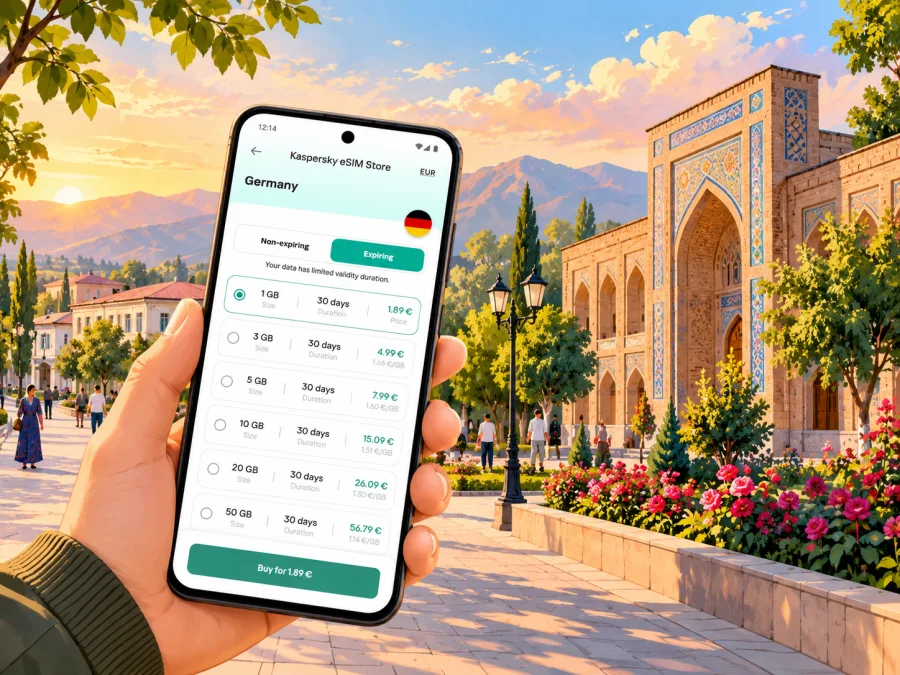
Namangan eSIM: mobile connection and internet for your trip
Namangan is a regional city in Uzbekistan’s Fergana Valley, and a visit here may combine a flight, a hotel transfer, city errands and day trips to nearby towns. A reliable way to plan mobile internet is to decide before departure how you will navigate, contact your accommodation and check changing travel details. An eSIM can provide a separate mobile data option on a compatible, unlocked device, while your usual SIM remains available for calls or messages if your phone supports both profiles.
This guide focuses on using mobile data in Namangan: what to prepare before you travel, how to get from an arrival point into town, which day-to-day tasks need a connection, and what to check before choosing an eSIM for Uzbekistan. Availability, network performance and tariff terms depend on the selected plan, local network conditions and your device. Treat maps and transport information as tools to verify on the day, not as guarantees.
Why mobile internet helps in Namangan
Namangan is not just a stop on a countrywide itinerary. It can be the base for a city stay, a family visit, a business appointment or a wider journey around the valley. Having data available can make small transitions easier: confirming a pickup, finding the correct hotel entrance, translating a short message or checking whether a planned train is running at the time you need it.
A connection is especially useful when plans cross several modes of transport. You might arrive at Namangan International Airport, continue to a central address, and later travel by rail or road toward another city. The official railway ticket service lists Namangan as a destination, but routes and departure times can change. Check your specific journey through the current ticketing service and allow time to reach the station.
Mobile data can support practical tasks such as:
- opening a map while moving between the airport, accommodation and city centre;
- sharing your location or arrival time with a host or colleague;
- checking a booking confirmation, address or meeting point;
- using translation and currency tools when needed;
- rechecking a train, flight or road transfer before setting out;
- keeping access to email and messaging apps when Wi-Fi is unavailable.
These are convenience benefits, not a promise of uninterrupted coverage. Buildings, congestion, terrain, device settings and the local network used by a tariff can affect performance. Save essential details offline and keep a backup way to contact someone.
Arrival: airport, station and first transfer
If you fly to Namangan International Airport, check your airline’s latest status and passenger information before travelling. Schedules can shift, and weather can affect operations. Arrange a first transfer with your accommodation or another trusted contact in advance if you arrive late or have several bags.
Save the hotel name and address in a format you can show a driver. Keep the booking confirmation available offline as well as a map pin: data may take time to connect after landing, and a pin may not identify the correct entrance. Add a nearby landmark or cross street if your host provides one.
For rail travel, confirm the station and destination shown on your ticket. Namangan is listed in Uzbekistan Railways’ ticketing service, but service times and arrangements depend on the route and date. Check current details and leave a buffer for onward transfers.
A practical arrival sequence
- Save your accommodation address, booking number and host contact offline.
- Confirm your flight or train on the day and note the arrival point.
- Keep your regular SIM available if needed; set the intended line for mobile data.
- Compare your saved map with the driver’s or host’s directions.
- After check-in, test essential apps and review data settings.
If an eSIM does not connect, check that its profile is enabled and selected for mobile data, then follow the plan’s activation instructions. Some plans require data roaming for the eSIM. Avoid changing several settings at once; contact support if the documented steps do not resolve the issue.
Getting around the city with a connection
In Namangan, use the exact address rather than a broad label such as “centre.” Hotels, offices and landmarks may appear under different spellings or nearby neighbourhood names. Keep the address as supplied by your host and compare it with the map result before setting out.
For a taxi or arranged pickup, confirm the destination in writing where possible. A saved pin and local-language address can help if an English address is unclear. Agree on a visible meeting point, and message your contact when you are close. Roadworks or entrances can affect the final approach, so do not rely on a live map alone.
Download an offline map before leaving Wi-Fi, especially for markets, parks or unfamiliar streets. Offline maps help with orientation but do not update traffic or opening information. Keep your phone charged and a power bank handy on longer days.
| City task | Why data helps | Backup |
|---|---|---|
| Finding a hotel or meeting point | Check address and route | Save the address offline |
| Arranging a pickup | Share arrival time or location | Agree on a meeting point |
| Visiting a market or sight | Recheck route and details | Keep a directions screenshot |
| Working between appointments | Open messages and files | Download documents beforehand |
| Leaving the city | Check current tickets | Save your ticket and service details |
For work, download presentations and documents before leaving Wi-Fi. If you plan a video call, check your data allowance and connection conditions first; a plan suitable for messaging and navigation may not suit long calls or large transfers.
Planning a day around local sights
Namangan is often described as a city of flowers and crafts. The official Uzbekistan tourism portal highlights Mullah-Kyrgyz Madrasah, Namangani mausoleum, Afsonalar Vodiysi (“Valley of Legends”), Babur culture and recreation park, Khoja Amin Kabri mausoleum and the Mavlon-Buva complex. Treat these as starting points for an itinerary and check current opening and visitor arrangements locally.
Choose one or two stops and leave room for meals, walking and traffic. Save their names and addresses before setting out. At religious or heritage sites, follow posted rules and local guidance. A map can help you reach a place but cannot confirm that it is open or that a ceremony is not taking place.
If you visit a market or artisan area, allow extra time and ask before photographing people or stalls. Translation apps can help with simple exchanges; check important prices and terms directly before agreeing to a purchase.
Choosing an eSIM for a Namangan trip
A city-specific page is not always the right measure of a data plan. For Namangan, look for an eSIM tariff that explicitly covers Uzbekistan, then check the plan’s stated network arrangements, data allowance, validity period, activation rules and any restrictions. A country plan may be more suitable than a regional option for a stay confined to Uzbekistan; if your route crosses borders, verify every destination separately and consider a regional plan only if its coverage list matches the itinerary.
Kaspersky eSIM Store is an app and website where you can choose, purchase and activate an eSIM tariff for mobile internet during an international trip. Use the Uzbekistan destination page to review the options currently shown for that market: explore eSIM options for a trip to Uzbekistan. The tariffs displayed there can change, so compare the live terms rather than relying on an old screenshot, a price remembered from another destination or an estimate in a travel article.
Before choosing, match the tariff to how you expect to use your phone. Navigation, messaging and email usually consume less data than video streaming, cloud backups or frequent video calls. If you are unsure, estimate a typical day, include tethering only if the plan permits it, and leave a margin for unexpected changes. Check whether the plan is fixed-data, time-limited or otherwise restricted, and when its validity begins. Do not assume that receiving a QR code means the validity period has started or that activation works the same way for every plan.
A plan-selection checklist
- Destination: Uzbekistan is listed as a covered country in the tariff details.
- Duration: the validity period covers the full stay, including arrival and departure days.
- Data use: the allowance fits maps, messaging, browsing and any planned calls over apps.
- Activation: the plan’s instructions explain when and how to install and start using it.
- Device: your phone supports eSIM and is not restricted to another operator.
- Local line: decide whether to keep your usual SIM active for calls or verification messages.
- Support: know where to find setup instructions and contact support if an issue arises.
The right choice depends on your actual itinerary and usage. A short visit with mostly offline sightseeing can need less data than a longer business trip with navigation, file access and video meetings. A tariff that covers Uzbekistan should not be assumed to include neighbouring countries; inspect the destination list for every border crossing.
Device compatibility and dual-SIM setup
Check eSIM support for the exact phone variant you own, not only the product family name. Support can vary by model, country or regional version, and a device may also be locked to a carrier. Verify the manufacturer’s information and your device settings before purchase. Check whether your device supports eSIM.
If your phone supports a physical SIM and an eSIM at the same time, you can often keep the home line active while assigning data to the travel eSIM. The names and menu paths differ by operating system and model. Before departure, label the lines clearly, decide which line should handle data, and review whether calls or messages on your home line could incur roaming charges. Keep the eSIM profile installed unless the plan’s instructions tell you otherwise; deleting a profile can make it difficult or impossible to reinstall.
An eSIM plan for travel is generally intended for mobile data. It does not necessarily include a standard phone number, voice calls or SMS. Check the terms of the selected plan. You can use internet-based messaging or calling apps where they are available and permitted, but keep another way to reach your accommodation or travel contacts in case data is unavailable.
Installation and activation: prepare before you leave
Install the eSIM while you have a stable internet connection, preferably before departure, unless the plan’s instructions say to wait. Some devices need a second screen to scan a QR code; check whether manual installation is available if you only have one phone. Read the plan conditions so you know when validity begins and which line should handle data.
Follow the plan-specific steps and the instructions for your operating system: eSIM installation instructions for Android and eSIM installation instructions for iOS. Menu names vary by device and software version.
After installation, confirm that the profile appears in settings, label it “Uzbekistan travel,” select it for mobile data and enable data roaming only if the plan requires it. Consider disabling automatic data switching to prevent unintentional use of your home line. When you arrive, allow the phone time to register on a supported network and test a simple webpage. If it fails, check the activation notes and plan status before contacting support. Avoid deleting the profile unless its instructions tell you to; some eSIMs cannot be installed again after removal.
Data habits for a city stay
Download maps, tickets and documents before leaving Wi-Fi. Turn off automatic photo backups and large app updates over mobile data; reduce streaming quality if you need to conserve your allowance. Use your phone’s data counter and the plan’s account display, if available, since their reporting periods may differ. Set a warning below the plan limit and check remaining data before a long day out.
Use trusted hotel or workplace Wi-Fi for large downloads when convenient. Public Wi-Fi can be useful, but avoid entering sensitive information on networks you do not trust. A mobile connection is a practical alternative when Wi-Fi is unavailable; keep ordinary account security in place.
Short stopover or longer stay?
Your priorities depend on the time you have and what comes next.
| Travel situation | Prepare | Use data for |
|---|---|---|
| Brief stopover | Save next ticket and transfer details | Arrival coordination and one route |
| One or two city days | Save addresses and group nearby sights | Maps, translation and messages |
| Work visit | Download files and meeting details | Email, navigation and work tools |
| Regional itinerary | Check each city and border | Current transport and plan coverage |
For onward travel to Chust, Chortoq, Kokand, Fergana or Andijan, verify the route and transport for your date. These are separate destinations; Namangan coverage should not be assumed to describe the whole route. Uzbekistan Railways lists several valley cities in its ticketing service, but a listing does not guarantee a service at your preferred time. Confirm tickets and transfers before leaving.
Troubleshooting in Namangan
If the eSIM does not connect, check that the correct profile is installed and enabled, selected for mobile data, and configured according to the plan’s activation and roaming instructions. Confirm the plan is active and has data remaining. If the plan requires manual network selection, follow its instructions rather than choosing at random. Restart only after checking the setup notes, then contact support with your device model, approximate location and steps tried.
Do not delete the profile as a first step: some plans cannot be reinstalled or moved to another phone. If basic messaging works but a map does not load, try a simpler page, move to a clearer-signal location or use saved offline directions. Speed and availability depend on local network and surroundings.
Frequently asked questions
Is an eSIM useful for a stay only in Namangan?
It can be, if the tariff covers Uzbekistan and its data and validity terms suit your trip. Check the live plan details; the city name alone does not establish coverage.
Can I keep my regular number active?
Many dual-SIM phones support a physical SIM and eSIM together, but behavior depends on the exact device variant. Choose which line handles data and check possible roaming charges from your home operator.
Does a travel eSIM include calls and SMS?
Do not assume so. Check the plan terms; many travel eSIMs are for data. Internet calling and messaging apps require a working connection and may not replace every contact method.
Should I install before arrival?
Installing ahead can reduce setup after landing if the plan allows it. Read when validity starts and follow the tariff’s instructions.
Will it work everywhere in Namangan?
No plan guarantees reception in every building or street. Coverage depends on the local network, device and conditions. Keep essential addresses and maps offline.
Can I use it in neighbouring countries?
Only if they appear in the plan’s destination list. Uzbekistan coverage does not imply coverage across a border.
Before you set out
Use this final checklist on the day you travel:
- Your flight, train or transfer details are current.
- Your hotel address, booking information and first meeting point are saved offline.
- Your phone’s exact eSIM compatibility and carrier-lock status are confirmed.
- The selected tariff covers Uzbekistan and fits your expected stay and data use.
- The eSIM profile is installed according to its instructions, with its validity start understood.
- Your phone is set to use the intended data line, and essential maps are available offline.
- You have a charger or power bank and a backup way to contact your host or travel partner.
A little preparation makes the first hours in Namangan easier: the route from the airport or station is ready, the address is available without a signal, and the phone is set to use the line you chose. For a trip to Uzbekistan, review the live destination options in Kaspersky eSIM Store, compare their terms with your plans, and choose an eSIM tariff for your Uzbekistan trip before you leave. Install and activate it by following the selected plan’s instructions, then keep a copy of essential travel details offline as you explore Namangan.


