
Travel connectivity guide
Naples eSIM: mobile internet for your trip
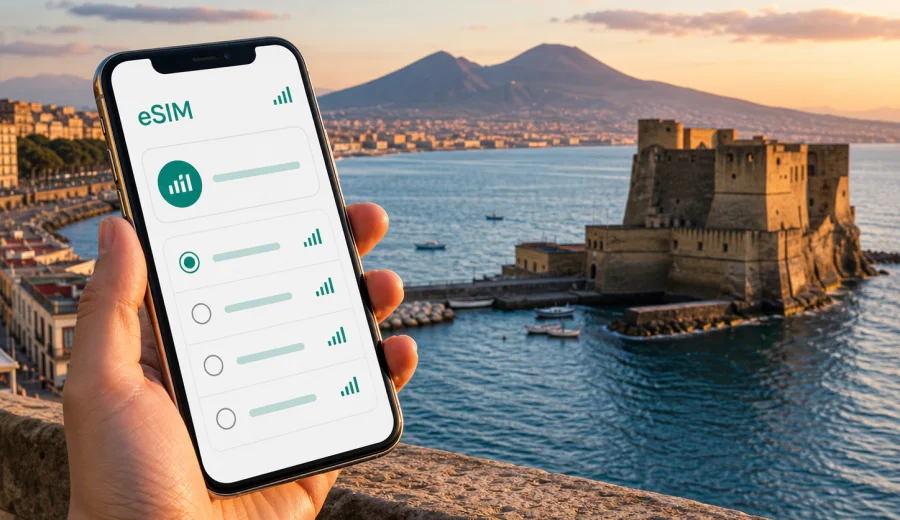
Naples eSIM: mobile connection and internet for your trip
Naples is a city where mobile internet becomes useful in the first minutes of the trip. You may need maps while leaving Naples International Airport, a ride-hailing app for the transfer to your hotel, a message to your host in the historic center, or ferry times for a day trip across the bay. An eSIM helps you prepare a mobile connection before you start moving through the city, without looking for a physical SIM card shop after arrival.
This guide explains how to plan internet access for Naples with eSIM: where it is useful, how to estimate data needs, what to check before purchase, and how to keep the focus on practical travel tasks. The city is compact in some areas and spread out in others, so your mobile data use can change from light navigation in the old town to heavier map, video call, and remote-work use near the waterfront or business districts.
Why eSIM is useful in Naples
Naples rewards spontaneous movement. A morning can start near Spaccanapoli, continue to the port, shift to Vomero by funicular, and end on the Lungomare with a view of Castel dell'Ovo. Each change usually involves a small online task: checking a route, confirming opening hours, translating a menu, saving a ticket, or finding the right platform at a station.
An eSIM is useful because it keeps these tasks on your own device. You do not need to remove your regular SIM card, and you can keep your home number available for banking messages or calls if your phone supports dual SIM use. The eSIM is mainly for mobile internet, while ordinary voice calls and SMS are usually not included unless a specific plan says otherwise.
Common Naples scenarios include:
- finding the Alibus or a taxi after landing at Naples International Airport;
- using maps between Napoli Centrale, Piazza Garibaldi, the historic center, and the port;
- checking ferry and hydrofoil options for Capri, Ischia, Procida, or Sorrento;
- messaging a hotel, apartment host, guide, or business contact;
- using translation, restaurant booking, and ticket apps;
- sharing your live location when streets are busy or routes change;
- working from a hotel, coworking space, cafe, or conference venue.
First hours after arrival
Naples International Airport is close to the city, but the first transfer still benefits from a working mobile connection. The airport is often busy, and travelers may need to compare taxi information, confirm the address of an apartment, or navigate to a bus stop. Public Wi-Fi may be available in some places, but depending on it during arrival can slow down simple decisions.
If your eSIM is already installed before the flight, you can switch mobile data to the travel line after landing and check the route while you wait for luggage. If you prefer to install after arrival, keep a stable connection available for the setup step. Many travelers install the eSIM at home or at the hotel before they need it on the street.
For airport arrival, prepare these details offline as well:
| Travel detail | Why it matters in Naples |
|---|---|
| Hotel or apartment address | Some streets in the historic center are narrow and similar in name. |
| Arrival station or port | Napoli Centrale, Molo Beverello, and Calata Porta di Massa serve different routes. |
| Booking confirmations | You may need them before your mobile connection is fully active. |
| Offline map area | Useful if the route starts before data is available. |
| eSIM installation email or app profile | Keep access to the QR code or in-app instructions. |
Moving around the city with mobile internet
Naples is walkable in parts, but it is not a simple grid. The historic center has narrow streets, slopes, courtyards, underground routes, and crowded intersections. Vomero sits above the center. The waterfront feels open and easy to follow, while the station area can be hectic. Mobile internet helps you adapt to each area without treating the city like a fixed itinerary.
For local movement, eSIM data is most useful for:
- live map updates when walking through Centro Storico;
- checking metro, bus, and funicular options;
- confirming which port terminal serves your ferry;
- finding a safer or simpler walking route late in the evening;
- messaging a driver or guide when pickup points are crowded;
- downloading tickets or QR codes before boarding.
In Naples, navigation is not only about distance. A 15-minute walk can include stairs, slopes, traffic, or streets that are easier to miss than they look on a map. A working mobile connection gives you room to correct the route without stopping to search for Wi-Fi.
How much data you may need in Naples
Data use depends less on the city itself and more on your habits. A traveler who uses maps, messages, and restaurant searches may need a modest package. Someone who uploads video, joins calls, uses cloud documents, or shares a hotspot with a laptop should plan for more data.
Use this rough planning table before choosing a tariff:
| Trip style | Typical online activity | Practical data approach |
|---|---|---|
| Weekend stopover | Maps, messaging, ride apps, restaurant searches | Choose a small package with enough validity for arrival and departure days. |
| 4-7 day city break | Navigation, translation, tickets, photo sharing, ferry planning | Choose a medium package and avoid large app updates on mobile data. |
| Business trip | Email, documents, video calls, hotspot use | Choose more data and keep hotel Wi-Fi as a backup for large transfers. |
| Naples plus Amalfi Coast or islands | Maps, ferry updates, route changes, photo uploads | Check country or regional coverage and allow extra data for travel days. |
| Family trip | Several devices, shared plans, messaging, entertainment | Consider separate eSIMs for key devices rather than relying only on one hotspot. |
Video and cloud backup are usually the fastest way to use data. If your package is limited, set photo backup, app updates, and streaming quality before you travel. Keep mobile data for navigation, bookings, messages, and essential calls through internet apps.
Choosing an eSIM tariff for Naples
For a Naples trip, the correct destination is Italy. Even if the article is city-focused, the eSIM tariff is normally selected for the country or region where the city is located. If you will stay only in Naples, an Italy tariff may be the most direct option. If your route continues across several European countries, compare country and regional options before purchase.
When comparing tariffs, look at four details:
1. Destination: the plan should cover Italy or the wider region you will actually use.
2. Data volume: choose enough data for maps, messages, tickets, and work needs.
3. Validity period: match the tariff duration to the full trip, including arrival and departure days.
4. Activation conditions: check when the validity period starts and whether data roaming must be enabled for the eSIM line.
Before you book hotels, ferries, transfers, and work calls around Naples, it is worth taking a few minutes to choose an eSIM tariff for your trip to Italy through Kaspersky eSIM Store. The site and app help you select the destination, review data volume and validity, and prepare the eSIM on a compatible device before the city starts demanding your attention.
District-by-district data needs
Naples has several travel zones with different internet habits. You may not need constant data in every place, but each area creates moments where mobile access is practical.
| Area | What travelers often do | Mobile internet use |
|---|---|---|
| Centro Storico | Churches, museums, pizzerias, walking routes | Maps, translation, bookings, route corrections. |
| Chiaia and Lungomare | Waterfront walks, restaurants, hotels | Messaging, reviews, ride apps, photo sharing. |
| Vomero | Views, shopping, hotels, funicular routes | Transit checks, maps, meeting points. |
| Piazza Garibaldi and Napoli Centrale | Train arrivals, metro transfers, airport connections | Timetables, ticket apps, navigation, contact with drivers. |
| Port area | Ferries to islands, cruises, day trips | Terminal checks, boarding times, QR tickets. |
| Posillipo and Mergellina | Scenic routes, restaurants, marina areas | Maps, ride apps, photo uploads, local searches. |
This is why a city article about eSIM should not become a general Italy article. The value is in the local moments: a missed turn in the old town, a changed ferry time, a business call from the hotel lobby, or a transfer from the airport when you do not want to depend on public Wi-Fi.
Installation and compatibility before you travel
Before buying any eSIM plan, check your device and make sure it supports eSIM. Also check whether the device is locked to a mobile operator, because a locked phone may not allow another mobile profile. These checks are especially important if you are using an older smartphone, a phone bought through a carrier contract, or a tablet that has not used mobile data before.
A simple preparation sequence works well:
1. Check eSIM support and carrier lock status on your device.
2. Choose Italy as the destination, or a regional option if your route continues beyond Italy.
3. Review data volume, price, validity period, and activation conditions.
4. Install the eSIM while you still have a stable internet connection.
5. Keep your regular SIM for calls or banking messages if you need it.
6. After arrival, select the eSIM line for mobile data and follow the plan instructions.
For installation details, use the official step-by-step guides: Android installation instructions and iOS installation instructions. The exact screen names can vary by device and operating system version, so follow the instructions shown for your phone.
Practical Naples travel scenarios
A weekend city break
For a short Naples weekend, the main data tasks are maps, restaurant searches, tickets, and messages. Install the eSIM before departure, keep your hotel address saved offline, and choose a data package that covers both arrival and departure. If you plan to upload many photos, do that on hotel Wi-Fi and save mobile data for movement around the city.
A business trip
Business travel in Naples often involves quick movement between the station, hotel, meeting venue, and dinner location. Mobile internet is useful for calendars, calls through messaging apps, document access, and ride coordination. If you expect video calls, choose more data than a leisure traveler would and test your eSIM before the first meeting day.
A cruise or ferry stop
Travelers arriving by sea often have a narrow time window. You may need to find the correct terminal, message a guide, or navigate into the historic center and back to the port. Install the eSIM before the ship arrives, because crowded port areas are not the best place to solve setup issues.
Naples plus islands or the coast
If Naples is the base for Capri, Ischia, Procida, Pompeii, Sorrento, or the Amalfi Coast, data matters on travel days. You may need maps, train information, ferry updates, and messages from hosts or tour operators. Check that your chosen tariff covers Italy for the full route and has enough validity for side trips.
Quick checklist before leaving for Naples
- Save your hotel address, port terminal, and airport transfer details offline.
- Install the eSIM while connected to reliable Wi-Fi.
- Check whether your phone supports dual SIM if you want to keep your home number active.
- Turn off automatic cloud backup on mobile data if your package is limited.
- Download offline maps for central Naples and any planned day trips.
- Keep the eSIM QR code or app profile accessible until setup is complete.
- Read the tariff conditions, including validity, data volume, and activation rules.
- If you will use hotspot mode, check whether it is allowed by the selected tariff and your device settings.
eSIM, roaming, local SIM, and Wi-Fi in Naples
Different connection options can work for different travelers. The best choice depends on how much control you want before arrival, how long you will stay, and whether you are comfortable solving mobile setup in the city.
| Option | Useful when | Trade-offs |
|---|---|---|
| eSIM | You want to prepare mobile internet before or soon after arrival. | Requires a compatible, unlocked device and careful tariff selection. |
| Standard roaming | You prefer to keep everything with your home operator. | Costs and limits depend on your home plan. |
| Local physical SIM | You want a local SIM card and do not mind visiting a shop. | Takes time, may require in-person setup, and uses the physical SIM slot. |
| Public Wi-Fi | You only need occasional access in hotels or cafes. | Availability and quality vary, and it is less convenient for navigation. |
Kaspersky eSIM Store is best understood as a practical way to choose, arrange, and activate an eSIM tariff for mobile internet in a foreign trip. It is not a mobile operator and does not replace checking the actual conditions of the selected tariff. You remain responsible for matching the plan to your route, device, and data habits.
Tips for using data efficiently in Naples
Small settings can make a limited data package last longer:
- download offline maps before long walking days;
- pause automatic app updates until you are on Wi-Fi;
- reduce video streaming quality or avoid streaming on mobile data;
- send compressed photos in messengers when quality is not important;
- use hotel Wi-Fi for large uploads, backups, and software updates;
- check which SIM line is assigned to mobile data before leaving the hotel;
- monitor remaining data in the app or device settings.
These habits are especially useful in Naples because travel days can become longer than planned. A ferry may be delayed, a walk may turn into a cross-city taxi ride, or a restaurant booking may shift to another district. Keeping mobile data for essential tasks makes the connection more reliable for the moments when you need it most.
Common questions
Is eSIM enough for a trip to Naples?
For many travelers, an eSIM data plan is enough for maps, messaging, bookings, translation, and internet calls through apps. It usually does not include a standard local phone number, voice calls, or SMS unless the chosen tariff clearly says so.
Should I activate the eSIM before flying to Naples?
You can install it before departure, but check the plan conditions before activating mobile data. Some tariffs start counting validity from installation, while others start when the eSIM first connects to a supported network. Follow the instructions for the selected tariff.
Can I use the same eSIM for Rome, Florence, or the Amalfi Coast?
If your tariff covers Italy and remains valid, you can use it for other Italian destinations within the plan conditions. If your route crosses borders, compare regional options before purchase.
Will eSIM help if hotel Wi-Fi is poor?
It can help by giving your phone a separate mobile data option, subject to local network conditions and your remaining data. For heavy laptop work, check whether hotspot use is supported by your plan and device.
What if the eSIM does not connect immediately?
Check that the eSIM line is enabled, mobile data is assigned to that line, data roaming is configured as required by the tariff, and airplane mode is off. If you still have trouble, use a stable Wi-Fi connection and contact support through the site or app.
Final preparation for mobile internet in Naples
Naples is easier to enjoy when your phone is ready for the practical parts of the trip: airport transfer, station navigation, ferry checks, hotel messages, restaurant bookings, maps, and urgent updates. An eSIM will not plan the city for you, but it can reduce the friction that comes from arriving without a working mobile connection.
Before you leave, check your device, choose a tariff with enough data and validity, install the eSIM with a stable connection, and save important trip details offline. For a city as active as Naples, this preparation gives you more control from the airport to the waterfront and from the old town to the islands.
When your route is set, prepare an eSIM tariff for Italy in Kaspersky eSIM Store and keep mobile internet ready for your Naples trip.