Travel connectivity guide
Narsarsuaq eSIM: Mobile Data for South Greenland
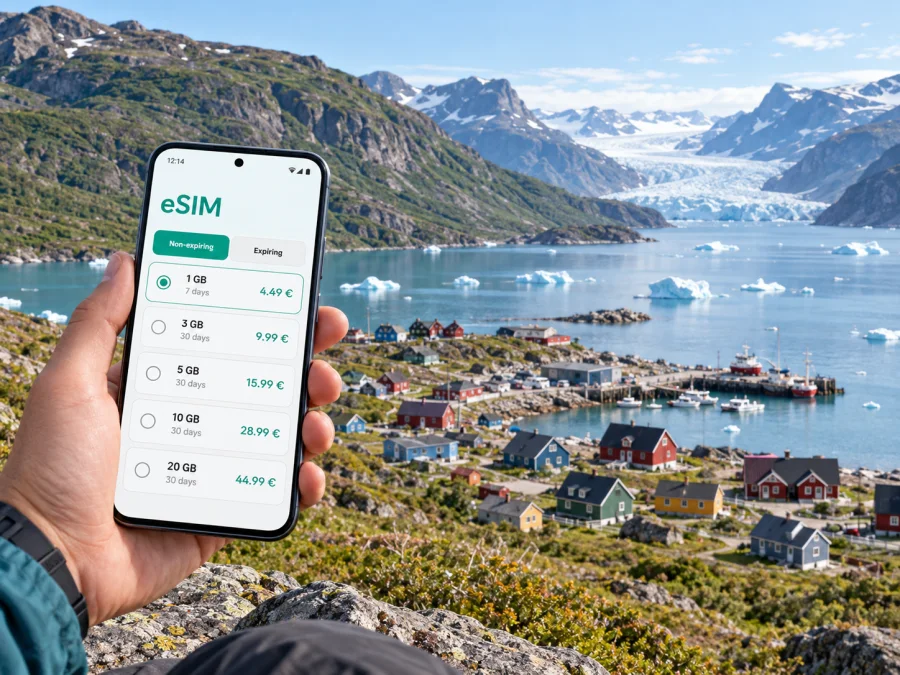
Narsarsuaq eSIM: Mobile Connection and Internet for a South Greenland Stop
Narsarsuaq is a small settlement at the head of Tunulliarfik Fjord in South Greenland. It is a place to slow down, orient yourself and plan carefully: visitors come for the valley, the Greenland Arboretum, views toward ice and boat journeys to nearby communities. A phone can help with messages, saved maps, weather checks and arrangements, but a remote destination calls for preparation. Do not assume that a mobile connection will be continuous on every trail, boat route or excursion.
An eSIM can make the data part of a Greenland trip easier to prepare. With Kaspersky eSIM Store, you can use the app or website to choose, arrange and activate an eSIM with a suitable mobile data plan for an international trip. The eSIM is intended for internet access; it does not automatically replace a regular phone number, calls or SMS. Plan voice contact separately if your itinerary depends on it.
Understand Narsarsuaq before planning your route
Narsarsuaq is not a conventional city with a dense street grid or a large public transport network. It is a compact settlement beside a fjord, and walking is practical for many local movements. The places that make the area distinctive, however, are spread across water, valleys and neighboring settlements. Reaching them usually requires planning a boat, helicopter, guided outing or hike rather than simply taking an urban bus.
There is also an important change for anyone relying on older travel guides. Qaqortoq Airport opened in April 2026 and became the region’s main air gateway, replacing Narsarsuaq’s former role as South Greenland’s fixed-wing gateway. Narsarsuaq remains a destination and a stop in the regional network, but do not book or navigate from an old reference to its former airport service. Confirm the exact arrival point and onward transfer on your current ticket and with your accommodation or local operator. Schedules and connections in Greenland can vary by season and operating conditions.
| Trip question | Practical approach in Narsarsuaq |
|---|---|
| Where will I arrive? | Read the current itinerary carefully. Distinguish Qaqortoq Airport, a heliport and a boat landing; they are not interchangeable. |
| How do I get around locally? | Expect short walks around the settlement. Arrange luggage help or a transfer with your accommodation if you need it. |
| How do I reach nearby places? | Ask about confirmed boat or helicopter services, guided excursions and weather contingencies. |
| What should my phone do? | Keep tickets, contacts, maps and booking details available offline; use mobile data where service is available. |
An itinerary can combine a flight into Qaqortoq, a regional helicopter or boat transfer, and a walk to your lodging. Save each meeting point, departure time and contact before leaving reliable Wi-Fi; a map pin alone may not identify the right dock or landing area.
Arrival and the first hour
Before departure, check your current itinerary, your accommodation’s arrival plan and the meeting location for any onward service. For a boat, ask where passengers wait and how delays are communicated; for a helicopter, follow the carrier’s baggage and check-in instructions.
When you reach Narsarsuaq, first identify your lodging and the places you need to visit on foot. Ask staff where the practical walking routes begin and whether luggage transport can be arranged. In a small settlement, a short distance can still feel different with bags, uneven ground, wind or changing weather. Keep a downloaded map on your device and save the address or location description in plain text as well as a map pin.
A useful arrival checklist:
- Keep the current itinerary and booking confirmations accessible without a connection.
- Save your accommodation’s phone number and the name of your local contact.
- Confirm the exact place and time for any boat, helicopter or guided excursion.
- Carry a power bank and keep your phone warm and dry when outdoors.
- Check whether your selected data plan has started and which SIM is assigned to mobile data.
- Tell your host if a delay changes your expected arrival time, using the agreed contact method.
Getting around: a small place with a wide hinterland
Within Narsarsuaq, walking is often the simplest way to move between accommodation, local services and nearby points of interest. There is no reason to plan the day as if you were navigating a large urban centre with frequent public transport. Ask locally about the condition of paths and any vehicle transfer you may need; a route that looks short on a screen can involve slopes or rough ground.
Beyond the settlement, distances are defined by fjord crossings and terrain. Qassiarsuk and Igaliku are well-known South Greenland destinations associated with Norse history, but they are not ordinary suburbs reached by road from Narsarsuaq. Boat transport is central to many excursions in the region, while helicopter services connect communities according to their schedules. Availability can be seasonal, and weather may affect the plan. Book through a local operator and confirm the return leg before setting out.
Use your phone as a planning aid, not as the sole safety tool. Download the route information your guide recommends, carry any required paper details, and agree on what to do if the group separates or a departure is delayed. Offline navigation can show your approximate position, but it does not guarantee a marked trail, safe crossing or rescue communication. For hikes beyond the settlement, tell someone your plan and follow local advice about conditions.
What mobile data can help you do
A data connection can help check messages, confirm a transfer, open a reservation or share a change of plan. These tasks depend on a compatible device, the chosen plan and local network availability. A Greenland plan does not promise a signal at every point around the fjord or on a trail.
Keep digital essentials available offline: download maps, screenshot transport details and save contact names and numbers. A meeting-point screenshot can be more useful than trying to reload a booking page at the dock.
Before choosing a plan, estimate how you expect to use data. Messaging and checking a few confirmations usually require less than repeated video calls, uploading large photo files or streaming. If you work while travelling, identify which tasks need a stable connection and which can wait until you are back online. Review the plan’s data allowance, validity period, destination coverage and price before purchase, and leave room for an itinerary change.
Kaspersky eSIM Store is an app and website that lets travellers choose, arrange and activate an eSIM with a suitable plan for mobile internet abroad. You can review eSIM options for Greenland and compare the stated allowance and validity with your stay. The destination plan and network conditions determine what is available; the store itself is not a mobile network operator.
Choosing data for different Narsarsuaq trips
The best plan depends on the rhythm of the visit rather than the number of attractions on a list. A short overnight stop with a confirmed onward transfer has different data needs from a multi-day stay with hikes and boat excursions. Think about what you will do while connected, where you may be offline and how you will receive updates if the schedule changes.
| Travel pattern | Useful data habits |
|---|---|
| Short stopover | Download directions and tickets in advance; use data mainly for arrival updates and essential messages. |
| Several nights in the settlement | Check daily arrangements, send messages and keep local information available offline for walks and outings. |
| Guided boat day | Save the operator’s instructions and meeting point before departure; do not rely on continuous service on the water. |
| Hiking-focused visit | Prioritize offline maps and a clear check-in plan. Treat mobile data as a convenience, not emergency equipment. |
| Remote work between connections | Schedule uploads and calls for places and times where a reliable connection has been confirmed. |
A simple way to estimate your needs is to divide usage into essential and optional tasks. Essential tasks might include messages, itinerary changes and occasional map searches. Optional tasks might include high-resolution uploads, long video calls or streaming. Choose a plan based on the essential tasks first, then decide whether the allowance comfortably supports the optional ones. Avoid selecting a plan solely because its validity is longer or its data amount is larger; match the details to the route and length of stay.
Prepare your phone and eSIM before travelling
Check that your phone supports eSIM and is not restricted by a carrier lock. Device support can differ by model and market, so check the exact model in your settings or manufacturer information before purchase. Check whether your device supports eSIM before selecting a plan. Keep access to Wi-Fi available for the setup stage, and follow the instructions shown for your device.
A careful setup sequence reduces confusion after arrival:
- Choose Greenland as the destination and review the plan’s data amount, validity, price and stated coverage.
- Arrange the eSIM while you have a dependable internet connection, and keep the installation details accessible.
- Install the profile according to the on-screen steps for your phone. Avoid deleting it after installation unless the instructions say that removal is safe.
- Label the eSIM clearly, for example “Travel data,” so you can distinguish it from your usual line.
- Before using data, check which line is selected for mobile data and review the plan’s activation conditions.
- If the device requires it under the plan instructions, enable data roaming for the travel eSIM; settings vary by phone and plan.
- Keep your regular line configured for calls or messages if you need it, and understand possible charges from your home provider.
For platform-specific guidance, use the Android eSIM installation instructions or the iOS eSIM installation instructions. Follow the directions for your operating-system version; menu names may vary. Do not wait until a transfer is boarding to install a profile or troubleshoot settings.
Remember that a data-only eSIM may not include a regular phone number, voice calls or SMS. Messaging and voice apps can work over data when the service and connection support them, but they are not a substitute for emergency arrangements. Keep important contacts in a format you can access offline and know how your accommodation or tour operator expects you to get in touch.
Navigation, lodging and day planning
Plan outings from Narsarsuaq with your host or guide. Ask which places are within a reasonable walk, what ground conditions to expect and how to reach the departure point. With hiking equipment or children, check transport and timing rather than judging by map distance alone.
The Greenland Arboretum and traces of the settlement’s Bluie West One airbase are among the local points of interest. The surrounding valley and views toward the ice are part of the appeal, but paths and outdoor access depend on conditions. Ask locally whether a route is suitable that day; a map listing does not mean a site is staffed or accessible in every season.
Before a day outside the settlement, confirm the activity, meeting point and return time. Save the route and contact details, carry locally recommended equipment and agree what to do if weather or transport changes. Keep your phone charged, but do not make it your only navigation or emergency resource. When you return, review the next day’s transport while you can still contact the operator.
Frequently asked questions
Is Narsarsuaq still a gateway to South Greenland?
It remains a useful stop and destination, but Qaqortoq Airport opened in April 2026 as the region’s main air gateway. Check your current ticket and onward transport rather than relying on older references to direct flights into Narsarsuaq.
Can I rely on mobile internet on a hike or boat trip?
No plan can guarantee service at every location. Download maps and instructions, tell someone your plan and follow local guidance. Treat data as useful when available, not as a substitute for preparation.
What should I check before choosing an eSIM plan?
Confirm that your device supports eSIM and is unlocked; then review destination, coverage terms, data allowance, validity and price. A data plan does not automatically include a regular number, voice calls or SMS.
What if transport changes after I leave Wi-Fi?
Keep operator and accommodation details saved offline and agree on a backup contact method in advance. If data is available, send a brief update and follow the transport provider’s instructions.
A calm final check before setting out
For Narsarsuaq, good connectivity planning means knowing what your phone can do and what it cannot do. Prepare an eSIM for data if it suits your trip, verify device support and plan terms, and keep transport information available offline. Confirm each arrival point and transfer using current details, especially in light of the regional airport change. Then leave enough room in the day for walking, weather and the particular rhythm of a small settlement.
When you are ready, use Kaspersky eSIM Store on the website or in the app to choose and arrange an eSIM plan for your Greenland trip. Compare the plan details with your dates and expected data use, install it before travel over dependable Wi-Fi, and prepare your mobile data plan for Greenland.


