Travel connectivity guide
Naryn eSIM: Mobile Internet for Kyrgyzstan Trips
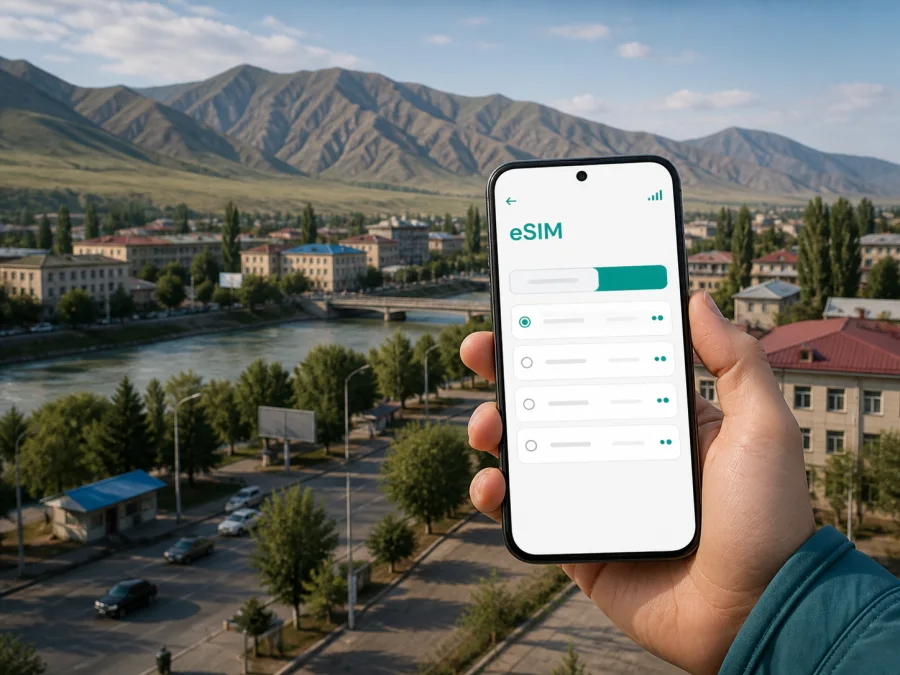
Naryn eSIM for Mobile Connection and Internet in Kyrgyzstan
Naryn is a useful base for exploring the highland heart of Kyrgyzstan. The city lies in a mountain valley beside the Naryn River and serves as the administrative center of Naryn Region. It may be an overnight stop, a road-trip meeting point, a staging point for Song-Kul or Tash-Rabat, or a place to work between transfers. Mobile internet helps with the practical details: finding a guesthouse, sharing an arrival time, checking a map or confirming the next vehicle.
An eSIM is a digital SIM profile that can be installed on a phone without removing your everyday physical SIM card. Kaspersky eSIM Store is an app and website for choosing, arranging and activating an eSIM with a suitable plan for mobile internet during an international trip. It is intended for data use and does not automatically provide a regular local number, voice calls or SMS unless the selected conditions say otherwise. Keep your usual number for important calls and use internet messengers for everyday communication.
Why mobile internet matters in Naryn
Naryn is compact enough for ordinary city errands, but the wider itinerary is shaped by distance, mountain roads and changing travel conditions. A data connection is useful in town and especially valuable when a day includes several handoffs between a bus, a shared car, a guesthouse and a guide.
- Arrival: message your host, share an estimated arrival time and open the accommodation address after leaving your vehicle.
- Navigation: save a pin for the bus station or meeting place and check the map when a landmark is not enough.
- Transport: communicate with a driver, confirm a departure and keep the next destination visible during a multi-stop journey.
- Accommodation: arrange a late check-in or receive an entrance instruction without searching for a Wi-Fi network.
- Work: answer messages, use a calendar or join a short call when guesthouse Wi-Fi is slow or unavailable.
- Onward travel: keep route details, bookings and contacts available before leaving Naryn for a more remote area.
The practical advantage is continuity. You do not need to look for a shop selling a physical SIM during the first hours in town, and you can keep travel data separate from your home line. The actual experience still depends on the chosen plan, local network conditions, your device and the place where you travel.
Arrival in Naryn: prepare the first hour
Many visitors reach Naryn overland after arriving in Kyrgyzstan through a larger transport hub. Prepare the phone before the final leg rather than waiting until you arrive. Save the exact accommodation address, host and driver contacts, booking screenshots, the bus station or pickup point, and a short offline note with important names.
Offline copies are a sensible backup for mountain travel, where a route may pass through areas with weaker coverage. Once you have a signal, the eSIM lets you refresh a map, send an update and adjust the plan. If a host offers to meet you, agree on a landmark and time window, then send one clear message with your name, booking date and estimated arrival time.
Moving around the city
Your Naryn plan will usually combine walking with local rides and longer road transfers. The central parts of the city are useful for errands, meals, accommodation and arranging the next stage. The river and surrounding slopes help with orientation, but an exact map pin is more reliable than a landmark when you are meeting someone.
Use mobile data deliberately: save important map areas before leaving reliable coverage, send short messenger updates, pause automatic backups and app updates, and carry a power bank. Navigation in Naryn is often about finding a departure point or guide’s meeting place, so ask locally about timing and return options before leaving the city.
City movement checklist
- Save the accommodation pin, bus station and next destination.
- Write down the meeting time and keep a charged phone or power bank.
- Download map information before a remote excursion.
- Recheck the data line after changing transport or entering a different area.
Choosing an eSIM plan for a Naryn itinerary
The right plan depends on how you will use Naryn. A one-night stop with light navigation has a different data profile from a week that includes remote work, frequent photo uploads and several road excursions. Select a plan for Kyrgyzstan that covers the period and route you actually intend to use.
1. Match the validity to the route
Include both the arrival day and the day you leave Naryn. If the city is one stop in a longer route, a country plan may be more practical than treating Naryn as an isolated destination. Read when validity begins: conditions may start on activation or first use.
2. Estimate use by activity
| Naryn travel pattern | Likely use | Planning point |
|---|---|---|
| One-night stop | Light | Save maps and limit uploads |
| Several days in town | Light to moderate | Allow for navigation, bookings and messages |
| Road trip to mountain destinations | Moderate | Save route details before leaving town |
| Remote work from a guesthouse | Moderate to high | Account for video calls and files |
| Frequent photo or video sharing | Variable | Pause cloud backup and upload selectively |
These are planning categories, not a promise of a particular amount of traffic. Video calls and cloud synchronization can consume much more data than messages or occasional map checks. Review the volume, validity and usage rules before payment.
3. Include the onward journey
Naryn is often used as a base for trips toward Song-Kul, Tash-Rabat and the At-Bashy direction. Those journeys can involve long stretches between settlements and a change from city services to rural accommodation or a yurt camp. Ask the local transport provider or host what to expect on the specific route. A signal available in central Naryn may not be identical at a remote lake, pass or valley.
4. Read the plan conditions
Confirm the country or region of coverage, amount of mobile data, validity period, activation rule, top-up options, data-only status and any tethering or roaming-data requirements. Also check the refund conditions if your route changes or the plan is unused.
When your route is clear, you can choose an eSIM plan for a trip to Kyrgyzstan. Kaspersky eSIM Store helps you review the available direction and arrange an eSIM for mobile internet; it is the interface for selection and activation, while coverage and network performance depend on the applicable local network and the conditions of the selected plan.
Hotels, guesthouses and work in Naryn
Accommodation in Naryn may be a hotel, guesthouse or homestay. A city property can make it easy to use Wi-Fi for large downloads, while a small property may rely on a shared connection or ask guests to coordinate arrival by messenger. Before check-in, confirm the exact entrance, expected arrival time and whether you should bring supplies before leaving the city.
Naryn can also be a business stop between road transfers. Keep your work number active for calls that require it, use the eSIM for travel data, download large files before the journey and schedule critical calls from a stable city location. If you want to use the phone as a hotspot, check the plan conditions first because a laptop can consume traffic quickly.
For a remote overnight stay, do not assume that streaming, uploads or calling a car will always be convenient. Ask the host about power, Wi-Fi and local connectivity, then download bookings, route instructions and translation tools while you are still in Naryn. The eSIM provides flexibility for coordination; it is not a guarantee of service in every rural location.
Installing and activating an eSIM
Install the eSIM with a stable internet connection and enough battery. You can do this before leaving for Naryn or after arrival, depending on the plan’s activation rules. Adding the profile and starting to use its data are not always the same moment.
1. Check the device and plan
Make sure your phone supports eSIM and is not restricted by an operator lock. The model and regional version can matter. Check your device compatibility before purchase, and confirm that the Kyrgyzstan plan matches your itinerary.
2. Prepare an internet connection
Connect to reliable Wi-Fi or keep your current data line available during installation. Do not begin with a nearly empty battery or just before a long transfer.
3. Add the profile
Open mobile-network settings, choose the option for adding a mobile plan or eSIM, and use the QR code or profile details supplied after the order. Keep the code private and follow the on-screen instructions. If scanning fails, check whether manual entry is available.
4. Select and label the line
Name it “Kyrgyzstan travel” so it is easy to distinguish from your personal line. When ready, set the travel eSIM as the line for mobile data. Keep your regular line for calls if needed, and review automatic data switching so the phone does not change lines unexpectedly.
5. Check roaming data and connection
Some devices may require data roaming to be enabled for the eSIM. Follow the selected plan’s instructions and check the line you are enabling. Registration can take several minutes and depends on the device and local network. If data does not start, review the plan conditions, restart the phone if appropriate and contact support with the order details.
For detailed device steps, use the Android eSIM installation instructions or the iOS eSIM installation instructions. Menu names vary, but the key choices remain: add the profile, select it for data and review the relevant roaming setting.
What to check before leaving Naryn
Naryn is a good place to finish preparations for a regional trip because you can still ask your accommodation, driver or guide about the road ahead. Before leaving for Song-Kul, Tash-Rabat, At-Bashy or another remote destination, check:
- The eSIM profile is visible in mobile-network settings.
- The Kyrgyzstan plan is selected for mobile data.
- Your home SIM is configured according to your operator’s roaming preferences.
- Automatic data switching is disabled if you do not want it.
- Maps, bookings and key contacts are available offline.
- The battery is charged and a power bank is packed.
- The plan’s remaining traffic and validity fit the next leg.
- Your driver or guide knows the meeting point and return plan.
A city connection and a remote-road connection are different scenarios. In Naryn, use data for current information and communication. Beyond the city, combine it with offline maps, written details and a realistic return plan.
Which connection setup fits Naryn?
For many short Naryn visits, a two-line setup is practical: your existing SIM remains available for calls while the eSIM handles travel data. Public Wi-Fi is useful for large downloads at a hotel but disappears while you move around town. A physical local SIM may suit someone who needs a local number, while home-line roaming should be compared by price and data rules. Read the conditions and label the lines clearly.
FAQ about eSIM use in Naryn
Will it give me a Kyrgyzstan phone number?
Not necessarily. These plans are for mobile internet unless the specific conditions state otherwise. A separate number, standard calls and SMS are not included by default. Internet messengers can handle calls and messages when you have data.
Should I install it before arriving?
Either timing can work, subject to the plan’s activation rules. Installing before departure reduces tasks after a long transfer; installing after arrival may suit you if you prefer to wait. Use a stable connection and check when validity begins.
What if the phone shows the eSIM but there is no data?
Confirm that the eSIM is selected for mobile data, the plan is active and the required data-roaming setting is enabled. Give registration several minutes, then restart the phone if appropriate. If the issue remains, contact support with the order details and device status.
Is mobile data guaranteed on every road outside Naryn?
No. Coverage and performance depend on the local network, terrain, route and plan conditions. Naryn may differ from a remote lake, pass or valley, so prepare offline maps and confirm the route locally.
How does Kaspersky eSIM Store fit into the process?
Kaspersky eSIM Store is an app and website that helps you select, arrange and activate an eSIM with a suitable plan for mobile internet during an international trip. You still need to choose the direction, check the device, read the plan conditions and follow the installation steps.
Final checklist
- Do you know the exact address and check-in arrangement?
- Do you have the next transport contact and meeting point?
- Does your phone support eSIM and remain unlocked for the selected profile?
- Have you read the plan’s traffic, validity and activation conditions?
- Are maps, bookings and key contacts available offline?
- Have you planned for weaker or unavailable coverage beyond the city?
Get ready for mobile internet in Naryn
Once your dates and route are clear, review the Kyrgyzstan options and choose the eSIM plan that fits your data needs. Choose an eSIM plan for your Naryn trip through Kaspersky eSIM Store, then follow the plan instructions and check the data line before you leave. With the setup completed, you can focus on the road into Naryn, the city’s river valley and the next journey across Kyrgyzstan.


