Travel connectivity guide
Nashville eSIM: Mobile Internet Travel Guide
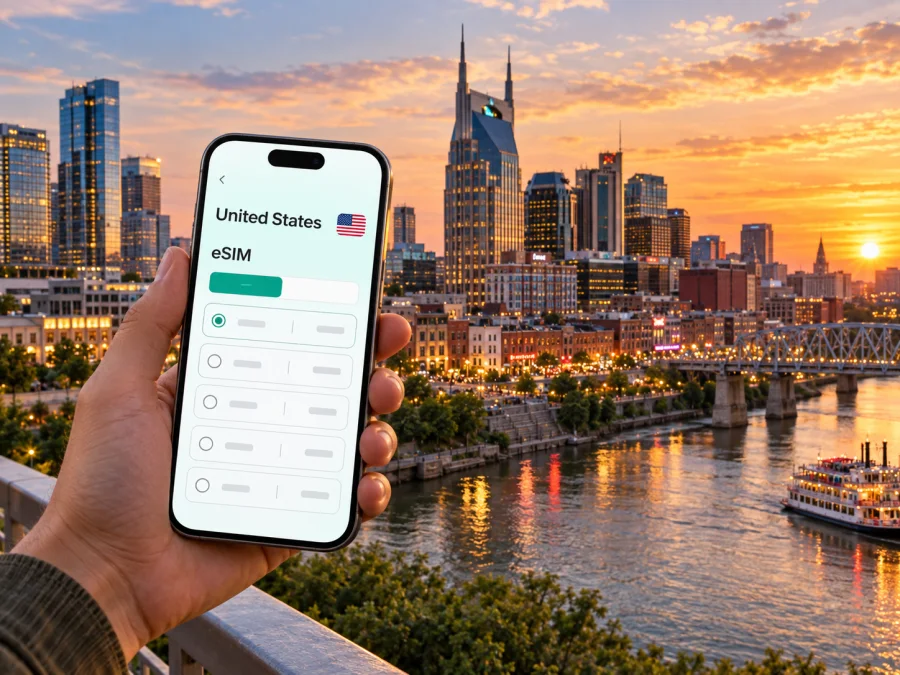
Nashville eSIM: mobile connection and internet for your city trip
Nashville is a city where a day can move between an airport arrival, a meeting downtown, a music venue, a neighborhood restaurant, and a trip beyond the central area. A working mobile data connection helps you keep those pieces in order: confirm a ride, compare directions, check a reservation, message your host, or adjust plans when the evening runs late. Preparing an eSIM before departure can make those first practical steps easier, especially when you do not want to rely on finding a shop or joining public Wi-Fi as soon as you land.
This guide covers arrival at BNA, movement between Nashville districts, choosing accommodation, and staying organized on a work visit or short stopover. Routes and data needs depend on your plans, so check live maps and current transport information.
Why mobile data matters on a Nashville visit
Visitors often combine downtown with The Gulch, Midtown, Music Row, East Nashville, Germantown, or neighborhoods farther from the center. Your accommodation and event schedule shape how often you need directions and current information.
Mobile data helps you look up a hotel address, share an arrival time, locate a meeting entrance, save a map pin, or coordinate with someone already at a venue.
The Cumberland River, interstates, event traffic, and distances between districts can affect which route is practical. A navigation app offers an overview, but still check transit information, follow local signs, and allow extra time around major events.
A connection is particularly useful when confirming a ride after landing, comparing routes between districts, opening an event ticket, messaging a meeting contact, or checking a return journey after a day trip. Save key addresses in advance, since a map pin may point to a property rather than the entrance you need.
Plan the arrival from BNA
Nashville International Airport, commonly identified as BNA, is the main airport for most visitors arriving by air. After landing, you may need to switch quickly from flight details to ground transport: locate the correct pickup point, tell a driver where you are waiting, check a bus option, or navigate to a rental-car area. BNA’s ground transportation arrangements and pickup instructions can change, so use the airport’s current signs and information when you arrive.
Before departure, save the hotel’s full address and any check-in instructions somewhere you can access offline. If you are meeting a driver or colleague, agree on a recognizable pickup point and a fallback message. A map pin alone may not tell another person which entrance or level you mean. When you are traveling with luggage or arriving late, consider how much walking your transfer requires, not just the route’s distance on the map.
WeGo Public Transit service is available at BNA’s Ground Transportation Center; check current departure information and the airport’s directions before relying on a particular service. A taxi, rideshare, hotel shuttle, rental car, or public transit may suit different itineraries. Mobile access helps you compare the options and communicate, but it does not guarantee a vehicle or a particular journey time.
Before flying, save your hotel address, booking reference, and arrival contact. After landing, check current pickup instructions and follow signs to the relevant ground transportation area. Confirm the pickup point in the app, then share your destination or estimated arrival with the person expecting you. If plans change, use a clear meeting point rather than relying on a map pin alone.
Choose where to stay with the route in mind
The right base depends on the reason for your visit. Downtown can be convenient for many central venues and meetings, while The Gulch, Midtown, Music Row, East Nashville, and Germantown each offer a different setting and a different relationship to your daily destinations. Before booking, mark the places you expect to visit on a map. Look at the whole week, not only the first attraction: a hotel that suits a music-focused evening may add friction to an early meeting on the other side of town.
For a short visit, reducing transfers may matter more than choosing the neighborhood with the most places to browse. For a longer stay, you might accept a longer ride in exchange for quieter evenings or a different local atmosphere. Check how late you expect to return, whether your accommodation has clear arrival instructions, and what transport choices are realistic at that hour. A route that works in daylight may feel less convenient after a show or dinner.
For a short visit, reducing transfers may matter more than choosing the neighborhood with the most places to browse. For a longer stay, you might accept a longer ride in exchange for quieter evenings or a different local atmosphere. Check how late you expect to return and whether your accommodation has clear arrival instructions. A route that works in daylight may feel less convenient after a show or dinner.
Use a map to understand how places relate, then confirm practical details with the hotel, venue, or transport provider. A short-looking trip may involve a river crossing or a busy road. Mobile navigation is most helpful when paired with a realistic plan and a little margin.
Moving around Nashville without losing your bearings
Use your phone as a navigation aid, while checking details that a map pin may miss. Enter the exact address and confirm the entrance for a hotel, office, or large venue. If you plan to use public transit, review current routes, timetables, fare information, and service notices close to departure. For rideshare pickups, follow current instructions at the airport or venue rather than assuming the curbside location.
Save your hotel and key destinations before leaving, and make sure your map is showing the right travel mode. A walking route, driving route, and transit route are not interchangeable. Downloading an offline map can help with basic orientation, but it may not include live traffic or current service updates. Keep enough battery for the return journey, especially if tickets, booking details, maps, and payment tools are all on your phone.
Nashville’s districts sit around major roads and the Cumberland River, so a short-looking trip may involve a crossing or a less convenient walking route. Event traffic, construction, and weather can also change the practical choice. If you have an appointment, leave a buffer and check the route again before setting out. When traveling in a group, share the destination and agree on a clear backup meeting point before anyone separates.
Pick an eSIM plan around the way you travel
An eSIM is a digital SIM profile installed on a compatible device. For a trip to Nashville, the useful questions are practical: how many days will you be away, how much mobile data do you expect to use, and will your itinerary stay within the United States or continue elsewhere? Maps, messaging, browsing, and reservation checks use data in different amounts. Video calls, uploads, and frequent streaming can use substantially more than checking a route or sending a text message through an app.
Estimate your needs from your habits instead of choosing a package by a vague label such as “light use.” Think about whether your hotel and work locations provide Wi-Fi you intend to use, whether you need to connect a laptop through a hotspot, and whether you will stream or upload photos while away from Wi-Fi. Check the package’s destination, data allowance, validity period, activation conditions, and any hotspot terms before completing a purchase. These details determine whether it suits your actual itinerary.
Kaspersky eSIM Store is an app and website where you can choose, purchase, and activate an eSIM with a suitable plan for mobile internet during an international trip. To choose an eSIM plan for your trip to the United States, compare its data allowance and validity with your schedule.
Estimate your needs from your habits. Maps, messages, and email differ from frequent video calls, streaming, or large photo uploads. Check whether you expect to use hotel or office Wi-Fi, whether you need a hotspot for a laptop, and whether the route continues beyond Nashville. Read each plan’s destination, data allowance, validity, activation conditions, and hotspot terms before purchase. No single package size fits every itinerary.
Prepare your phone before you leave
First, check that your phone supports eSIM and is not restricted by a carrier lock. Compatibility can vary by model, region, and device configuration, so confirm the details for the phone you plan to bring. Check whether your device supports eSIM before you choose a plan. If you rely on a work-managed phone, ask the administrator whether you are allowed to add another mobile profile.
Install the eSIM while you have a reliable internet connection and enough time to follow the instructions. Keep your existing number available if you need it for account verification or calls, and read the plan’s instructions before changing mobile-data settings. Labels differ between phone models, so use the device-specific guidance rather than guessing. Avoid deleting an eSIM profile unless you understand whether it can be installed again.
Installation links
Use the instructions for your phone’s operating system: eSIM instructions for Android and eSIM instructions for iOS. Follow the steps shown for your device and the plan you selected. The exact screens can differ across manufacturers and software versions.
Before departure, confirm compatibility and carrier-unlock status, select a plan that matches your trip, then install the profile over a stable connection. Review activation and data-line settings; exact steps depend on the plan and device. If your usual SIM will remain active for calls or verification, check which line handles calls, messages, and data. Preparing at home is easier than troubleshooting at a pickup area.
Business visits, events, and short stopovers
For a work visit, save the hotel, meeting address, building entrance, and dinner location. Keep your contact’s name and any check-in details easy to find. If a meeting runs late, mobile data lets you update the next person and check the revised route without returning to your hotel first.
For a concert or event, plan the return journey as well as the trip there. Crowds can make it harder to meet a driver or find your group, so choose a meeting point that is easy to describe. Keep your ticket and accommodation details accessible; a saved confirmation can help if an app is slow to load.
A short stopover calls for a conservative schedule. Account for travel time into Nashville, the return to BNA, and the processes for your onward flight. Choose one or two priorities rather than trying to cross the city several times. Save the airport address and set a return reminder. Mobile navigation can help you follow the plan, but it cannot remove traffic or airport queues.
Before-you-go checklist
- Save your accommodation, airport, meeting, and event addresses.
- Check eSIM compatibility and whether your phone is carrier-unlocked.
- Review the plan destination, data allowance, validity, activation terms, and hotspot conditions.
- Install the profile and read the relevant setup instructions before departure.
- Charge your phone and pack a power bank for a full day out.
- Keep essential booking details available offline where possible.
- Check current airport pickup and transport information on the day of travel.
Frequently asked questions
Will an eSIM help me navigate around Nashville?
An active plan with mobile data can help you use maps, look up addresses, message people, and check online information. Service depends on the plan, device settings, and local network availability. Save important locations in advance.
Can I use one plan for Nashville and elsewhere in the United States?
Check the destinations and restrictions listed in the plan terms. Confirm the coverage area, data allowance, and validity before purchase rather than inferring coverage from the city name.
Does a travel eSIM include a regular phone number?
A plan may be intended for mobile data and may not include a number, standard calls, or SMS. Check its terms. Internet-based messaging and calls may work through apps when you have data.
Should I install the eSIM before arriving?
Installing before departure gives you time to follow the device instructions over a reliable connection. Activation timing depends on the plan, so read when validity begins and which steps start it.
How much data should I plan for?
Estimate from your own use, including navigation, messaging, video calls, streaming, and uploads. Compare that estimate with the data and validity shown for each plan, and leave room for schedule changes.
Get ready for your Nashville trip
A smoother visit starts with a few practical details in place: save your addresses, plan the first trip from BNA, check how your accommodation connects to the places on your schedule, and leave room for traffic or event crowds. An eSIM can make it easier to use maps and messaging as you move around, provided your device and selected plan meet the requirements.
Use Kaspersky eSIM Store on the website or in the app to review the available options, compare plan terms, and activate an eSIM for your international trip. Choose a suitable United States eSIM plan before you travel and keep the setup instructions with your travel details so you can focus on getting around Nashville.


