Travel connectivity guide
Nasiriyah eSIM: Mobile Internet for Your Trip
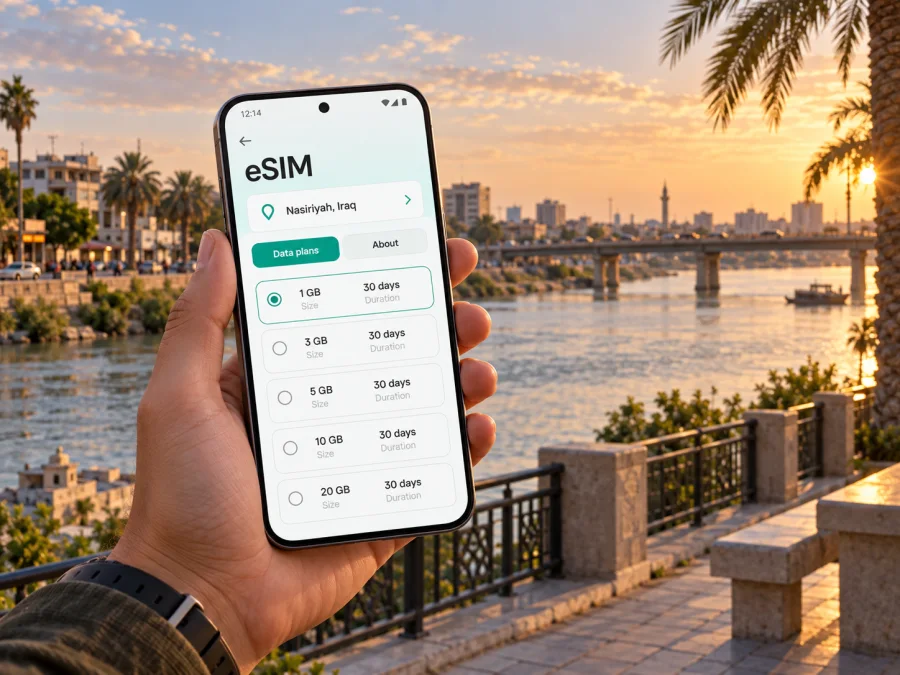
eSIM for Nasiriyah: mobile connection and internet for your trip
Nasiriyah is a practical base for exploring southern Iraq, meeting people in Dhi Qar Governorate, visiting the historic landscape around the Euphrates, or continuing overland to another destination. In each of these situations, mobile internet is part of the travel plan: you may need a map after leaving a hotel, a message to a driver, a translation tool in a market, a booking confirmation, or a way to tell colleagues that a meeting time has changed.
An eSIM, or digital SIM, can help you prepare that connection without replacing the physical SIM in your phone. With Kaspersky eSIM Store, you can use the website or app to choose, arrange and activate an eSIM with a suitable data plan for an international trip. The exact conditions depend on the selected plan.
Why mobile internet matters in Nasiriyah
The first hours in a new city are when a reliable data plan is most useful. You might be checking the address of your accommodation, sharing your arrival time, arranging a transfer, or opening a map while moving through unfamiliar streets. Having a mobile-data option ready means you do not have to make your first decision in Nasiriyah around the availability of hotel Wi‑Fi or a public network.
Nasiriyah travel is also often connected with places outside the city. A visitor may combine meetings in the city with a visit towards the ancient site of Ur, travel onward within southern Iraq, or use the city as one stop in a longer route. A country plan is therefore worth assessing by the whole itinerary, not only by the number of days spent in one hotel.
Mobile internet is useful for:
- opening maps and checking the next turn while walking or riding;
- communicating with a hotel, driver, host, colleague or travel companion;
- translating short messages, signs and practical questions;
- confirming reservations and keeping copies of tickets or addresses available;
- checking work messages during a business visit;
- sharing a live change of plan with people who are travelling with you;
- using ride, delivery or messaging services when their availability fits your situation;
- saving important directions for moments when the signal or battery is limited.
The goal is not to stay online for its own sake. It is to reduce friction around the specific tasks that make arrival, movement and communication in Nasiriyah easier.
Arriving in Nasiriyah: prepare the first connection
Before leaving home, save the name and address of your accommodation in a form you can read offline. Keep the booking confirmation, a contact number and any driver instructions in a note or screenshot. A data plan can help you retrieve information, but a simple offline backup is still sensible when the phone is low on battery or a page does not load.
If you are meeting someone, agree on a clear landmark and a backup way to communicate. Nasiriyah’s streets, neighbourhood names and transliterations may appear differently across apps and messages. Sending the address in writing, plus a nearby recognizable place, can be more useful than relying on a pin alone.
For a smooth arrival, use this checklist:
- charge the phone before departure and carry a suitable power bank;
- check that the eSIM profile has been installed or that the QR code is accessible;
- keep the physical SIM active if you still need its number for calls or verification messages;
- decide which line will be used for mobile data;
- save accommodation and emergency contact details offline;
- check the selected plan’s country, validity period and data allowance;
- wait until you are ready to use the travel line before changing mobile-data settings.
An eSIM does not automatically solve every arrival problem. It must be compatible with the device, the phone must not be carrier-locked, and the plan must match the country and itinerary. These checks are quick, but doing them before departure leaves more time for the actual journey.
Choosing a plan for a Nasiriyah itinerary
The right eSIM plan depends on what you will do in and around Nasiriyah. A short stop with a few messages and map checks has a different data pattern from a work visit with video calls, file transfers and hotspot use. Do not choose by the city name alone: first consider the country in which the plan must work, how long the trip lasts, and what you expect to do online.
Match the plan to the trip
| Travel pattern | Typical online tasks | What to review |
|---|---|---|
| Short stopover | Arrival messages, maps, translation and a few bookings | Validity period, country coverage and a modest data allowance |
| City break | Daily navigation, messaging, photos and reservations | Expected daily use and whether the plan lasts for the full stay |
| Business visit | Email, documents, video meetings and collaboration tools | Data allowance, hotspot terms and a comfortable validity period |
| Nasiriyah plus onward travel | Maps, transport coordination and communication across stops | Whether the plan applies to every country or region on your route |
| Longer stay | Regular communication, work and repeated navigation | Renewal or top-up conditions and how usage is monitored |
The figures in a plan are more useful when connected to behaviour. Messaging and map requests often use less data than video, photo backups or software updates. If you intend to share a connection with a laptop, treat that as a separate use case because a computer can consume data quickly in the background.
Before selecting an option, compare:
- the country or region in which the plan is valid;
- the amount of data included;
- the validity period and when it begins;
- whether the plan is prepaid and how its balance is displayed;
- whether top-ups or renewal are available under the chosen conditions;
- whether hotspot use is allowed or limited;
- what happens when the data allowance or validity period ends.
Kaspersky eSIM Store helps you review the direction and plan details before you arrange an eSIM. To choose an eSIM plan for a trip to Iraq, use the Iraq destination page and compare the conditions with your Nasiriyah schedule and any onward travel. The country page is the relevant destination link for a city trip; there is no need to look for a separate city plan.
Estimate usage without false precision
Write down the activities you actually expect to perform. Maps, messaging and occasional translation usually create a different pattern from work files, video meetings and hotspot use. Add a margin for unexpected directions and booking changes, but avoid choosing more data simply because the number looks reassuring. To keep usage under control, postpone app updates and photo backups until Wi‑Fi and watch the device’s data counter.
Install an eSIM before departure or after arrival
Installation normally requires a compatible, unlocked phone, an internet connection for downloading the profile, and the QR code or account details supplied after the plan is arranged. The exact menu names differ by device and operating-system version. If you prefer a guided walkthrough, use the Android eSIM installation instructions or the iOS eSIM installation instructions.
Before you install
Complete these checks while you still have a dependable internet connection:
- confirm that the phone model and regional version support eSIM;
- make sure the phone is not locked to another operator;
- update the operating system if a normal update is available;
- keep the QR code or activation details ready on another screen or in a secure copy;
- decide whether the eSIM should be installed before travel or after you arrive;
- review when the plan begins and whether installation differs from activation.
If you install before the flight, label the new line clearly, such as “Iraq travel”. Do not remove your primary SIM unless you are certain that you no longer need its number. Keeping the original line available can be useful for messages or calls, while the travel eSIM can be selected for mobile data according to the plan’s instructions.
A practical installation sequence
- Connect the phone to the internet.
- Open the mobile-network settings.
- Choose the option to add an eSIM or mobile plan.
- Scan the QR code or follow the supplied activation flow.
- Give the profile a recognizable label.
- Select the eSIM for mobile data when you want to use it.
- Enable data roaming for that eSIM only if the plan instructions require it.
- Test a simple webpage or message after the profile is active.
Installation and activation are not always the same moment. Some plans begin their validity when the profile connects to a supported network, while other conditions may apply. Read the selected plan information and avoid switching the travel line on too early if you want its validity to align with the Nasiriyah trip.
Device compatibility and settings to check
Before you arrange an eSIM, check whether your device supports eSIM. Support can differ by model, operating-system version and region of sale. An eSIM profile also cannot be used as intended on a phone that is locked by another operator.
After installation, open the mobile-data settings and verify three choices: the eSIM is enabled, it is selected for mobile data, and the phone is not silently switching data back to the primary line. If you want to avoid unexpected charges on the primary SIM, turn off data switching or disable mobile data on that line while travelling, provided you do not need it for a specific reason.
Keep the following distinction in mind:
- the travel eSIM is intended for mobile internet under the selected plan;
- it may not include a regular telephone number, voice calls or SMS unless the plan says otherwise;
- internet calls and messages in supported apps use data and may still require the other person to use the same service;
- incoming verification messages may continue to depend on your primary line and its roaming conditions;
- the device’s own settings can affect which line uses data.
If the eSIM does not connect, check the plan’s country and validity, confirm the correct data line, restart the phone, and verify any required roaming setting. If the problem remains, contact support with the device model, operating-system version and the step at which the issue occurred. Avoid deleting a profile while troubleshooting unless the instructions specifically tell you to do so.
Nasiriyah scenarios: how much connection planning helps
A short stopover
For a brief stop, the priority is continuity between arrival, accommodation and the next departure. Save the booking, send an arrival message, check the route, and avoid background downloads. A time-limited plan may be appropriate if its validity and country conditions fit the whole stopover.
A visit connected with Ur
The ancient site of Ur is associated with the Nasiriyah area, and some itineraries combine time in the city with a visit outside the urban centre. Plan the return route before leaving, keep the address and contact details offline, and do not assume that a map application will replace local route advice. A country-valid plan can be more relevant than a city-only idea when your day includes travel beyond Nasiriyah.
A business trip
Before a meeting, download the documents you need, confirm the venue in writing, and consider the data cost of video calls and large attachments. If you need a laptop connection, review hotspot conditions and monitor usage from the beginning of the workday.
An onward journey
If Nasiriyah is one stop on a longer route, write down every country or region where you expect to use data. A plan valid in Iraq may not apply after a border crossing. Check the next destination before departure and do not infer coverage or validity from the fact that the previous part of the trip went well.
Frequently asked questions
Is an eSIM useful if I am staying in Nasiriyah only briefly?
Yes, it can be useful when you need maps, messages and arrival information for a short visit. Choose a plan whose country, validity and data allowance match the stopover instead of assuming that a longer plan is necessary.
Does an eSIM include a local phone number?
Not necessarily. Travel eSIM plans are commonly intended for mobile data, and voice calls or SMS are not included unless the selected conditions explicitly say so. Internet messaging and calling apps can work through data, subject to their own requirements.
What if the phone shows no data after installation?
Check that the eSIM is enabled and selected for mobile data, confirm the plan’s country and validity, and review whether data roaming is required for that profile. Restart the device if needed. If the issue continues, contact support and provide the device model and the steps already completed.
What is Kaspersky eSIM Store?
Kaspersky eSIM Store is an app and website that helps you choose, arrange and activate an eSIM with a suitable mobile-data plan for an international trip. It does not replace the local mobile operator, and the conditions of service come from the selected plan.
Prepare your Nasiriyah connection before you travel
The most useful eSIM setup is the one that fits your actual route: arrival, accommodation, city movement, meetings, visits beyond the centre and any onward journey. Check the device first, compare the Iraq plan by allowance and validity, install the profile carefully, and select the correct line for mobile data. When your itinerary is ready, choose an eSIM plan for Iraq through Kaspersky eSIM Store and prepare the data connection you expect to use in Nasiriyah.


