
Travel connectivity guide
Nassau eSIM: Mobile Internet for Your Trip
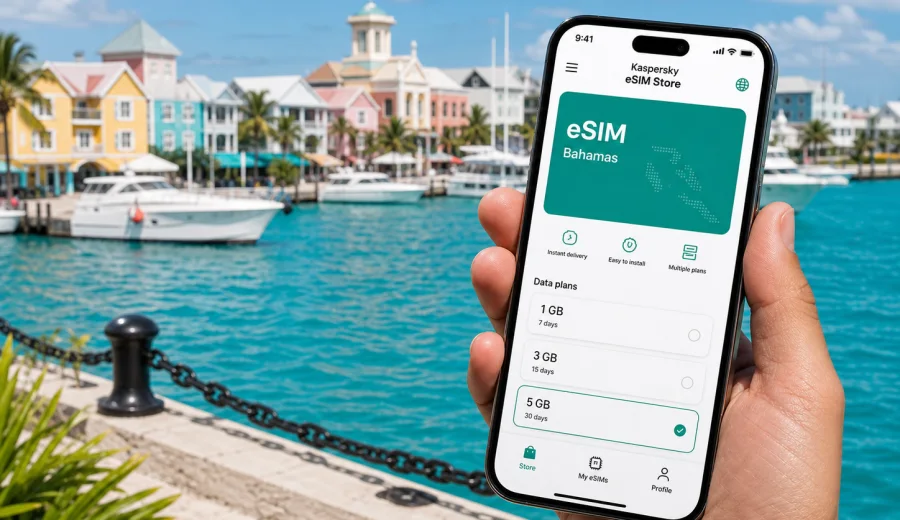
Nassau eSIM: mobile connection and internet for your trip
Nassau is often the first place where a trip to the Bahamas becomes practical: you land, clear arrivals, find a transfer, message your hotel, check the ferry schedule, and decide whether the first stop is downtown, Cable Beach, Paradise Island, or a marina. In those first hours, mobile internet is not a luxury. It is the tool that keeps maps, bookings, ride apps, translation, banking alerts, and travel messages in one place.
An eSIM can make that arrival easier because you can prepare mobile data before you start looking for a shop or asking your hotel for Wi-Fi. Kaspersky eSIM Store is an app and website where you can quickly choose, arrange, and activate an eSIM with a suitable data plan for mobile internet during an international trip. For Nassau, the main point is simple: choose a plan that covers the Bahamas, check the data amount and validity period, install it on a compatible device, and keep your primary SIM free for calls or messages if you still need it.
This guide focuses on Nassau city scenarios: airport arrival, hotel check-in, downtown walks, business trips, beach days, short stopovers, cruise calls, and onward travel around New Providence or to nearby islands.
Why mobile internet matters in Nassau
Nassau is compact enough to explore in a few days, but the trip can involve many small online moments. You may need directions from Lynden Pindling International Airport to Cable Beach, a hotel confirmation at the front desk, a taxi message, a restaurant reservation, or a boarding pass for a day trip. Public Wi-Fi can help in some places, but it is not something to build every movement around.
An eSIM is useful when you want mobile data before you have time to search for a local SIM card. It can also help you avoid depending on airport Wi-Fi, cafe networks, or hotel lobby passwords whenever you need to check something quickly.
Common Nassau situations where eSIM data is useful:
- finding the correct hotel entrance in Cable Beach, downtown Nassau, or Paradise Island;
- using maps while walking between Bay Street, the Straw Market, Parliament Square, and the waterfront;
- messaging a driver or tour operator after arrival;
- checking ferry, boat, or excursion details before leaving the hotel;
- sharing location with family or colleagues;
- using mobile banking notifications and travel apps;
- keeping work email and messenger access during a short business stay;
- checking airline updates before returning to the airport.
Nassau arrival: what to set up before you land
The easiest time to prepare mobile internet is before the trip. If your phone supports eSIM, you can choose the Bahamas as the destination, select a data plan that matches your stay, and install the eSIM while you still have a stable home connection. Activation details depend on the selected plan and device, so read the plan conditions before you travel.
Before departure, check these items:
| What to check | Why it matters in Nassau |
|---|---|
| Device compatibility | Not every phone or tablet supports eSIM, and some models vary by region. |
| Carrier lock status | A locked device may not accept another mobile profile. |
| Data amount | Maps, video calls, cloud photo backup, and social apps can use data quickly. |
| Validity period | Match the plan duration to a weekend break, cruise stop, business trip, or longer holiday. |
| Destination coverage | Choose a plan that includes the Bahamas, not only a neighboring country or region. |
| Activation rules | Some plans start counting validity after installation, while others start after connection to a supported local network. |
If you are not sure whether your phone can use eSIM, check your device before selecting a plan. This is especially important if you bought your phone in a different region, use a corporate device, or have a carrier-financed handset.
Getting from the airport to your hotel
Most travelers arrive through Lynden Pindling International Airport. The first online tasks are usually simple but time-sensitive: tell someone you have landed, open the hotel address, check a transfer message, or confirm which vehicle you booked. If you have mobile data ready, you can do those tasks without waiting until you reach a hotel network.
For airport-to-hotel movement, eSIM data is especially useful for:
1. Opening maps before you leave the terminal.
2. Sharing live location with someone meeting you.
3. Calling or messaging your hotel through an internet-based app.
4. Checking traffic and estimated travel time.
5. Confirming the exact address if your hotel name appears in several booking apps.
Nassau travel can feel relaxed, but the arrival sequence can still be busy. Bags, customs, transfers, and resort check-in all happen close together. A prepared eSIM gives you one less setup task during that window.
How much data might you need in Nassau?
The right data amount depends on how you travel. A light user who mainly checks maps and messages needs far less than someone who uploads video from boat trips or works from a hotel room. Do not choose only by trip length. Think about what your phone will actually do.
| Trip style | Typical use | Data planning tip |
|---|---|---|
| Cruise day in Nassau | Maps, messages, ride details, photos sent to family | A smaller short-validity plan may be enough if you avoid video uploads. |
| Weekend break | Hotel apps, navigation, restaurant searches, messaging | Pick enough data for several days of maps and social use. |
| Resort stay | Messaging, occasional browsing, ride apps, excursion coordination | Hotel Wi-Fi may handle heavy use, but mobile data helps away from the property. |
| Business visit | Email, video calls, file access, messaging | Leave extra data for tethering or calls if allowed by the plan. |
| Island-hopping route | Nassau plus ferries or flights to other islands | Check that the selected plan fits your Bahamas route and validity period. |
Video, cloud backup, app updates, and automatic photo sync can use data quickly. Before you travel, turn off background updates on mobile data if you want the plan to last longer.
Choosing an eSIM plan for Nassau
For a city article, the destination is still the country. Nassau is in the Bahamas, so the plan you choose should be valid for the Bahamas. A city name may appear in your search, but the practical choice is usually a country plan or, when suitable, a regional plan that includes the country you will visit.
Use this decision flow:
1. Choose Bahamas as the destination.
2. Match the validity period to your exact stay, including arrival and departure days.
3. Estimate your data use by activity, not only by calendar days.
4. Check whether the plan supports the way you want to use data, such as hotspot use, if that is important to you.
5. Read the activation rules before installing.
6. Keep the installation details available offline in case you need them later.
If you are preparing a trip now, you can view mobile internet options for the Bahamas and choose a plan that fits your Nassau itinerary. This is the main country page for the city because the eSIM plan must match the country where Nassau is located.
Downtown Nassau, Cable Beach, and Paradise Island
Nassau trips often move between a few predictable areas. Each area creates a slightly different mobile data pattern.
Downtown Nassau is a walking and sightseeing area. You may use maps for short routes, restaurant searches, payment confirmations, and quick messages. If you are visiting from a cruise ship, mobile data helps you coordinate timing without depending on port Wi-Fi.
Cable Beach is more hotel- and resort-focused. You may spend more time on a property network, but mobile data is useful for rides, dinner plans, beach clubs, and movement between hotels. If you work remotely for part of the trip, keep enough data for backup access in case the hotel network is crowded.
Paradise Island involves resort stays, attractions, marina movement, and short transfers. Mobile data can help with booking confirmations, directions to meeting points, and messages when your group splits up.
A simple rule works well: use trusted Wi-Fi for heavy downloads when appropriate, but keep eSIM mobile data for movement, confirmations, maps, and anything that should not wait until you find a network.
Practical scenarios for a Nassau eSIM
A short stopover
If you have a few hours in Nassau, you need quick access more than a large data allowance. Install the eSIM before you travel, confirm when the plan validity starts, and keep mobile data ready for maps, transport, and boarding updates. For a stopover, avoid spending your limited time looking for a SIM shop or filling out forms in a store.
A beach holiday
For a resort or beach trip, the most common data use is messaging, map checks, restaurant searches, photo sharing, and excursion coordination. If you plan to upload many videos, choose more data or save uploads for hotel Wi-Fi. Keep your eSIM profile selected for mobile data when you leave the hotel.
A business trip
For a business stay in Nassau, mobile data is a backup layer for email, calendar changes, messenger calls, and file access. Check whether your selected plan allows tethering if you intend to connect a laptop. Also check whether your work phone is carrier-locked or managed by a company policy before relying on it for eSIM installation.
A family trip
In a group, one person often handles maps, bookings, taxi messages, and restaurant searches. That phone needs dependable mobile data. If each traveler has a compatible device, separate eSIM plans can make the group less dependent on one person staying nearby.
Installing and activating your eSIM
Installation steps vary by phone, but the general flow is straightforward: choose a destination, select a plan, install the eSIM profile, and set that profile for mobile data. Use a stable internet connection during installation, because the phone needs to download the eSIM profile before it can use it.
Before installing, make sure your device supports eSIM and is not carrier-locked. You can also keep a screenshot or offline note with setup details, especially if you will install while traveling.
Useful setup links:
Basic setup checklist:
1. Open Kaspersky eSIM Store on the website or in the app.
2. Choose the destination and review available data plans.
3. Check data amount, validity period, destination, and activation rules.
4. Install the eSIM profile on a compatible device.
5. Select the eSIM line for mobile data when you want to use it.
6. If the plan instructions require it, enable data roaming for the eSIM profile.
7. Wait a few minutes for the device and local network to complete connection.
The eSIM is for mobile internet. It usually does not include a regular phone number, voice calls, or SMS unless this is clearly stated in the selected plan terms. For calls and messages, you can use internet-based apps over mobile data.
Before you leave the hotel each day
Nassau days can include beaches, shopping, boat tours, old town walks, resort restaurants, and airport transfers. A quick phone check before leaving the hotel helps prevent small data problems from interrupting the day.
Daily checklist:
- Make sure the eSIM is selected for mobile data.
- Turn off background app updates on mobile data if your data allowance is limited.
- Download key maps or booking confirmations for offline access.
- Keep your main SIM available if you need banking SMS or calls.
- Check plan balance or remaining data if your trip is longer than a few days.
- Save the hotel address and a meeting point in your notes.
This routine is especially useful for cruise passengers, families, and business travelers who need the phone to work during movement, not only inside the hotel.
Nassau transport and navigation
Mobile data helps most when plans change. A dinner address may be different from the restaurant name you remembered. A pickup point may move. A boat tour may send a message about timing. A return flight may shift. In each case, the value of eSIM data is not only browsing the internet. It is the ability to make a quick decision while already moving.
Use mobile data for:
- walking routes in downtown Nassau;
- taxi and transfer coordination;
- ferry or boat trip messages;
- hotel-to-restaurant navigation;
- weather checks before outdoor plans;
- airport return updates;
- messaging when traveling in a group.
If you use map apps heavily, download offline maps before the trip. Offline maps reduce data use, while eSIM mobile data keeps search, live traffic, and messaging available when needed.
What to avoid when using mobile data in Nassau
An eSIM plan is easier to manage when you avoid accidental data use. The most common issue is not navigation. It is background syncing.
Avoid these habits on mobile data unless you have enough allowance:
- streaming long videos;
- uploading full-resolution videos to cloud storage;
- leaving automatic app updates enabled;
- using video calls for long periods;
- tethering a laptop without checking data use;
- letting photo backup run in the background.
Instead, use mobile data for high-value travel tasks and move heavy uploads to a trusted Wi-Fi connection when available. This keeps the plan useful through departure day, when you may still need boarding passes, maps, and messages.
Nassau eSIM planning table
| Need | Recommended preparation |
|---|---|
| Arriving late | Install the eSIM before departure and save hotel details offline. |
| Cruise call | Choose a short plan if you only need maps and messages for one day. |
| Resort stay | Keep mobile data for movement outside the property and excursion coordination. |
| Work trip | Check tethering rules, device lock status, and backup data needs. |
| Family travel | Decide whether each traveler needs their own eSIM or one phone will coordinate plans. |
| Island route | Confirm that the plan covers the Bahamas and fits your full travel window. |
FAQ
Is an eSIM useful for Nassau if my hotel has Wi-Fi?
Yes. Hotel Wi-Fi can help with heavy browsing, but eSIM mobile data is useful when you are moving between the airport, beach, downtown, restaurants, marinas, and tours.
Does a Nassau eSIM give me a local phone number?
Usually no. eSIM plans for travel mobile data normally do not include a regular phone number, voice calls, or SMS unless the selected plan says otherwise. You can use messenger apps over mobile internet for calls and messages.
Should I install the eSIM before arriving in Nassau?
In many cases, yes. Installing before departure is convenient because you can use a stable connection and avoid setup pressure at the airport. Always check when the plan validity starts.
Can I keep my regular SIM active?
On many compatible devices, you can keep your regular SIM for calls or SMS and use the eSIM for mobile data. Device settings vary, so check your phone setup before traveling.
What if my phone does not support eSIM?
You will need another option, such as a physical SIM or roaming from your current mobile provider. Check compatibility before choosing an eSIM plan so you do not buy a plan your device cannot install.
Final preparation for Nassau
Before you travel, decide how you will use mobile internet in the city. A cruise stop, resort stay, business visit, and family holiday all need different data amounts. Check your device compatibility, read the plan conditions, install the eSIM with a stable connection, and keep the setup details available offline.
Kaspersky eSIM Store helps you choose, arrange, and activate an eSIM with a suitable data plan for mobile internet during an international trip. For Nassau, use the Bahamas as the destination and match the plan to your arrival, hotel area, daily movement, and return transfer.
If your trip is coming up, choose an eSIM plan for your Nassau trip before departure so mobile internet is ready when you need maps, bookings, messages, and travel updates in the Bahamas.