Travel connectivity guide
Natal eSIM: Mobile Internet for Your Brazil Trip
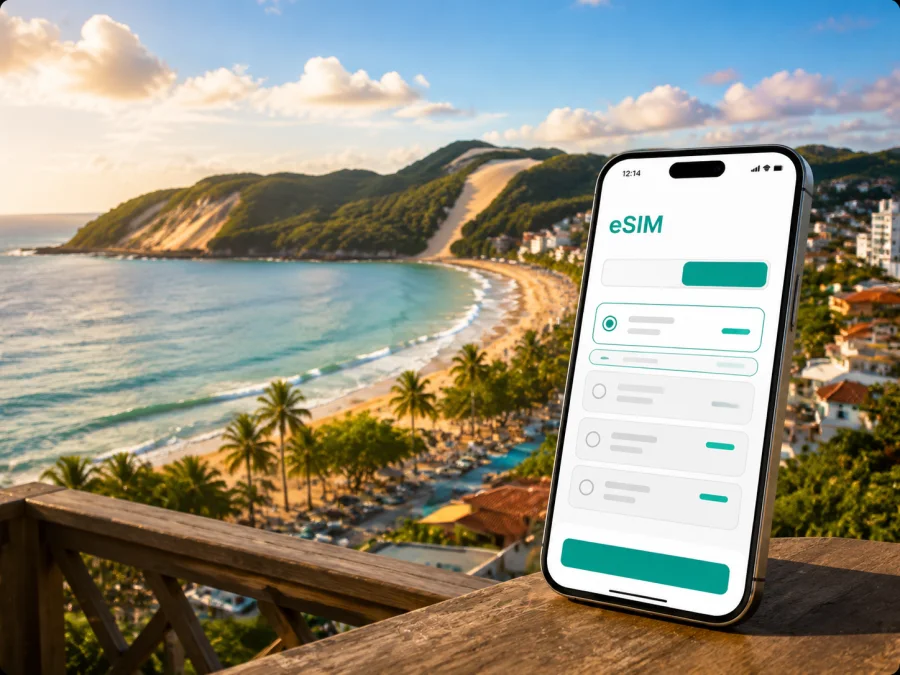
Natal eSIM: mobile connection and internet for your Brazil trip
Natal is a practical base for a beach holiday, a short stop in northeastern Brazil, or a business itinerary with nearby coastal destinations. Mobile internet helps with transfers, hotel messages, maps, reservations, translation, and contact with family or colleagues. An eSIM, or digital SIM, can prepare that connection without removing the physical SIM card.
Kaspersky eSIM Store is an app and website where you can choose, arrange, and activate an eSIM with a suitable data plan for an international trip. You select the destination, compare the data allowance and validity period shown for the plan, and install the profile on a compatible device. The result is a clearer arrival routine for Natal: keep your usual number available if needed, while using the travel eSIM for mobile data according to the selected plan’s conditions.
Why mobile internet matters when you arrive in Natal
The first part of a trip often involves several small decisions: find the airport pickup point, send accommodation details, open a map, confirm check-in, and choose a transfer. A planned data connection means you are not dependent on airport or hotel Wi-Fi for every step.
Natal’s international airport is in São Gonçalo do Amarante, outside the central beach districts. That makes the journey from the airport to your accommodation a distinct part of the itinerary, not an afterthought. Before leaving, save the hotel name and address in your preferred map app and keep the booking details accessible offline. After landing, mobile data can help you check the route, contact the driver, and update someone waiting for you.
Around Ponta Negra, you may use your phone to:
- navigate between the hotel, the beach, cafés, and meeting points;
- share your location with a travel companion;
- translate short messages when a conversation is difficult;
- order a ride back after sunset rather than searching for a public connection;
- keep a booking confirmation or work message available.
The aim is dependable access for navigation, communication, and bookings when they matter.
Which Natal travel scenarios benefit from an eSIM
Beach holiday in Ponta Negra
Ponta Negra combines accommodation, food, services, and access to the beach. Travelers often walk for short errands but need a map for unfamiliar streets and a ride service for longer journeys. Data is useful when weather, check-in, or a meeting point changes.
Hotel stay along Via Costeira
Via Costeira links the coastal hotel zone with other parts of the city. Mobile data is useful for checking transport, contacting reception, and coordinating a departure. A small allowance may fit messages and occasional maps; frequent calls, uploads, or navigation may require more. Choose around your routine, not a generic promise of unlimited use.
Business trip in Tirol, Petrópolis, or the central area
A work visit may involve an airport transfer, a hotel near an office, and meetings in different parts of Natal. Useful data tasks include calendar updates, email, maps, ride coordination, and documents. Disable automatic video backups, download large files on Wi-Fi, and review background-data permissions.
If you need a video meeting, check the hotel’s workspace and Wi-Fi arrangements in advance. Call quality depends on the local network, device, location, and plan conditions, so allow extra time after landing.
Short stopover
A stopover in Natal can be compact: airport, hotel, a meal, a walk, and a return transfer may all fit into a limited window. Prepare the eSIM before departure, and choose a plan around the complete Brazil itinerary rather than only the hours in the city.
Choosing a data plan for Natal
The city name helps you plan the use case, but the plan’s area of validity is the key technical detail. Natal is in Brazil, so check that the selected eSIM plan is intended for Brazil and that the validity period covers the complete part of the trip when you will use it. If your itinerary continues to another Brazilian city, a country plan may be more practical than arranging a separate profile for each stop, provided its conditions match the route.
Use these questions before choosing:
- How long will you use mobile data? Count the arrival day, final transfer, and nights before an early departure.
- What will you do online? Messages and maps use less data than video calls, cloud backups, live video, or repeated photo uploads.
- Will Natal be the only stop? If you add Pipa, João Pessoa, Recife, or another destination, check the plan’s geographical scope.
- When does validity begin? Installation, activation, first network use, and validity can be separate events.
This comparison can help:
| Travel pattern | Typical mobile-data tasks | What to consider |
|---|---|---|
| Light use | Messages, maps, booking checks, short searches | A smaller allowance may fit if photos and updates wait for Wi-Fi |
| Everyday travel | Frequent navigation, ride coordination, social messages, photos | Leave room for route changes and background use |
| Work-heavy trip | Email, documents, video meetings | Review the allowance, tethering conditions, and backup connectivity |
| Multi-stop itinerary | Maps and messages in Natal plus other Brazilian destinations | Confirm the plan applies to the complete route and dates |
The figures shown in a plan are the source of truth for that purchase. Availability, price, data allowance, validity, and other conditions may change, so review the current offer before payment. Kaspersky eSIM Store can help you choose an eSIM plan for a trip to Brazil after you have defined your Natal itinerary and data needs.
Prepare the phone before leaving
An eSIM works as a digital profile on the phone, but the device still has to support the technology and be free of an operator lock. Some model versions differ by market, so do not rely on the model name alone. Before purchasing, check whether your device is compatible and make sure you can connect to the internet during installation.
Use this preparation checklist before departure:
- confirm that the phone has an eSIM option in its mobile-network settings;
- check that the device is not restricted to one operator;
- charge the phone and carry a power bank for the airport and transfer;
- save accommodation addresses and key meeting details;
- decide which line will handle calls and SMS and which line will handle mobile data;
- read when the chosen plan starts and how its validity is measured;
- keep the QR code or activation details available in a secure account or on another screen.
A travel setup can use the physical SIM for its regular number and the eSIM for data, if supported. Settings differ between models, so follow the device prompts and supplied guidance.
How to install and activate the eSIM
Install a travel eSIM when you have stable internet, enough battery, and the activation information close at hand. Installation does not necessarily mean immediate use; if the plan’s terms allow it, install before departure and turn on the line when needed.
Step 1: Confirm the conditions
Check the destination, validity, data allowance, device, and activation notes. Connect the phone to Wi-Fi or another working data connection.
Step 2: Add the eSIM profile
Open mobile-network settings, choose the option to add a mobile plan or eSIM, and scan the QR code from your profile or email. Follow the in-app flow if available.
Step 3: Name the line clearly
Use a label such as “Brazil travel data” so you do not confuse it with your everyday line. Review the prompts about default voice, messaging, and data lines.
Step 4: Select the data line
Set the travel eSIM as the line for mobile data when you want to use it. Review automatic data switching so your everyday line does not unexpectedly handle roaming data.
Step 5: Enable data roaming if the plan requires it
Some travel eSIM configurations require data roaming for the eSIM profile. Follow the plan instructions and check that roaming is disabled on your everyday line if you want to avoid unintended charges.
Step 6: Test at the right moment
After landing in Natal, turn on the travel line if it was installed in advance, wait for registration, and open a simple webpage or map. Connection may take a few minutes and depends on the device and local network. If it does not start, first recheck the data line, roaming setting, signal, and plan instructions.
For device-specific steps, use the Android installation instructions or the iOS installation instructions. If questions remain, contact support with the device model and the step where the issue appeared.
Moving around Natal without wasting data
A little preparation makes navigation more predictable. Before leaving the hotel, look at the complete route and save the accommodation, airport, meeting venue, and return point. Verify pickup details and keep the address written down as a backup.
Ponta Negra and the seafront
For a walk around Ponta Negra, save the hotel details and plan the return before going farther along the waterfront. Share a precise pin and protect the phone from heat, sand, and water.
Via Costeira and hotel transfers
Along the coastal hotel corridor, coordinate the pickup point with reception, especially for an early departure or tour.
Tirol, Petrópolis, Ribeira, and Cidade Alta
For work, dining, and historic-city visits, save the full address rather than only a business name or landmark.
Parks and day trips
Parque das Dunas and excursions toward places such as Genipabu or Pipa require a confirmed meeting point and return plan. Verify that the selected Brazil plan matches the full route; do not assume a city-focused search determines every stop.
Keep control of the data allowance
Before departure, review these settings to reduce background use:
- turn off automatic photo and video backup over mobile data;
- restrict app updates to Wi-Fi;
- download large work files and language packs before the flight;
- close navigation after reaching the destination;
- check the eSIM profile’s usage counter during a longer stay;
- use hotel or trusted private Wi-Fi for large transfers when practical.
An eSIM can reduce the need to search for a network in an airport, café, or hotel lobby, while device settings still determine which line uses data. Keep important travel details offline.
Common mistakes in a Natal eSIM setup
The eSIM was installed but there is no internet. Check that the profile is on, selected for mobile data, and configured according to the plan instructions. If required, enable data roaming for that profile and allow a few minutes.
The usual SIM is still using data. Confirm the selected data line and disable automatic switching if it can move traffic to the primary line.
The QR code cannot be scanned. Increase display brightness, clean the camera lens, and keep the entire code visible. If the profile was already added, look for it in mobile-network settings.
The plan seems to be running earlier than expected. Installation and activation are not always the same event. Review the validity rule and when the profile first connected to a supported network.
The phone is lost or replaced. An eSIM profile may not be transferable after activation if the plan’s conditions do not allow it. Keep purchase information secure and contact support before taking action.
FAQ for a trip to Natal
Is an eSIM useful if I stay only in Natal?
Yes, it can simplify the airport transfer, hotel check-in, maps, messages, and local movement even during a short visit. Choose the validity and data allowance around your actual arrival and departure days.
Does a travel eSIM give me a Brazilian phone number?
Not usually. The eSIM in this travel scenario is intended for mobile data, and ordinary calls or SMS are not included unless the specific plan says otherwise. Internet messengers can be used for calls and messages when you have data and the recipient uses the relevant service.
Should I install it before flying?
Often, installing before departure is convenient because you can use stable internet and take time to check the settings. Whether you should activate it immediately depends on the plan’s rules for when validity begins. Read those rules before switching the line on.
What if my phone supports eSIM but is locked?
A device may support the technology and still be restricted by its original operator. Confirm that the phone is unlocked before purchase. If the profile cannot be installed or used, contact support rather than assuming that the city or country is the cause.
A simple plan for your arrival
For most travelers, this sequence is clear:
- Save the airport, hotel, and first meeting addresses before departure.
- Check device compatibility and operator unlock status.
- Choose a Brazil-valid plan based on the length and data needs of the full route.
- Install the eSIM over stable internet and label the line.
- Confirm which line is assigned to mobile data.
- Enable data roaming for the travel profile only if the plan requires it.
- At the airport, activate the travel line and test a map or message.
- In Natal, keep large downloads on Wi-Fi and monitor the allowance.
This routine fits Ponta Negra, Via Costeira, central meetings, or a stopover followed by a road trip. It keeps the important choices visible: destination, dates, data, device, and data line.
Choose your Natal travel setup
When the route and phone are ready, the next step is to review the current conditions and select an eSIM plan for Brazil. Kaspersky eSIM Store helps you choose, arrange, and activate the eSIM profile for your international trip; it does not replace a mobile operator or change the conditions of the underlying plan.
Prepare the profile before the flight if the activation rules allow it, save hotel and airport details, and arrive in Natal with a clear data-line setup.


