
Travel connectivity guide
eSIM for Nauru: Mobile Internet Guide
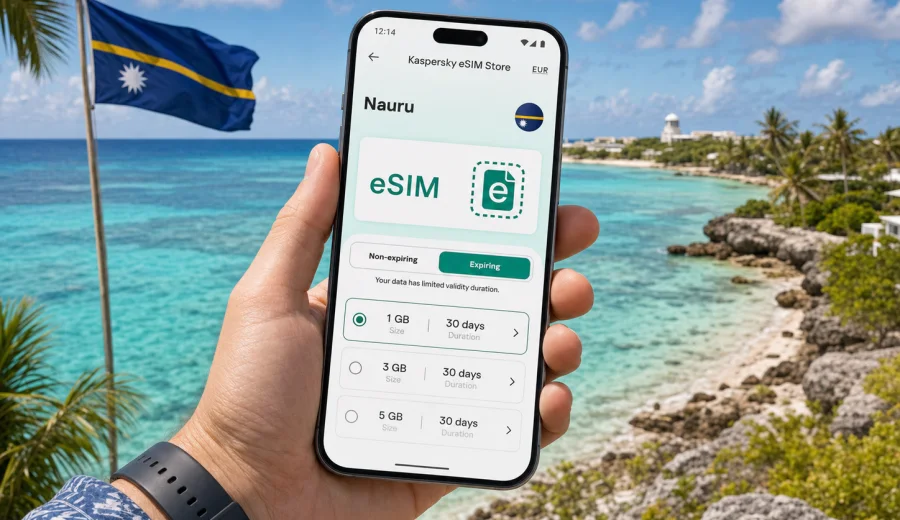
eSIM in Nauru: mobile connection and internet for your trip
Nauru is a compact Pacific destination where everyday travel depends heavily on being able to check maps, message contacts, confirm bookings, and manage flight updates at the right moment. If you are arriving for work, a short island visit, family reasons, or a regional route through Oceania, an eSIM can help you prepare mobile internet before you start looking for a local SIM card or a reliable Wi-Fi network.
This guide explains how to use eSIM for Nauru in a practical way: what to check before you buy a plan, how much data you may need, when to activate the profile, and how to keep mobile connection available during the trip. The focus is on mobile internet for travel, not on replacing a local phone number or promising identical coverage in every location.
Why mobile internet matters in Nauru
Nauru is small on the map, but visitors still need online access for many ordinary tasks. You may need data immediately after landing, while moving between the airport, accommodation, meetings, coastal viewpoints, the government district around Yaren, Aiwo, Anibare Bay, Buada Lagoon, or other parts of the island. A working data connection can be useful even when the route is short, because many trip details now live in apps, email, and cloud documents.
Typical mobile internet tasks in Nauru include:
- checking flight changes and baggage information;
- messaging drivers, hosts, colleagues, or relatives;
- using maps and saved pins for accommodation, offices, beaches, and meeting points;
- opening hotel confirmations and travel insurance documents;
- making internet calls through messaging apps;
- checking payment notifications and banking alerts;
- using translation, weather, and calendar apps;
- sharing photos or sending large files when Wi-Fi is not convenient.
An eSIM is especially useful when you want to reduce the number of tasks you must solve on arrival. Instead of searching for a physical SIM card at the first opportunity, you can install a digital profile on a compatible phone and choose a data plan for the trip in advance or shortly after arrival.
What an eSIM does and what it does not do
An eSIM is a digital SIM profile installed directly on a compatible smartphone or tablet. For a trip to Nauru, the practical value is simple: you can use mobile data without inserting a plastic SIM card. The eSIM profile is stored on the device, and you can keep your usual SIM active for calls, SMS, or authentication if your phone supports dual SIM use.
There are several important limitations to understand before buying any travel eSIM plan:
| Point to check | What it means for your trip |
|---|---|
| Data focus | Travel eSIM plans are usually for mobile internet. A regular phone number, voice calls, and SMS are not included unless the selected plan states otherwise. |
| Device support | Your phone or tablet must support eSIM and must not be locked to another mobile operator. |
| Local network conditions | Speed and availability depend on the local network, location, weather, device, and selected plan conditions. |
| Activation rules | Some plans start counting validity after installation, others after connection to a supported network. Always read the plan details. |
| One-device use | After activation, an eSIM profile usually cannot be moved freely to another device. |
This is why it is better to treat an eSIM as part of trip preparation. It can make mobile data simpler, but it still requires a compatible device, a suitable plan, and correct setup.
When eSIM is useful for a Nauru trip
Nauru trips are often practical rather than long resort journeys. Visitors may arrive for government, aviation, shipping, environmental, aid, business, research, family, or regional travel reasons. In all of these cases, mobile internet can matter from the first hour.
Use eSIM before or during your Nauru trip if you want to:
- avoid changing tiny physical SIM cards while travelling;
- keep your primary SIM in the phone for important SMS or calls;
- prepare data access before arrival;
- compare traffic volume and validity period before paying;
- manage the plan from a site or app instead of visiting a store;
- reduce dependence on public Wi-Fi in airports, offices, cafes, or accommodation;
- have a backup data option if hotel Wi-Fi is slow or unavailable.
For short trips, the biggest advantage is convenience. For longer stays, the advantage is control: you can estimate your data needs, monitor usage, and choose a package that matches the trip instead of paying for roaming without checking the details.
How much data to choose for Nauru
The right amount of data depends on how you use your phone. Nauru is not a country where most visitors spend weeks moving between many cities, but even a short stay can use more data than expected if you rely on maps, video calls, cloud files, and photo sharing.
Use this simple estimate:
| Travel style | Typical use | Suggested data logic |
|---|---|---|
| Light use | Messaging, maps, email, boarding passes, basic browsing | Choose a smaller package and keep video streaming for Wi-Fi. |
| Standard use | Maps, social apps, email attachments, internet calls, photos | Pick a mid-sized package with enough validity for the whole stay. |
| Work use | Video meetings, file transfers, cloud documents, hotspot for a laptop | Choose more data and confirm whether tethering is allowed in the plan conditions. |
| Backup use | Primary internet is Wi-Fi, eSIM is for transit and emergencies | A modest package may be enough, but validity still matters. |
Before choosing, check three things: trip length, expected app use, and whether you will use the phone as a hotspot. If you plan to make video calls, upload media, or work from a laptop, choose more data than you would for a weekend city break. If your stay is very short, avoid overbuying a large package unless you need it for work or sharing data with another device.
Choosing a plan without overcomplicating it
Good eSIM preparation is not about finding a perfect theoretical plan. It is about choosing a package that fits the real trip. For Nauru, start with the basics.
1. Check that the destination is Nauru and that the plan is valid for the country.
2. Compare data volume, validity period, and price before you pay.
3. Read when the validity period starts.
4. Check whether the plan is data-only or includes any extra services.
5. Confirm whether top-up is available if you may need more data.
6. Make sure your device supports eSIM and is not operator-locked.
7. Save installation details before travel in case airport Wi-Fi is limited.
If your route includes another country before or after Nauru, compare a country plan with a regional Oceania or global option if such alternatives are available for your itinerary. A country plan can be suitable for a focused Nauru stay, while a regional plan may be more practical when you are connecting through several destinations and want fewer profile changes.
What to check before you buy
Compatibility is the most important step. eSIM is supported by many recent iPhone, Samsung Galaxy, Google Pixel, and other smartphone models, but support varies by model, market, and carrier lock status. Do not assume that every phone with a modern design supports eSIM.
Before purchase, check your device and confirm these points:
- the device supports eSIM;
- the device is not locked to one operator;
- the operating system is updated enough for eSIM setup;
- you have access to Wi-Fi or another internet connection during installation;
- you know which SIM profile should handle mobile data after activation;
- your primary SIM can remain available if you need SMS for banking or accounts.
Also check the plan conditions. Look for the data allowance, validity period, destination, activation rules, refund conditions, and any hotspot notes. If a plan does not mention voice calls or SMS, assume it is for mobile data only.
A practical Nauru travel scenario
Imagine you are arriving in Nauru for a short work visit. Before departure, you check that your phone supports eSIM, choose a plan for Nauru, install the profile while you still have a stable connection, and keep your regular SIM active for important messages. On arrival, you select the eSIM profile for mobile data, allow data roaming for that profile if the setup instructions require it, and keep your primary line for calls or SMS.
During the trip, you use data for airport messages, maps, email, ride coordination, calendar updates, and internet calls. If hotel Wi-Fi is unstable, the eSIM gives you another way to stay online, subject to local network conditions and your remaining data. If your work requires large uploads or video calls, you monitor usage more closely and use Wi-Fi when it is reliable.
This scenario is simple, but it avoids the two most common problems: arriving without a data option and buying a plan before checking whether the phone can actually install it.
How Kaspersky eSIM Store fits into trip preparation
Kaspersky eSIM Store is an app and website where you can choose, arrange, and activate an eSIM with a suitable mobile internet plan for international travel. For Nauru, it helps you focus on the information that matters before the trip: destination, traffic volume, validity period, and setup steps.
The service should not be confused with a mobile operator. Network availability, speed, and service conditions depend on the selected plan and local network environment. The useful part for the traveler is the preparation flow: select the destination, review the plan conditions, install the eSIM on a compatible device, and manage the profile through the site or app.
If you want to prepare mobile internet before departure, you can choose an eSIM plan for Nauru and review the options available for your travel dates. Check the plan details carefully, especially if you need data for work, hotspot use, or a longer stay.
Installing and activating eSIM for Nauru
The exact screens vary by device, but the general process is similar. Install the eSIM while you have stable internet, follow the instructions, and switch mobile data to the new profile when you are ready to use it.
Basic setup steps:
1. Confirm that your phone supports eSIM.
2. Choose a plan for Nauru and complete the purchase flow.
3. Open the installation details in your account, app, or email.
4. Add the eSIM profile using the QR code or manual setup details.
5. Name the profile clearly, for example "Nauru data".
6. Keep your primary SIM for calls and SMS if needed.
7. Select the eSIM profile for mobile data.
8. Enable data roaming for the eSIM profile if the instructions or device settings require it.
9. Test a low-data task, such as opening a map or sending a message.
For device-specific setup, follow the Android installation guide or the iOS installation guide. Read the steps before departure if your trip schedule is tight, because installation is easier when you are not rushing through an airport connection.
Before departure checklist
Use this checklist a few days before your flight or ferry connection, not at the last minute:
- Your passport, tickets, accommodation details, and insurance documents are saved offline.
- Your phone supports eSIM and is not operator-locked.
- You have chosen a plan that covers Nauru.
- You know when the plan validity starts.
- The eSIM installation details are saved somewhere accessible.
- Your operating system is updated.
- You have enough battery and a charger or power bank for travel day.
- Banking, airline, and messaging apps are already logged in.
- Important maps, addresses, and contact details are saved offline.
- Your primary SIM remains available if you need SMS codes.
This preparation reduces pressure on arrival. If Wi-Fi is weak or your schedule changes, you are not starting from zero.
Data-saving tips while travelling in Nauru
Even if you choose a generous data package, it is useful to control background usage. Island travel often includes moments when you rely on the phone for practical tasks, so avoid spending data on automatic activity you do not need.
Practical settings:
- download offline maps before departure;
- turn off automatic cloud photo backup on mobile data;
- disable video autoplay in social apps;
- update apps over Wi-Fi only;
- reduce streaming quality or save media for Wi-Fi;
- close hotspot when you are not using it;
- monitor data usage in phone settings;
- keep essential apps allowed to use mobile data.
For business travelers, the largest data users are usually video meetings, cloud drives, email attachments, and laptop tethering. For leisure visitors, photos, video sharing, and social apps often use the most data. In both cases, the best strategy is to reserve mobile data for tasks that really need mobility.
eSIM, roaming, and local SIM: quick comparison
There is no single best option for every traveler. The right choice depends on trip length, budget, device compatibility, and how much effort you want to spend on arrival.
| Option | Strengths | Things to watch |
|---|---|---|
| Travel eSIM | Can be prepared in advance, no plastic SIM, keeps primary SIM in the phone, clear data package before use | Requires compatible unlocked device; usually data-only; local network conditions still matter |
| Home operator roaming | Uses your existing number and account; no installation of a new profile | Cost and limits vary; check daily fees, fair-use rules, and data caps |
| Physical local SIM | May suit longer stays or users who need a local number | Requires finding a point of sale, changing SIM cards, and checking registration or device requirements |
| Public Wi-Fi | Useful for large downloads and backups | Availability, speed, and security vary; not suitable as the only plan for time-sensitive tasks |
For many visitors, eSIM works well as the main travel data option or as a backup next to Wi-Fi and a primary SIM. The key is to choose it intentionally, not as an afterthought after you have already landed.
FAQ about eSIM for Nauru
Can I use eSIM in Nauru instead of buying a physical SIM card?
Yes, if your device supports eSIM and the selected plan covers Nauru. An eSIM can provide mobile data without inserting a physical SIM card. Check plan details before purchase and remember that travel eSIM plans are often data-only.
Will I get a Nauru phone number with an eSIM?
Usually no. Most travel eSIM plans are designed for mobile internet, not for a local phone number, voice calls, or SMS. For calls and messages, you can use internet-based apps if your data connection is active.
Should I install the eSIM before I travel?
In many cases, yes. Installing before departure is convenient because you can use a stable Wi-Fi connection and read the instructions calmly. Before doing this, check when the validity period begins so you do not start the plan earlier than intended.
Do I need to turn on data roaming?
Some eSIM profiles require data roaming to be enabled for the eSIM line. Follow the installation instructions and make sure roaming settings apply to the eSIM profile, not necessarily to your primary SIM.
Can I keep my usual SIM active?
On many dual SIM devices, yes. You can keep your primary SIM for calls or SMS and use the eSIM for mobile data. Exact behavior depends on the phone model and settings.
What if I run out of data?
Check whether top-up or another plan is available under the plan conditions. If you are close to the limit, reduce background data, pause media uploads, and use Wi-Fi for large downloads where available.
Is eSIM always cheaper than roaming?
Not always. Costs depend on your home operator, destination, travel dates, and data use. eSIM can be a more controlled option because you see the package size, validity period, and price before choosing, but you should compare it with your roaming terms.
Final preparation for mobile internet in Nauru
Before you travel, decide how you will stay online in the first hour after arrival and throughout the trip. If you want a digital setup that does not require a physical SIM card, check your device, review the plan conditions, and install the eSIM while you still have reliable internet access.
For a focused Nauru trip, choose a plan that matches your stay length and expected data use. For work travel or routes through several Pacific destinations, pay extra attention to validity, data volume, and whether a regional option is more practical. Keep your primary SIM available if you need SMS codes, and use mobile data carefully for essential tasks.
You can prepare an eSIM plan for your trip to Nauru through Kaspersky eSIM Store, then follow the setup instructions on your compatible device before departure or when you are ready to activate mobile data.