Travel connectivity guide
Nazareth eSIM: mobile data for your Israel trip
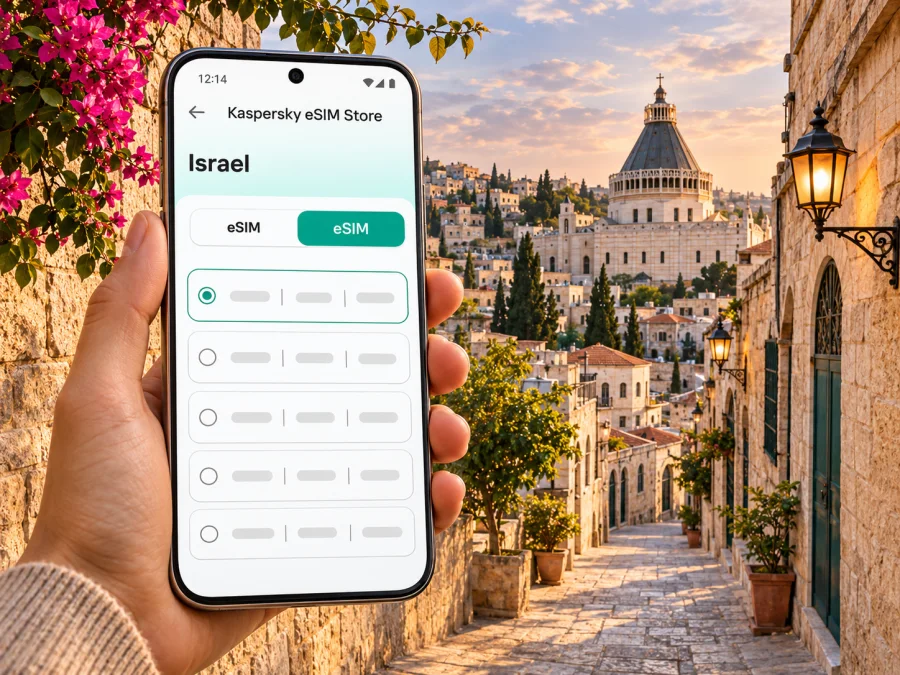
Nazareth eSIM: mobile connection and internet for your visit
Nazareth is a hillside city in the Lower Galilee, known for its historic Old City and major Christian sites. A day here can move quickly from an airport transfer or hotel check-in to a steep walk between churches, the market, cafés and viewpoints. A travel eSIM can make that day easier to organize: it gives a compatible, unlocked device a way to use mobile data without swapping out its physical SIM. The exact service, network access and validity depend on the plan you select and the local network available where you are.
This guide focuses on practical mobile internet in Nazareth: getting oriented after arrival, planning walks, choosing a data allowance, and preparing an eSIM before you travel. It does not assume that every phone, plan or network will behave the same way. Check the current terms shown for the selected plan and keep another way to reach essential travel information.
Why mobile data helps in Nazareth
Nazareth rewards an unhurried visit, but its topography and layout make a live map useful. The historic center has narrow lanes and changes in elevation; a destination that looks close on a map may involve stairs, a slope or a longer route around the hill. Mobile data can help you check walking directions, confirm a meeting point, message your accommodation and look up whether a site is open before setting out.
A connection can also be useful for practical details that change during a trip:
- checking a bus departure or an updated route before leaving your hotel;
- locating a pickup point when a driver asks you to meet on a different street;
- confirming a reservation, address or opening notice;
- translating a short message or reading current visitor information;
- contacting family or colleagues through internet-based messaging;
- finding a nearby café or pharmacy while you are away from your accommodation.
A travel data eSIM is not automatically a replacement for your regular mobile line. Unless the plan explicitly says otherwise, assume it is for mobile data rather than a local phone number, conventional voice calls or SMS. Keep your home SIM active if you need calls or verification messages, and check its roaming settings and charges with your existing provider.
Plan the first hours after arrival
If your international arrival is through Ben Gurion Airport, plan the onward journey north by road or public transport. The route and connections depend on your arrival time, current service, day of the week and final address. Check a live journey planner before departure and again after landing; do not rely on an old screenshot of a timetable. The airport has train, bus and taxi information, while the onward journey to Nazareth may require a connection. If you arrive late, have mobility needs or are carrying substantial luggage, compare the full door-to-door options in advance.
Before leaving the airport, save your accommodation address, booking confirmation and onward route for offline access. An offline map and hotel phone number are useful backups if the eSIM has not connected yet or plans change.
In Nazareth, use maps alongside local signs and directions. Old City streets can be steep, and a car route may not suit pedestrians. For a pickup, share a recognizable landmark or location pin and confirm the meeting side of the road.
Match the connection to the day
| Visit pattern | Where data is most useful | What to prepare |
|---|---|---|
| Short stop between transfers | Finding the accommodation, checking onward transport, messaging a host | Save the address and next departure details before arrival |
| Pilgrimage or heritage visit | Walking between sites, checking service times, coordinating with a group | Build in time for hills, queues and possible schedule changes |
| Work trip | Email, calendar, maps and messages between meetings | Confirm the plan’s allowance and whether tethering is permitted |
| Family visit | Shared locations, calls through messaging apps, transport coordination | Keep a charging option and a backup contact method |
| Road trip in the north | Navigation between Nazareth and other stops | Check that the plan covers the whole route, not only the city |
Walking the Old City without losing your bearings
Several of Nazareth’s best-known places sit close enough to combine on foot, but the walk between them can still feel demanding. A local pilgrimage planner groups the Basilica of the Annunciation, the Greek Orthodox Church, Mary’s Well and the Old City into a walkable itinerary; it also cautions that the streets rise and fall and that walking estimates need extra allowance. Treat any route time as a starting point. Heat, crowds, stairs, a slow visit or a closed entrance can change the day.
For a first visit, pick one central landmark as your reference point. The Basilica of the Annunciation is a useful orientation stop; from there, you can plan a short loop toward nearby churches, Mary’s Well and the market rather than trying to cover every site at once. Save the location of your hotel and the next meeting point. If your group splits up, agree on a simple rendezvous point before moving into crowded or narrow streets.
The Old City market is a working part of the city as well as a visitor stop. Opening hours can vary by business and day, so check locally rather than assuming every stall follows the same schedule. Use your connection to find the route back, but give yourself time to browse and ask shopkeepers about the best way through the lanes. A map may show a short line while missing a staircase or steep passage; if the route looks uncomfortable, choose a gentler approach or ask for directions.
Religious sites may have services, special schedules or visitor rules. Confirm opening information for your date, dress respectfully and keep phone use discreet during worship. If you are visiting with a guide, download or screenshot the itinerary in advance so the group can continue even if mobile data is temporarily unavailable.
Choosing an eSIM plan for Nazareth and the rest of your route
Nazareth is a city, while most travel eSIM plans are organized by country or region. When reviewing a plan, check its stated destination coverage for Israel and any other places on your itinerary. A city name in a search does not by itself establish that a particular plan covers the city, and a country plan should not be assumed to include neighboring markets. The plan’s current terms are the deciding reference.
You can review available eSIM options for Israel and compare the details shown for each plan. Kaspersky eSIM Store is a website and app where you can choose, purchase and activate an eSIM with a suitable data plan for an international trip. Availability and plan terms can change; confirm the destination, amount of data, validity period, price and any usage conditions on the plan screen before completing your selection.
Estimate data from what you will actually do. Maps and messages usually need less data than repeated video calls, cloud photo backups or streaming. If you plan to work remotely, upload media or use your phone as a hotspot, check whether tethering is allowed and whether the data allowance is sufficient. A smaller allowance may suit a short visit with offline maps prepared; a longer stay or multi-stop itinerary may call for more data. There is no universal “right” amount because usage habits differ.
| What to compare | Why it matters for a Nazareth visit |
|---|---|
| Destination | Verify that Israel is explicitly included in the selected plan |
| Validity | Match the active period to your dates and the plan’s activation rules |
| Data allowance | Account for maps, messaging, work, photos and hotspot use |
| Network and speed terms | Read any stated limitations; availability can vary by location and conditions |
| Activation instructions | Know whether the plan starts at installation, first connection or another stated event |
| Tethering and restrictions | Confirm these if you expect to share data with a laptop or another device |
| Price and top-up terms | Review the current amount and what happens if you need more data |
For a route that includes Nazareth and other stops in Israel, compare the plan’s country coverage against every destination, not only the first city. If your journey crosses a border, verify coverage separately for each country and allow for different networks, rules and plan validity. Avoid choosing by headline data volume alone: a plan that has more gigabytes may not suit a shorter visit, while a very small allowance may run out quickly if you stream or upload heavily.
Check your device before buying
An eSIM works only when the particular device variant supports eSIM and is not restricted by a carrier lock or other limitation. Support can differ between regional versions of the same phone family. Do not infer compatibility from a model name alone: check your device settings or manufacturer documentation for the exact model and country variant. Check whether your device supports eSIM before purchase.
Also confirm that you can install a new mobile plan. Some devices need a Wi-Fi connection during setup, and some plans provide a QR code that must be scanned from another screen. If your phone is the only screen available, check whether manual installation is offered. Keep the QR code private and do not delete the eSIM profile after installation unless the plan instructions tell you to do so; deleting a profile can make reinstallation difficult or unavailable.
Before the trip, review these items:
- your exact phone model and regional variant support eSIM;
- the device is unlocked for use with another mobile plan;
- the operating system is up to date enough for the manufacturer’s eSIM process;
- you can access the account, email or QR code used for installation;
- the selected plan covers Israel and matches your dates;
- you know when validity begins and how to select the eSIM for mobile data;
- your regular line’s roaming and data settings are understood.
Install and activate before you need directions
If practical, install the eSIM while you have stable Wi-Fi and time to follow the on-screen instructions. You can usually leave the travel line switched off until you are ready to use it, but follow the specific plan instructions because activation rules differ. Some plans begin their validity only after connecting to a supported network; others may start at a different point. Read the terms before installation and before turning on data roaming for the travel line.
A simple preparation sequence is:
- Check compatibility and confirm the plan destination and dates.
- Open the eSIM details in your account or app and keep the installation instructions available.
- Add the eSIM in your phone’s mobile network settings by following the provided steps or scanning the QR code.
- Label the line clearly, for example “Travel”, so you can distinguish it from your primary SIM.
- Choose which line will handle mobile data and review data roaming settings for that eSIM as instructed by the plan.
- When you are ready to connect, enable the travel line and allow time for registration; connection may take several minutes and depends on the device and local network.
- Check that maps or a simple webpage load before relying on the connection for navigation.
For step-by-step help, use the Android eSIM installation guide or the iPhone and iOS eSIM installation guide. Menu names vary by operating system version and manufacturer, so use the guide that matches your device. Do not remove your usual SIM or erase an eSIM profile simply to troubleshoot unless you understand the consequences and have the correct reinstallation instructions.
If the eSIM does not connect, check the basics calmly: confirm the travel line is enabled, mobile data is assigned to the intended line, the plan is active and valid, and the device is in an area with service. Review any plan-specific roaming setting. Restarting the phone may help it register again, but it is not a guarantee. If the issue continues, use the plan’s support route and keep Wi-Fi available as a backup.
Quick checklist before leaving your accommodation
- [ ] Phone charged; travel eSIM line and mobile-data selection checked.
- [ ] Today’s route, opening details and next transport connection reviewed.
- [ ] Hotel address and contact information saved offline.
- [ ] Water, comfortable shoes and extra walking time planned for hilly streets.
- [ ] Data allowance is being used as expected; large backups or downloads are paused if needed.
- [ ] A backup contact and return route are available without mobile data.
Frequently asked questions
Does an eSIM for Israel necessarily work in every part of Nazareth?
A plan’s destination and partner-network terms determine where it is intended to work. Local service can vary by location, building, device and network conditions. Check the plan details and treat coverage statements as subject to those terms; no city guide can promise a signal at every indoor or outdoor location.
Can I use the eSIM for regular calls and text messages?
Do not assume so. Travel eSIM plans may be data-only and may not include a local number, standard voice calls or SMS. Check the specific plan description. Internet-based calls and messages can work through apps when you have data and the other person can use the same service.
What if my phone supports eSIM in one country but not another?
Device capability can vary between regional variants, even when model names look alike. Check the exact model identifier and manufacturer guidance, then confirm the device is not carrier-locked. Do this before selecting a plan.
What should I do if data stops working in the city?
Check that the plan is valid, the eSIM line is enabled and selected for mobile data, and any required settings match the plan instructions. Move to a different location and try again. If you still cannot connect, use Wi-Fi for support and keep your offline directions available.
Prepare your Nazareth connection
A little preparation makes it easier to focus on the city: confirm your phone can use eSIM, choose a plan whose current terms include Israel, save key addresses, and install the profile with enough time to troubleshoot. During the visit, combine live mobile data with offline maps and current local information, especially when walking the steep lanes of the Old City or connecting to transport.
When you are ready, choose an eSIM plan for your trip to Israel through Kaspersky eSIM Store. Review the destination, data allowance, validity, price and conditions on the plan page, then follow the installation instructions for your device. That way, your mobile connection is planned around your itinerary and the terms you selected.


