Travel connectivity guide
Nazca eSIM: Mobile Internet in Peru
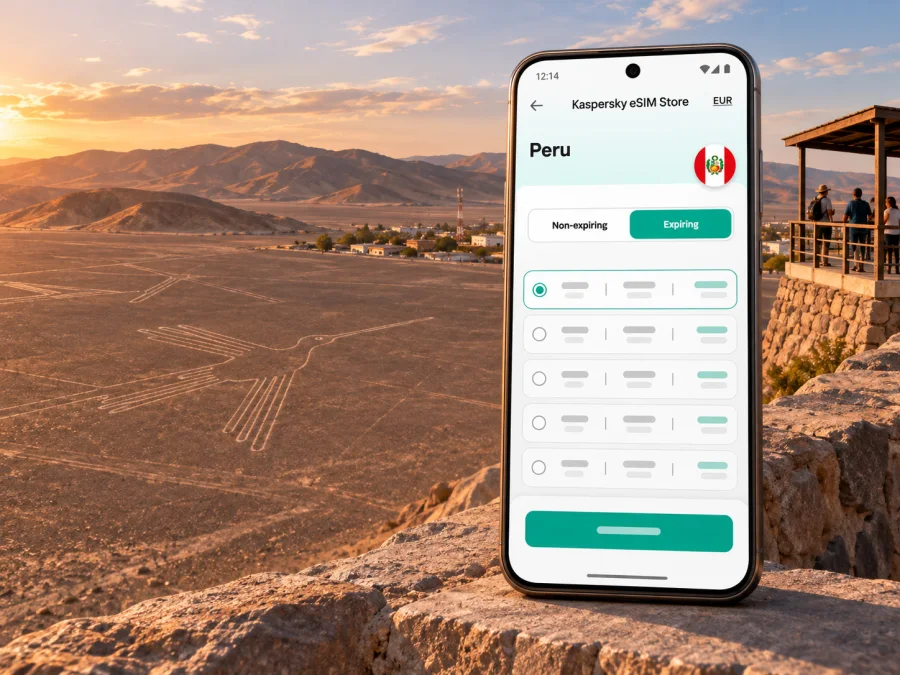
Nazca eSIM: mobile connection and internet for your trip
Nazca is a small city in Peru’s Ica region, set amid a dry coastal desert and best known as a base for exploring the Nazca Lines and nearby archaeological sites. The trip is not only about reaching a hotel and opening a map: visitors may arrive by road, arrange a transfer, travel outside the urban area for a flight or viewpoint, and continue onward along the southern coast. A travel eSIM can make it easier to use maps, bookings and messaging on your phone, provided the selected Peru plan, device and local network are compatible.
The key is to plan for the whole itinerary rather than assume that a signal in central Nazca guarantees service at every desert stop. Check the plan’s coverage area, data allowance, validity and activation conditions before purchase; save essential details offline; and keep your regular SIM available if you need its number for calls or verification messages.
Why mobile data is useful in Nazca
Nazca’s attractions are spread beyond the compact town center. You may need to coordinate with a hotel or driver, confirm a tour departure, find a meeting point, check a route, or let someone know when plans change. A working data connection is useful for those short practical tasks, even if you do not expect to spend the day streaming or browsing.
Common moments when a connection helps:
- Arrival and transfer: confirm your accommodation, share your location with a driver, or check a pickup message after a long road journey.
- Getting around town: use a map to locate your hotel, restaurants, a bus terminal, or the place where a pre-booked tour begins.
- Tour coordination: retrieve booking details, contact an operator, and check updated departure instructions. Keep the operator’s name and meeting time saved in your notes as well.
- Day trips: use navigation between the town and sites outside it, while remembering that mobile service can vary once you leave built-up areas.
- Travel onward: check reservations and route information for the next leg toward Ica, Lima, or another stop on your Peru itinerary.
The UNESCO-listed Lines and Geoglyphs of Nasca and Palpa are in the arid coastal plain roughly 400 km south of Lima. They form a large archaeological landscape rather than a single attraction beside a city street. That geography matters for connectivity: the town, a roadside viewpoint, a desert excursion and an aerial-tour departure point are separate places, and reception should not be assumed to be identical at each one.
Getting to Nazca and planning the first hours
Many visitors reach Nazca by road as part of a southern Peru itinerary. Peru’s official tourism information describes a route from Lima through Ica, with the Lima–Ica leg taking around four hours and the Ica–Nazca leg around two hours by bus or car. These are reference estimates, not a promise for a particular departure: schedules, traffic, road conditions and stops affect actual travel time. Check your transport provider’s current timetable and leave a buffer if you have a tour or onward connection.
Before departure, download your accommodation address, reservation number, and any ticket or tour voucher. If you expect to use navigation while travelling, download an offline map for the relevant area. A mobile connection is useful for live changes, but it is not a substitute for having the core route and booking details accessible without data.
On arrival, take a moment to establish where you are relative to your lodging and next meeting point. A simple sequence can reduce friction:
- Open your saved reservation and confirm the address and check-in details.
- Connect to mobile data only after checking that the travel eSIM is selected for data and has activated according to its instructions.
- Message your accommodation or transfer contact if the pickup arrangement needs confirmation.
- Save the location of the next departure point and a second way to reach it, such as a written address.
- Keep enough battery for navigation and coordination; a compact power bank is useful on excursion days.
If your phone has no service immediately after arrival, avoid repeatedly changing several settings at once. Confirm that the eSIM line is enabled, that data roaming is on for that line if the plan instructions require it, and that the correct line is selected for mobile data. Then wait briefly for registration or follow the plan’s troubleshooting guidance. Network selection and activation requirements depend on the specific plan and device.
Moving between town, viewpoints and archaeological sites
Nazca works best as a base for planned outings. The Lines may be viewed from designated towers, from elevated terrain, or from aircraft, and each option has a different meeting point and transport requirement. A live map helps you find a pickup point and communicate delays, but an aerial tour or a walk into a remote area should never depend on continuous phone coverage. Confirm departure details directly with the tour provider and follow local instructions at the site.
Peru’s official tourism site also highlights the Cantalloc aqueducts and Cahuachi as nearby experiences. These are excursions from town, not attractions to treat as interchangeable map pins. Ask your hotel or tour operator how transport is arranged, how long the visit is expected to take, and whether you will have time to return for another booking. Keep a screenshot of the meeting point and the operator’s contact details before leaving.
| Travel situation | What mobile data can help with | Useful backup |
|---|---|---|
| Walking around central Nazca | Finding an address, checking a booking, sending a message | Save the address and accommodation phone number in advance |
| Transfer to a tour or viewpoint | Navigation, pickup coordination, checking a change | Screenshot the meeting point and agree on a fallback meeting place |
| Visit outside town | Checking directions and sharing an update where service is available | Download an offline map; carry water and follow the guide’s instructions |
| Bus or car onward to Ica or Lima | Checking schedules and messaging contacts during the trip | Keep tickets and destination details available offline |
| Short stop between transport legs | Reopening reservations and arranging the next transfer | Store confirmations locally and preserve battery |
A coverage map is a planning aid, not a guarantee of uninterrupted service. Peru’s telecommunications regulator OSIPTEL offers a location-based map where users can view reported coverage by operator and technology. It distinguishes “guaranteed” coverage from broader total coverage, where service may be available with variable performance. For a route around Nazca, check the specific places you intend to visit and treat any map as an estimate: terrain, buildings, network load and the network used by a particular travel plan can all affect your experience.
The Peru plans currently shown in Kaspersky eSIM Store identify CLARO and MOVISTAR as local telecommunications providers. That describes the provider market listed for those plans; it does not establish which network will be available at a particular hotel, road segment or desert viewpoint. Check the provider information for the exact plan you select and compare it with the places on your itinerary.
Choosing a Peru eSIM plan for a Nazca itinerary
Start with the route. If your trip includes Nazca plus Lima, Ica, Paracas or other stops in Peru, confirm that the plan is valid across the country rather than for a narrower region. The country landing page is a place to review available Peru options; the plan details themselves determine where service is offered and what the package includes. Explore eSIM options for a trip to Peru.
Then estimate data use from your habits. Navigation, email, messaging and occasional browsing usually need less data than frequent video calls, uploading large photo files, or watching video over mobile data. Consider using hotel Wi-Fi for large uploads, but do not rely on public Wi-Fi for urgent navigation or time-sensitive coordination. If your route includes several days outside larger towns, plan some tasks offline and avoid choosing a package based only on the number of days it lasts.
Use this checklist to compare plan details shown at the time of purchase:
- Destination: Peru is included for the places on your route; do not infer coverage for neighboring countries.
- Validity: the activation or validity start rule fits your arrival date and the length of your trip.
- Data allowance: the amount is reasonable for maps, messaging and your own usage pattern.
- Network and technology: the listed local network and supported technology suit your destination and device; do not assume every plan uses the same operator.
- Tethering and calls: check whether hotspot use is allowed and whether the package is data-only. Unless a plan explicitly says otherwise, do not count on a local phone number, standard voice calls or SMS being included.
- Activation conditions: understand whether installation can happen before travel and when the package begins to run.
- Device status: the phone supports eSIM and is not locked in a way that prevents use with another plan.
Kaspersky eSIM Store is an app and website that lets you choose, order and activate an eSIM with a suitable plan for mobile internet on an international trip. It is not the mobile network itself. Service in Peru depends on the selected plan and its local network arrangement, the device, the exact location and current operating conditions. A plan’s country label alone is not evidence that every outlying site has signal.
Device compatibility and a sensible setup
Before buying, check the exact phone model and regional variant. eSIM support can differ between device families and versions sold for different markets, and some phones may be carrier-locked. Use the phone maker’s specifications for the precise model and confirm that the device can add an eSIM profile. Check whether your device supports eSIM. If the compatibility result is unclear, ask the device maker or your mobile provider before relying on the phone for the trip.
A dual-SIM phone may keep a physical SIM and eSIM available, though menus vary by model. Select the travel eSIM for data and consider disabling roaming on your home line to avoid unexpected charges. Keep your regular number enabled if needed, and check both plans’ terms: a travel eSIM may be data-only.
Install the profile when you have a stable internet connection and can follow the plan instructions calmly. Before scanning a QR code or using an in-app installation method, read whether the profile can be installed ahead of the trip and whether it can be installed only once. Do not delete an eSIM profile during troubleshooting unless the plan provider confirms that it can be installed again.
Installation steps
- Connect to reliable Wi-Fi and open the eSIM installation instructions that match your phone’s operating system.
- Add the eSIM profile using the method provided with your plan. Follow the on-screen prompts and label the line clearly, for example “Peru travel.”
- Keep your home line set for calls and texts if needed; select the travel eSIM for mobile data when the plan should be used.
- Enable data roaming for the travel line only if the plan’s instructions require it. This setting is specific to the eSIM line, so check the selected line before changing it.
- When you reach the destination, allow the phone time to register. If it does not connect, check the line selection and plan instructions before trying manual network selection.
Read the relevant Android eSIM installation instructions or iOS eSIM installation instructions before travel. Menu labels can differ by operating system version, manufacturer and regional variant, so use the instructions for your actual device rather than following a guide for a similar-looking phone.
Short stay, work trip or multi-stop route?
The right preparation depends on how you will spend time in Nazca. A one-night stop has different data needs from a longer visit with several excursions. The table below is a planning aid, not a promise about coverage or plan size.
| Trip style | Likely data tasks | Planning approach |
|---|---|---|
| One-night stop | Check in, confirm a tour, navigate to meals and transport | Save bookings offline and choose a plan whose validity covers the travel dates |
| Two or more excursion days | Maps, pickup messages, photos and schedule coordination | Allow for repeated navigation, keep offline copies, and review the package data limit |
| Work while travelling | Email, messaging, documents and perhaps calls over apps | Confirm hotspot rules and data allowance; use stable Wi-Fi for large files or long video calls |
| Road itinerary through southern Peru | Route checks and booking changes across several stops | Verify country-wide validity and do not presume the same signal in town and on the road |
| Family or group travel | Sharing locations and coordinating different arrival times | Agree on a meeting point and ensure each traveller has a working contact method |
For work, test any essential account login or two-factor method before leaving home. If a service sends a verification code by SMS, confirm which SIM will receive it and whether that line can receive messages abroad. Keep an offline copy of addresses and the next day’s schedule; an eSIM data package does not solve every account-access issue.
What to do if mobile data does not connect
A short troubleshooting sequence can identify the common setup issues without deleting the profile:
- Check the plan status. Confirm that the package is active or that its stated activation condition has been met.
- Check the selected line. Ensure the travel eSIM is enabled and selected for mobile data.
- Check the required roaming setting. Follow the plan instructions for the travel line, and make sure you have not enabled data roaming on the wrong SIM.
- Refresh the connection. Toggle airplane mode briefly or restart the phone, then give it time to register.
- Review network selection. If the plan instructs you to choose a network manually, follow that instruction exactly. Otherwise leave automatic selection enabled.
- Check the place and surroundings. Try again outdoors or in a location with a clearer signal, where safe to do so.
- Contact support over Wi-Fi. Keep your order details available and describe the phone model, location, selected data line and any error shown.
If you have no signal at a remote excursion point, use the offline information you prepared and follow your tour guide’s instructions. Do not drive, walk into an unfamiliar area, or leave a group while trying to force a connection. For urgent assistance, use the local emergency guidance provided by your host or tour operator.
Frequently asked questions
Is Nazca a city or the name of the archaeological site?
Nazca is a city in Peru’s Ica region. The Lines and Geoglyphs of Nasca and Palpa are a much larger archaeological landscape in the surrounding desert, not one monument in the city center.
Will a Peru eSIM work at every Nazca attraction?
No plan should be assumed to work everywhere. Check its specific Peru coverage and listed network, and remember that the town, road, desert sites and viewpoints are different locations. Coverage information is indicative and performance can vary.
Can I use a travel eSIM for ordinary calls?
Many travel eSIM packages are designed for mobile data. Check the exact plan terms for voice, SMS and phone-number inclusion. Internet-based calling and messaging apps may work over data, but they are not the same as standard cellular calls or text messages.
Should I install the eSIM before arriving?
Check the plan’s installation and activation rules. If advance installation is allowed, set it up over stable Wi-Fi and verify when validity begins.
Do I need internet to see the Nazca Lines?
No. The archaeological landscape is a physical destination. Mobile data is useful for arrangements, navigation and communication, but it does not replace tour arrangements, transport, a guide or offline preparation.
Can I rely on a phone map outside town?
Download the area in advance, confirm transport and meeting points with your operator, and carry key details offline. A map cannot guarantee connectivity or replace safe travel planning.
Prepare your Nazca connection
Before you leave, confirm the Peru plan’s route coverage, validity, data allowance, network details and activation rules. Check your exact device variant, install the eSIM according to its instructions, and keep maps and bookings available offline. In Nazca, use mobile data for coordination and navigation where service is available, while planning excursions as though the connection may become intermittent beyond town.
When you are ready, use Kaspersky eSIM Store on the app or website to review the current options and choose a plan that fits your Peru itinerary. Choose an eSIM plan for your trip to Peru, then check its terms before activation so your setup matches your dates, device and route.


