Travel connectivity guide
Negril eSIM: Mobile Internet for Your Trip
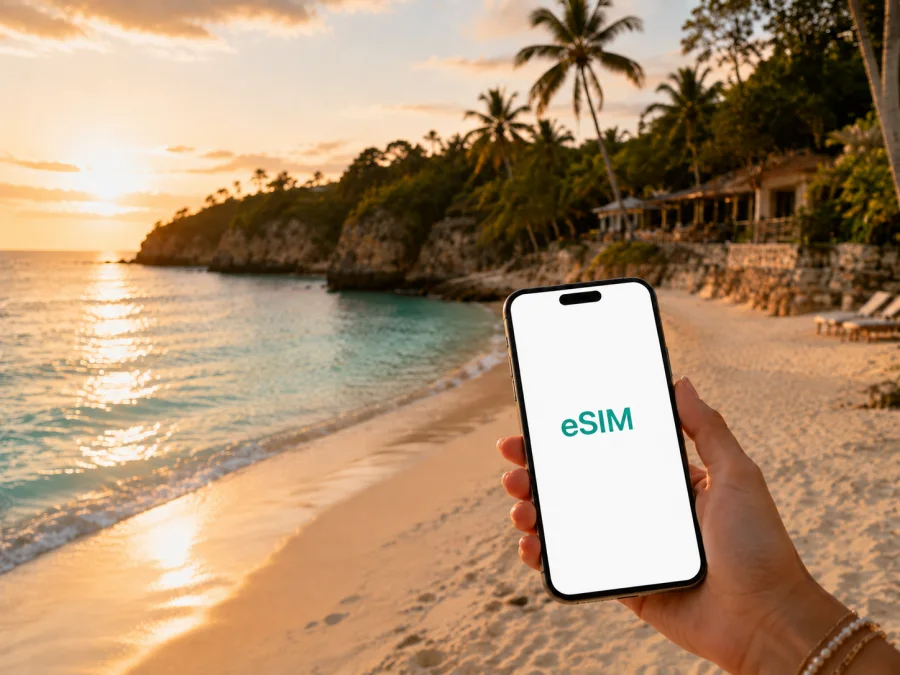
Negril eSIM: mobile connection and internet for your trip
Negril is a place where practical details should stay in the background: you arrive on Jamaica’s west coast, find your accommodation, walk towards Seven Mile Beach, and decide whether the afternoon is for swimming, the cliffs or a sunset. Access to maps, messages, bookings and transport details helps that relaxed rhythm. An eSIM, or digital SIM, can prepare mobile internet for the journey without requiring you to remove your physical SIM card.
This guide focuses on an eSIM in Negril, Jamaica. It covers arrival, movement between the beach road and West End, data choices, phone setup, work and day trips. Use the checks below before departure.
Why mobile internet matters in Negril
Even a slow-paced holiday creates moments when you need data. You may confirm a transfer after landing, message your hotel, check a map while walking along the coast, contact a driver, or open a reservation before leaving the property. If your plans include an excursion or a change of accommodation, online access helps you keep the day flexible.
An eSIM can give you a data option to prepare before the trip or activate after arrival while your regular SIM remains in the phone if dual-SIM use is supported. This is a travel data setup, not a replacement for every communication service. A selected eSIM plan is generally intended for mobile internet; a regular phone number, voice calls and SMS are not included unless its conditions say otherwise. Internet-based messaging and calling apps can work when they are configured and you have data.
Arrival in Negril: plan the first connection
A common arrival pattern is flying into Sangster International Airport near Montego Bay and continuing to Negril by road. The route and duration depend on traffic, weather, time of day and the transfer you arrange. After landing, you may need to find a meeting point, message a driver, check the accommodation address and share your arrival status.
Prepare your phone in two stages. Before the flight, when you have dependable internet, install the eSIM if the plan allows pre-installation, save its QR code or activation details, and download essential information. After landing, select the Jamaica eSIM for mobile data and check that the phone has registered on an available local network according to the plan instructions. Keep your primary line available only as intended, and review data settings for each line.
The first-hour checklist
- Keep the accommodation name, address and booking reference in an offline note.
- Save the contact details and meeting instructions for the transfer.
- Take a screenshot of the airport pickup information.
- Charge your phone; a portable charger is useful during the road transfer.
- Confirm which line is selected for mobile data.
- Check the route to the beach area, West End or your property.
- Send a short message to your companion or host once the connection is ready.
Negril’s areas and the connection tasks they create
The best data choice is shaped by where you spend time. A beachfront guest may use hotel Wi‑Fi for long calls and mobile data for messages, navigation and bookings. Someone staying near West End may move between cliffside restaurants, swimming spots and the town’s services. A traveller combining Negril with Montego Bay or another Jamaican destination should consider the whole itinerary.
| Negril setting | Typical online tasks | What to prepare |
|---|---|---|
| Seven Mile Beach and beach road | Maps, reservations, hotel messages, photos and chat | A moderate allowance for daily planning and sharing |
| West End cliffs | Driver messages, directions, venue details and weather checks | Room for navigation and intermittent outdoor use |
| Hotel or guesthouse | Check-in, Wi‑Fi login, work calls and itinerary changes | Offline documents plus mobile data as a backup |
| Transfer into or out of Negril | Meeting points, route updates and booking confirmations | Data ready before departure and key details saved |
| Day trip beyond town | Maps, tickets, messages and a return plan | Check Jamaica or regional scope and validity |
This table helps plan use; it is not a promise about signal in a particular building or on a particular road. Read the displayed destination, validity and traffic terms before choosing.
Choosing an eSIM plan for a Negril itinerary
Start with your trip rather than a data number. A short beach stay may need less traffic than a longer route with frequent navigation, photo sharing and work. A large allowance is not automatically right if your accommodation has suitable Wi‑Fi and you limit streaming.
Ask five questions before choosing:
- How long will you need data? Match validity to the Negril stay, transfer days and any onward travel.
- Where will you go? Confirm that Jamaica is the destination and that the plan fits your full route.
- What will you do online? Messages and maps use less data than video calls, streaming or constant uploads.
- Will you work? Count email, cloud documents, authentication and calls separately from sightseeing.
- What if plans change? Read the validity, top-up and refund conditions shown for that plan; do not assume they are identical across options.
Typical data scenarios
Short beach stay. Maps, messages, transfer coordination and selected photos may fit a smaller allowance when large downloads and streaming are avoided.
Longer route or work trip. Include movement between the beach and West End, airport transfers, accommodation changes, email, documents and calls. Check that the plan’s Jamaica or regional scope covers the route and all dates; save important files offline.
How Kaspersky eSIM Store fits the preparation
Kaspersky eSIM Store is an app and website where you can choose, arrange and activate an eSIM with a suitable plan for mobile internet during an international trip. For Negril, use it to select Jamaica, review the conditions displayed for an option, and prepare the eSIM profile for your compatible device. It helps organise the selection and activation flow; the actual experience depends on the selected plan, local network and phone.
When you are ready to review the destination options, you can choose an eSIM plan for a trip to Jamaica. Confirm the validity period, data volume and activation instructions before travelling. This is the country destination for a stay in Negril.
Install an eSIM before departure or after arrival
Installation is easiest when the phone is charged and connected to dependable Wi‑Fi. Read the instructions supplied with the profile and avoid deleting your primary line before you know which number you need. If the profile uses a QR code, have it available on another screen or use the installation method supported by your device.
Before choosing a plan, check that your phone supports eSIM and is not locked to an operator; check your device compatibility. Models can differ by region. A dual-SIM phone may also limit how many profiles are stored or active, so check its settings before travel.
A clear installation sequence
- Check the conditions. Confirm compatibility, an unlocked device and internet access for installation.
- Open mobile settings. Select the option to add a digital SIM or eSIM.
- Scan or enter the profile. Use the QR code from the email or profile area, or follow the alternative device steps.
- Label the line. Use a name such as “Jamaica data” so it is recognisable.
- Choose the data line. Set the Jamaica eSIM as the line for mobile data when ready.
- Review the primary line. Decide whether your home line remains available for calls and messages.
- Test at the right time. Check whether validity begins with installation or activation.
- Wait for registration. Connection can take a few minutes and depends on the phone and local network.
For platform-specific steps, use the Android installation instructions or the iOS installation instructions. Menus differ between manufacturers and operating-system versions. On some phones, data roaming must be enabled for a travel eSIM; follow the selected plan instructions.
If the eSIM does not connect immediately
Confirm that the eSIM is switched on and selected for mobile data, and that airplane mode is off. Move to an open area if you are inside a thick-walled building, then allow a few minutes for registration. Check the plan destination, validity and data setting required by the instructions.
Do not delete the profile as a first response because installation or transfer limits may apply. If the issue remains, use the support route supplied with your purchase and have the device model, selected plan and exact error message ready.
Hotels, work and transport in Negril
Divide tasks between Wi‑Fi and mobile data. Use suitable hotel Wi‑Fi for large updates, application downloads, backups and video uploads. Use mobile data when walking, waiting for transport, coordinating a pickup or checking a reservation away from the property. This keeps the allowance focused on mobility.
For a business trip, test email, login approval, cloud documents and a short call before leaving home. Save meeting details offline and plan for a charged phone. For transport, save each accommodation address exactly as supplied, send pickup details while connected, and confirm the return plan before evening activities.
Reduce avoidable data use
- Turn off automatic app updates over mobile data.
- Pause cloud photo backup until suitable Wi‑Fi is available.
- Download playlists, language tools and large documents in advance.
- Close navigation when you reach the destination.
- Check which apps can use background data.
- Keep a reserve for the return transfer and an unexpected change.
Day trips from Negril
Negril is often a base for exploring western Jamaica. Some visitors stay around the beach and cliffs; others add water activities, inland attractions or a longer drive. Check the complete route, return timing and plan scope before relying on the connection.
Use mobile data for meeting points, booking confirmations, driver messages and directions. Save excursion details offline because a live connection may be less predictable on a winding road or at a remote attraction. If you travel in a group, agree who keeps the main booking and transport information.
An eSIM is one part of trip preparation. It lets you access information you have organised while away from your hotel, but it does not replace local travel judgement or an offline backup.
What to check before buying
Check the plan’s destination, data volume, validity and price. Read the details carefully if you are combining Negril with other locations or staying longer than expected; conditions can differ on expiry, top-up, transfer and refunds.
- [ ] Jamaica is shown as the destination.
- [ ] Validity covers arrival, the Negril stay and onward or return travel.
- [ ] The allowance matches maps, messages, bookings, photos and work.
- [ ] Your phone supports eSIM and is not operator-locked; check compatibility.
- [ ] You know when the profile should be installed and activated.
- [ ] You know which line will be used for mobile data.
- [ ] You have read the conditions for top-up, expiry, transfer and refunds.
- [ ] QR or profile details and transport information are available offline.
Consider price together with traffic volume and validity. eSIM may reduce roaming uncertainty, but it is not automatically the right fit for every itinerary.
Frequently asked questions about eSIM in Negril
Can I install the eSIM before flying to Jamaica?
Often you can prepare the profile before departure when the plan and device instructions allow it. Check when validity begins because installation and activation can be treated differently. Install with a stable connection and select the travel line for data when ready.
Should I keep my regular SIM in the phone?
That depends on your device and needs. With a compatible dual-SIM setup, many travellers keep the regular line for their usual number and use the eSIM for mobile data. Review roaming settings so the primary line does not become the unintended source of data.
Will an eSIM work in every hotel and on every road near Negril?
No connection can be guaranteed in every building or location. The result depends on the plan, local network, device, indoor construction and terrain. Download important information, keep the phone charged and use hotel Wi‑Fi when appropriate.
A simple Negril connection plan
Before departure, confirm the destination, dates and device compatibility. Choose traffic volume around the itinerary, save the plan and transfer details, then install the profile when the instructions and validity terms make sense.
On arrival, select the Jamaica eSIM for mobile data, check the settings, allow a few minutes for registration, and test a map and message. During the stay, use mobile data for movement, Wi‑Fi for large files, and offline notes as a backup. Before each outing, check the return route, meeting point and battery level so you can enjoy Seven Mile Beach, West End and Negril’s slower pace with fewer last-minute searches.
Choose your plan for Jamaica
When your device and itinerary are ready, select an eSIM plan for Jamaica and prepare your Negril trip. Kaspersky eSIM Store helps you choose, arrange and activate an eSIM with a suitable plan for mobile internet during an international journey. Review the displayed data volume, validity and conditions, then follow the installation steps for your phone.


