Travel connectivity guide
Neiafu eSIM: Mobile Internet in Tonga
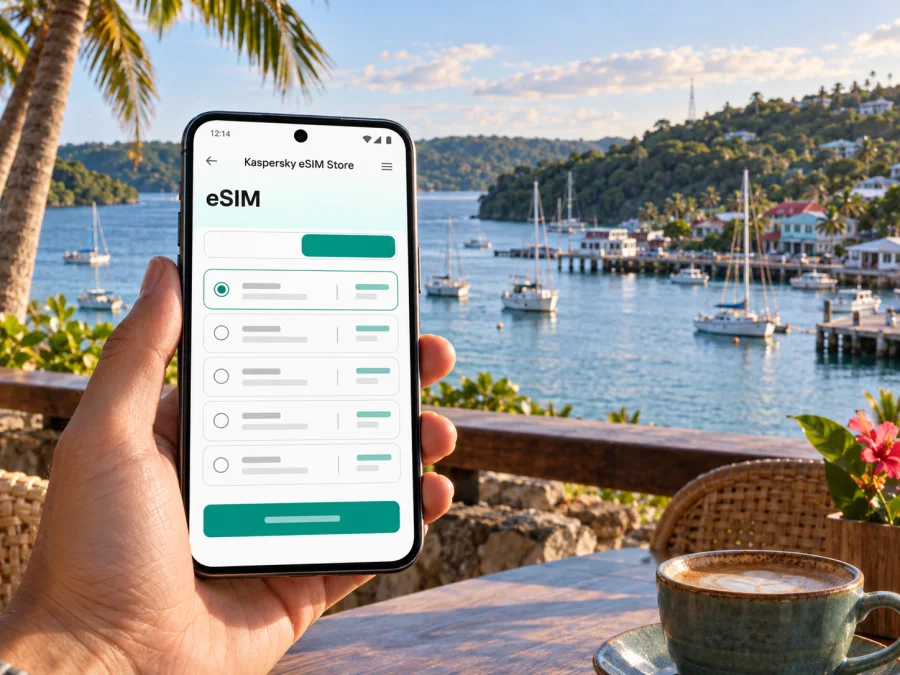
Neiafu eSIM: mobile connection and internet for your Tonga trip
Neiafu is the main town of Vava’u, set beside the sheltered Port of Refuge. A visit may begin with a flight, a yacht arrival, or a transfer from another island, then unfold through a compact waterfront centre, local roads, village stops, and boat trips into the surrounding islands. A working mobile connection helps you check arrangements, message a host, find a meeting point, and keep navigation details close at hand while you settle in.
An eSIM can be useful when your phone supports it and the selected plan covers Tonga. It lets you install a mobile plan digitally, without inserting another physical SIM. Before choosing one, check the country, data allowance, validity period, activation conditions, and device support shown for the plan. The eSIM handles mobile data according to those terms; voice calls and text messages may depend on your usual SIM or on apps that use an internet connection.
Getting your bearings in Neiafu
The town centre faces the harbour, and much of a short visit naturally revolves around the waterfront, the wharves, nearby shops, cafés, accommodation, and the roads leading out toward villages and viewpoints. Port of Refuge is a useful orientation point: boat operators and visitors use the harbour, and the town’s streets rise away from the water. If you are arriving by boat, confirm the exact wharf or dinghy landing point with your host or skipper. A business name or “Neiafu” alone may not identify the right pickup spot.
Lupepau’u Airport serves Vava’u and is outside the town. Tonga Tourism’s visitor map places it about 9.5 km from Neiafu. Arrange your transfer with your accommodation or airline before travel, and confirm the meeting place and payment method. A map pin can help both sides agree where to meet, but keep the written address, contact number, and transfer details available offline in case you cannot connect immediately.
The harbour, market, accommodation, and transport information may be described with slightly different spellings of Tongan place names. Save the spelling your host uses, along with a screenshot or pin. If you need directions, show the destination to your driver or ask locally rather than relying on a street name alone.
First-hour checklist
- Confirm that your phone is charged and that its date and time are set automatically.
- Save your accommodation name, contact details, and transfer instructions.
- Download an offline map covering Neiafu and the places you expect to visit.
- Keep your passport, booking details, and any travel documents accessible without a data connection.
- Check whether the mobile plan you selected includes Tonga and when its validity starts.
- Leave your home SIM settings as intended for calls and messages, and check which line is selected for mobile data.
Moving around town and the harbour
Walking is practical for exploring the central waterfront and nearby businesses, though the route may include slopes, uneven surfaces, or heat and rain. Wear shoes suited to the day and allow extra time when you have luggage. Use navigation to understand the general direction, then confirm the final turn with your host or a local person. A map can show roads and approximate distances, but it cannot tell you whether a gate is open, a path is private, or a business has changed its entrance.
For a trip beyond the centre, ask your accommodation about available taxis, pre-arranged rides, bicycle rental, or local transport. Availability and timing can vary, so agree on pickup, destination, fare, and return plan before setting off. If you are hiring a bicycle or vehicle, follow the provider’s instructions and local road conditions. Don’t assume that a service you used on a previous day will be available at the same time the next day.
Boats are part of everyday travel around Vava’u, especially when visiting outer islands, coves, beaches, or tour sites. Confirm the departure wharf, boarding time, return time, and what happens if weather changes. Save the operator’s number and your accommodation contact. If a trip is organized through a skipper or guide, follow their advice about safe boarding and the day’s route; a phone map is not a substitute for local navigation on the water.
| Journey | Useful preparation | How your phone can help |
|---|---|---|
| Airport to accommodation | Confirm the transfer in advance and agree on a meeting point | Keep the host’s message, map pin, and booking details available |
| Waterfront to a central shop or café | Check the name and opening time directly with the venue | Use a map for orientation and message someone if plans change |
| Neiafu to a village or viewpoint | Ask locally about the route and return transport | Save the destination and an offline map before you leave |
| Harbour to an outer island | Confirm the wharf, boat, schedule, and weather plan with the operator | Keep contact details and booking messages accessible |
| A full day away from town | Share your general itinerary with your host or travel companion | Use mobile data when available; retain offline directions and emergency details |
Planning mobile data for a Vava’u itinerary
The best data allowance depends on how you travel. A visitor who mainly checks messages and uses saved maps has different needs from someone who uploads photos, streams video, joins online meetings, or works from a laptop. Consider the whole Tonga portion of your itinerary, including time spent outside Neiafu, rather than estimating only from the first day in town.
Before purchase, compare the plan’s data allowance and validity with your travel dates. Check whether its validity begins at installation, activation, or first connection, because plan terms can differ. Read the details for the destination and supported network conditions shown at checkout. Do not assume that a plan includes voice calls, SMS, tethering, or service in every part of Vava’u unless its terms say so.
You can compare eSIM options for Tonga in Kaspersky eSIM Store, a website and app for selecting, arranging, and activating an eSIM with a suitable mobile data plan for an overseas trip. Review the plan conditions before confirming, and keep your existing line available if you need it for calls, account verification, or messages.
Choose data by your actual use
| Your likely use | What to account for |
|---|---|
| Messages and directions | Messaging is usually light, but map tiles, image messages, and location sharing add data |
| Photos and social posts | Uploading images uses more data than viewing saved pages; wait for Wi-Fi if you prefer to conserve it |
| Video calls or remote work | Calls can consume data quickly and need a sufficiently stable connection; plan a backup place to work |
| Boat and day tours | Download maps and confirmations in advance, since mobile access may vary away from town |
| Longer stay with several islands | Estimate usage across the full itinerary and check the plan’s coverage and validity terms |
Download maps, booking details, and work files over Wi-Fi before departure. To conserve data, disable automatic app updates and limit background refresh for apps you do not need. Public Wi-Fi can be convenient, but access and login requirements vary; keep essential information saved locally.
Neiafu as a base: markets, viewpoints, and island departures
Neiafu is a practical base for time on land and at sea. The waterfront helps orient you to harbour activity, while local roads connect the centre to viewpoints and villages. Leave room for local advice, since excursions depend on weather and transport.
Utukalongalu Market is one of the town’s places to explore local produce and handicrafts. Market hours and activity can vary, so ask locally about the best time to visit rather than assuming every stall is open throughout the day. If you plan to buy something or meet a guide there, agree on a recognizable entrance or landmark. A saved map point and a short message can prevent confusion when several people use the same general meeting area.
Mount Talau is a local landmark west of Neiafu. Tonga Tourism’s visitor map gives its height as 131 metres and places it about 2 km from town. If you plan to walk there, confirm the current access route and conditions with a local source, bring water, and arrange how you will return. Use a map as a planning aid, not as a promise that every trail or access point is open.
Excursions may include island visits, gardens, caves, snorkeling, sailing, fishing, or seasonal whale watching. Confirm the meeting point, duration, equipment, weather policy, and payment with the local operator. Protect your phone from water and save key instructions offline before leaving town, since data access can vary on boats and remote stops.
A simple day plan
- Check the day’s weather and confirm the departure with your guide or skipper.
- Save the departure point, return time, and accommodation contact on your phone.
- Download the map and any booking information while connected.
- Tell a travel companion or host where you expect to go.
- Carry water, sun protection, and a waterproof pouch if your activity requires it.
- Reconfirm the return arrangement before boarding or leaving the town centre.
This approach is useful whether the plan is a short walk, a market visit, or an island excursion. It keeps the phone helpful without making the day depend on continuous data.
Business travel and remote work
For a work trip, confirm the meeting location and connection options with your contact. Download files, keep addresses offline, and agree on a backup for important calls. A mobile plan may support email and messaging where its terms and the local network allow; check hotspot conditions before tethering a laptop.
Installing and activating an eSIM
Set up the eSIM while you have a dependable internet connection and enough time to follow the on-screen steps. The exact menus depend on your phone model and operating system. Check that your device supports eSIM, is not restricted from adding the plan, and has enough battery before beginning. Check your device compatibility before you choose a plan.
- Select a plan for Tonga and read its data, validity, activation, and network conditions.
- Complete the purchase in Kaspersky eSIM Store and follow the installation instructions provided for your device.
- Label the new line clearly, such as “Tonga data,” so you can distinguish it from your usual number.
- Keep your primary line selected for calls and SMS if you need it, and choose the eSIM for mobile data when appropriate.
- Follow the plan’s instructions for enabling data roaming or activating the line; settings vary by plan and device.
- After arrival, check the phone’s line and data settings. If it does not connect, follow the troubleshooting steps supplied with the plan before changing multiple settings.
For device-specific steps, use the Android eSIM installation guide or the iPhone and iPad eSIM installation guide. Do not delete an installed eSIM while troubleshooting unless the plan instructions tell you to do so; some plans may not allow the same installation code to be reused.
If mobile data is not working
Start with simple checks: confirm that the eSIM line is enabled, selected for mobile data, and configured according to the plan instructions. Check airplane mode, restart the device if appropriate, and verify that the plan is active and still within its validity period. If the phone displays a network but apps cannot connect, review data limits and app settings. Contact the plan’s support channel using the details supplied with your order, and include the device model and the steps already tried.
Use the plan’s instructions before changing network settings or deleting an eSIM. If you contact support, include your device model and steps tried; hide personal information in any screenshots.
Common questions about Neiafu eSIM
Will an eSIM work as soon as I land at Lupepau’u Airport?
That depends on the plan’s activation rules, device settings, and local network availability. Read the conditions before departure and install the eSIM while you have a reliable connection. Keep transfer details saved offline.
Can I use one plan on a boat and every island?
Do not assume so. Access can vary by location, network, device, and plan. Check the destination and conditions listed for the plan, download information in advance, and ask your operator how it handles changes during an excursion.
Should I keep my usual SIM active?
If you need your regular number for calls, messages, or verification, check whether your phone can use the physical SIM and eSIM for separate purposes. Confirm which line is selected for mobile data and check possible charges with your home provider.
What should I check before choosing a plan?
Confirm Tonga is included, compare data and validity with your dates, read when activation begins, and verify device compatibility. Check hotspot, voice, or SMS terms if you need those features.
A connection plan for Neiafu
Before leaving home, check eSIM support, choose a plan that lists Tonga, and review its activation details. Install it over a dependable connection, then save offline maps, accommodation and transport details, operator contacts, and work files. In Neiafu, use mobile data when it helps and local guidance for details a map cannot show; schedules and routes can change with conditions.
When you are ready, use Kaspersky eSIM Store to select, arrange, and activate an eSIM for your trip. Choose an eSIM data plan for Tonga after checking its terms, destination, data amount, and validity against your itinerary.


