Travel connectivity guide
Nettle Bay eSIM: Mobile Data for Saint Martin
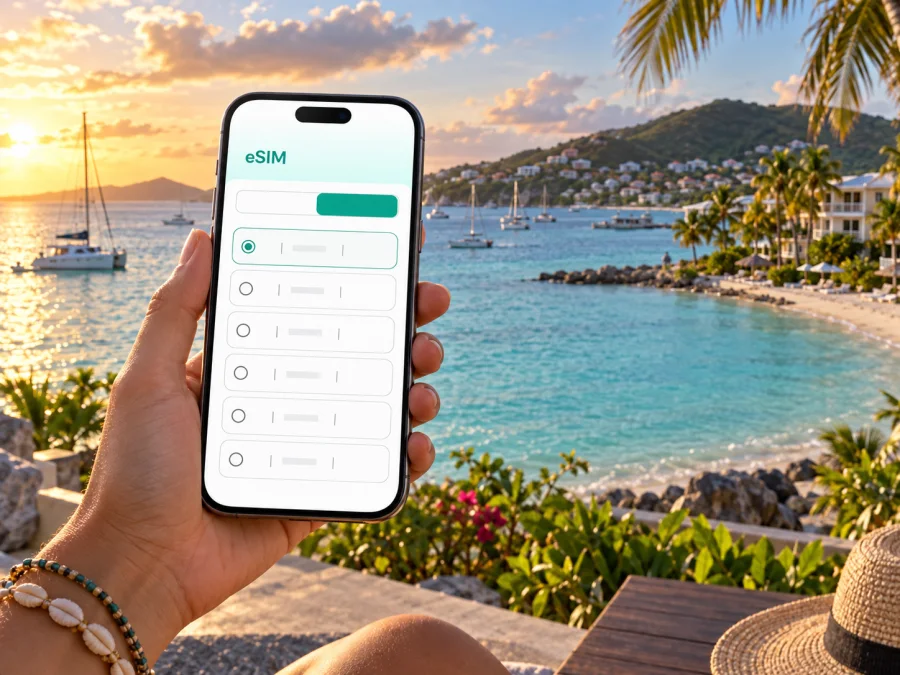
Nettle Bay eSIM: mobile connection and internet for your Saint Martin stay
Nettle Bay, also called Baie Nettle, is a coastal area on the French side of Saint Martin. It sits along the island’s western route between Marigot and the Lowlands, with the Caribbean Sea on one side and Simpson Bay Lagoon nearby on the other. That setting shapes the practical rhythm of a stay: beach time, restaurant and resort visits, drives toward Marigot, and occasional crossings toward the Dutch side all rely on knowing where you are going and how you will get there.
A mobile data connection can help you confirm a transfer, check a map, message your host, or look up details as plans change. Preparing an eSIM before travel gives you another way to access mobile internet without making a physical SIM purchase your first errand after landing.
What makes Nettle Bay a useful base
Nettle Bay is less like a dense city center and more like a coastal base with several distinct points of interest spread along the road. A hotel, apartment, beach access, restaurant, or lagoon-side marina may each be a short drive apart, but walking should not be assumed to be the easiest way to connect every stop. Pavements, shade, heat, bags, and the exact location of your accommodation all affect whether a route feels comfortable on foot.
The area’s geography also makes a map especially useful. The main road links the Marigot side with the Lowlands and the approaches to the Dutch side. A route that looks simple on a small screen may involve a turn, a driveway, or a coastal access point that is easy to miss when you are unfamiliar with the area. Save your accommodation pin and check the route before setting out, rather than waiting until you are standing beside the road.
Nettle Bay suits travelers seeking a coastal stay within reach of services and excursions elsewhere on the island. If your plans cross between the French and Dutch sides, group stops in a saved map list and recheck travel time before each departure; traffic can change the pace of island travel.
Arriving and finding your accommodation
Many international visitors arrive through Princess Juliana International Airport on the Dutch side. Grand Case–Espérance Airport serves regional routes on the French side. Which airport is relevant depends on your itinerary and airline, so confirm the airport code on your ticket instead of relying on a general search for “Saint Martin airport.” Nettle Bay is not directly beside either airport, and the transfer will include a road journey across the island.
Before boarding, save the full address and a map pin for your lodging. Ask your host which entrance or landmark is easiest for a driver to recognize: a property name alone may not be enough when nearby buildings have similar names or when an entrance is set back from the road. Keep the booking details available offline as well as in your inbox, and agree on the meeting point if your transfer is arranged in advance.
Before travel, save your accommodation pin and address, confirm the airport and transfer, and keep booking details and your host’s contact available offline. Once connected, send an arrival update if your driver or host expects one.
If you are renting a car, review the pickup instructions before leaving the airport area. Confirm where the vehicle must be returned and whether the rental office is at the terminal or reached by shuttle. If you are taking a taxi, show the driver the exact Nettle Bay pin and accommodation name rather than just saying “the beach.” A data connection is handy for checking messages and directions, but it does not replace confirming arrangements with your transport provider.
Moving between Nettle Bay, Marigot, and the rest of the island
For day-to-day movement, think in terms of destinations rather than assuming there is one central stop. Marigot is the nearby French-side hub for shops, services, the waterfront, and connections to other parts of the island. The Lowlands lie in the other direction, while Simpson Bay and the airport corridor are across the island’s shared road network. Grand Case and the island’s northeastern beaches are farther trips that need more planning.
Taxis and rental cars are useful when you have luggage, are traveling as a group, or want to visit several places in one outing. Local buses operate on the island, but routes, stopping points, and operating patterns can vary; ask locally which bus serves the road and destination you need, and allow flexibility rather than building a tight connection around an assumed timetable. A map helps you identify the right direction, while a quick message or call to your accommodation can clarify a stop or pickup point.
| Your plan | A practical approach | What to check on your phone |
|---|---|---|
| Dinner near your lodging | Ask the restaurant or host about the entrance and return transport | Pin, opening details, and a way to contact your driver |
| An errand in Marigot | Group several stops into one trip | Saved places and the route back to Nettle Bay |
| A beach day farther away | Confirm access and transport before leaving | Route, meeting point, and a return option |
| Crossing toward the Dutch side | Check destination and border-side place names carefully | Current route and the correct venue pin |
| Airport departure | Reconfirm pickup time and terminal details | Flight information, address, and driver messages |
The island is shared by the French collectivity of Saint Martin in the north and Sint Maarten in the south. Nettle Bay is on the French side, but a visit can easily include destinations on both sides. When searching for a business, marina, restaurant, or pickup point, include the specific district or side in your query; similar names can appear in different places. If you use navigation across the island, check that the map pin is the intended destination before starting the trip.
Staying connected around the beach, lagoon, and lodging
A day here may move from the shoreline back to your accommodation, then onward to a restaurant or meeting point. Mobile internet helps with practical details such as checking a reservation, messaging companions, or reopening a saved route. Do not assume every accommodation or outdoor area has the same Wi-Fi quality: ask your host what is available and use mobile data when you need a connection away from the property.
Prepare a compact offline fallback: your lodging address and check-in details, pins for planned outings, the number of your host or driver, and a screenshot of the way back. An offline map can help with orientation, but it may not include live traffic or updated business information. Protect your phone from water, sand, and direct sun, and keep it charged on longer outings.
Choose an eSIM plan for the way you travel
The amount of mobile data you need depends on the length of your stay, how often you navigate, and whether your accommodation has Wi-Fi. Someone who checks maps and sends messages has different needs from a traveler who streams video, uploads photos, or joins work calls. Before comparing options, list your likely uses and check each plan’s data allowance, validity, destination, and activation conditions.
If your itinerary includes both the French and Dutch sides of the island, read the destination details rather than assuming every plan treats the whole island identically. Check what happens when included data runs out and whether a top-up is possible. Kaspersky eSIM Store is an app and website where you can choose, purchase, and activate an eSIM with a suitable plan for mobile internet on an international trip. To compare options for this destination, review eSIM plans for Saint Martin.
| Compare | Why it matters |
|---|---|
| Validity dates | The plan should cover the days when you expect to use data. |
| Data allowance | Navigation and messaging differ from frequent video or work calls. |
| Destination terms | Confirm the places your island itinerary includes. |
| Activation timing | Check when validity begins and follow the plan instructions. |
| Device support | Confirm eSIM compatibility and any carrier lock before purchase. |
There is no single data amount that fits every traveler. Estimate from your usual use, add room for unplanned navigation, and use Wi-Fi for large downloads when practical. Your phone’s data-usage settings can help you keep track during the trip.
Set up before you leave
An eSIM setup is easier with stable Wi-Fi and time to review your order. Start by checking that your device supports eSIM. Support can vary by model, market, and carrier lock status; if you use a work phone, confirm that its settings allow adding a travel eSIM.
Review the plan’s destination, data allowance, validity, and activation instructions. Follow the guide for your operating system: setup steps for Android or setup steps for iOS. Keep access to your confirmation or QR code during setup. Do not delete an installed profile unless you understand the consequences and have checked the provider’s reinstallation guidance.
- Confirm eSIM support and that the phone is carrier-unlocked.
- Choose a plan that matches your dates and destinations.
- Install it over reliable Wi-Fi and label the line clearly, such as “Travel.”
- Review which line will handle mobile data and the plan’s roaming settings.
- Keep your usual SIM for services you still need; check home-carrier charges.
- Enable the travel eSIM according to its instructions, especially if validity starts at activation.
Menu names vary by device and operating system, so use the relevant guide if a setting looks different. Travel eSIM plans may be data-only; check whether calls or SMS are included. Internet messaging and voice apps can use data when both parties have access to them.
Three realistic connection scenarios
A short coastal stay: save your lodging pin, message the host on arrival, and use maps for a few outings. Compare validity with your travel dates and download key details before leaving Wi-Fi.
A week split across the island: check the selected plan’s destination terms, group visits by area, and save meeting points for Marigot, Simpson Bay, or other stops. Avoid assuming that every plan has identical terms across both sides.
A work stopover: confirm Wi-Fi arrangements at your accommodation before relying on it for calls. Use mobile data for travel coordination and check the allowance carefully if calls or uploads are part of the plan.
These are planning examples, not guarantees about coverage or speed. Signal can vary by location, buildings, terrain, device settings, and network availability. If data is unavailable, check the selected line and plan settings, then move to a more open area if practical.
A simple arrival-to-departure checklist
Before travel: save the exact lodging pin and check-in details; confirm your airport, transfer, and meeting point; compare eSIM destination, data, validity, and activation rules; install while connected to Wi-Fi; save essential information offline.
During the stay: verify the intended data line, save excursion pins before setting out, check the district and island side for each destination, and recheck transport for reservations or flights. Keep your phone protected from heat, water, and sand.
Before departure: reconfirm the airport and pickup time with your transport provider, keep flight details accessible, and switch data lines back to your preferred setting after the trip.
Common questions
Is Nettle Bay a city center?
It is a coastal area on Saint Martin’s French side rather than a dense downtown district. Places to stay, beach access, and restaurants are spread along the area, so plan transport between exact locations.
Which airport should I use?
Check your itinerary. Princess Juliana International Airport is on the Dutch side; Grand Case–Espérance Airport is on the French side and serves regional routes. Either way, reaching Nettle Bay involves a separate road transfer.
Can I get around without a rental car?
Taxis and local buses may suit some itineraries. Ask locally about current routes and stops, and leave extra time. A car can be convenient when you have several dispersed stops, but it is not the only option.
Will an eSIM give me a local number?
Do not assume so. Travel eSIM plans are often intended for data, and ordinary calls or SMS may not be included. Check the selected plan and keep your usual number available if you need it.
When should I install it?
Installing before departure can leave time to resolve setup questions over Wi-Fi. Follow the plan’s activation instructions and check when validity begins.
What if mobile data stops working?
Use saved pins and offline details, check the selected data line and connection settings, then try an open area. For a timed departure, keep a transport contact and pickup details available offline.
Prepare your Nettle Bay connection
A comfortable stay in Nettle Bay starts with practical details: the exact accommodation pin, a clear airport transfer plan, and realistic travel time between beaches, Marigot, and other island destinations. Mobile data can help you manage those details as the day unfolds, from checking directions to messaging a host or finding a meeting point.
Before departure, compare the available options and choose an eSIM plan that fits your dates and expected use. Kaspersky eSIM Store lets you select, purchase, and activate an eSIM for mobile internet on an international trip. Choose an eSIM plan for your Saint Martin visit and complete setup while you have reliable Wi-Fi, so your attention can stay on the coast when you arrive.


