Travel connectivity guide
New Orleans eSIM: Mobile Internet for Your Trip
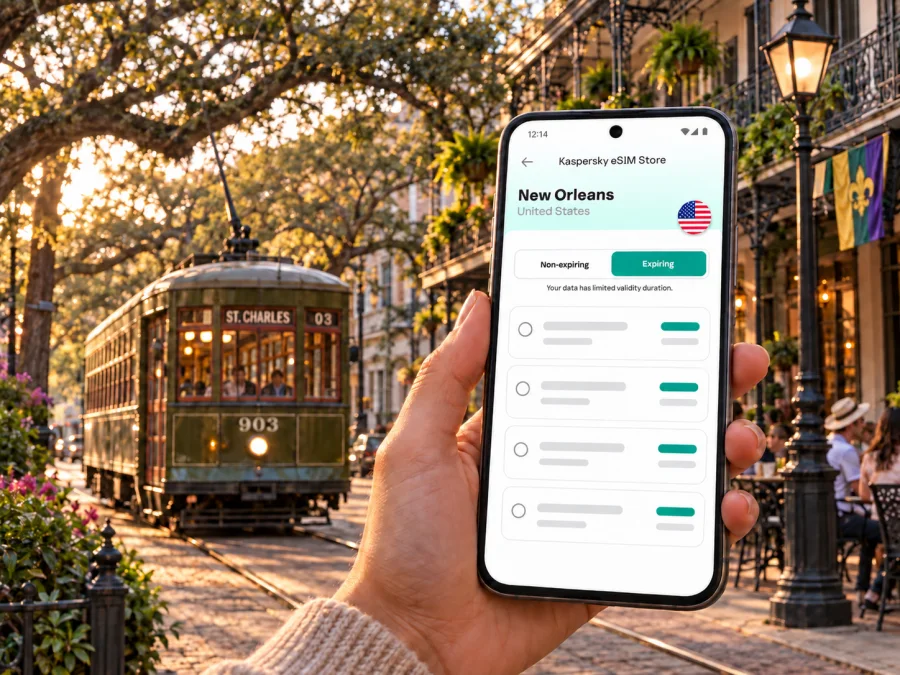
New Orleans eSIM: mobile connection and internet for your city trip
New Orleans rewards travelers who leave room for wandering. A morning may begin near the French Quarter, continue by streetcar beneath the live oaks of St. Charles Avenue, and end with dinner in the Warehouse District. Between those stops, a working mobile connection helps with maps, ride pickup points, transit updates, reservations and messages. An eSIM can make mobile internet easier to plan before you arrive, without swapping the physical SIM you use at home.
This guide focuses on the practical side of staying online in New Orleans: getting from Louis Armstrong New Orleans International Airport into the city, finding your way between neighborhoods, planning around streetcars and walks, and choosing a data amount that fits your trip. It also covers what to check before installing an eSIM and how to avoid relying on a connection for every part of your itinerary.
What mobile internet is useful for in New Orleans
The city is enjoyable at street level, but its districts do not all sit close together. The French Quarter and nearby Central Business District are compact enough to explore on foot, while a visit to City Park, Uptown, the Garden District or a hotel farther from the center may call for transit or a ride. A phone can help you compare routes, locate the correct stop, check a venue’s address and reconnect with companions after a busy event.
Mobile data is especially useful for:
- mapping a walking route through blocks with similar-looking streets;
- checking transit routes and service information before leaving your hotel;
- finding a ride pickup area at the airport or after an evening out;
- opening a digital hotel, restaurant or event reservation;
- messaging a host or colleague when plans change;
- translating a menu or reading practical information on the move;
- sharing photos and confirming the next meeting point.
A data eSIM is best understood as a way to access mobile internet while traveling. It does not automatically replace your usual number for voice calls or SMS. If you need to make a conventional call, keep your home SIM active if your plan allows, use a separate calling service, or confirm another option in advance. Many travelers use messaging and voice apps over data, but those still depend on an internet connection and the other person’s availability.
From Louis Armstrong airport to your first address
Louis Armstrong New Orleans International Airport (MSY) is in Kenner, outside the city center. The airport lists several ground transportation choices, including public transportation, ride apps, shuttles, taxis and rental cars. Your best option depends on arrival time, luggage, party size and where you are staying. Confirm the current pickup instructions and service details at the airport when you travel, since arrangements can change.
Before leaving the terminal, use your phone to check the exact hotel or rental address and save it somewhere you can open offline. If you plan to use a ride app, follow the airport signs and the app’s designated pickup directions rather than accepting unsolicited offers inside the terminal. If you are taking public transportation, verify the route and timetable for that day; do not assume a familiar route runs at the same frequency late at night or during a special event.
A simple arrival sequence can reduce friction:
- Connect to airport Wi-Fi if it is available and convenient, or use your active travel data connection.
- Confirm the full destination address, including the neighborhood and any entrance or building instructions.
- Compare the available options for the time you land and the amount of luggage you have.
- Share your ETA with the person meeting you, if applicable.
- Keep the map open until you have reached the correct pickup point or boarded the planned service.
Choose your base with the route in mind
New Orleans is not a single walkable strip. Picking a hotel around the places you expect to visit can save time and make daily navigation simpler. The French Quarter is close to the Mississippi River and many central visitor destinations. The Central Business District and Warehouse District sit just southwest of it, with hotels, restaurants, offices and event venues. The Garden District and Uptown extend farther along the St. Charles corridor; Mid-City offers access toward City Park and the museum area.
| If your plans center on… | What to consider when choosing a base | How your phone helps |
|---|---|---|
| French Quarter and riverfront | Walking access can be convenient, but check the exact block, noise expectations and luggage route. | Pin your hotel entrance and save nearby meeting points. |
| Central Business District | Useful for office visits, convention venues and connections toward the Quarter. | Compare walking, streetcar and ride routes for each appointment. |
| Warehouse District | Convenient for galleries, restaurants and venues south of the Quarter. | Keep reservation details and the route back to your lodging handy. |
| Garden District or Uptown | A longer ride from the Quarter; check proximity to the line or bus stop you expect to use. | Check stop names and walking distance at both ends. |
| Mid-City or City Park area | Can suit plans around the park, museums or a quieter stay farther from the riverfront. | Plan the return journey before heading out, especially in the evening. |
Streetcars, buses, ferries and walking
The streetcar is part of the city experience as well as a way to move between neighborhoods. The St. Charles line follows the avenue through Uptown toward the city center; Canal Street routes connect the downtown corridor with areas toward Mid-City and City Park. Routes, timetables and operating patterns can change, and service may be adjusted for major events. Read the current route information rather than relying on a screenshot from an old guide.
Use a map for the full journey, including the walk from the stop to your destination. Streetcar tracks and stop names are easy to recognize, but a route that looks direct on a map can still involve a long walk at the other end. In warm or rainy weather, the distance between a stop and a hotel may matter more than the ride itself. For an evening return, check the available service before you leave and keep a second option in mind.
The Mississippi River is a useful orientation point, but it does not make every destination a short walk. If you plan to cross the river or take a ferry, verify the route and departure information before setting out. Likewise, a rideshare pickup pin may land on the wrong side of a one-way street or a closed event perimeter. Share a nearby recognizable entrance or corner with your driver when that is clearer than the pin.
For a first visit, a day might combine a walk through the French Quarter with a planned trip along Canal Street or St. Charles Avenue. Another day could focus on the Garden District and Uptown, with a separate visit to City Park. These are examples rather than fixed itineraries: choose based on your interests, mobility needs and the current service schedule.
Plan your data around the trip
The right data amount depends on how you use your phone. A traveler who mainly checks maps, messages and occasional bookings may use less data than someone who uploads video, joins frequent video calls or streams entertainment on the go. Hotel and café Wi-Fi can reduce mobile use, but it should not be treated as guaranteed or suitable for every task. If you are working remotely, confirm your accommodation’s internet arrangements and have a mobile-data backup plan.
| Travel pattern | Typical data habits | Planning approach |
|---|---|---|
| Short city break | Maps, messages, confirmations and light browsing | Estimate the days you will be out and avoid streaming over mobile data. |
| Work visit | Maps, email, document access and occasional calls | Allow for work apps and check whether calls use substantial data. |
| Photo-heavy trip | Frequent uploads, social apps and cloud backup | Review automatic photo backups and upload large files on Wi-Fi. |
| Multi-stop itinerary | Navigation across the city and onward journeys | Include the full route, not only time spent in New Orleans. |
For a trip that also includes destinations outside New Orleans, consider the whole itinerary when selecting a plan. The route may involve other towns or travel days, and a city-only estimate can be too low. You can compare eSIM options for travel in the United States and choose a suitable option based on the plan details, including data allowance and validity. The country page is relevant because New Orleans is in the United States; it does not replace checking the conditions of the specific option you select.
Before you install an eSIM
Check that your phone supports eSIM and is not restricted by a carrier lock. Check whether your device supports eSIM before you choose a plan. Make sure you can access your account and the email or payment method needed to complete setup. If you use a work-managed phone, confirm that its administrator permits adding a travel eSIM.
Kaspersky eSIM Store is an app and website where you can choose, arrange and activate an eSIM with a suitable plan for mobile internet during an international trip. Review the destination, data amount, validity period and any activation instructions shown for the plan. The product is intended for mobile internet; do not assume a data plan includes a standard phone number, voice minutes or SMS unless its terms explicitly say so.
Installation and activation checklist
- Connect to reliable Wi-Fi before starting the setup.
- Open the plan details and read the installation and activation instructions.
- Add the eSIM to the device using the method shown for your phone.
- Label the travel line clearly so you can distinguish it from your home SIM.
- Choose which line handles mobile data, and check the plan’s guidance about data roaming.
- Keep your primary number settings as intended for calls and messages.
- After landing, enable the travel line when you are ready to use it and confirm that mobile data is selected for that line.
The precise screens vary by phone model and operating system. Use the relevant Android eSIM installation instructions or iOS eSIM installation instructions for device-specific steps. Follow the plan’s activation guidance: installing a profile and starting its validity may be separate events, depending on the plan. Avoid deleting an eSIM profile as a troubleshooting shortcut unless the instructions tell you to do so.
Business trips and event days
For a conference, client meeting or festival, save venue addresses and entrance details in calendar entries, then leave a buffer between appointments. Event days can bring route changes, crowds or pickup points that differ from usual; check current transit and event updates before setting out. For remote work, mobile data can support email and short tasks, while video calls and large transfers are better planned around a tested network. Download key documents in advance and keep meeting details available offline.
Short stopovers and onward trips
For a short stopover, choose one area to visit and account for transport in both directions, airport procedures and the time of day. Map distance alone does not show how much time the trip will take. Save your terminal details, destination address and return plan offline, and set a time to begin heading back.
New Orleans can also be a starting point for travel elsewhere in Louisiana or beyond. Check schedules for each leg and make sure the selected eSIM plan covers every destination and travel day. Do not assume plans share the same coverage or validity; read the terms for the option you choose.
Common questions
Can I use an eSIM just for maps and messaging?
Yes. A data eSIM can support internet-based maps, email and messaging. It does not automatically include a regular phone number, voice minutes or SMS; check the plan terms.
Should I install the eSIM before arriving?
If the plan allows it, setup over reliable Wi-Fi before departure can make arrival simpler. Read when validity begins and when to enable the line. Follow the Android installation instructions or iOS installation instructions for your device.
Do I need mobile data to ride the streetcar?
Not necessarily. Check current RTA payment and service information before traveling. Mobile data helps with route updates and app-based payment, but save key details in case your battery or connection is unavailable.
Is the French Quarter close to every major attraction?
No. Uptown, City Park and other destinations require additional travel. Check the route from your actual lodging, including the walk at each end.
A connected New Orleans itinerary
Before the flight, choose a hotel with your main destinations in mind, save its address and airport instructions, and check how you will move between districts. Each day, review the route and any event-related changes, keeping essential details available offline.
When you are ready to prepare for the trip, choose an eSIM plan for the United States through Kaspersky eSIM Store. Compare the plan’s data allowance and validity with the length of your stay, the way you use your phone and any onward travel. Install the eSIM according to its instructions, then enjoy New Orleans with maps, bookings and messages close at hand.


