
Travel connectivity guide
New York City eSIM for travel internet
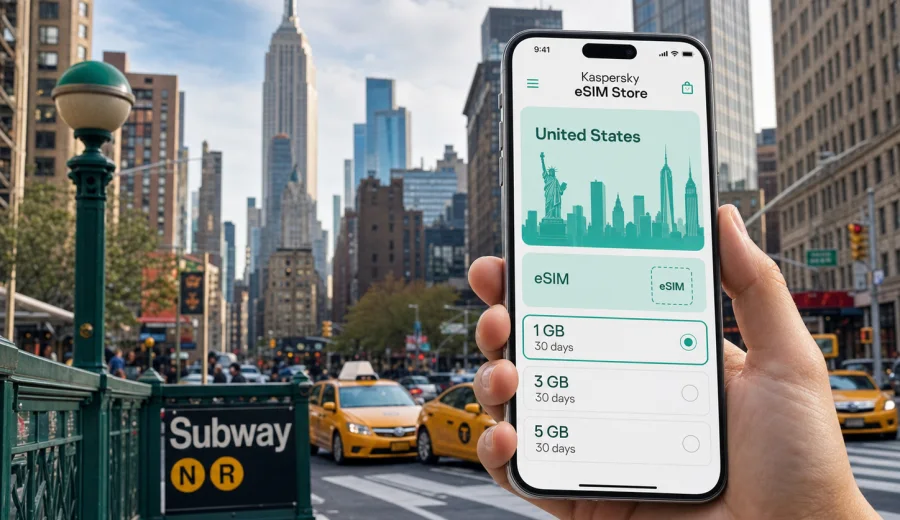
New York City eSIM: mobile connection and internet for your trip
New York City is a place where mobile internet becomes useful before you have even left the airport. You may need maps at JFK, LaGuardia, or Newark, a rideshare pickup zone, a hotel confirmation in Manhattan, a train route to Brooklyn, or a message to say that you have arrived. An eSIM can help you prepare mobile internet for the trip without looking for a physical SIM card.
This guide focuses on New York City travel scenarios: arrival, subway navigation, hotel check-in, business meetings, stopovers, day trips, and moving between boroughs. It explains how to choose an eSIM tariff for the United States, what to check before purchase, and how to use mobile data while you move around the city.
Why mobile internet matters in New York City
New York rewards travelers who check information quickly. Subway entrances can be several blocks apart, airport transfers depend on the terminal, and a short walk may change from easy to confusing when you are carrying luggage. Public Wi-Fi may be available in some places, but it is not a reliable plan for the whole day.
Mobile internet is useful in New York City when you need to:
- compare routes from the airport to your hotel;
- check subway service changes before entering a station;
- use maps in Midtown, Lower Manhattan, Brooklyn, Queens, or the Bronx;
- manage rideshare pickups and taxi addresses;
- open hotel, apartment, museum, or conference confirmations;
- message family, colleagues, drivers, or hosts;
- translate notices, menus, and instructions when needed;
- use mobile payment, banking, and travel apps;
- join calls or answer work messages during a business trip.
An eSIM is especially convenient if your phone supports it and you want to prepare before arrival. You can select a tariff for the United States, install the eSIM profile on a compatible device, and use it for mobile data once you are in the country and ready to connect.
Arrival scenarios: JFK, LaGuardia, and Newark
New York has three major arrival airports for many international and domestic travelers. Each airport has its own transport logic, so mobile data can save time in the first hour.
| Arrival point | Common task | Why data helps |
|---|---|---|
| JFK | AirTrain, subway, rideshare, hotel route | Terminal changes, pickup zones, and route comparisons can be easier with live maps. |
| LaGuardia | Bus, taxi, rideshare, Midtown transfer | You may need current traffic, rideshare instructions, or bus connections. |
| Newark | AirTrain, rail link, taxi, Manhattan transfer | The airport is in New Jersey, so live route planning helps avoid confusion. |
If you land after a long flight, the practical goal is simple: get online without relying only on airport Wi-Fi. With mobile data ready, you can check where to meet a driver, which train line is fastest, or whether your hotel allows early check-in. For a stopover, it also helps you estimate whether a quick trip into Manhattan is realistic.
Getting around the city with an eSIM
New York City movement is not just about distance. It is about timing, subway lines, walking routes, weather, traffic, and neighborhoods. A destination that looks close on a map may require a transfer, while a longer trip may be simple if one train goes directly there.
Mobile internet helps with everyday decisions:
1. Check a route before you leave the hotel.
2. Recheck the route when you reach the station.
3. Keep the hotel address available offline and online.
4. Watch for late-night service changes.
5. Use a rideshare or taxi app when public transport is not convenient.
6. Message your hotel or host if arrival time changes.
For many visitors, the most useful approach is to combine offline preparation with live mobile data. Save your hotel address, screenshots of reservations, and a basic map area before the trip. Then use eSIM mobile data for live routing, updates, payments, and communication when the plan changes.
Where mobile data is most useful in New York
Different parts of the city create different connectivity needs. Manhattan is dense and fast, Brooklyn may involve more walking between venues, Queens is important for airport routes and food trips, and the Bronx or Staten Island may require more careful transfer planning.
| Area | Typical visitor scenario | Mobile internet use |
|---|---|---|
| Midtown Manhattan | Hotels, meetings, Times Square, stations | Navigation between avenues, calendar changes, restaurant bookings. |
| Lower Manhattan | Financial District, ferries, museums | Walking routes, ferry information, ticket confirmations. |
| Brooklyn | Williamsburg, DUMBO, Prospect Park | Subway transfers, pedestrian routes, rideshare pickup points. |
| Queens | Airports, Flushing, Long Island City | Airport movement, neighborhood routes, translation, food searches. |
| The Bronx | Yankee Stadium, museums, parks | Transit planning and return routes after events. |
| Staten Island | Ferry, waterfront, day trips | Ferry timing and maps before returning to Manhattan. |
The city is well connected, but not every travel moment happens next to a stable Wi-Fi network. An eSIM can reduce the need to ask for passwords in cafes, wait until you reach the hotel lobby, or depend on a weak public hotspot at a busy station.
How much data might you need for New York City?
Your data need depends on how you travel. A light traveler who mainly uses maps and messaging may need far less than someone who works from a laptop hotspot or uploads video. Do not choose only by price; choose by the real length and style of your stay.
| Trip style | Likely data pattern | What to consider |
|---|---|---|
| Weekend visit | Maps, messaging, tickets, restaurant searches | A smaller data package may be enough if you use hotel Wi-Fi for heavy tasks. |
| One-week vacation | Daily navigation, photos, bookings, calls through apps | Choose enough data for repeated map use and regular communication. |
| Business trip | Email, video calls, calendar updates, hotspot backup | Allow extra data if you may tether a laptop. |
| Family trip | Multiple routes, shared plans, attraction apps | One traveler may use more data coordinating everyone. |
| Stopover | Airport transfer, maps, messaging | Short validity and modest data may be sufficient. |
Video streaming, cloud backups, and large app updates can use a lot of data quickly. If you want the tariff to last, save heavy downloads for trusted Wi-Fi and keep mobile data for navigation, communication, ride apps, tickets, and urgent work.
Choosing an eSIM tariff for a New York City trip
For a city article, the correct destination is the country where the city is located. New York City belongs to the United States, so you should look at eSIM tariff options for the United States rather than searching for a separate city-only tariff.
Before choosing, check these points:
- Country or region: make sure the tariff includes the United States.
- Validity: match the duration to your trip, including arrival and departure days.
- Data volume: estimate maps, messaging, calls through apps, work, and hotspot use.
- Activation rules: read when validity starts and how the tariff is activated.
- Device support: confirm that your phone or tablet supports eSIM.
- Lock status: make sure the device is not locked to another carrier.
- Calls and SMS: check whether the tariff is data-only or includes anything else.
If you want to prepare before departure, you can use Kaspersky eSIM Store to choose an eSIM plan for your trip to New York City and review available tariff conditions for the United States. Kaspersky eSIM Store is an app and website that helps users choose, set up, and activate an eSIM with a suitable tariff for mobile internet during an international trip.
Practical setup before you fly
Preparation is the simplest way to avoid airport stress. You do not need to wait until you are standing beside baggage claim to think about mobile data.
Use this checklist before your flight:
- Confirm that your device supports eSIM and is not carrier-locked.
- Choose a tariff for the United States that matches your stay.
- Read the tariff details, including validity, data volume, and activation conditions.
- Install the eSIM profile while you still have a stable internet connection.
- Keep your primary SIM active if you need bank texts or your regular number.
- Save hotel and flight details offline.
- Make sure you know which line your phone should use for mobile data.
Many travelers prefer to install the eSIM before departure and activate mobile data after arrival. The exact flow depends on the device and tariff conditions, so read the instructions shown during setup. If the tariff requires arrival in the destination country before it connects, that is normal for many travel eSIM scenarios.
Installing an eSIM on your phone
The basic installation flow is usually straightforward: choose a tariff, receive the eSIM details, add the eSIM profile to the device, and select it for mobile data when you want to use it. You can follow the Android installation guide or the iOS installation guide if you need device-specific steps.
In general, expect to:
1. Open the eSIM installation details from your profile or email.
2. Add the eSIM through your phone settings or by scanning a QR code.
3. Name the line clearly, for example "Travel data".
4. Keep your usual number for calls or texts if you need it.
5. Select the eSIM line for mobile data.
6. Turn on data roaming for the eSIM if the instructions or device require it.
7. Wait a few minutes for the device to register on a local network.
Do not delete the eSIM profile after installation unless you are sure you no longer need it. Some eSIM profiles cannot simply be moved to another device after activation, and rules depend on the tariff and profile conditions.
Device compatibility matters
Before you rely on an eSIM for New York City, confirm that your phone supports eSIM. Some models differ by region, and some devices may be locked by a carrier. If your device is not compatible, an eSIM profile may not install or may not work as expected.
You should check your device before choosing a tariff. Also confirm that your operating system is up to date and that you have internet access during installation. If you travel with a work phone, check company device policies in advance because some managed devices restrict cellular settings.
Business trips and conferences in New York
New York is a common destination for finance, media, technology, legal, fashion, and healthcare events. A business trip often has less room for connectivity problems because the schedule may include calendar changes, ride bookings, document access, and calls across time zones.
For business travel, think beyond basic maps:
- Will you need email during taxi or train transfers?
- Could you need a hotspot for a laptop if venue Wi-Fi is crowded?
- Are video calls likely from the hotel, airport, or meeting area?
- Do you need access to authentication apps or cloud documents?
- Will colleagues message you through work chat during the day?
An eSIM is not a replacement for every connectivity option, but it can be a useful mobile data layer for movement between meetings. For heavier work, hotel or office Wi-Fi may still be better. For urgent messages, route changes, and backup access, mobile data can make the day smoother.
Hotels, apartments, and check-in moments
Hotel Wi-Fi usually starts after check-in, but travel tasks often happen before that. You may need to tell the front desk your arrival time, open a booking app, find a luggage storage location, or navigate from the subway to the correct entrance.
Mobile internet is useful when:
- your room is not ready and you need to work from a cafe;
- you are staying in an apartment and need entry instructions;
- the hotel has several entrances or towers;
- you need to compare walking, subway, and taxi options;
- you arrive late and want to avoid unnecessary detours;
- you need to contact support for a booking or payment issue.
Save key information offline, but keep mobile data available for the pieces that change: timing, route, messages, and access codes.
Stopovers and short stays
A New York stopover can be tempting, but timing is everything. Airport distance, immigration, luggage, traffic, and return security can reduce the useful window. If you do leave the airport, mobile internet helps you make conservative decisions in real time.
For a short stay, use data for:
- checking current travel time to Manhattan or another destination;
- storing your return airport terminal and flight details;
- monitoring traffic before deciding between train and car;
- finding luggage storage if needed;
- keeping boarding updates and airline messages available;
- navigating back without relying on memory.
For stopovers, choose a tariff based on the actual time you will use data, not the total length of the ticket connection. A modest package can be enough if you only need maps, messaging, and transport checks.
Trips from New York City
Many visitors use New York as the base for a wider United States route. You might go to Washington, Philadelphia, Boston, Niagara Falls, the Hamptons, or New Jersey. If your trip stays within the United States, choose a tariff that covers the country and has enough data for the full route.
When you leave the city, mobile internet can become even more important. You may need train tickets, car rental documents, toll information, hotel messages, or maps in places where public Wi-Fi is less available than in Manhattan. Review the tariff validity period if your route extends beyond the city stay.
Common mistakes to avoid
New York is easy to enjoy, but mobile data planning can go wrong in simple ways.
| Mistake | Better approach |
|---|---|
| Waiting until arrival to check compatibility | Confirm eSIM support before buying a tariff. |
| Choosing too little data for a work trip | Add margin for calls, hotspot use, and route changes. |
| Streaming heavily on mobile data | Save streaming and backups for trusted Wi-Fi. |
| Forgetting activation rules | Read when validity starts and what steps are required. |
| Deleting the eSIM profile too early | Keep it until the trip is finished and you no longer need it. |
| Assuming calls and SMS are included | Check the tariff conditions; many travel eSIM options focus on data. |
The safest pattern is to set up the eSIM before departure, test that the profile is installed, and keep your regular SIM available if you need your normal phone number for banking, calls, or SMS.
Quick checklist for New York City mobile internet
Before departure:
- Check eSIM compatibility.
- Choose a United States tariff for your dates.
- Install the eSIM profile with stable internet.
- Save hotel, flight, and ticket details offline.
- Review how to switch mobile data lines.
After arrival:
- Select the eSIM for mobile data.
- Enable data roaming for the eSIM if required.
- Wait for network registration.
- Test maps or a messaging app.
- Keep heavy downloads for Wi-Fi.
During the trip:
- Monitor remaining data.
- Use offline maps as a backup.
- Keep your accommodation address saved.
- Avoid unnecessary video streaming on mobile data.
- Check tariff top-up or replacement options if your route changes.
FAQ
Is an eSIM useful for New York City?
Yes. An eSIM can be useful for maps, transport, rideshare apps, hotel messages, ticket access, and communication during a New York City trip. It is most helpful when you want mobile data before you can rely on hotel or cafe Wi-Fi.
Should I choose a New York City tariff or a United States tariff?
For New York City, choose a tariff that covers the United States. City pages help you plan local use, but the tariff destination should match the country where the city is located.
Can I use an eSIM for phone calls and SMS?
Only if the selected tariff states that calls or SMS are included. Many travel eSIM tariffs focus on mobile data, so calls and messages are often handled through internet-based apps.
Can I install the eSIM before I travel?
In many cases, yes. You can usually install the eSIM profile before departure while you have stable internet. Activation and validity rules depend on the selected tariff, so read the details before you start.
What if my device does not support eSIM?
If your device does not support eSIM, you will need another connectivity option, such as roaming from your regular operator, a compatible second device, or a local physical SIM where available. Check compatibility before purchase.
Is public Wi-Fi enough in New York?
Public Wi-Fi can help in hotels, cafes, airports, and some venues, but it is not a complete plan for moving around the city. Mobile data is more practical for live navigation, transport changes, and messages while you are between Wi-Fi locations.
Choose an eSIM plan for your New York City trip
New York City is easier to manage when mobile internet is ready before you need it. With Kaspersky eSIM Store, you can review tariff options for the United States, choose a suitable data volume and validity period, and set up eSIM mobile data for your trip on a compatible device.
Before you fly, check your phone, review the tariff conditions, and install the eSIM profile while you have stable internet. Then, when you arrive at JFK, LaGuardia, Newark, or another point in the United States, you can focus on the route, the hotel, the meeting, or the first walk through the city.
Choose an eSIM plan for travel to New York City and prepare mobile internet for your United States trip in advance.