
Travel connectivity guide
Ngaoundere eSIM: Mobile Internet Guide
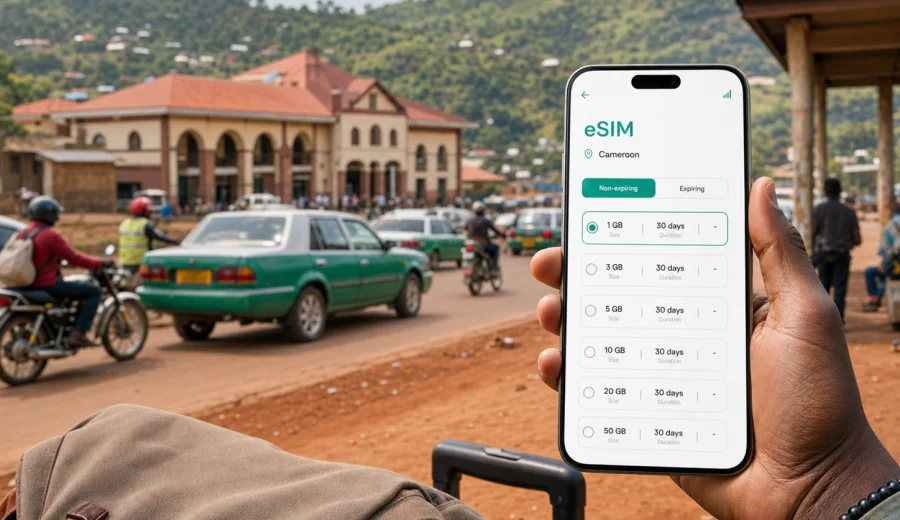
Ngaoundere eSIM: mobile connection and internet guide
Ngaoundere is one of Cameroon's most practical travel crossroads. You may arrive after the long journey from Yaounde, continue north toward Garoua or Maroua, work around university and administrative districts, or use the city as a base for Adamawa Plateau routes. In each case, mobile internet helps with the small decisions that shape the day: finding your hotel, confirming a pickup, checking a route, messaging a host, or saving time before the next connection.
An eSIM can make this easier because you do not need to look for a physical SIM card on arrival. With a compatible phone, you can prepare a SIM profile before the journey, install it through the provided flow, and use mobile data when the trip starts. The important part is planning: choose the right data amount, understand the validity period, check your device, and keep your regular SIM available if you still need calls, SMS or banking messages.
This guide focuses on Ngaoundere as a travel scenario: arrival, local movement, hotels, business trips and onward routes.
Why mobile internet matters in Ngaoundere
Ngaoundere has a different travel rhythm from Douala or Yaounde. Your day may involve several moving parts: a station arrival, a driver who uses landmarks, a hotel away from the center, a meeting on campus, and an onward bus or car route. Mobile internet is most useful in those moments.
You may need it for:
- checking the route from Ngaoundere railway station to a hotel or guesthouse;
- messaging a driver after arrival or before an early departure;
- using maps around administrative offices, markets and university areas;
- coordinating transport toward Garoua, Meiganga, Tibati or Yaounde;
- translating short instructions, addresses and menu items;
- keeping booking references and payment notifications available;
- sharing your live location with a trusted contact.
If Ngaoundere is part of a wider route, relying only on hotel Wi-Fi can be limiting. Wi-Fi helps when you are inside the property. eSIM mobile data helps when you are outside the station, in a taxi, waiting for a colleague, or adjusting plans during the day.
Arrival scenarios: station, airport and road routes
Your connectivity plan should match how you enter the city. The first hour after arrival is usually when mobile data feels most valuable.
| Arrival scenario | What you need online for | Practical eSIM tip |
|---|---|---|
| Railway arrival from Yaounde | Pickup coordination, hotel route, messages after a long journey | Install the eSIM before departure if the tariff instructions allow it. |
| Regional flight itinerary | Transfer details, schedule changes, quick messages to hosts | Save hotel and driver details offline before landing. |
| Road arrival from another city | Maps, arrival-time updates, messenger calls | Choose enough data for the route as well as the city. |
| Business or university visit | Email, documents, maps between appointments | Pick a validity period that includes buffer days. |
| Overnight stopover | Hotel check-in, onward tickets, local transport | A smaller package may work if your use stays light. |
Rail arrivals are often busy because passengers are tired, luggage is visible, and everyone is trying to move quickly. If your mobile data is ready, you can confirm where to meet a driver, compare the hotel location with the route, or tell a host that you have reached the city. If you arrive by road, save maps and essential details offline, then use mobile data where it is available.
An eSIM does not guarantee coverage in every place. It gives you a prepared mobile data option for the destination or region covered by the selected tariff, while offline preparation still matters for remote road sections.
Where eSIM helps most inside the city
In Ngaoundere, mobile internet often helps with coordination more than with complex navigation. Many directions are based on landmarks, neighborhoods, institutions or transport points rather than a precise street address. Being online lets you compare instructions, share your location, and confirm changes without searching for a hotspot.
Common city situations include:
1. Leaving the station with luggage and finding the correct vehicle.
2. Moving between a hotel, administrative office and meeting location.
3. Visiting the University of Ngaoundere or a training venue.
4. Staying in a quieter area where the driver asks for a nearby landmark.
5. Planning onward travel toward northern Cameroon or back toward Yaounde.
For a light traveler, messaging and maps may be enough. For a business traveler, email, document sharing and tethering can raise data use quickly. Estimate what you will do away from Wi-Fi before choosing a tariff.
How to estimate data for a Ngaoundere trip
There is no single correct data package. A traveler who uses maps and messages needs much less data than someone who joins calls or uses a laptop hotspot.
| Trip style | Likely mobile internet use | Data planning approach |
|---|---|---|
| One-night stopover | Maps, messages, ticket checks | Use a small package if Wi-Fi covers heavier tasks. |
| Three-day city stay | Daily navigation, messaging, searches, uploads | Choose moderate data with validity for arrival and departure days. |
| Business visit | Email, files, maps, internet calls | Allow extra data for documents and tethering. |
| Adamawa route | Maps, messages, weather and transport checks | Download offline maps and choose enough data for several legs. |
| Remote-work stay | Laptop hotspot, cloud tools, calls | Reserve eSIM data for mobility and use Wi-Fi for heavy syncs. |
Think in three groups: essential data for maps, messaging, email and booking confirmations; comfort data for searches and photo sharing; heavy data for video calls, streaming, cloud backups, updates and laptop tethering.
Before you leave, pause automatic app updates, download offline maps, save your hotel details, and decide whether your phone will be used as a laptop hotspot.
Choosing an eSIM tariff for Ngaoundere
Because Ngaoundere is in Cameroon, use a Cameroon data option rather than a separate city tariff. The city is the travel scenario; the country is the coverage destination you select when choosing a plan.
When comparing options, check:
- destination: Cameroon, or a regional option if your route crosses borders;
- data volume: enough for maps, messaging, work and backup access;
- validity: long enough for arrival, city stay, onward travel and delays;
- activation rules: when the tariff starts and how the eSIM should be installed.
For a short visit, a small package can work if your use is limited. But Ngaoundere often sits inside a longer itinerary, so plan for the arrival, the city stay and the next route.
If you want to prepare mobile internet before the trip, you can choose an eSIM tariff for Cameroon through Kaspersky eSIM Store, then install it on a compatible device and activate it according to the tariff instructions. This helps you avoid making your first connectivity decision while standing at the station, airport or hotel desk.
Kaspersky eSIM Store is an app and website where you can choose, arrange and activate an eSIM with a suitable data tariff for international travel. It is not a mobile network operator, and the final conditions depend on the selected tariff. Read the data amount, validity period, destination and activation details before payment.
Device compatibility before you travel
Not every phone or tablet supports eSIM, and some devices may be restricted by the operator that originally sold them. Check this before a Ngaoundere trip, because compatibility questions are easier to solve before arrival.
Before you buy an eSIM tariff, confirm that:
- your phone model supports eSIM;
- the device is unlocked for mobile network use;
- you can add a new eSIM profile;
- your operating system is up to date;
- you know which SIM will handle mobile data and which one will handle calls or SMS.
You can use the compatibility check before purchase: Check your device. If your phone does not support eSIM, plan another connectivity option before you travel.
Many travelers keep their regular SIM active for banking messages or calls and use the eSIM for mobile data. Set the eSIM as the data line, and avoid accidental data roaming on your main SIM if that would create extra costs.
Installing and activating your eSIM
Installation and activation are related, but they are not always the same moment. Installation adds the eSIM profile to your device. Activation starts using the tariff according to its rules.
A practical setup flow:
1. Confirm that your phone supports eSIM and is not locked.
2. Choose a Cameroon tariff that matches your data and validity needs.
3. Install the eSIM profile using the provided instructions.
4. Label the line clearly, for example “Cameroon data”.
5. Turn mobile data to the eSIM line when you are ready to use it.
6. Enable data roaming for the eSIM if the instructions require it.
7. Test basic internet access with maps or messaging.
For setup, use the official guides: Android installation instructions and iOS installation instructions. Keep the QR code or installation details available until the profile is added successfully.
Do not delete an eSIM profile unless you are sure you no longer need it. If something does not work immediately, check settings first: data line, roaming setting for the eSIM, airplane mode, and whether the selected tariff has started.
Hotels, transport, business trips and campus visits
Hotel Wi-Fi can help with large downloads, long calls and laptop work, but it should not be your only plan. Quality may vary by property, room location and number of users. Use Wi-Fi for backups and heavy files; use eSIM mobile data for navigation, messaging, booking checks, translation, pickup coordination and backup access when you leave the hotel.
For daily movement, save your hotel, station, airport and meeting points before leaving Wi-Fi. Keep the hotel name and phone number in an offline note. If you take an unfamiliar transfer, share your live location with a trusted contact. A power bank is practical because maps, messaging and photos can drain a phone quickly on arrival day.
Ngaoundere also receives travelers connected with administration, education, logistics, regional projects and field work. For business or university visits, prepare enough data for email and documents, save agendas offline, keep partner contacts in more than one app, and use laptop tethering only when needed.
Short stopovers and onward routes
Some travelers spend only one night in Ngaoundere before continuing by road or rail. A stopover still benefits from mobile data because the schedule leaves little room for connectivity problems.
For a short stopover:
- install the eSIM before the travel day if the tariff allows it;
- save your hotel, station and onward departure point;
- keep your next ticket or reservation available offline;
- use mobile data for messages and maps, not streaming;
- check that the validity period covers the next leg.
Ngaoundere is often a gateway rather than a final endpoint. If your route continues beyond the city, plan data for the road as well as for the hotel stay. Download offline maps, keep key contacts saved, and avoid assuming that signal quality will be consistent on every road.
Practical data-saving settings
The easiest way to make a travel data package last longer is to prevent background use. Before arrival, turn off automatic app updates on mobile data, disable cloud photo backup until Wi-Fi is available, download maps for Ngaoundere and your onward route, limit video autoplay, use low-data mode if your phone offers it, and review which apps can run in the background.
If you use a laptop hotspot, treat it as a separate data activity. Before tethering, pause cloud backups and close applications you do not need.
FAQ: eSIM and mobile internet in Ngaoundere
Is an eSIM useful if my hotel has Wi-Fi?
Yes. Hotel Wi-Fi helps at the property; eSIM mobile data helps during arrival, local transport, maps, messaging and backup access around Ngaoundere.
Should I choose a city or country eSIM for Ngaoundere?
Use a Cameroon option. Ngaoundere is the city context, but the tariff destination should match the country or region covered by the plan.
Can I use eSIM for normal phone calls and SMS?
In this travel context, eSIM tariffs are mainly for mobile internet unless the tariff conditions say otherwise. For calls and messages, use internet-based apps over mobile data, while keeping your regular SIM available if you need your usual number.
When should I install the eSIM?
Install it before departure if the tariff instructions allow and you want a calmer arrival. Activate it according to the tariff rules, often when you are ready to start using mobile data.
Prepare your eSIM before Ngaoundere
Ngaoundere rewards practical preparation. If your eSIM is installed, your maps are saved and your hotel details are offline, arrival becomes simpler: you can leave the station or airport, contact the right person, and move through the city without making connectivity your first problem.
Before the trip, check your device, compare data volume and validity, and choose a tariff that fits the whole route, not only the hours spent downtown. Kaspersky eSIM Store helps you choose, arrange and activate an eSIM with a suitable mobile data tariff for international travel, while the final conditions depend on the selected option.
For a smoother arrival and easier movement around the Adamawa Region, prepare an eSIM tariff for Cameroon before you travel to Ngaoundere.