Travel connectivity guide
Nhlangano eSIM: Mobile Internet in Eswatini
Nhlangano eSIM: mobile connection and internet guide
Nhlangano is a practical base for journeys through southern Eswatini, especially if your plans include local appointments, family visits, or onward travel through the Shiselweni Region. A travel eSIM can help you use mobile data for maps, messages, bookings, and arrival arrangements without removing your regular SIM. Before choosing one, check that a current plan actually covers Eswatini, that its terms fit your itinerary, and that your phone can use eSIM.
The place name in your request is Swaziland. The country’s current official name is Eswatini; Swaziland is its former English name and remains familiar in older material and some travel listings. Nhlangano is in the south of Eswatini and is the administrative centre of Shiselweni. A local town report places it about 92 km south of Manzini and about 130 km south of Mbabane. These are useful orientation figures, not guaranteed driving distances or journey times: your route, road conditions, and starting point affect the trip.
Eswatini’s communications regulator lists MTN Eswatini and Eswatini Mobile among the country’s licensed operators. That describes the local mobile market; it does not identify the partner network used by a particular travel eSIM. Confirm the network and coverage terms on the exact plan page rather than assuming that a plan uses a specific local operator.
Why mobile data is useful in Nhlangano
Nhlangano is not a large international transport hub. Many visitors reach it as one stage of a wider trip, so the practical challenge is often coordinating the last leg: locating a guesthouse, confirming a pickup, finding a meeting place, or checking directions after travelling from another town. A working data connection lets you handle those tasks without having to find Wi-Fi first.
During the first hours in town, mobile internet may help you:
- open an offline or online map and confirm your accommodation’s location;
- message a host or colleague if arrival plans change;
- check a booking confirmation, transport details, or an address;
- share your location with someone meeting you;
- translate a short message or look up opening hours before walking over;
- check the next leg of a route while you still have a stable connection.
Keep an address saved in writing as well as in a map app. Small-town place names, business names, and map pins do not always match the wording in a booking confirmation. If you are arranging a pickup, agree on a recognizable meeting point and a fallback way to contact each other. A data plan is useful for coordination, but it does not guarantee that every street, property, or rural road is accurately mapped.
Planning the journey into town
For many visitors, Nhlangano is reached overland from elsewhere in Eswatini or from a nearby border crossing. If you are arriving through a major airport or city, treat the onward transfer as a separate part of the trip: check its departure point, operating hours, luggage arrangements, and whether the driver can contact you. Do not assume that an international flight arrives close to Nhlangano or that a transfer runs on a fixed schedule unless your transport provider confirms it.
A simple arrival sequence reduces last-minute searching:
- Save your accommodation’s name, address, phone number, and a map pin before departure.
- Confirm how you will travel from your arrival point to Nhlangano and where the vehicle will meet you.
- Keep your booking and key contact details available offline.
- Once you have a data connection, check the route and send a short arrival update.
- Before setting off, confirm that the driver or host is referring to the same pickup point.
If you cross an international border on the way, check your itinerary and the coverage terms for each country separately. A plan for Eswatini does not automatically include South Africa or Mozambique. Regional plans may cover more than one country, but only the destinations expressly named in that plan count. Confirm the list and any limitations before you rely on the plan for a cross-border leg.
Getting around Nhlangano
The town serves as a regional centre for surrounding rural communities. In practical terms, that means you may use Nhlangano as a place to meet, shop, stay overnight, or change transport before travelling elsewhere in the south. Plan the day around confirmed addresses and transport rather than assuming that every destination is a short walk from the centre.
Use maps to compare locations, not as confirmation that a road is paved, a path is safe, or transport is running. Ask your host or transport provider about the final approach, especially beyond the built-up centre.
| Travel situation | How mobile data can help | Useful backup |
|---|---|---|
| Finding your lodging | Compare the saved pin with the address and message the host | Keep the written address and host contact offline |
| Meeting a driver | Share a live location or confirm the pickup point | Agree on a named landmark or meeting place in advance |
| Moving between appointments | Check directions and send an updated arrival estimate | Save the next address before leaving Wi-Fi |
| Taking a longer regional trip | Review the route and confirm the destination with your driver | Carry a downloaded map and written contact details |
| Walking around the centre | Look up a business and navigate back to your accommodation | Ask locally if the pin or entrance is unclear |
Coverage and data performance can vary with the network serving your eSIM, local signal, terrain, congestion, and your device. A phone may show a signal in one part of town and a weaker one indoors or farther along a rural road. Download maps and essential documents in advance if your route leaves the main town. Do not plan an important transfer on the assumption that you will have uninterrupted mobile data throughout the journey.
Choosing an eSIM for a Nhlangano trip
Nhlangano is a city-level destination, but the relevant eSIM coverage is determined by the plan’s country or regional terms. In the destination selector, check for Eswatini; some international travel pages also use the former name Swaziland. A city article cannot confirm that a particular plan is currently offered, which local partner network it uses, or whether it will work on every road around town. Read the live plan details before purchase and rely on the named coverage and conditions shown there.
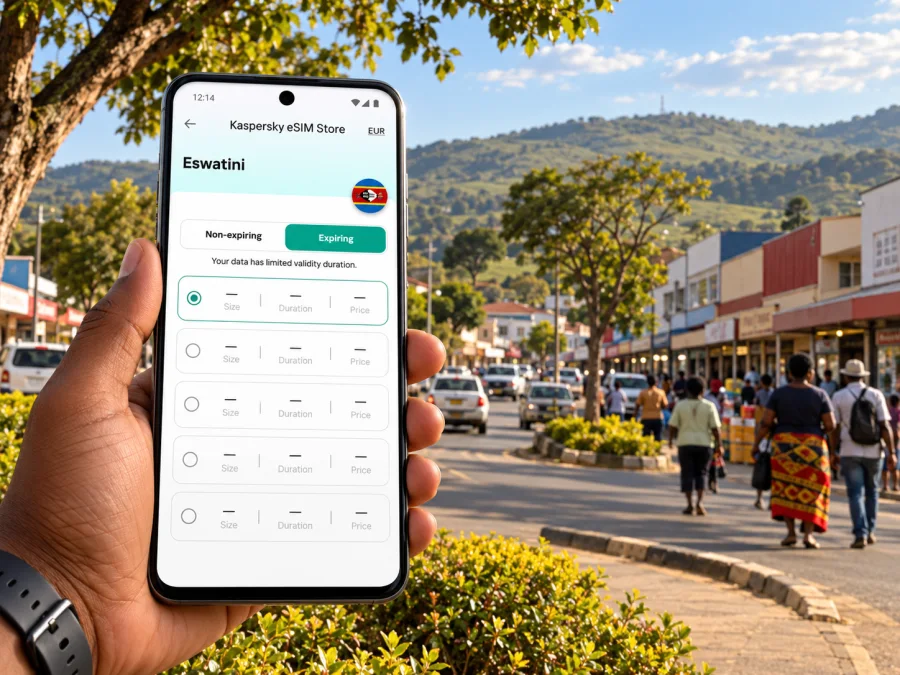
In Kaspersky eSIM Store, you can use the website or app to select, arrange, and activate an eSIM with a suitable travel data plan. The plan is supplied under its own stated terms; Kaspersky eSIM Store is not a mobile network operator. To browse current destinations and plans, open Kaspersky eSIM Store. Search the live selector for Eswatini or Swaziland, then check the exact destination, coverage, validity, data allowance, price, and activation notes shown for any plan. The site currently serves as a general destination selector, so this link does not confirm that a specific Eswatini offer is available. If the country or a suitable offer is unavailable, do not assume that a nearby country’s plan is interchangeable.
Choose a plan by matching its terms to your real use rather than by choosing a data amount at random. Consider the length of your stay, whether you will stream or upload large files, how often you will use maps, and whether you expect to tether a laptop. For a short visit focused on messages, navigation, and booking checks, your needs may differ from those of a remote worker who joins video calls. The plan page is the authority for its allowance and validity; do not infer that an allowance renews daily or that unused data carries over unless the terms say so.
Before you compare options, answer these questions:
- Where will you use data? Confirm Eswatini is explicitly covered. Add each other country on your itinerary to the check.
- How long is the trip? Match the plan validity to your travel dates and read when validity begins.
- What will consume data? Maps and messaging usually use less than frequent video, cloud backups, or media streaming.
- Will you need a hotspot? Check that tethering is supported by the plan and your device if a laptop or another traveller will connect.
- Do you need voice calls or SMS? Travel data eSIMs may not include a local number, voice service, or SMS. Check the offer details and keep another way to make essential calls.
- What happens if you run out? Check whether the plan allows a top-up or whether you would need to arrange a separate plan.
A country-level plan and a regional plan solve different problems. A country plan may fit an itinerary that stays in Eswatini. A regional plan may be more convenient if your route crosses borders, but its name alone is not proof that your destinations are included. Review the full covered-country list and validity conditions for the exact plan you are considering.
Check your phone before you buy
An eSIM is a digital SIM profile installed on a compatible device. Support depends on the specific device version and, in some cases, the market where it was sold. A model family name by itself is not enough to confirm compatibility. Some phones are also locked to a carrier and may not accept another eSIM until that restriction is removed.
Before checkout:
- Find your exact model and regional variant in the phone settings or on the original packaging.
- Check the manufacturer’s support information for that exact variant and market.
- Look in the mobile or cellular settings for an option to add an eSIM.
- Confirm the phone is not carrier-locked.
- Check that you can connect to Wi-Fi while installing the profile.
- Make sure you can open the order’s QR code on another screen, or use the provider’s manual installation details if offered.
If you are unsure, check whether your device supports eSIM before choosing a plan. This check matters especially for devices imported from another region, older phones, and phones purchased through a carrier. Do not delete an installed profile casually; some eSIM profiles cannot be downloaded again after removal.
Install before travel and activate with care
Installing an eSIM and starting its data plan may be separate events. The exact point when validity begins depends on the plan’s terms: it may begin at installation, activation, or the first connection to a supported network. Read the instructions for your selected plan so you do not start its validity earlier than intended.
A practical setup order is:
- While you have a reliable Wi-Fi connection, open the order details and follow the plan’s installation instructions.
- Add the eSIM profile to your phone. Give it a clear label, such as “Eswatini data”, so it is easy to identify beside your regular SIM.
- Keep your regular number enabled if you need it for calls or verification messages. Check your home operator’s roaming charges separately.
- When you are ready to use the travel plan, select the eSIM for mobile data. Enable data roaming for that eSIM only if its instructions require it.
- Avoid switching mobile data back to your home SIM unless you understand the charges that may apply.
- Test a simple web page or message after the eSIM connects. If it does not work, review the plan instructions and device settings before changing or deleting the profile.
Use the official setup guidance for your operating system: installation instructions for Android and installation instructions for iOS. Menu names can differ between phone models and operating-system versions, so follow the on-screen wording on your device.
Manage data while you are in town
Photo backups, app updates, and video can use more data than expected. To keep usage predictable:
- Turn off automatic photo and video backups over mobile data, or limit them to Wi-Fi.
- Download offline maps, tickets, and booking details before leaving your accommodation.
- Use messaging text and low-data calling where practical; video calls use more data.
- Check app updates and operating-system downloads are set to Wi-Fi.
- Review data usage on the phone and in the plan account, if usage tracking is available.
- Keep a charger or power bank available for long road days when navigation and camera use drain the battery.
For remote work, check accommodation Wi-Fi, the plan’s hotspot terms, and room signal before relying on mobile data for calls. Speed and tethering depend on the plan, network, device, and location; keep a backup and download needed files.
Practical scenarios
A short stop or a work visit
Save your lodging, meeting addresses, and transport contact in one offline note. Use mobile data to check directions and send arrival updates, then keep a written address in case a pin is unclear. For video calls, check the accommodation Wi-Fi and test any hotspot before relying on it; the eSIM plan and local signal determine whether tethering is available.
An overnight stay followed by a rural drive
Before leaving town, download the map area, save the destination contact, and confirm the route with your driver or host. Keep enough battery for navigation and assume mobile data may become intermittent away from the centre. For a cross-border itinerary, check each country separately: Eswatini coverage does not automatically include South Africa or Mozambique.
If the connection does not work
First check the basics. Make sure the eSIM line is enabled, selected for mobile data, and configured according to the plan’s roaming instructions. Confirm that your home SIM has not been selected for data by mistake. Toggle airplane mode off and on or restart the phone if the plan guidance recommends it.
Next, check the conditions that can look like a setup problem:
- The plan does not cover the country or has not reached its activation point.
- The phone is carrier-locked or the device variant does not support eSIM.
- The selected network is unavailable where you are, or signal is weak indoors.
- The plan requires a specific access-point setting listed in its instructions.
- Data roaming is off on the travel eSIM when the plan requires it.
- The allowance or validity period has ended.
If you still cannot connect, keep the profile installed and contact the service named in your order confirmation. Include your device model, approximate location, and the settings you checked. Never send passwords or one-time verification codes.
Questions travellers ask
Is Nhlangano in Swaziland or Eswatini?
Nhlangano is in the Kingdom of Eswatini. The country changed its official English name from Swaziland to Eswatini in 2018. Swaziland is therefore a former name, although it can still appear in older references and some travel search results. For plan selection, check the destination listing and terms shown at the time of purchase.
Does an eSIM for Nhlangano mean coverage across the whole town and region?
Not necessarily. Plans are normally described by country or region, not by individual streets. The actual connection depends on the partner network, its coverage at your location, the device, and local conditions. Check the plan’s stated network and coverage information, and keep offline maps for travel outside the built-up area.
Can I keep my usual phone number?
In many dual-SIM setups you can leave your regular SIM active and select the travel eSIM for mobile data. Whether your regular number can receive calls or texts depends on your home operator, plan, and roaming settings. Check those charges before travel. A data-only eSIM does not automatically provide a local phone number or ordinary SMS service.
Should I install the eSIM before I arrive?
If the plan instructions permit it, installing over Wi-Fi before departure can make setup easier. Installation does not always mean the plan has started, but the start trigger differs by plan. Read the validity rule first, and do not turn on the line until you intend to use it if the instructions say activation begins on first connection.
Will I have internet everywhere around Nhlangano?
No plan can promise a connection in every building, road, or rural area. Signal and data performance can change with location, terrain, congestion, and indoor construction. Keep important addresses and documents offline and confirm rural transport arrangements in advance.
Is an eSIM a replacement for accommodation Wi-Fi?
It can be a useful connection for maps, messages, and light work, but it is not a guarantee of a suitable home-office connection. Check the mobile plan’s data and hotspot conditions, and ask your accommodation about Wi-Fi if you need stable video calls or substantial downloads.
Nhlangano is a useful southern base for a trip through Shiselweni, but the details of your arrival and onward route matter more than a map pin alone. Prepare key addresses offline, confirm transport directly, and check each eSIM plan against your full itinerary. That gives you a practical way to use mobile data for navigation and coordination while keeping a backup for places where signal is limited.
Get ready for your trip
Use Kaspersky eSIM Store on the website or in the app to browse destinations and current eSIM plans. Check the live destination selector and plan details; proceed only if the displayed coverage and conditions fit your Eswatini itinerary. Then follow the selected plan’s setup instructions and keep essential Nhlangano travel details available offline.


