Travel connectivity guide
Niagara Falls eSIM: mobile internet for your trip
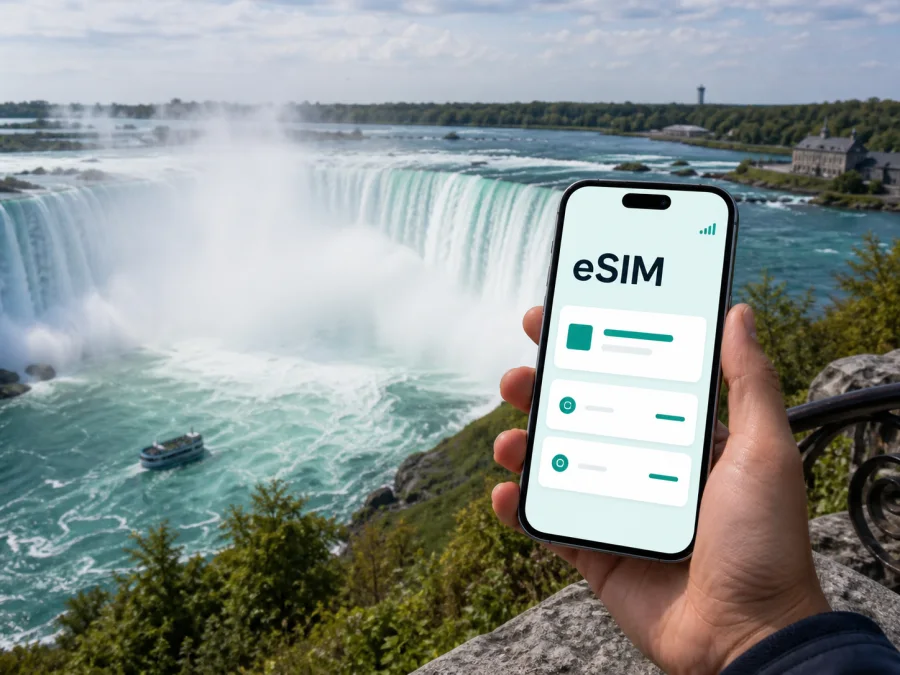
Niagara Falls eSIM: mobile connection and internet for your trip
Niagara Falls is compact, but a visit can include an airport transfer, a Fallsview hotel, Clifton Hill, a business meeting, a road trip through the Niagara region, or a border crossing. Mobile internet helps with maps, messages, reservations, transport information, and changes to the plan.
An eSIM is a digital SIM card that can provide mobile data without replacing the physical SIM in your phone. For a trip to Niagara Falls, it can help you prepare a Canadian data connection before departure or after arrival. Kaspersky eSIM Store is an app and website where you can choose, arrange, and activate an eSIM with a suitable tariff for mobile internet during an overseas trip. It is not a mobile operator, so check the selected tariff’s traffic allowance, validity, destination, and other conditions before purchase.
The short answer
An eSIM suits travellers who want mobile data while moving between the Falls, their accommodation, transport stops, and nearby places. Choose by trip length and expected use rather than by the city name alone.
Before travelling:
- Confirm that your phone supports eSIM and is not locked to another operator.
- Select a Canada tariff whose validity covers the dates when you need data.
- Estimate use from navigation, messaging, social media, video, and work apps.
- Install the profile with a stable internet connection and keep the QR code or activation details available.
The eSIM is primarily for mobile internet. It does not automatically provide a Canadian phone number, ordinary calls, or SMS unless those features are expressly included in the selected tariff. You can keep your regular number and use internet messengers over the data connection, subject to your usual settings.
Why mobile data is useful in Niagara Falls
The famous viewpoints are close to one another, but a practical itinerary reaches beyond one lookout. Your phone may be needed for:
- directions to a hotel, entrance, restaurant, or meeting point;
- walking routes between Fallsview, Clifton Hill, the riverfront, and the accommodation area;
- reservations, tickets, and updates in the apps you use;
- messages to a driver, guide, colleague, or travel companion;
- transport information and location sharing.
Public Wi‑Fi can be helpful, but it may require registration or disappear as soon as you leave the property. Mobile data gives you another option for essential tasks.
A Niagara Falls eSIM is a practical travel tool for maps, messages, reservations, and transport information. Check device compatibility first, then choose a Canada tariff by data allowance and validity.
Arriving in Canada
Niagara Falls does not function like a single-airport resort. Travellers may approach the Canadian city from Toronto, Hamilton, or the U.S. side, depending on the wider itinerary. The final leg may be a road transfer, rental car, intercity service, or border crossing. Decide in advance which phone line will handle mobile data.
Arrival through a Canadian airport
If prepared, use this sequence after airport formalities:
- Keep the primary line available for services you still use at home, unless your own plan says otherwise.
- Set the travel eSIM as the line for mobile data.
- Turn off automatic data switching if the phone could send data through the primary line.
- Test a message and a map route before leaving the terminal or meeting your transfer.
Keep the physical SIM if you still need its number, and give the lines clear names such as “Home” and “Canada travel.”
Driving to Niagara Falls
Save the accommodation address, the key part of the route, and the return plan before departure. Offline preparation helps, but mobile data remains useful for messages, road changes, reservations, and unexpected stops. In a rental car, set the route before moving and let a passenger handle changes.
Near the international border, remember that a Canada tariff does not automatically include the United States. Niagara Falls, Ontario and Niagara Falls, New York are separate destinations.
Choosing a tariff for the trip
The right data allowance depends on how you will use the phone. Review the allowance, validity period, price, activation conditions, and any limitations displayed for the destination.
| Trip pattern | Likely data use | Planning point |
|---|---|---|
| One-day stop | Maps, messages, tickets, a few searches | Keep video and large uploads limited |
| Weekend near the Falls | Navigation, reservations, social media | Include arrival and departure in the validity period |
| Several-day sightseeing | Frequent maps, photos, translation, transport checks | Allow room for repeated route searches |
| Business stay | Email, work apps, files, possible hotspot use | Check the tariff’s data-sharing conditions |
| Road trip from the city | Continuous navigation and updates | Match the tariff to the complete country or region route |
A large package is not automatically necessary, but video uploads, laptop hotspot use, and cloud backups can consume a small allowance quickly. Identify your heaviest activity and add a margin for navigation and changes.
After checking the current conditions, you can choose an eSIM tariff for a trip to Canada. Use the displayed traffic, validity, price, and activation information as the basis for the decision; conditions can differ between tariffs.
Areas of Niagara Falls and the connection routine
Fallsview
Fallsview is convenient for travellers staying near viewpoints, restaurants, and attractions. Data helps with walking routes, reservations, and the return journey. Save the hotel address in advance.
Clifton Hill and the tourist core
Clifton Hill has a dense flow of visitors and many possible entrances. If your group separates, agree on one messaging channel and a precise meeting place. A saved pin is clearer than “near the Falls.”
The river, parks, and viewpoints
The riverfront and parks mean longer walks and changing conditions. Save the return route, tickets, and accommodation details before leaving, then use data for updates.
Lundy’s Lane, Chippawa, and other accommodation areas
Staying outside the busiest blocks may mean more transport planning. Keep the address and map pin in your notes, and check the travel eSIM before driving.
Getting around the city
Walking works well around the central attractions, but hotels, viewpoints, and departure points are not all on the same route. Local buses, tourist-oriented transport, taxis, ride services, rental cars, and intercity connections may suit different plans. Check current schedules in the transport app or booking account you use.
Before leaving your hotel:
- check the exact destination and city;
- save outward and return routes;
- note the stop, entrance, or pickup point;
- confirm the travel eSIM is selected for data;
- carry a power bank.
Set a car route before moving. For a taxi or ride service, compare the pickup description with your actual location.
Day trips from Niagara Falls
Niagara Falls can be a base for destinations around the Niagara region, including Niagara-on-the-Lake. Once you leave the centre, navigation may run continuously.
Prepare this information before a day trip:
- The exact destination and address.
- The return route and a way to contact your companion.
- Reservation details and the accommodation address saved in advance.
- Enough remaining traffic for navigation and changes.
If a route enters the United States, treat it as a separate connectivity scenario. Confirm whether the tariff covers Canada, the United States, or both, and follow the selected tariff’s conditions.
Check compatibility before purchase
An eSIM is not supported by every phone, and regional versions of the same model can differ. A device can also be operator-locked even when its hardware supports eSIM. Before ordering, check your device compatibility and confirm that the phone is unlocked.
Use this checklist:
- the phone model and regional version support eSIM;
- the operating system supports the phone’s eSIM features;
- the device is not restricted to one operator;
- you can access Wi‑Fi or another internet source during installation;
- you know which line will remain your primary number;
- the selected tariff allows any data-sharing feature you need;
- the activation details can be shown on a second screen if the phone cannot scan its own display.
If you cannot find an option such as “Add eSIM” or “Add mobile plan,” pause and confirm the exact model and region before purchase. This check is easier before the journey than after arrival.
How to install and activate an eSIM
Install the profile with stable internet, sufficient battery, and time to read each screen. Labels vary by manufacturer and operating-system version. See the Android installation instructions or the iOS installation instructions for a device-specific walkthrough.
1. Prepare the phone
Check compatibility and operator lock status. Keep the regular SIM active until the travel profile is installed and tested.
2. Open mobile-network settings
Go to mobile-network or cellular settings and choose the option for adding an eSIM or mobile plan.
3. Add the profile
Scan the supplied QR code or enter the activation details. If the code is displayed on the same phone, use another screen or manual entry when available. Do not share the code publicly.
4. Choose the data line
Label the profile “Canada travel,” select it for mobile data, and turn off automatic data switching unless you intentionally need it.
5. Activate at the right time
Some tariffs begin validity or data use when the eSIM connects; others follow different conditions. Read the selected tariff’s terms and decide whether to activate before departure or after landing. Some devices may require data roaming for the travel eSIM, so follow the applicable device and tariff instructions.
Keep data under control
Reduce background traffic while keeping essential functions available:
- allow data for maps, messages, transport, and booking apps;
- restrict background refresh and photo backup;
- save offline map areas when supported;
- use hotel Wi‑Fi for large updates;
- watch hotspot use and check the balance before a long day outside.
Offline maps are helpful but cannot show every new closure, changed pickup point, or message. Use saved information for the basics and mobile data for live decisions.
Scenarios to plan for
One-day stopover
Install the profile before the trip, save the departure point and accommodation address, and use data for directions and coordination.
Weekend with a hotel change
Save both addresses and return routes; changing hotels usually means more searches for transport and destinations.
Business trip
Check the allowance and tethering conditions, test the data line before the first meeting, and keep Wi‑Fi in mind for large files.
Family visit
Each traveller should check their own device and choose a profile individually. Do not make the group dependent on one hotspot; agree on a meeting point.
If the connection does not start
Work through the settings in this order:
- Confirm that the profile appears in SIM or cellular settings.
- Check that the profile is enabled.
- Confirm that it is selected for mobile data.
- Check whether the device or tariff requires data roaming.
- Turn airplane mode on briefly, then turn it off and wait.
- Restart the phone if the profile is enabled but data is unavailable.
- Review the destination, validity, remaining traffic, and activation conditions.
If the QR code cannot be scanned, use manual details when available. If the profile cannot be added, do not repeatedly delete and reinstall it: installation limits can depend on the tariff. Save the error message and contact support through the relevant product channel.
FAQ
Is an eSIM suitable for Niagara Falls?
Yes, if your phone supports eSIM and is not operator-locked. It can provide mobile data for maps, messages, reservations, and travel tasks in Canada.
Should I choose a city or Canada tariff?
Check the Canada destination first. A regional option is appropriate only when it matches the wider route; the tariff’s country or region determines the conditions.
Can I keep my usual number active?
Usually, yes: keep the primary line for your number and assign mobile data to the travel profile. Check your operator’s roaming terms and disable automatic data switching if needed.
Does the eSIM include calls and SMS?
Not necessarily. It is intended for mobile internet; a number, calls, and SMS are included only when the selected tariff says so. Internet messengers can be used over data.
Can I install the eSIM after arrival?
Yes, with a reliable internet connection and when the tariff permits it. Preparing the profile before the journey can make arrival simpler.
Final checklist
Before leaving for Niagara Falls, confirm that:
- the city and country in the selected tariff are correct;
- your phone supports eSIM and is unlocked;
- the allowance, validity, price, and activation rules fit the itinerary;
- the QR code and travel profile are stored and labelled securely;
- essential addresses are saved and the profile is selected for data;
- the phone is charged and you know how to contact support.
Prepare your mobile internet for Niagara Falls
Check the device, compare current Canada options by traffic and validity, install the profile with a stable connection, and select the travel eSIM for mobile data when you are ready to use it.
Choose an eSIM tariff for your Niagara Falls trip and review its conditions before completing the order.


