Travel connectivity guide
Niamey eSIM: Mobile Internet Guide for Niger
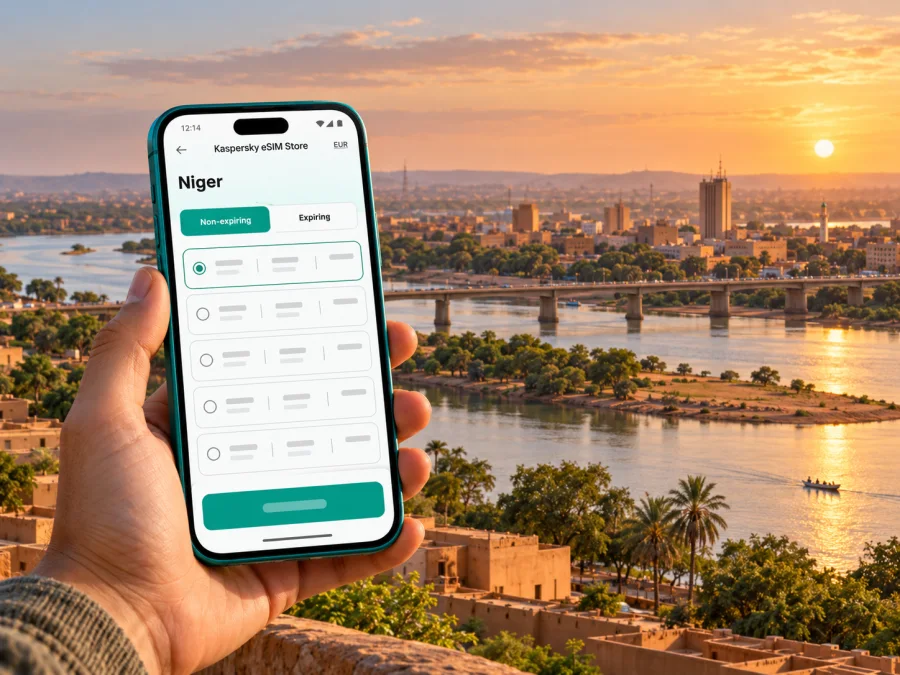
Niamey eSIM: mobile connection and internet planning for a visit
Niamey is the capital of Niger, a landlocked country in West Africa distinct from Nigeria, and it sits along the Niger River. For a traveler, that geography shapes a visit: flights arrive at Diori Hamani International Airport, city trips may involve crossings between river banks, and onward journeys leave a large urban area for long distances. An eSIM can make maps, messages, bookings and work tools available without swapping a physical SIM, but it is only useful when the trip itself is confirmed and the selected plan explicitly covers Niger.
That qualification matters. Current government travel advice describes serious security risks in Niger, including in Niamey, and warns that flights or airport operations can be disrupted at short notice. Some governments advise against travel. Before making or continuing a journey, check the latest advice issued by your own authorities, your airline’s flight status, entry requirements and your organization’s security arrangements. Connectivity is a preparation tool; it does not make a route safe or replace local guidance.
This guide is for travelers whose visit is necessary or already arranged. It explains how to assess a data plan for Niamey, prepare an eSIM, keep essential information accessible and adapt if your itinerary changes. It does not promise coverage at a particular address, airport, hotel or road. Network access depends on the plan’s current terms, roaming partners, device and local conditions.
First decision: should the trip go ahead?
Start with travel and security information, not with a data package. Review advisories shortly before departure and again on arrival; conditions can change. Confirm with your employer, host, airline or travel-security contact who will meet you, how transfers are arranged, what to do if a flight is delayed and which communication channel to use in an emergency.
An itinerary that looks simple on a map may require extra coordination. Diori Hamani International Airport is outside the central urban area, and airport access, checkpoints, traffic or official instructions can affect transfer time. Do not rely on a phone map to decide whether to walk, take an unverified ride or travel after dark. Use transport arranged through a trusted host or professional provider, follow current local instructions, and share changes to your schedule with the person responsible for your visit.
The Niger River is a defining feature of Niamey. The Kennedy Bridge connects the city across the river, but a route planner does not tell you whether a crossing is appropriate at a given time. Current foreign travel advice specifically warns against crossing bridges over the river on foot. Plan any necessary crossing by vehicle with a trusted driver, and check the route in advance rather than improvising on the street.
A practical pre-trip check
- Confirm that the visit is necessary and that the latest official travel advice supports your organization’s plan.
- Ask your host or security contact to confirm the airport pickup, destination and fallback arrangement.
- Recheck flight operations and airport instructions close to departure; allow for short-notice changes.
- Save important phone numbers, addresses, booking details and emergency instructions somewhere available offline.
- Keep a charged power bank and a second way to contact your host if mobile data is unavailable.
- Avoid posting live travel dates, hotel details or predictable movements publicly.
What an eSIM can and cannot do in Niamey
An eSIM is a digital SIM profile installed on a compatible device. A travel data plan can provide mobile internet through a supported local roaming arrangement, if Niger is included in that plan and the service is available where you are. It can be convenient for navigation, work messages, translating short information, ride coordination and checking flight updates.
An eSIM data plan is not automatically a local Niger phone number. Unless a plan explicitly states otherwise, do not expect standard voice calls or SMS. Keep your usual number active if you need verification messages, and check with your home operator about roaming charges. Internet calling and messaging apps may work over data, but they depend on an active connection and the other person being reachable through the same service.
A country’s mobile market and a travel eSIM’s roaming footprint are different things. Niger’s regulator lists Celtel Niger SA, Moov Africa Niger S.A, Niger Telecoms S.A, Zamani Com S.A.S and Shap Mobile, with different licence categories and technologies. That market list does not identify the network partner for a particular travel plan, prove that an eSIM works in Niamey or guarantee signal at a hotel or airport. Do not infer support from an operator’s local presence alone. Verify that the plan names Niger as a covered destination and review any stated network, speed, hotspot, validity and activation conditions before payment.
Choose a plan around the actual itinerary
A city stay with limited movement has different data needs from a schedule of video calls, large file transfers and frequent navigation. Estimate usage by task rather than by an arbitrary “per day” figure. Email, text messaging, map searches and short web pages usually need less data than video meetings, streaming or cloud backups. The exact amount depends on settings and usage, so treat estimates as a planning aid, not a guarantee.
| Trip pattern | Likely data use | What to check before choosing |
|---|---|---|
| Short essential visit | Messages, flight updates, occasional maps | Whether the allowance and validity cover the whole stay, including delays |
| Meetings in Niamey | Email, calendars, documents and calls | Whether tethering is allowed, and whether your workplace requires a secure connection |
| Several days with frequent navigation | Repeated map loading and route changes | Offline map availability, plan validity and expected local coverage |
| Work involving large files | Uploads, cloud sync or video calls | Fair-use limits, speed conditions and a reliable Wi-Fi fallback |
| Itinerary may change | Uncertain arrival or departure date | When validity starts, whether installation and activation are separate, and whether the plan can be extended |
Before buying, compare these details on the plan itself:
- Destination: Niger must be included. A regional package may list countries individually; do not assume a region name covers Niger.
- Allowance and validity: Match the data amount and active period to the confirmed trip. Check whether validity starts on installation, activation or first network connection.
- Network and service conditions: Read any named-network, speed, hotspot or fair-use restrictions. These conditions can matter more than the headline allowance.
- Device requirements: The phone must support eSIM and be carrier-unlocked. Support can vary by exact model, sales region and carrier variant.
- Installation conditions: Check whether installation needs a stable internet connection, whether a QR code can be reused and what support is available if the profile fails to install.
- Price and refund terms: Review the final amount and the terms for unactivated or activated plans before completing the purchase.
Prepare your phone before leaving
Check compatibility before you purchase. Device names can hide important differences: one model may have eSIM capability in one regional variant and a physical-SIM-only configuration in another. Confirm the complete model number and region, check the device settings or manufacturer documentation, and make sure the phone is not carrier-locked. Check whether your device supports eSIM.
Before installation, update the operating system while you have a stable connection and enough battery. Keep your normal SIM active until you have confirmed how calls and verification messages will work. Save the eSIM purchase confirmation, QR code or manual activation details securely. Treat the QR code as private account information; do not post or forward it casually.
If your schedule may change, install only when you understand the plan’s activation rules. Some profiles can be installed in advance while their data period starts later; others may begin validity at a different step. Follow the exact plan instructions rather than assuming all eSIMs behave alike. Avoid deleting a profile to troubleshoot unless the provider’s instructions say it can be installed again.
Installation and activation checklist
- Connect to a stable Wi-Fi network and charge the phone.
- Open the purchase or installation instructions for your device: Android eSIM installation instructions or iPhone eSIM installation instructions.
- Add the eSIM using the QR code or manual details supplied for the selected plan. Follow the on-screen prompts.
- Label the new line clearly, for example “Niger data”, so it is easy to distinguish from your home SIM.
- Keep mobile data on your usual line until you are ready to use the travel plan. At the appropriate time, select the eSIM for mobile data.
- Enable data roaming for the eSIM only if the plan’s instructions require it. This setting can be necessary for a travel profile, but confirm the instructions to avoid unexpected charges on your primary SIM.
- After arrival, allow the eSIM to register and check the plan’s status. If it does not connect, follow the provider’s troubleshooting steps and contact support using Wi-Fi where possible.
Menu names differ by device and operating-system version. If you use dual SIM, check which line handles mobile data, calls and messages. Turn off automatic data switching if your phone might move data to your home SIM without warning. Keep the home line available for important calls if needed, but review roaming settings and charges with that operator.
If you want to compare current options, review eSIM plans for Niger. Check the precise destination, data allowance, validity, supported network details and activation rules shown for the plan you select; a country listing does not promise service at every point in Niamey.
Airport arrival and the first hours
Diori Hamani International Airport is Niamey’s international airport. Current travel advice reports serious security risks and possible short-notice flight disruption, so treat arrival as a coordinated transfer. Confirm flight status, pickup contact and meeting point before departure. Save the driver’s details, destination and host’s number offline; do not rely on airport Wi-Fi to install an eSIM or retrieve a QR code.
When your plan allows advance installation, set it up over stable Wi-Fi before travel. Keep the QR code or manual details secure. After arrival, test a small task such as messaging your host. If the profile does not connect, check the plan’s status, selected data line and roaming instructions. Avoid deleting or resetting the profile without the provider’s guidance. Keep the phone charged and out of sight when not in use; mobile data is not an emergency plan.
Getting around a city shaped by the river
Niamey’s location on the Niger River makes its crossings useful map references, but a route pin does not confirm that a route is suitable or currently accessible. The Kennedy Bridge connects the city across the river. Current government advice warns against crossing bridges on foot, so arrange any necessary crossing by vehicle with a trusted driver and follow local instructions.
For each necessary journey, confirm the destination and transfer with your host, share your expected arrival time and save the address offline. Do not improvise a ride or route because a map suggests it is nearby. Downloading an offline map can help with orientation, but it will not show live traffic, closures or security updates. If service is lost, pause in an agreed secure place and use your backup contact method rather than moving around to find a signal.
If you are in Niamey for a short connection
A layover does not guarantee time or permission for a city visit. Verify onward flight status, visa conditions and airport instructions with the airline and your host. Do not assume an off-site transfer is advisable. If you need data, check Niger coverage and validity for the precise connection window; retain offline booking details and a second way to reach your receiving party.
If you are travelling for work
Have your local host confirm each destination and transfer, follow any security plan and share schedule changes with a designated colleague. Ask your accommodation or office what internet access is available and whether it suits your tasks. Follow workplace rules for sensitive information and approved remote access.
Estimate mobile data by task: messages and calendars need less than video meetings or large uploads. Confirm plan limits and hotspot terms, keep meeting details and essential documents offline, and retain a trusted Wi-Fi or office connection for critical work. A data-only eSIM does not supply a local number for ordinary calls or SMS; arrange that separately if needed.
Troubleshooting without making the situation worse
If data fails, check that Niger is included, the plan is active, the eSIM is enabled and selected for mobile data, and any required roaming setting is on. Test a basic webpage. Follow provider instructions before changing settings; do not erase the profile as a first response.
If service remains unavailable, contact support over Wi-Fi and share your device model, operating-system version, approximate time and displayed network. Keep setup codes private. For urgent help, use the emergency process supplied by your host or organization.
Frequently asked questions
Does an eSIM guarantee mobile internet throughout Niamey?
No. Coverage depends on the specific plan, its local roaming arrangement, the device, signal conditions and any temporary service disruption. Confirm that Niger is included in the selected plan and treat actual connection as dependent on local conditions.
Can I use the eSIM for ordinary calls and text messages?
Only if the specific plan states that voice and SMS are included. A data-only plan generally supports internet-based messaging and calling apps when a connection is available, but it does not itself provide a standard phone number.
Will my phone support eSIM because it is a recent model?
Not necessarily. Support can depend on the exact model, region and carrier configuration. Check the full model variant, eSIM settings and carrier-lock status before buying.
Can I use the eSIM for travel outside Niamey?
A plan might list Niger as a destination, but that does not confirm coverage on a particular road or in another location. Separately, current government travel advice warns of serious risks and may require special authorization or security arrangements for travel outside the capital. Confirm both the travel permission and the plan conditions before considering any onward trip.
A concise Niamey connectivity checklist
Before departure, confirm the trip arrangements, latest security guidance, flight and transfer. Save the itinerary and essential contacts offline. Verify that your exact device variant is unlocked and supports eSIM; read the plan’s Niger coverage, data, validity, network, hotspot and activation terms. Install as instructed and assign mobile data to the correct SIM.
On arrival, follow the agreed pickup plan, test a small data task and keep an alternative way to contact your host. Use maps as reference, not as a replacement for local instructions. If service fails, remain in an agreed secure place and use your backup channel.
Prepare your eSIM for Niger
If your visit to Niamey is confirmed, use Kaspersky eSIM Store on the website or in the app to review current Niger options, compare the stated plan conditions and choose one that fits your itinerary. Check the full destination list and the terms before payment, then install and activate the eSIM according to its instructions on a compatible device. Review available eSIM options for Niger and keep your travel contacts and transfer details available offline as well.


