Travel connectivity guide
Nida eSIM: Mobile Internet for Your Trip
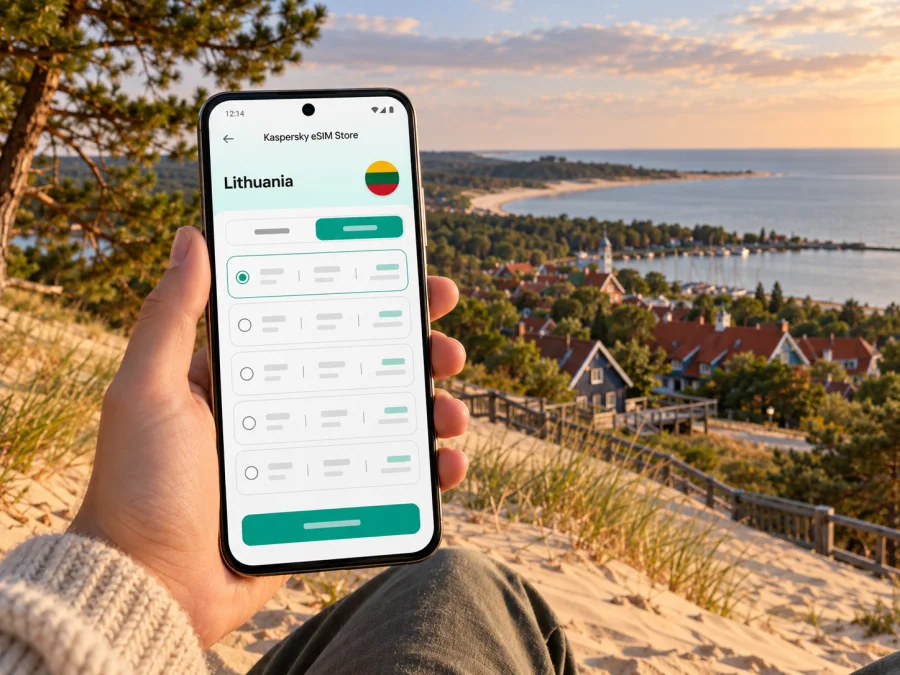
Nida eSIM: Mobile Connection and Internet for Your Trip
Nida is a small seaside resort at the Lithuanian end of the Curonian Spit, where a day can move between the lagoon, pine woods, the Baltic shore and the dunes. A mobile connection helps with the practical transitions: checking the route from Klaipėda, finding your accommodation, keeping a ticket or reservation accessible and changing plans when the weather shifts. An eSIM can provide mobile data without replacing the physical SIM already in your phone, if your device supports it and the selected plan covers Lithuania.
Nida is a settlement in Neringa municipality on the Lithuanian side of the Curonian Spit, between the Baltic Sea and the Curonian Lagoon. The spit is a UNESCO World Heritage cultural landscape shared by Lithuania and the Russian Federation, so check that a travel plan explicitly includes Lithuania; its name does not imply cross-border coverage.
The setting also shapes how you should plan for connectivity. Nida is not a large urban grid with a station on every block. Your journey includes a ferry crossing, a road running along the spit and open coastal areas. Save essential details before leaving Klaipėda, and treat mobile data as a helpful tool rather than the only way to find your bed, board a bus or meet someone.
Before leaving for Nida: plan the whole route
Most visitors reach Nida through Klaipėda. From the city, a ferry carries passengers across the Curonian Lagoon to Smiltynė; from there, local buses connect the settlements of Neringa, including Nida. The departure point depends on whether you are travelling on foot, by bicycle or with a vehicle, so confirm the correct terminal and current crossing arrangements before setting out. Ferry and bus timetables can vary by date and season.
A practical route plan has three parts:
- Reach the correct Klaipėda ferry terminal. Check whether your crossing is for pedestrians and cyclists or also accepts vehicles. Allow time to reach the terminal and buy or validate any required ticket.
- Make the crossing to Smiltynė. Keep your onward bus information available offline in case you cannot load a page immediately after disembarking.
- Continue south to Nida. Check the latest local bus timetable and stop name, and leave room for a connection delay. If a service is important to your arrival, confirm it with the transport provider rather than relying on an old screenshot or search result.
If you travel by car, confirm the vehicle ferry and any local access, parking or environmental fees that apply on your travel date. If you travel without a car, check the bus connection before booking accommodation far from the centre. A short walk on a map may take longer with luggage, a child’s pushchair or a bicycle, and a seaside path can feel different in wind or rain.
A short arrival checklist
Before leaving Klaipėda, save your accommodation address, check-in details, ferry and bus information, and an offline map. Keep your phone charged and share your expected arrival time with your host if a delay could affect check-in.
A destination plan is most useful when it solves a clear travel problem. In Nida, that may mean opening a map after arrival, messaging your host, checking a weather update or coordinating a pickup. It does not remove the need to check transport operations, opening hours or local instructions in advance.
What mobile data is useful for in Nida
Nida is compact enough to explore at a walking pace, but useful information is spread across your trip: the bus stop, accommodation, waterfront, forest paths, museum visits and places to eat. An internet connection can make those transitions easier. It can help you look up a route, contact a host, translate a short notice, check a forecast or arrange a meeting point. Download key information first, especially for a walk that takes you away from the built-up centre.
| Travel moment | How mobile data can help | A useful backup |
|---|---|---|
| Arriving by bus | Find the accommodation address and message your host | Save the address and check-in details offline |
| Walking around the centre | Compare a route and locate an open service | Keep a downloaded map and note the return route |
| Visiting the lagoon or shore | Check weather and coordinate with companions | Agree on a meeting point and time before separating |
| Going to a trail or dune area | Review access information and orient yourself | Carry water, follow signs and save the route beforehand |
| Working from your accommodation | Join a call or reach cloud documents if the connection allows | Ask about the property’s Wi-Fi and keep files available offline |
| Travelling onward | Check a current bus departure or contact a driver | Save the timetable details and allow extra time |
These are practical uses, not a promise that every path, beach or building has the same signal. Mobile reception and data performance depend on the local network, your exact position, the device, indoor construction and current conditions. A plan’s availability for Lithuania does not certify reception at a particular beach, trail, hotel room or ferry. If a task is time-sensitive, prepare an offline alternative and use the local provider’s coverage information where available.
Nida is known for a landscape shaped by sand, wind and human care. The UNESCO inscription applies to the Curonian Spit cultural landscape, rather than describing every location as an urban attraction. Stay on permitted paths and follow signs in protected areas. A phone map is useful for orientation, but it should not override park guidance or access restrictions. In open areas, take a screenshot or download the route before walking; do not assume that data will be available at every turn.
Choosing an eSIM plan for a stay in Nida
Start with the length and rhythm of your trip, rather than choosing a data amount by habit. A weekend with messaging, maps and occasional browsing uses data differently from a longer stay that includes video calls, uploads or hotspot use. Estimate what you need, then compare the plan’s destination, data allowance, validity period, price, top-up options and any restrictions shown at checkout. The available options and terms can change, so use the current plan details when making a decision.
For travel to Nida, check that the destination is Lithuania. A city name may not appear as a separate eSIM destination; the national destination is the relevant starting point for checking plan eligibility. You can check the current destination and eSIM plan options and confirm that a selected plan includes Lithuania. This general store page is a starting point for browsing; it does not confirm a specific Lithuania tariff, network or signal level in Nida.
Use this comparison to decide what to inspect before purchase:
| Your travel pattern | What to prioritize | What to confirm in the plan terms |
|---|---|---|
| One or two nights, mostly walking | A modest allowance may be enough if you use offline maps and Wi-Fi when suitable | Validity begins when you expect, data is available for Lithuania, and the allowance fits your likely use |
| Several days with frequent navigation and messaging | Balance validity with a realistic data allowance | Whether data is limited, how usage is measured and whether topping up is possible |
| Remote work or frequent video calls | A larger allowance may be relevant, but mobile data is not a substitute for checking the property’s connection | Hotspot rules, speed or fair-use conditions, validity and any restrictions |
| Nida plus other Lithuanian stops | A country plan may be simpler than separate city arrangements | That every planned stop is in the supported destination and the plan remains valid for the full route |
| A trip that continues across a border | Compare a regional option only if it explicitly lists all countries on your route | Included destinations, data allocation by country and the validity period |
Do not select a plan based only on a headline allowance. Check whether the stated data is a fixed amount or subject to other terms, when validity starts, what happens when it runs out, and whether tethering is permitted if you intend to share a connection. No particular tariff, price or coverage should be assumed in advance. If a detail matters to your trip and is not clear on the plan page, confirm it before paying.
Choose data based on how you will use your phone. Maps, messaging and email are different from video calls, streaming, hotspot sharing or large photo uploads. If you work online, check the accommodation’s Wi-Fi and the plan’s allowance and tethering terms. Review background uploads and software updates before travel, and compare data allowance with validity rather than choosing by headline size alone.
Check your device before buying
An eSIM is a digital SIM profile, but support depends on the exact device and sometimes on the version sold for a particular market. A model name alone may not be enough to confirm support. Make sure the phone is not carrier-locked and that you can add an eSIM in its mobile-network settings. If you have a regional device variant or are unsure, check your device’s eSIM compatibility and confirm the manufacturer’s specifications for your exact model and market.
Also consider how your existing SIM will work alongside the travel eSIM. Many phones let you choose a line for mobile data while keeping another line active, but the available settings vary. Before departure, identify your primary number, decide which line should use mobile data and check roaming settings for the line you intend to use. Do not disable your regular line until you know whether you need it for calls, bank verification or account recovery.
Install and activate the eSIM before the ferry day
If your plan allows it, install the profile while you have a stable internet connection and enough time to read each prompt. Installation and activation are separate steps in some plans: follow the instructions shown for the selected eSIM and check when its validity begins. If the start time is unclear, confirm it before installing or enabling the profile. Keep the QR code or manual details accessible on a different screen or device if you will need them during setup.
A straightforward preparation sequence is:
- Check compatibility and unlocking. Confirm eSIM support and that the phone is not restricted to another carrier.
- Choose the destination and plan. Check that Lithuania is included and that the allowance and validity suit your dates.
- Install the profile using the plan instructions. Use a reliable internet connection and do not delete the eSIM after installation unless support tells you to.
- Label the travel line. Give it a clear name such as “Lithuania data” so you can identify it later.
- Set data selection deliberately. Choose the travel eSIM for mobile data when you are ready to use it; check which line handles calls and messages.
- Test before you need it. Follow the activation instructions and verify that the profile appears in your phone settings. If the plan should start only on arrival, leave it disabled until the specified point.
For step-by-step help, see the Android eSIM installation instructions or the iPhone and iOS eSIM installation instructions. Menu names can differ by operating system version and device manufacturer, so follow the on-screen labels on your phone.
When you arrive in Nida and want to use mobile data, check that the travel eSIM is enabled and selected for data. Some plans or devices may require data roaming to be enabled for that eSIM; follow the selected plan’s instructions. If the phone does not connect, check the profile, data-line selection and plan validity before changing network settings. Restarting the phone may help in some cases, but avoid deleting the eSIM as a first troubleshooting step.
Use mobile data around Nida
Arrival and check-in
Save the accommodation address, host contact and check-in instructions before leaving Klaipėda. At the Nida bus stop, use the saved details to find your way and message your host if your arrival time changes. An offline copy is useful if a page does not load.
Lagoon, shore and trails
Plan your return route before setting out. Download the relevant map, carry water and keep your phone charged. Weather and conditions can change, and reception may differ between the centre, buildings and open coastal areas. Follow local signs and protected-area guidance; a live map is not a substitute for access rules.
Work or visit another settlement
If you need a video meeting, ask your accommodation about Wi-Fi and keep essential files available offline. An eSIM may serve as mobile data away from the property, subject to coverage, plan limits and device conditions. For trips to Juodkrantė, Preila or Pervalka, check current local bus times and save them offline. A map can show a route but cannot guarantee the next departure.
If the connection does not work as expected
A short sequence of checks can identify common setup issues without risking the installed profile:
- Check that the plan covers Lithuania and that its validity has started.
- Confirm that the eSIM is installed, switched on and selected for mobile data.
- Check whether the plan instructions require data roaming on that line.
- Move to an open area and wait briefly, since indoor walls and location can affect reception.
- Restart the phone if the other checks are correct.
- Review the plan’s network or APN instructions, if provided, and contact the service’s support channel if the issue continues.
A weak or absent signal in one location does not by itself prove that the plan is invalid. Coverage and performance can vary, and a network can be affected by local conditions. For essential reservations, navigation or work, keep the information you need offline and ask your accommodation or a local information point for help if mobile data is unavailable.
Frequently asked questions
Is Nida in Lithuania or in Russia?
Nida is a settlement in Neringa municipality on the Lithuanian part of the Curonian Spit. The spit itself extends across Lithuania and the Russian Federation, but a trip to Nida is a trip to Lithuania. Choose a plan that explicitly includes Lithuania.
Is there a separate eSIM plan for Nida?
A city-specific plan may not be listed. Check the current destination options for Lithuania and verify the plan’s terms. A Lithuania listing does not promise identical reception in every part of Nida or on the wider spit.
Can I rely on mobile internet on the beach or among the dunes?
Do not assume that coverage is uniform. Reception depends on the local network, exact location, device and conditions. Download maps and essential details beforehand, follow protected-area signs and treat an online route as a convenience rather than a guarantee.
Will an eSIM give me a local phone number?
Not necessarily. Travel eSIM plans in this context are intended for mobile data and may not include a standard phone number, voice calls or SMS. Check the terms of the exact plan. Internet-based calling and messaging apps can work over data, but still depend on an active connection and the app’s requirements.
Should I install the eSIM before travelling?
You can prepare it before departure if your plan’s instructions allow. Check when the plan validity starts and when to enable the profile. Installing in advance can reduce setup work on arrival, while activation timing should follow the specific plan instructions.
Can I keep my regular SIM active?
Many phones support multiple SIM lines, but settings vary. Check the selected data line and any roaming charges on your regular SIM. Device and plan terms determine whether calls or SMS are included.
Is Nida suitable for a quick stop?
It can be visited as a short stop, but the ferry crossing and onward transport make timing important. Check return connections before setting off, leave a buffer and save your route details offline. A tight schedule should account for waiting and transfer time, not just the distance shown on a map.
Prepare for Nida with a plan that fits your route
For a smoother arrival, confirm the ferry terminal, check the bus timetable for your date, save your accommodation details and prepare offline maps. Then review whether your phone supports eSIM, whether it is unlocked and what the Lithuania plan includes. Kaspersky eSIM Store is an app and website where you can choose, arrange and activate an eSIM with a suitable plan for mobile data while travelling abroad; the network and plan terms are determined by the selected offer.
When you are ready, browse destination options in Kaspersky eSIM Store and check the current plan details for Lithuania before choosing one whose data allowance and validity match your Nida stay. Install and activate it according to its instructions, keep your key travel details available offline, and enjoy the Curonian Spit at a pace that leaves room for the weather, the ferry and the next walk.


