Travel connectivity guide
Niger Telecoms eSIM in Niger: What to Check
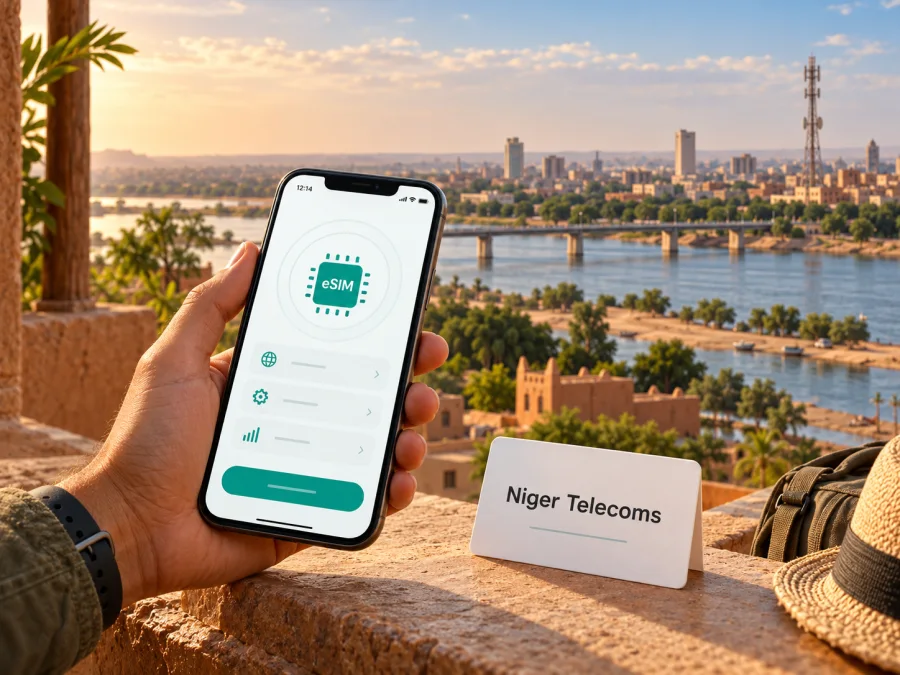
Niger Telecoms eSIM in Niger: what travelers should check
If you are travelling to Niger and searching for a Niger Telecoms eSIM, check the operator’s current support before planning around it. Niger Telecoms is listed by Niger’s telecommunications regulator as a provider of mobile telephony and mobile internet. Its official mobility page describes mobile SIM services, but the public pages reviewed for this guide do not confirm whether the operator issues eSIM profiles or explain how a visitor could obtain one. A mobile network service does not by itself prove that eSIM activation is available.
This guide concerns Niger, not Nigeria. It separates confirmed information from what still needs an answer. It offers practical steps for checking a device, comparing a local SIM with a travel eSIM, and preparing mobile data for a trip. It does not assume that an eSIM-capable phone can use Niger Telecoms eSIM. Niger Telecoms is an independent provider; Kaspersky eSIM Store is not affiliated with, endorsed by, or an official partner of the operator.
What is verified about Niger Telecoms
ARCEP, Niger’s telecommunications regulator, lists NIGER TELECOMS S.A. as holding a global licence for 2G, 3G and fixed services, with mobile telephony and fixed and mobile internet in its service segment. The official Niger Telecoms “Mobilité” page describes mobile SIM services and general mobile and internet offers. These sources establish the operator’s presence in Niger’s telecom market and its public-facing mobile service. They do not confirm an eSIM offer.
On 1 November 2026, the operator’s public mobility information did not provide an eSIM ordering or installation guide, and the regulator’s operator listing did not identify retail eSIM availability. We found no current official visitor guide specifying eSIM eligibility, registration, activation, or compatible phone variants. This means support is unverified, rather than proof that the operator will never offer eSIM. Ask Niger Telecoms directly if a local eSIM is essential to your plans.
| Question | Public information checked | What remains uncertain |
|---|---|---|
| Is Niger Telecoms a mobile provider? | ARCEP lists mobile telephony and mobile internet under its services. | Availability at a specific address or along a route. |
| Does it describe mobile service? | The operator’s “Mobilité” page describes SIM-based mobile services. | Whether eSIM is now issued to residents or visitors. |
| Can a visitor activate its eSIM? | No current official activation instructions were found. | Eligibility, documents, supported devices, and whether in-person registration is required. |
| Which mobile technologies are listed? | ARCEP identifies 2G and 3G licences for Niger Telecoms, alongside fixed services. | Current local signal, device band support, and any later service changes. |
Is Niger Telecoms eSIM available?
As of the date checked, Niger Telecoms eSIM availability could not be confirmed from current public operator information. The official mobility page describes SIM-based service, but it does not publish an eSIM purchase or activation flow. A physical SIM is inserted into a device; an eSIM is a digital profile installed on a compatible device. Evidence about one format cannot be used to claim support for the other.
Contact Niger Telecoms through a channel listed on its official website and ask specific questions. Does it issue eSIM profiles to new customers and visitors? Can an existing number be converted? Which exact phone models and regional variants are accepted? Must registration or activation happen in person? Which documents are required? Can a profile be installed before arrival, and how can a traveler get help if it fails? Ask for the current written instructions and terms before making travel plans around the service.
If support is confirmed, ask how the profile is delivered, whether it can be transferred or reinstalled, and whether the service includes data only or also a local number, calls, and SMS. Confirm the official channel before sharing identity or payment details, and treat any QR code as a credential.
If the operator cannot confirm eSIM or says it is unavailable to you, consider a verified physical SIM, your home carrier’s roaming service, or a travel eSIM that explicitly includes Niger. Each option has different conditions. A local SIM may be appropriate when you need a local number; a travel eSIM may focus on mobile data. Confirm the exact provider, service, eligibility, and terms before purchase.
Coverage and technology: read claims carefully
ARCEP lists Niger Telecoms’ 2G and 3G licences. This is a regulatory classification, not a complete technical specification or a guarantee of reception at a particular destination. The operator’s broad connectivity language is not a route-level signal guarantee.
ARCEP’s “Qualité services Télécoms” page includes regional tables for Niger Telecoms and an “Audit de la qualité du service 2022–2023” heading. The entries include named regions such as Niamey, Agadez, Maradi, Zinder, Tahoua, Tillabéri and Dosso. This is historical regional reporting, not real-time coverage information or a guarantee about indoor reception, outages, or service on a road. Ask about your planned towns and routes.
Technology and eSIM availability are separate matters. A phone that supports 2G or 3G is not thereby able to download a local eSIM profile. A phone with eSIM hardware is not guaranteed to be accepted by a particular operator. Regional handset variants may also differ in radio bands, SIM configuration, or carrier support. Check the manufacturer’s specification for your exact device and ask the provider about that variant.
Download maps, bookings, key addresses, and emergency contacts for offline use before travelling between towns. Keep a way to charge your phone and do not rely on one connection for essential information.
Local SIM and travel eSIM have different roles
A local Niger Telecoms service may suit a traveler who needs a local account or number and can complete registration. Confirm visitor eligibility and documents directly; the pages reviewed do not establish a tourist eSIM.
A travel eSIM is a separate provider’s product for use abroad and may focus on mobile data without a local number. Check included destinations, network information, voice and SMS, activation timing, and support. Do not call it a Niger Telecoms product unless that relationship is confirmed.
Kaspersky eSIM Store is an app and website that helps travelers choose, purchase, and activate an eSIM plan for mobile internet abroad. It is not a mobile network operator, does not own a network, and is not Niger Telecoms. Its Niger destination page lists travel eSIM options for the country and identifies technology partner BNESIM Limited as the provider of related eSIM products and services. The page does not identify those options as Niger Telecoms eSIMs. Review the current destination and plan information, including any listed network partner, before deciding whether it fits your route.
You can browse eSIM options for Niger to review the current destination page. This is a Kaspersky eSIM Store page, not a Niger Telecoms tariff or confirmation of operator eSIM support. Check live availability, partner networks, and terms before purchase.
Check your phone before travel
Confirm eSIM support for your exact hardware and regional variant, that the phone is unlocked, and that the provider accepts it. Manufacturer information can establish device capability, but only the provider can confirm its own profile requirements. Dual-SIM combinations also vary by region, so check which line will handle data and review roaming on your home SIM.
Keep the operating system current and have stable internet for installation. For Kaspersky eSIM Store, review the device compatibility guide. For Niger Telecoms eSIM, ask the operator about your exact model and installation method.
Preparing and installing a travel eSIM
Use the instructions supplied with the exact eSIM you choose. The process varies by phone and provider, but this sequence can help you prepare without assuming a Niger Telecoms eSIM exists.
- Confirm coverage and terms. Make sure Niger is included, note any listed network partner, and check what the product includes, how activation begins, and whether transfer or reinstallation is supported.
- Check the phone. Verify support for the exact regional variant, carrier-unlock status, and provider compatibility. Keep stable internet available during setup.
- Install as directed. Follow the provider’s app, QR, or manual instructions. Protect the installation code and keep instructions available offline.
- Set the lines carefully. Label the travel profile, choose the intended data line, and enable data roaming on that profile only if the provider requires it. Review roaming on your home SIM.
- Check activation timing. Installing a profile and starting service or validity may be separate events; follow the product’s terms.
- Test and seek help. When service should be available, check that the profile is enabled and selected for data. If it fails, contact support over Wi-Fi before deleting it.
On iPhone, follow Apple’s current eSIM setup steps; on Android, use the handset maker’s instructions because menus differ. Provider directions take priority. Installation alone does not guarantee that service is enabled or reachable at your location.
If you choose a physical Niger Telecoms SIM
A physical SIM may be a suitable alternative if eSIM is unavailable or unsuitable. Ask Niger Telecoms where visitors can obtain one, what registration is required, whether activation must happen in person, and how to contact support. Do not assume every purchase option is open to every visitor.
Confirm that the SIM is registered correctly and works in your unlocked phone. Keep its packaging and support details. If you need to retain your home number, check how your device handles the local SIM and primary line.
Traveler checklist
Before departure:
- Ask Niger Telecoms directly whether it currently offers eSIM to visitors and whether your exact phone variant is supported.
- If the answer is unclear, do not rely on Niger Telecoms eSIM as your only way to connect.
- Confirm which places on your itinerary are included by your chosen provider, especially if travelling between towns.
- Decide whether you need a local number, voice calls, SMS, or mobile data only; verify that your chosen service includes what you need.
- Review activation timing, data-roaming instructions, reinstallation rules, and customer support details.
- Download maps, reservations, addresses, and contact information for offline use.
- Check which SIM is selected for data and review your home line’s roaming settings.
Common questions
Can I buy a Niger Telecoms eSIM online?
The current public pages reviewed for this guide do not confirm that Niger Telecoms issues eSIM or explain an online eSIM purchase. The operator describes SIM-based mobile service, which is not evidence of eSIM availability. Contact Niger Telecoms and ask specifically about visitors, online ordering, registration, and your exact device variant.
Does Niger Telecoms eSIM work on iPhone or Android?
No current official source reviewed here confirms support for either platform or names compatible models. Phone-level eSIM capability and operator support are separate checks. Verify the device with its manufacturer, then ask Niger Telecoms or the travel eSIM provider about the exact phone variant you intend to use.
Is a travel eSIM for Niger the same as Niger Telecoms eSIM?
No. A travel eSIM is a provider’s product for use abroad; it is not automatically issued by Niger Telecoms and may not include a local phone number or ordinary voice service. Check the provider and network information for that specific product.
Does a data eSIM include calls and SMS?
Not necessarily. Some travel eSIMs are intended for mobile data and do not include a standard local number, voice minutes, or SMS. Check the exact product terms. Internet calling and messaging apps may work over a data connection, subject to their own requirements.
What if an eSIM installs but does not connect?
Check that the profile is enabled, the right data line is selected, airplane mode is off, and any provider-specific roaming instruction has been followed. Confirm the product includes your location. If the connection still fails, contact the issuing provider over Wi-Fi before deleting the profile, as reinstallation may not be possible.
A practical decision
For a trip to Niger, treat Niger Telecoms eSIM as unconfirmed until the operator answers through a current official channel. ARCEP lists Niger Telecoms for mobile telephony and mobile internet and identifies its licensed mobile technologies as 2G and 3G. The operator’s public “Mobilité” page describes SIM-based service. The material reviewed does not establish an operator eSIM for residents or visitors, and the regulator’s regional service audit is historical rather than a live coverage guarantee.
For a local number or account, ask Niger Telecoms about a physical SIM and registration. For mobile data, consider a travel eSIM that lists Niger and verify its network, device, and activation terms. Kaspersky eSIM Store can help you review travel options, but it is not Niger Telecoms and does not confirm the operator’s service.
Source check: On 1 November 2026, the pages reviewed were ARCEP Niger’s “Opérateurs” listing and “Qualité services Télécoms” page; Niger Telecoms’ “Mobilité” page; and the Kaspersky eSIM Store destination page for Niger. The operator pages reviewed did not confirm eSIM support. Confirm current availability, coverage, device and registration requirements with the relevant provider before departure.


