Travel connectivity guide
Niš eSIM: Mobile Internet for Your City Visit
Niš eSIM: Mobile Connection and Internet for Your City Visit
Niš rewards visitors who slow down between arrivals, meals and walks. Its central fortress sits beside the Nišava River; Roman-era Mediana lies farther out, while cafés fill the old streets near the centre. Mobile internet helps connect these places: check an address, message a host or confirm a museum’s current hours.
An eSIM is a digital SIM profile installed on a compatible device. For a visitor, a travel data plan can keep maps and online services available without replacing a physical SIM. The details depend on the particular plan and the local network it uses. It is useful to think of eSIM as one part of a travel setup, alongside offline maps, accommodation details and a fallback way to make essential calls.
Start with the shape of your visit
Niš is a practical base for a short city break, a work trip in southern Serbia, or a stop on a longer overland journey. Your data needs will change with the itinerary. A weekend focused on the fortress and the centre may involve little more than directions and messaging. Add Mediana, Niška Banja or a drive beyond the city and you are more likely to use navigation repeatedly, search for transport details and share updates while moving.
Before you travel, note where you will sleep, how you expect to arrive and whether you plan to leave the urban area. Those three details help you choose a data allowance and validity period with less guesswork. A plan should cover the entire trip, including the day you arrive and the day you depart; activating it too early may start its validity sooner than you expect, depending on the plan’s terms.
| Travel pattern | Likely phone use | Useful preparation |
|---|---|---|
| One or two nights in the centre | Directions, messages, restaurant searches | Save your hotel address and a city map offline |
| Several days with museums and Mediana | Maps, opening-hour checks, photos and bookings | Keep the route and key addresses in one note |
| Work visit | Email, messaging, video calls when needed | Check the plan’s data limit and your meeting locations |
| Road or rail stopover | Navigation, ticket details, service updates | Download maps and keep tickets accessible offline |
Treat this as a planning guide, not a promise of signal or plan performance. Indoor reception, network conditions and the terms of your selected eSIM plan can differ. Check the destination, data amount, validity and any speed or hotspot limits shown for the exact plan you consider.
Arriving in Niš and getting oriented
Constantine the Great Airport (Niš Airport) is the city’s airport. Its official passenger information lists flights, arrivals and departures, and it provides a taxi information section under parking and transport. Flight routes and schedules change, so confirm your flight on the airport or airline’s current information before leaving for the terminal. For the trip from the airport, check the current options when you land and agree the destination with your driver or use a route you have already arranged.
Keep your accommodation name and full address saved on the phone, preferably in both the local spelling and a form you can read aloud. A map pin is helpful, but save the street name and booking confirmation too; a driver may need the address rather than a pin.
At the airport or station, first connect to a trusted Wi-Fi network if one is available and convenient. If you rely on an eSIM, confirm whether its profile is already installed and which line is selected for mobile data. Do not delete a profile just because it is not connecting immediately. Review the activation instructions and plan conditions, then check that data roaming is enabled for the travel eSIM only if the provider’s instructions require it.
A simple arrival sequence helps avoid unnecessary troubleshooting:
- Open the saved accommodation address and confirm the destination city is Niš.
- Check the phone’s date and time settings; automatic time can help with transport and booking details.
- Select the travel eSIM for mobile data if your plan is ready to use.
- Keep your regular SIM available for calls or messages if you need it, while checking its roaming settings to avoid unexpected charges.
- If data does not start, toggle airplane mode once, wait briefly, and consult the plan’s instructions before changing network settings.
The airport is outside the central sightseeing area, so allow time for the transfer and check the route rather than assuming your first landmark is walkable from the terminal. If you are meeting someone, share your expected arrival time and a clear pickup point over a messaging service before boarding. A battery pack is especially useful after a long journey: navigation, translation and repeated network searches can drain a phone faster than an offline map.
A walkable centre, with useful route checks
The centre is a sensible place to orient yourself on foot. Niš Fortress stands at the heart of the city on the bank of the Nišava, and the official tourism description notes its gates, ramparts and historic buildings within the walls. Nearby streets lead toward cafés and restaurants, including Kazandžijsko Sokače, the preserved former bazaar street now known for dining. These central sights work well as a first walking circuit, but keep your phone available for the return route, meeting points and changes in weather.
Use a map to identify the entrance you want rather than treating the fortress as a single pin. Its perimeter is substantial, and choosing a gate or riverside approach can save backtracking. When walking along the river or through the grounds, take a screenshot of your intended route before you leave a Wi-Fi area. Live navigation can be convenient, but an offline reference gives you a useful backup if reception is weak or you need to conserve data.
Kazandžijsko Sokače is a good place to pause rather than rush through. If you are meeting friends, choose a named café or a clear landmark rather than “somewhere near the centre.” Send the location in advance, then keep mobile data for changes and messages. This small habit is useful in any unfamiliar city, especially when street names use diacritics that may be entered differently in a booking or map search.
The fortress, river and central dining streets can anchor a half-day route. Add a museum or another attraction after checking current hours and access; map listings can lag behind seasonal changes.
Beyond the central loop: Mediana and Niška Banja
Mediana is an archaeological site associated with Roman Naissus and the 4th-century imperial period. The National Tourism Organisation of Serbia describes remains that include mosaics, a villa and traces of the water system and other buildings. It is outside the compact central walking circuit, so plan it as a separate outing. Check current opening arrangements and access before you go; site hours can vary by season or maintenance, and this article does not assume a fixed timetable.
A route to Mediana is one of the moments when a dependable connection is useful: you can compare transport options, check the destination pin and confirm whether a return ride is available. Download the city map and save the site address before leaving. If you use a ride service or taxi, confirm the fare and destination directly with the service or driver; a map route is a navigation aid, not a transport booking.
Niška Banja, a spa settlement southeast of the city, is another possible extension. It is not simply another neighbourhood in the centre, so check the distance, the day’s transport options and the time you need for the return. If your eSIM plan is intended for Serbia, review its stated coverage and terms for the whole route you are planning; a country label alone does not guarantee reception at every point or inside every building.
For both trips, set up your phone before leaving central Niš:
- Save the destination and your return accommodation as separate map points.
- Download an offline map area if your navigation app supports it.
- Screenshot any ticket, reservation or opening information you may need.
- Carry a power bank and keep a written or offline note with the address.
- Check transport availability close to departure rather than relying on an old timetable.
If mobile data is temporarily unavailable, stop somewhere safe, use your saved map and check whether Wi-Fi is available at a staffed venue. Avoid walking while looking at a screen, particularly when crossing roads or navigating unfamiliar junctions.
Choosing a Serbia eSIM plan for this itinerary
A city article cannot identify one ideal data allowance for every visitor. The useful choice depends on the number of days, your reliance on video and cloud services, the number of devices you will connect, and whether the trip continues beyond Niš. Messaging, map searches and occasional web browsing generally use less data than frequent video streaming, large uploads or a laptop hotspot. Estimate your own daily use, then leave a margin for arrival-day navigation and unexpected changes.
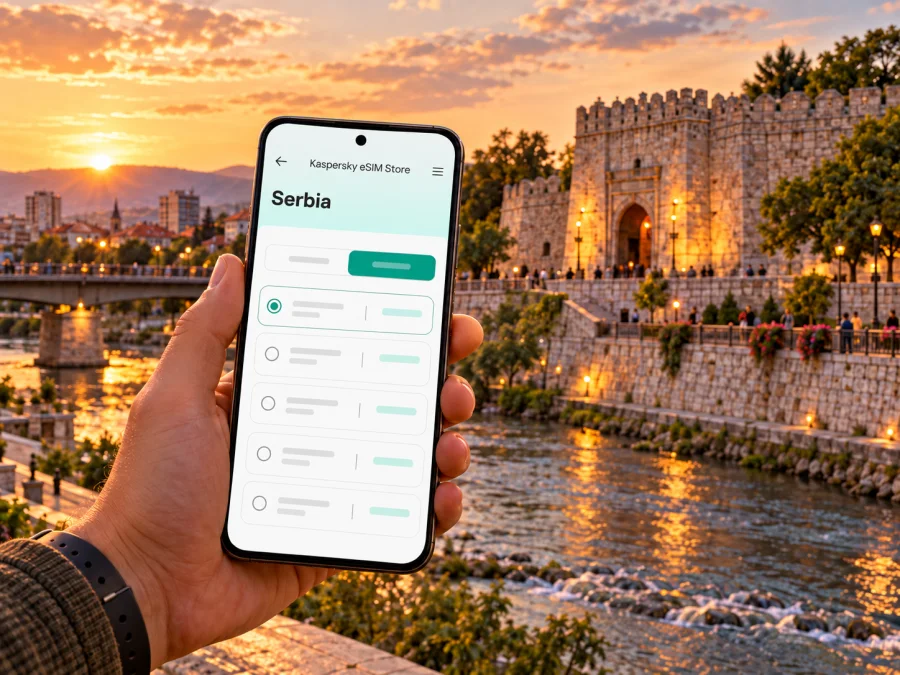
In Kaspersky eSIM Store, the app and website help you choose, arrange and activate an eSIM plan for mobile data during an international trip. Before selecting a plan, compare the displayed destination, data amount, duration, price and any restrictions. You can check the available options for a trip to Serbia and review the exact conditions shown there. Availability and terms can change, and the country page should not be read as a guarantee for a specific street, building or network experience in Niš.
A practical comparison checklist:
| Check | Why it matters in Niš |
|---|---|
| Destination includes Serbia | Niš is in Serbia; do not assume a neighbouring-country plan applies |
| Validity covers your full stay | Include arrival and departure days and check when validity begins |
| Data allowance matches your habits | Navigation and messaging differ from streaming or laptop use |
| Tethering or hotspot terms | Useful if you plan to connect another device, but not always included |
| Network and roaming instructions | Your phone may require a specific data-line or roaming setting |
| Top-up or renewal terms | Important if a short stay becomes longer than planned |
If you are visiting Niš as part of a multi-country trip, check whether your chosen plan includes every destination on the route. Do not assume a Serbia plan covers Bulgaria or North Macedonia simply because the borders are relatively close. Each country has its own plan terms and network arrangements. Save the plan details and support instructions somewhere accessible before travelling.
Device compatibility and preparation
Confirm that your phone supports eSIM and is not restricted by a carrier lock before choosing a plan. Support depends on the exact device model, its regional variant and the market for which it was made. Two phones sold under nearly identical product names can differ, so check the manufacturer’s specifications for your precise model number and review the phone’s SIM settings. If you are unsure, check whether your device is compatible before purchase.
A few preparations reduce the chance of a problem after landing:
- Update the operating system while you still have a stable connection.
- Keep access to your account email and any authentication method you need.
- Make sure you can connect to Wi-Fi during installation if the instructions call for it.
- Do not remove the eSIM profile after installation unless the plan instructions tell you to.
- Label the travel profile clearly, such as “Serbia data,” so it is easy to select.
- Keep your primary SIM’s calling and data settings separate from the travel line.
The eSIM discussed here is for mobile data unless the selected plan explicitly states otherwise. It may not provide a conventional phone number, voice calls or SMS. Keep your usual number active for calls and verification messages if that suits your needs, but check its roaming costs with your home operator. Internet messaging and voice apps can work over data, subject to the app, your contacts’ availability and a working connection.
Installing and activating before or during the trip
Read the plan’s instructions before you begin. Some profiles can be installed ahead of departure while activation or validity starts only under particular conditions; others may begin differently. Follow the instructions attached to the exact plan you selected instead of assuming every eSIM behaves in the same way. Install while connected to reliable Wi-Fi, and keep the QR code or manual installation details available on another screen if required.
- Confirm device compatibility and remove any uncertainty about a carrier lock.
- Open the relevant setup instructions for Android or iOS.
- Add the eSIM profile using the method specified for your plan.
- Label the line and leave your regular SIM’s settings unchanged unless you have a reason to adjust them.
- Before travel, check the plan’s activation conditions and note when you should select it for data.
- After arrival, select the eSIM as the mobile-data line and enable data roaming only if the provider’s instructions say to do so.
- Open a simple webpage or map to confirm that data works before relying on it for a longer trip.
If the connection does not start, check the selected data line, plan status, roaming setting and any network-selection instructions. Restarting the phone can help after a configuration change. Avoid deleting the eSIM profile as a first response: some profiles cannot be reinstalled freely, and the plan’s support instructions should guide recovery. When troubleshooting, keep the original plan information and note the error message so support can understand the issue.
Short stopover, work trip or longer stay?
For a stopover, save the station or accommodation address, choose one central route and keep tickets and directions offline. For work, check connectivity at the actual meeting venue: reception can differ indoors. Download files in advance and confirm hotspot permissions if you plan to connect a laptop. For a longer visit, match validity and data to the full stay, including the day you leave, and check top-up terms.
Common questions
Will an eSIM work everywhere in Niš?
No plan guarantees service in every location. Reception depends on the local network, conditions, buildings and the selected plan. Keep offline directions as a backup.
Can I use an eSIM for calls and SMS?
Only if the specific plan includes them. Travel data plans are intended for internet access; internet-based messaging and voice apps need a working data connection. Your regular number remains subject to your home operator’s terms.
Should I install before flying?
Installing in advance can be convenient, but activation rules vary. Follow the selected plan’s instructions and check when validity begins. Use reliable Wi-Fi and retain setup details until the profile works.
Will a Serbia plan work in nearby countries?
Check the plan’s included destinations. Serbia, Bulgaria and North Macedonia are separate destinations; do not assume that one country’s plan covers another.
What if mobile data does not start?
Check that the profile is enabled and selected for data, then review its activation, roaming and network instructions. Briefly toggle airplane mode or restart the phone. If needed, use Wi-Fi and contact the plan’s listed support channel; do not delete the profile as a first step.
How much data should I choose?
Estimate your use of maps, messaging, video, email and hotspot sharing. Compare that estimate with the allowance and validity, with some room for changes to your itinerary.
A simple Niš connectivity checklist
Before departure, make sure you can answer these questions:
- Is the exact phone model eSIM-compatible and unlocked?
- Does the plan include Serbia and cover the full travel period?
- Have you checked the data amount, validity, price and hotspot conditions?
- Are your airport transfer and accommodation details saved offline?
- Do you know which line will provide data and whether roaming must be enabled?
- Are the fortress, Mediana and any out-of-centre stops saved as map points?
- Do you have a backup for calls, tickets, directions and account access?
For arrival day, prioritize getting from Constantine the Great Airport to your accommodation, then explore the centre without trying to fit every landmark into one route. Niš Fortress and the nearby riverside area offer an easy first orientation; Mediana and Niška Banja are better treated as separate plans with current transport and access details checked in advance. Good preparation makes your phone useful without requiring you to be online every minute.
Prepare your eSIM for Niš
Choose an eSIM plan for Serbia that matches your stay, install it on a compatible unlocked device and follow the plan’s activation instructions. Kaspersky eSIM Store is an app and website for choosing, arranging and activating an eSIM for mobile data on an international trip. Review the current Serbia options and compare the exact terms before you travel. Save your essential Niš addresses offline, and keep your regular SIM available for the services you still need from home.


