Travel connectivity guide
Nizwa eSIM: Mobile Internet for Your Oman Trip
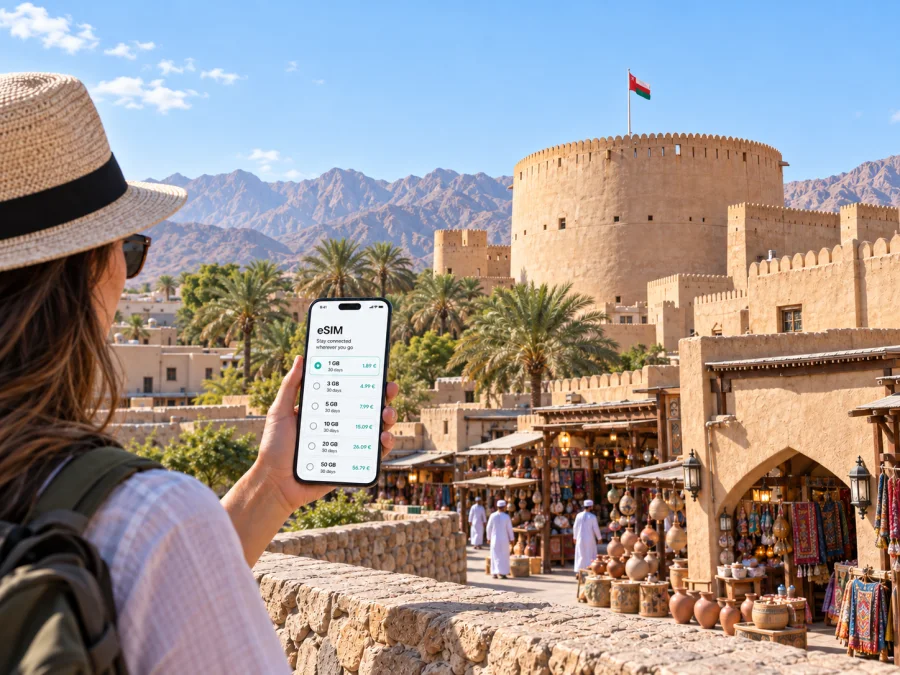
Nizwa eSIM: Mobile Connection and Internet for Your Visit
Nizwa rewards a traveler who can move at an unhurried pace: start around the fort and souq, take a break during the warmest part of the day, then follow the road toward the mountains or nearby heritage towns. A reliable way to get online helps with the practical transitions between those moments: checking a hotel message, finding a meeting point, confirming a driver, or keeping a route available while you travel around the interior of Oman.
An eSIM can make that preparation simpler. It is a digital SIM profile installed on a compatible, unlocked device, and a travel plan is generally intended for mobile data. It can support maps, messaging, ride coordination and browser-based travel information without requiring you to exchange your physical SIM. It does not automatically include a regular local phone number, voice calls or SMS; check the terms of the plan you choose and keep another way to make ordinary calls if you need one.
This guide focuses on the way mobile internet fits a visit to Nizwa: arrival from Muscat, getting between the old centre and your accommodation, the rhythm of the souq, work trips, and excursions into the surrounding landscape. Coverage, speed and availability can vary by location, device, local network and plan, so treat connectivity as a useful tool rather than a substitute for travel planning.
Arriving in Nizwa from Muscat
Most international visitors begin in Muscat, where the main airport is located, and continue inland by road. Nizwa is commonly described as roughly a one-and-a-half-hour drive from Muscat, though your actual journey depends on traffic, stops, weather and where you start. Confirm the route and estimated time on the day you travel rather than relying on a fixed figure. If you are arriving late, agree on your onward transport and accommodation check-in before leaving the airport area.
For the drive, mobile data is most useful before departure and at decision points. Download an offline map of the route while you have a stable connection, save your hotel address in both English and Arabic if available, and keep the phone charged. Navigation apps can reroute or update arrival estimates when data is available, but an offline map provides a backup if the signal changes along the way.
A simple arrival sequence
- Confirm how you will travel from Muscat to Nizwa and where you will meet the driver or collect a vehicle.
- Save your accommodation address, booking reference and contact details for offline access.
- Check that the phone has enough battery for navigation; bring a charging cable or power bank for the drive.
- Once you are ready to use mobile data, check that the intended eSIM line is selected for data and that your device settings match the plan instructions.
- Keep the route visible and tell your accommodation if your arrival time changes.
This sequence reduces last-minute searching, especially when you are tired after a flight. It also helps if a message arrives while you are between towns or the route needs a quick adjustment.
Finding your way around the city
Nizwa’s best-known visitor landmarks sit close together around the historic centre. The fort and traditional souq are adjacent, making it natural to combine them on foot and use the surrounding lanes for a slower look at shops and everyday activity. A map pin can help you distinguish a souq entrance, a parking area, a café or a hotel with a similar name. Save the place itself rather than relying on a search result when you are already on the street.
The city is not experienced only within the compact historic core. Hotels, services and newer commercial areas can be spread farther out, and a car or taxi may be more convenient for those legs. Ask your accommodation which entrance or landmark is easiest for a driver to find. When arranging a pickup, send a map pin and a short written description; “near the fort” may be too broad if you are at a different side of the old centre.
| Trip around Nizwa | What mobile data can help with | Useful backup |
|---|---|---|
| Airport transfer from Muscat | Driver messages, route checks and arrival updates | Saved address and booking screenshot |
| Hotel to the old centre | Map pins and pickup coordination | Ask reception to write the destination name |
| Fort and souq visit | Finding entrances and nearby services | Save the landmark pin before setting out |
| Meeting across town | Sharing a live or static location, if your app supports it | Agree on a recognizable pickup point |
| Day trip outside Nizwa | Route planning and checking arrangements | Offline map, water and a full battery |
The old centre: fort, souq and Friday morning
Nizwa Fort is one of the city’s defining landmarks. Its large circular tower is a prominent point of reference, and the traditional souq is beside it. Visiting both gives you an easy orientation to the old centre: first identify the fort and the main souq entrances, then save the place where you plan to meet your driver or group. The lanes can look similar when you return from a different direction, so a pin at the vehicle or meeting point can be more useful than a pin at the attraction itself.
The souq is a working market as well as a visitor stop. Its activity changes with the time and day, and the Friday livestock market is a well-known local tradition. If you want to see the market at its liveliest, check current opening arrangements locally before you build your schedule around it. Arrive with enough time to walk rather than trying to combine a market visit, a long drive and several distant sights into one rushed morning.
Connectivity here supports small practical tasks: translating a sign, messaging someone who is meeting you, checking a café location or confirming how to return to your hotel. It is still considerate to put the phone away when you are browsing stalls or speaking with vendors. Ask before photographing people, and follow any posted rules at heritage sites.
A compact visit might look like this:
- Early part of the day: walk through the souq while activity is underway, then visit the fort according to its current opening hours.
- Midday: pause for a meal or rest, and check the next leg before setting off in the heat.
- Later afternoon: revisit the lanes, browse at a relaxed pace, or travel to a nearby stop if you have arranged transport.
- Before leaving: check your meeting pin, confirm the pickup point and make sure you have everything you need from the hotel or market.
Opening hours, events and visitor arrangements can change. Verify them close to your visit instead of assuming that a past timetable still applies. A saved note with the intended order of stops is a simple fallback if a map app is unavailable.
Planning mobile internet for the trip
The right plan depends on how long you are staying, how often you will navigate, and whether you expect to use data-intensive services. A visitor who mainly checks messages and maps may use data differently from someone who joins video meetings, uploads large files or streams media. Estimate your habits honestly and review the allowance, validity period, destination and other terms shown for the plan before choosing it.
Kaspersky eSIM Store is an app and website where you can select, arrange and activate an eSIM with a suitable plan for mobile internet during an overseas trip. The plan’s terms come from the relevant provider, so read the details shown before completing your selection. To review options for the country that includes Nizwa, compare travel eSIM plans for Oman. The city itself does not require a separate city-specific destination link.
A practical selection checklist:
- Length of stay: match the plan validity to your dates, allowing for the actual start point described in its terms.
- Expected use: maps, chat and email usually call for less data than repeated video calls or streaming.
- Route: if you will travel beyond Nizwa, make sure the plan’s destination coverage matches your full itinerary.
- Device: check eSIM support and make sure the phone is not restricted by a carrier lock. Check whether your device supports eSIM before arranging a plan.
- Terms: review data allowance, validity, activation steps and any stated restrictions; these details can differ by plan.
Think of the plan as one part of preparation. Hotel Wi‑Fi, offline maps and saved confirmations can complement mobile data. They do not need to be treated as competing choices: use each where it is practical, and avoid sending sensitive information over an unfamiliar public network unless you understand the risks and protections involved.
Choosing where to stay and how to move
Accommodation choice shapes how often you need a car. Staying close to the historic centre can make the fort and souq easier to visit on foot, while a property farther away may suit a road trip, a quieter overnight stop or a business itinerary with meetings in different parts of town. Before booking, look at the property’s location on a map and ask whether it can arrange or recommend transport if you will not be driving.
Nizwa works well as a base for exploring parts of the interior, but some nearby destinations involve mountain roads or longer stretches outside the city. A journey to Jebel Akhdar, for example, is a separate excursion with its own route and vehicle requirements; check current access rules and road conditions before setting out. A navigation app can show a route, but it does not determine whether your vehicle is permitted or appropriate for the road. Confirm that with a reliable local source or your tour provider.
If you are not renting a car
- Ask the hotel whether it can help arrange a transfer or local driver.
- Agree on a fare or booking terms with the transport provider before departure where applicable.
- Save the provider’s contact and the agreed return time.
- Send a location pin for pickup and identify a visible meeting point.
- Keep enough battery and mobile data for coordination, with essential details saved offline.
If you are driving
- Download maps for Nizwa and the next day’s route before leaving Wi‑Fi.
- Check fuel, weather, daylight and road access before a longer excursion.
- Keep the phone mounted safely and set navigation before moving.
- Do not rely on continuous signal in every valley or mountain section.
- Leave room in the schedule for stops and route changes.
Install and activate before you need directions
If possible, complete setup while you have a stable internet connection and time to read each prompt. The exact steps depend on your device and the eSIM plan. Some phones allow installation through an app or QR code; menus and labels vary between operating system versions. Follow the instructions supplied for your specific plan rather than assuming that every eSIM uses the same process.
- Confirm that your phone supports eSIM and is unlocked for use with another provider.
- Review the plan destination, data allowance, validity and activation conditions.
- Install the eSIM profile using the method provided for that plan, while connected to a dependable network.
- Label the new line clearly, such as “Oman travel,” so it is easy to distinguish from your regular SIM.
- When you are ready to use it, select the travel line for mobile data and check the plan’s instructions for any required settings.
- Test a simple task, such as loading a map or sending a message, before you leave your accommodation.
For device-specific steps, follow the Android eSIM installation instructions or iOS eSIM installation instructions. Keep your regular line available if you need calls or SMS on your usual number, and check your device settings to understand which line is used for each function. A travel data plan should not be assumed to include voice service.
Excursions from Nizwa
Nizwa’s location makes it a natural starting point for exploring the interior, including nearby heritage settlements and mountain landscapes. Bahla is often combined with a Nizwa visit, while Jebel Akhdar and Jebel Shams require more deliberate route planning. These destinations are not simply additional city neighbourhoods: road conditions, drive times, access requirements and the amount of time available all matter.
Before you leave the city, confirm the destination, return plan and road suitability. If you are joining a tour, ask where the pickup will be and whether the itinerary includes time for each stop. If you are self-driving, check current access restrictions, weather and daylight. A map can help with orientation, but in remote or mountainous sections it may not provide a continuous connection or reflect every local condition.
For a day trip, prepare a small offline kit on your phone:
- an offline map of the route and the destination area;
- the accommodation address and a route back to Nizwa;
- the driver or tour contact and pickup details;
- confirmation screenshots and any access information you were given;
- downloaded music, reading or other items you may want without using data.
Prepare your eSIM for Nizwa
Choose a plan that fits your dates, expected data use and route through Oman, then read its terms before installation. Kaspersky eSIM Store lets you use its app or website to select, arrange and activate an eSIM for mobile internet on an overseas trip. When you are ready, choose a travel eSIM plan for Oman, install it according to the device instructions and keep your essential route details available offline.


