Travel connectivity guide
Nkayi eSIM: Mobile Internet in the Republic of the Congo
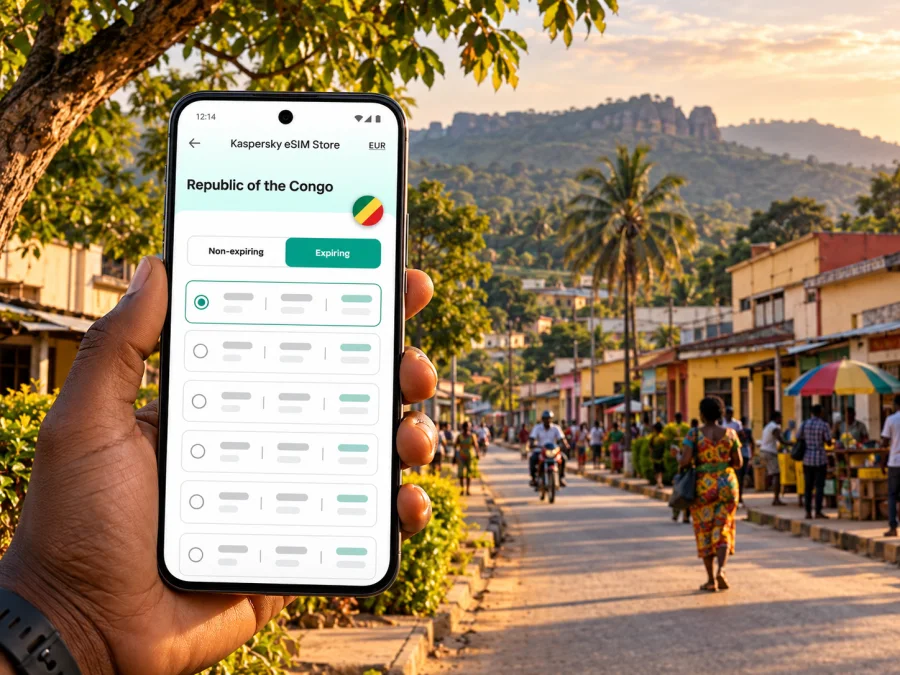
Nkayi eSIM: mobile connection and internet for a visit to the Republic of the Congo
Nkayi is a working town in the Bouenza Department, in the south of the Republic of the Congo. It is not Brazzaville, Pointe-Noire, or the capital of the Democratic Republic of the Congo. For a visitor, that distinction matters: a journey to Nkayi usually involves planning a regional leg after reaching a larger gateway, and mobile internet is most useful when it is prepared around that full route.
An eSIM can provide mobile data without replacing the physical SIM already in your phone. It can help with messages, maps, calls through internet apps, and coordination with a driver or host, subject to the selected plan, local partner network and signal where you are. It does not guarantee reception in every street or along every road. In Nkayi, plan for a useful connection where available and keep offline information for the moments when coverage or power is limited.
First, identify the right Nkayi
This article is about Nkayi in the Republic of the Congo, a town in Bouenza. Some maps and search results use the spelling N’kayi. The country is also called Congo-Brazzaville in travel contexts to distinguish it from the Democratic Republic of the Congo across the river. When searching for transport or entering a destination in a booking form, include “Republic of the Congo” and “Bouenza” so that you do not select a similarly named place or the wrong country.
Nkayi is known as an important sugar-producing and agro-industrial centre. It is a regional town rather than a resort city with a single visitor district. A trip may be for business, a family visit, an onward journey, or work connected with the surrounding area. That changes what a useful data allowance looks like: a visitor coordinating meetings and occasional navigation needs less than someone uploading work files or using video calls away from reliable Wi-Fi.
The department’s administrative capital is Madingou; Nkayi is a major town and a centre of activity in the department. The town’s layout and services are best approached by confirming a meeting point with your host, hotel or local contact instead of relying on a pin alone. Place names may be written in different ways, and a map route can be less useful than a driver who knows the destination.
What to expect from mobile internet in Nkayi
A travel eSIM connects through a supported local network. Performance depends on the plan’s network partner, your device, signal, congestion and indoor conditions. The eSIM label alone does not identify the operator or guarantee service at your accommodation or along the road.
Use mobile data for messages, maps and coordination, but keep offline alternatives. Download maps for Nkayi and the onward route, save your accommodation address and local contacts, and screenshot meeting details before leaving dependable Wi-Fi. Send a location while connected and agree on a backup meeting point.
| Travel task | How data may help | Backup |
|---|---|---|
| Finding accommodation | Open a map and message your host | Save the address and screenshot |
| Meeting a driver | Share an update or location | Confirm pickup point and time beforehand |
| Local work | Check messages and documents | Download files before leaving Wi-Fi |
| Moving between towns | Send progress updates | Keep offline maps and provider contacts |
Nkayi has recently received investment in rainwater drainage and erosion-control works. This is not a live road report: ask locally about conditions on the day, allow extra time after heavy rain, and do not assume an online route is open or easy to pass.
Plan the journey before you plan the data
The Republic of the Congo has international airports in Brazzaville, Pointe-Noire and Ollombo. Nkayi is listed as a secondary aerodrome and appears on Brazzaville airport’s destination list, but a destination listing does not confirm an available seat or departure on your dates. Check current schedules with the airport or airline before planning a direct flight.
If you arrive in Brazzaville or Pointe-Noire, a coach operator currently lists routes between each of those cities and Nkayi. Its published listing does not provide a fixed departure time, so confirm the date, boarding point and ticket directly with the operator. A private transfer may be more appropriate for a specific pickup or onward itinerary. Keep your transport provider and accommodation contacts available offline.
Before departure:
- Confirm your arrival airport and expected clearing time.
- Ask your Nkayi host or transport provider which onward option is practical now, including pickup point and payment method.
- Download offline maps for the gateway, route and town.
- Share your itinerary and check-in time with someone you trust.
- Keep a backup plan for delays or changed road conditions.
Data is useful between arrival and check-in, but navigation, photos and repeated signal searches drain a battery. Charge before leaving the airport, carry a power bank if possible, and pause background downloads while travelling. If you are passing through multiple towns, verify that the chosen plan covers the whole country or route, not just a similarly named destination. Review current eSIM options for the Republic of the Congo and check the live destination, data, validity and activation terms before paying.
Choosing a data amount for a stay in Nkayi
Estimate from your habits. Messaging, email and occasional map checks generally use less data than video, cloud backups or hotspot sharing. If your lodging has Wi-Fi, reserve mobile data for arrival and trips outside. For remote work, check the allowance and whether tethering is permitted.
| Likely use | Planning approach |
|---|---|
| Short stay, mostly messages and navigation | Disable streaming and downloads; use offline maps |
| Several days of email and browsing | Estimate your normal use and leave a margin |
| Frequent video meetings | Check data and hotspot terms; identify Wi-Fi backup |
| Multi-stop itinerary | Confirm destination coverage and validity for every stop |
These are planning categories, not package recommendations or service promises. Data use varies by app and settings. Check your phone’s data statistics, set a warning if available, and pause photo backup and app updates on mobile data.
A travel eSIM is generally for data and may not include a local number, calls or SMS unless the plan explicitly says so. Keep your regular SIM if you need it, and check roaming costs with your home operator. Messaging and voice apps work over data only when both parties have a connection.
Check your phone and plan before purchase
Your exact phone configuration must support eSIM and allow another profile to be added. Support can vary by model, sales region and carrier lock, so do not infer compatibility from a product family name. Check whether your device supports eSIM and confirm with the manufacturer or seller if unsure.
Before choosing a plan, verify:
- Your device supports eSIM and is not carrier-locked.
- The plan explicitly covers the Republic of the Congo.
- Data allowance and validity fit your itinerary, including possible delays.
- The plan explains when validity starts and what activation requires.
- Hotspot use and any fair-use conditions are clear.
- You can scan a QR code or follow setup instructions while connected to Wi-Fi.
- Order details and instructions are saved somewhere accessible.
Installation may happen before travel, while mobile data is selected after arrival, but follow the specific plan instructions. Some plans start validity at installation; others start on first connection. Do not delete a profile to troubleshoot unless the instructions or support team direct you to: it may not be reusable on another phone.
Install carefully and switch data at the right time
Set up the eSIM over stable Wi-Fi with a charged phone. Keep your home SIM if you rely on it for calls or texts, and give each line a clear label in settings.
- Check eSIM support and unlock status.
- Review destination and activation timing in the plan instructions.
- Add the profile using the supplied method and keep the QR code available.
- Label it clearly, such as “Congo trip”.
- After arrival, select the travel profile for mobile data. Enable data roaming for that profile only if instructed.
- Test a basic web page or message. If it fails, check the selected line, roaming setting and any stated APN before changing other settings.
Follow the relevant Android eSIM installation guide or iPhone eSIM installation guide. Menus vary by device and software version.
If the phone shows signal but data does not load, confirm the profile is active, the correct data line is selected, and the plan is valid. Check roaming and APN details as directed; toggling airplane mode or restarting may help it register again. Do not guess settings or delete the eSIM as a first step.
Getting around town and making a short stay easier
A confirmed local contact can be more useful than a map pin alone. Ask your host to send a location plus a written landmark or address. For a pickup, agree on the entrance or recognizable meeting point and exchange a contact method beforehand.
For business visits, save the organisation, contact person and appointment details. Listings may be outdated, so confirm opening arrangements directly and allow time for weather and road conditions. If you have several stops, share the order with your driver.
Nkayi has neighbourhoods and ongoing infrastructure work; choose a base after confirming where you need to be. Ask accommodation about Wi-Fi reliability, transport help and charging or backup power. For a short stop, prioritize a confirmed room or meeting place, onward transport details and enough battery to contact the next person. Save bookings and addresses offline.
A practical checklist for arrival day
Before leaving home: confirm entry requirements and the full route with your host or transport provider; check the plan’s destination and activation trigger; download maps and save contact details offline; install the eSIM on Wi-Fi only if its instructions allow it; charge your phone and pack a power bank.
At the international gateway: reconfirm your onward pickup or departure, secure your documents, and message your host or driver. Do not rely on airport Wi-Fi as your only communication method after leaving.
On arrival: confirm the meeting point directly, check that mobile data uses the intended SIM, ask locally about road and weather conditions, and charge your phone when practical.
Safety, privacy and staying reachable
Use a live map as a reference, then confirm unfamiliar routes with a trusted local contact, particularly at night. Keep your phone discreet when you are not using it, share your itinerary with someone you trust, and agree on a check-in time. Update your phone before departure, use a screen lock and keep important numbers and addresses offline. A data eSIM may not include calls or SMS; check your plan and home operator’s roaming charges, and keep key details written down as a backup.
FAQ: eSIM and mobile internet in Nkayi
Is Nkayi in the Republic of the Congo or the Democratic Republic of the Congo?
This guide covers Nkayi in Bouenza, Republic of the Congo (Congo-Brazzaville). Check that your transport booking and plan name this country, not the Democratic Republic of the Congo.
Can I fly or take a train directly to Nkayi?
Nkayi is listed as a secondary aerodrome, but current passenger flights are not confirmed by that classification. It is also on the broader Congo–Ocean railway corridor, but stops and schedules can change. Confirm either service with a provider for your dates; otherwise plan onward travel from a larger gateway.
Will an eSIM work everywhere, and does it include a phone number?
No plan can guarantee a signal everywhere. Coverage depends on the network partner, location, device and conditions. A data plan may not include ordinary calls or SMS, so check its terms and keep your regular SIM if needed.
When should I install the eSIM?
Follow the plan’s instructions. Installation may be possible before travel, but validity can start at installation or at first network connection. Check the activation trigger before beginning.
What if mobile data does not work?
Make sure the eSIM is active and selected for mobile data, then check the roaming and APN settings required by the plan. Toggle airplane mode or restart the phone; contact support before deleting a profile.
Prepare your connection for Nkayi
A smoother visit starts with a confirmed route, offline copies of key details and a data plan whose destination and validity match the whole journey. Kaspersky eSIM Store is an app and website that helps you choose, arrange and activate an eSIM with a suitable plan for mobile internet while travelling abroad. Review the conditions for the Republic of the Congo, check your phone’s compatibility, and follow the activation timing shown for the selected plan.
Choose an eSIM plan for travel to the Republic of the Congo and prepare your phone before you set out for Nkayi.


