Travel connectivity guide
North Caicos eSIM: Mobile Internet Guide
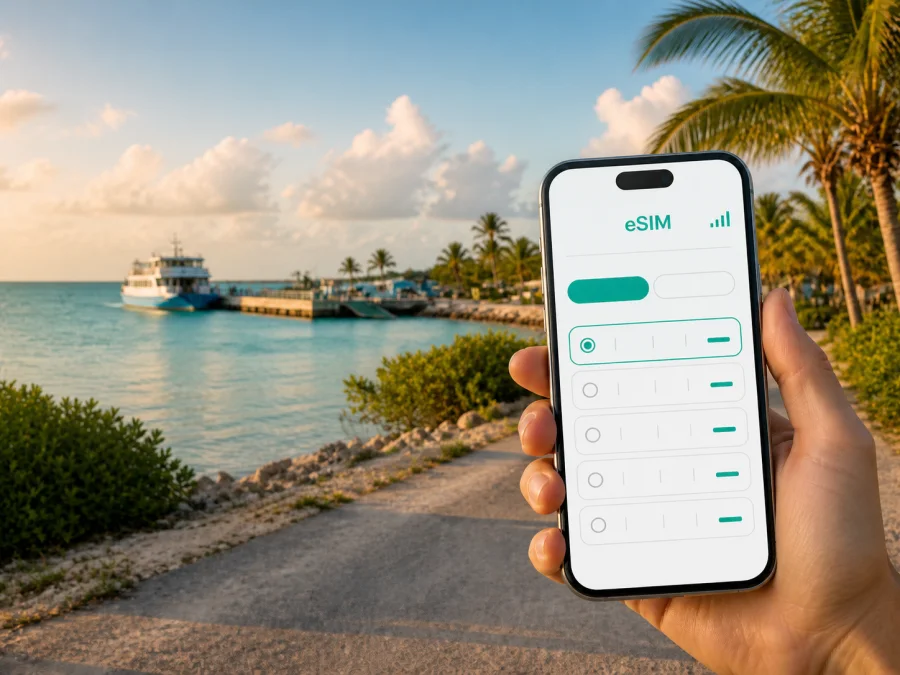
North Caicos eSIM: mobile connection and internet for your island trip
North Caicos is a destination where a little preparation makes a noticeable difference. The island is quieter and less built-up than Providenciales, with small settlements, long stretches of coast, vacation villas, local roads, and a travel rhythm shaped by ferries, weather, and daylight. A reliable way to use mobile internet can help you find the right dock, contact a host, check a booking, navigate between beaches, and stay in touch when you are away from hotel Wi-Fi.
An eSIM, or digital SIM, lets you add a mobile-data profile to a compatible phone without replacing the physical SIM you use at home. For a trip to North Caicos, this can be useful when you want to keep your main line available for verification messages while using a separate data plan for maps, messaging, ride arrangements, and online information. Kaspersky eSIM Store is an app and website where you can choose, arrange, and activate an eSIM with a suitable plan for mobile internet during an international trip.
This guide is about using an eSIM in North Caicos specifically: how to arrive, plan the first connection, move around the island, choose a data allowance, and avoid common setup mistakes. The Turks and Caicos Islands are the country context for the plan, but your daily connectivity needs will be shaped by North Caicos itself.
Why mobile data matters in North Caicos
North Caicos rewards unhurried exploring, but its quieter character also means that you should not plan every task around finding a shop, an open reception desk, or a strong public Wi-Fi signal. Your phone may be needed for ferry details, arrival messages, maps from Bellefield Landing, booking confirmations, weather checks, and changes of plan.
The first hours after arrival
Most international visitors reach the Turks and Caicos Islands through Providenciales. From there, North Caicos is commonly reached by passenger ferry, while domestic flights are available on a limited schedule. The passenger ferry normally travels from Heaving Down Rock Marina on Providenciales to Bellefield Landing on North Caicos and takes roughly half an hour, although the timetable and operating conditions can change.
That journey creates several small moments when data is useful: checking the marina, messaging your accommodation, and confirming the meeting point at Bellefield Landing. After disembarking, you may be choosing between a rental car, a taxi arrangement, and directions from your host. Having the eSIM ready before that sequence begins is more convenient than solving everything at the dock.
There are no scheduled car ferries suitable for an ordinary day trip between Providenciales and North Caicos. If you are bringing luggage and then renting a vehicle on the island, keep the two parts of the journey separate in your plan: passenger travel to North Caicos, followed by local transport after arrival. This is also a good reason to save your accommodation address, booking number, and host contact in your phone before departure.
Where an eSIM helps during a North Caicos stay
Ferry arrival and local movement
Before leaving Providenciales, keep the accommodation address, host contact, ferry details, a saved route, and your return plan in the phone. After landing at Bellefield Landing, mobile data can help you send an arrival message and follow the route toward Whitby, Bottle Creek, Kew, Sandy Point, or another local area. Offline maps are still sensible: an eSIM is a useful connection option, not a reason to assume every road or shoreline will have identical signal conditions.
Driving between settlements
North Caicos is best understood as a collection of small communities and roads rather than a dense urban center. Bottle Creek is the largest settlement and is an important practical stop. Whitby is known for visitor accommodation and access to the northern coast. Kew lies inland, while Sandy Point is toward the northwest. Major Hill and other named areas may also appear in directions and accommodation information.
For a rental-car day, mobile data helps with the decisions between those places: checking a turn, sending a message if your arrival window moves, and keeping a note of fuel and meal stops. Set the route before departure or ask a passenger to manage navigation.
Keep arrival, daily, coast, and return locations in one saved folder. Confirm the exact meeting point with your accommodation or tour provider, and keep the written description alongside the map pin. A saved location is a planning aid, not a promise that it has a formal address or a staffed facility.
Beach days and outdoor plans
North Caicos is associated with beaches, shallow coastal waters, wetlands, cays, and a greener interior than many visitors expect. Whitby’s Pelican Beach and the area around Three Marys Cays are examples of places that may form part of a relaxed day outdoors. Conditions, access, and weather can change, so check your plans before leaving and tell someone where you are going when you head to a less-developed area.
An eSIM can support a beach day by helping you share a meeting time, check weather, confirm a tour, or send a message before the return drive. Protect the phone from heat, sand, and water; a sealed pouch, power bank, and written directions are useful backups.
Choosing a plan for North Caicos
The right eSIM plan depends less on the island’s name than on your actual routine. Start with the country or destination shown in the plan details, then match the duration and data allowance to the trip. A city article can guide the scenario, but availability, network access, validity, and other terms belong to the selected plan and should be checked before purchase.
Estimate your data use by activity
Use this as a planning framework rather than a promise of exact consumption:
| Travel pattern | Typical use | Planning direction |
|---|---|---|
| Light use | Messaging, occasional maps, email, booking checks | A smaller allowance may be enough with Wi-Fi for large downloads |
| Active sightseeing | Navigation, photo sharing, weather, social apps | Leave room for several days on the road |
| Remote work | Meetings, cloud files, tethering | Allow a buffer and check hotspot conditions |
| Shared travel | Several devices using one phone | Expect faster consumption and check tethering |
The main sources of unexpected usage are video, automatic photo backup, app updates, high-resolution map layers, and a laptop connected through a hotspot. Before departure, switch large downloads to Wi-Fi, set photo backup to a controlled mode, and decide whether streaming belongs on mobile data at all.
Match the plan to your itinerary
North Caicos may be a day trip from Providenciales or the base for a longer stay that includes Middle Caicos. Choose according to the scenario:
- Day trip: arrival coordination, navigation, messages, and a return-ferry reminder.
- Several nights: repeated driving, accommodation questions, activity research, and sharing with family.
- North Caicos plus Middle Caicos: one driving itinerary across the road causeway; check that the selected plan covers the stated destination and route.
- Remote work: add a data buffer, check hotspot conditions, and keep work files available offline.
If your trip begins in another country or continues to another island, look at the plan’s geographic scope before payment. A plan selected for the Turks and Caicos Islands may not be the same as a regional plan, and a country page is not a guarantee that every nearby destination is included.
At this point in your planning, you can choose an eSIM plan for a trip to the Turks and Caicos Islands and compare the available terms for your dates and route. Review the destination, data amount, validity period, activation conditions, and any stated limits before you continue.
Install the eSIM before you travel
Installing the profile before departure can reduce pressure at the ferry dock. Do it while you have a stable internet connection, enough battery, and time to read each screen. The exact menu names differ by phone model and operating system, but the logic is similar.
A careful installation sequence
- Check the device. Confirm that the phone supports eSIM and is not locked to a mobile operator. Check your device compatibility before purchase or installation.
- Keep the QR code or activation details accessible. Do not rely on a screenshot stored only on the phone being configured if the process requires scanning.
- Open mobile network settings. Choose the option to add a mobile plan or eSIM.
- Scan or enter the profile details. Follow the prompts; installation may take a few minutes.
- Label the new line. A label such as “North Caicos trip” can help you identify the correct profile beside your home line.
- Choose the data line. Set the travel eSIM as the line for mobile data when ready, and manage the primary line to avoid unwanted roaming charges.
- Review data roaming. Some devices require data roaming to be enabled for the travel eSIM. Turn it on only for the intended eSIM profile and follow the selected plan’s instructions.
- Test at the right time. If validity begins on installation or connection, do not activate it far ahead of the trip unless the plan terms allow that timing.
For detailed device steps, use the Android installation instructions or the iOS installation instructions. If you install after arrival, understand the activation conditions and keep access to the profile details.
Before switching on mobile data
Complete this short pre-departure checklist:
- [ ] The phone supports eSIM and is not operator-locked.
- [ ] The device has enough battery and is ready for the trip.
- [ ] The selected plan lists the Turks and Caicos Islands or the appropriate region.
- [ ] The validity period matches the dates when you expect to use data.
- [ ] Your home line’s roaming settings are understood.
- [ ] The travel eSIM is labeled clearly.
- [ ] Maps, accommodation details, and ferry information are also saved offline.
- [ ] You know whether hotspot use, calls, SMS, or other features are included.
Using the eSIM during the trip
Once in North Caicos, keep the travel profile active, select it for mobile data, and check the data indicator. If the connection does not appear immediately, review the selected line and data-roaming setting, then give the device a moment. Do not delete the eSIM while troubleshooting; an installed profile may not be transferable or recoverable after removal.
Remember the scope: a travel eSIM is primarily a mobile-data solution. It does not automatically give you an ordinary local telephone number, and voice calls or SMS are not included unless the plan says so. Messaging and calling apps can use mobile data, while your main number may remain available for verification if your home operator’s settings and charges allow it.
Practical scenarios
For a ferry day, save Bellefield Landing, your accommodation, the ferry details, and the map area the night before. Confirm the data line and message your host before boarding; after arrival, use the eSIM for the first route and protect the phone while handling luggage.
For a quiet stay near Whitby, use data for focused tasks such as a message, route check, or booking question. For a drive through Bottle Creek toward Middle Caicos, start with fuel, water, a charged phone, and destination pins; Bottle Creek is the last settlement before the causeway, so let a passenger manage navigation.
Accommodation, districts, and work connectivity
The best setup depends on where you sleep. A quiet villa may require more advance coordination than a hotel with a staffed desk, so ask your host for a precise arrival description, preferred contact method, landmark, and late-arrival procedure. Store it in notes as well as in the message thread. Around Whitby, data may support beach and restaurant planning; around Bottle Creek, it may help with errands and the route toward the causeway; near Kew or Sandy Point, a preloaded route is especially useful.
For business travel, download work files, set backups to Wi-Fi, check hotspot conditions, and leave time around ferry or weather changes. An eSIM can add flexibility, but it does not guarantee a particular speed, coverage level, or uninterrupted service; performance depends on the local network, device, location, weather, congestion, and selected-plan terms.
Troubleshooting without panic
If mobile data does not work, move through the checks in order:
- Confirm that Airplane Mode is off.
- Check that the travel eSIM is on and selected for mobile data.
- Review the plan’s destination, activation status, and data-roaming setting.
- Restart the phone and wait briefly in a safe, open location.
- Consult the plan instructions or support if the issue remains.
Make changes only when safely stopped, one setting at a time. If the problem is related to activation timing, deleting and reinstalling the profile may make it harder to resolve.
Common questions about eSIM in North Caicos
Is North Caicos a good use case for an eSIM?
It can be. Ferry arrival, small settlements, car-based exploration, accommodation coordination, and trips toward Middle Caicos all create moments when mobile data is convenient. The best plan depends on your dates, usage, device, and terms.
Do I need a separate eSIM just for North Caicos?
Not necessarily. Select the destination or region shown in the plan details. North Caicos belongs to the Turks and Caicos Islands, but check geographic scope before payment if your itinerary continues elsewhere.
Can I use the eSIM for ordinary calls and SMS?
Usually, the travel eSIM is intended for mobile data. A normal phone number, voice calls, and SMS are not included unless the specific plan states otherwise. Internet messengers can be used over data, and your main line can remain in the phone if you manage its roaming settings carefully.
What if my phone shows no service after landing?
Check the active data line, eSIM data roaming, activation status, and device restart. Wait briefly in a safe location. If the issue continues, use support; do not remove the eSIM as a first response.
Can I move the eSIM to another phone?
Do not assume that you can. Transfer and reinstallation depend on the plan and profile conditions, so check them before changing devices.
Final preparation for a connected North Caicos trip
The practical sequence is short:
- Confirm your route through Providenciales and your North Caicos arrival point.
- Save your accommodation, host contact, ferry details, and return plan.
- Check eSIM compatibility and operator lock status.
- Choose a plan for the Turks and Caicos Islands that matches your dates and data habits.
- Install the eSIM while you have time and a stable connection.
- Select it for mobile data when you are ready to use it.
- Keep your maps, documents, and essential contacts available offline too.
- Review the limits on voice calls, SMS, hotspot use, activation, and refunds.
North Caicos is easier to enjoy when connectivity supports the trip without becoming the trip. Use mobile data for the moments that matter: finding the dock, reaching your host, choosing the right road, checking a change, and sharing the day with people at home.
When your dates and route are clear, select an eSIM plan for your North Caicos journey, review the conditions, and complete the installation on a compatible device. Kaspersky eSIM Store helps you choose, arrange, and activate the travel eSIM through its app or website; the available service, network access, and plan limitations remain subject to the selected offer and local conditions.


