Travel connectivity guide
Nosy Be eSIM: Mobile Internet in Madagascar
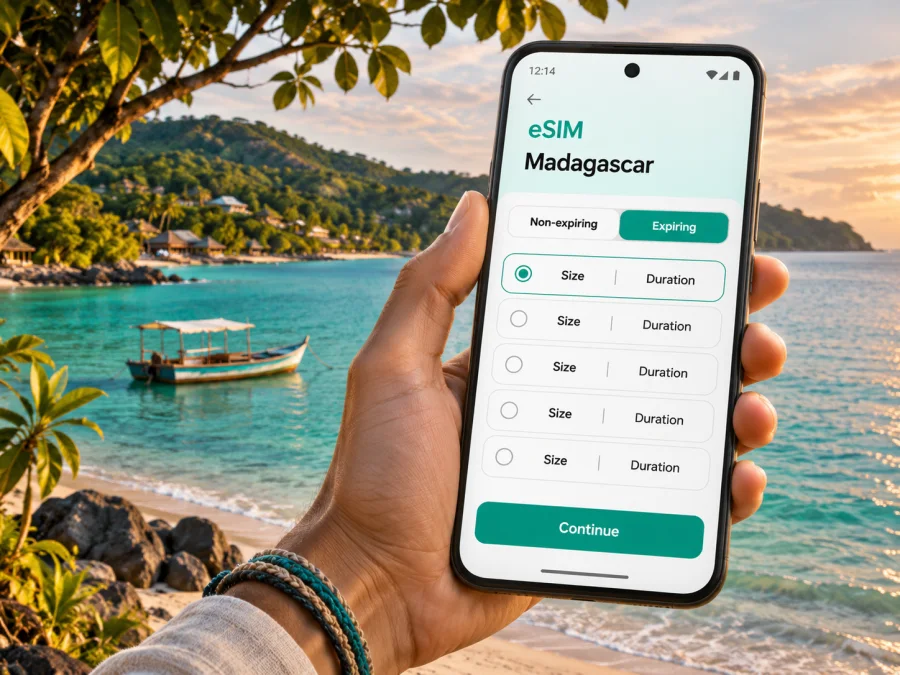
Nosy Be eSIM: mobile connection and internet for island travel
Nosy Be is a Madagascar island destination, not a single compact city centre. The name can refer to the island and its urban commune; the main town is Andoany, more widely known as Hell-Ville. Visitors also stay along the west coast, near beaches and smaller settlements, so the right mobile-data plan is the one that suits your whole itinerary—not just the arrival point.
An eSIM can provide a travel-data profile without replacing the physical SIM in your phone. It can help with transfer messages, maps and accommodation contact between Fascène Airport, Hell-Ville and beach areas. Service depends on the plan’s local network, exact location, device and settings; do not assume a signal on every road, beach or island.
First, place Nosy Be on the map
Nosy Be lies off Madagascar’s north-west coast in the Diana region. It is surrounded by smaller islands and is separated from the mainland by water. Hell-Ville, also called Andoany, is the principal town and port. The airport is on the eastern side of the island, while many resort stays and beaches are on the west and north-west coasts. That spread matters: a booking described as “Nosy Be” may be a considerable drive from the port or airport.
Use the name shown on your hotel confirmation rather than relying on a generic map pin. Ask your host to send a location pin and a written landmark, especially if the accommodation is outside the town centre. Download the relevant map area before leaving home; offline maps are useful if data is slow or unavailable during part of the journey.
What a connected phone can help with
- Finding the meeting point for an airport transfer or boat excursion.
- Sending your arrival time to a hotel or driver when flight schedules change.
- Checking directions between Hell-Ville and a beach-area stay.
- Translating a short message or looking up opening information while in town.
- Keeping reservation details, tickets and contact numbers accessible away from Wi-Fi.
It cannot replace local knowledge, a confirmed pickup arrangement, or a backup copy of essential details. Save your accommodation address, driver contact and boat departure information offline as well as in messaging apps.
Arriving at Fascène Airport
Nosy Be’s airport is called Nosy-Be/Fascène; its IATA code is NOS. It is east of Hell-Ville, so reaching a hotel on the opposite side of the island involves a road transfer rather than a short walk from the terminal. Confirm the pickup point before travel and ask whether the quoted transfer is private or shared, where the driver will wait, and what to do if the flight is delayed. Do not assume a data connection will be available the moment the aircraft lands.
A practical arrival sequence is simple:
- Keep your booking confirmation and transfer contact available offline.
- If you have installed an eSIM already, check that its profile is enabled and that the correct line is selected for mobile data.
- Wait until you are ready to use the travel plan before turning on its data connection, following the plan’s activation instructions.
- Meet the arranged driver or ask the airport staff where the official transport meeting point is.
- Once in the vehicle, send a short arrival message if the network is available; avoid making the driver wait while you troubleshoot phone settings.
Treat airport Wi-Fi as a convenience, not a requirement. A saved hotel pin and map can simplify the first ride, and a late arrival is easier with transport arranged in advance.
Choose a plan for the route, not just the island name
A country plan page is a starting point for comparing offers, not proof of coverage at an individual hotel. Before selecting an eSIM for Madagascar, check its destination, data allowance, validity, activation conditions and supported network. Confirm whether it includes a phone number, calls or SMS; travel plans often focus on data.
The networks and retail offers in Madagascar can change. Orange Madagascar currently describes an eSIM option on its own site, but that does not mean every international travel eSIM uses Orange, or that a local operator’s offer has the same conditions as a travel plan. Confirm the operator or network details shown for the exact plan you are considering. Coverage can vary by provider and between central Hell-Ville, roads, accommodation areas, coastlines and boat routes. Even where the regulator publishes a national coverage map, it is not a live promise of service inside a particular room or on a particular trip.
Estimate your normal map, messaging and browsing use. Video calls, uploads and streaming consume more data; use hotel Wi-Fi for large downloads where suitable. Nearby islands and offshore journeys can have different or no service.
Where you are going changes how you use data
| Part of the trip | Typical connectivity task | Useful preparation |
|---|---|---|
| Fascène Airport | Contacting a driver and checking a transfer point | Save the pickup details and hotel pin offline |
| Hell-Ville / Andoany | Finding the port, market, services or a town address | Save the town map and important contacts |
| Ambatoloaka and Madirokely | Reaching a beach stay, restaurant or excursion departure | Confirm the exact accommodation pin; addresses may be described by landmarks |
| Andilana and the north-west coast | Following a longer drive and coordinating arrival | Download the route in advance and confirm return transport |
| Lokobe or a boat excursion | Coordinating a guide or meeting place before departure | Agree on the meeting point and schedule; do not depend on continuous signal |
| Nearby islands and open water | Keeping itinerary details accessible | Save tickets, names and return arrangements before boarding |
These are planning prompts, not coverage ratings. Signal can vary by operator, terrain, buildings and exact location. Ask your accommodation what works locally, then verify the network support shown for your exact plan.
Getting around: maps are one part of the journey
On the main island, road transfers, taxis, tuk-tuks and rented vehicles can all be part of an itinerary; boats are needed for many nearby-island trips. Confirm fares and arrangements directly with the driver or tour provider. When meeting a taxi, agree the destination and price before setting off, and send the accommodation name or pin rather than only saying “the beach.” Roads and travel times can be less predictable than a map distance suggests, so build in a buffer for airport connections and excursions.
In Hell-Ville, the port is a useful reference point for boat journeys, while the town also has everyday services. A phone map can help you orient yourself, but confirm which dock or boat operator you need before departure. For a guided trip to Lokobe or a coastal village, ask the guide whether the meeting point is the port, a road junction or a hotel. A data connection may help with last-minute coordination, but it should not be the only source of the plan.
A small offline kit for a day out
Before leaving, save the return transport plan, contact number, accommodation pin, boat time and booking reference. Carry a charged phone or power bank, and protect it from sun, sand and water.
eSIM readiness: check the phone and the plan
An eSIM is a digital SIM profile stored on a compatible device. Before purchase, confirm that your phone supports eSIM and is not locked to a carrier in a way that prevents another profile from being used. Device support can vary by model and by regional version; a familiar model name alone is not enough to verify an individual handset. Check the manufacturer’s specification for your exact variant and use the device compatibility check before you choose a plan.
Also check the plan’s own device and activation requirements. A phone can support eSIM in general while a particular plan has conditions that matter for installation or use. Keep access to a stable internet connection during installation, such as home Wi-Fi, because the phone may need to download the profile. Do not delete an installed eSIM profile while troubleshooting unless the provider’s instructions tell you to; some profiles cannot simply be reinstalled by scanning the same code again.
A calm setup sequence
- Check the handset. Confirm eSIM support for the exact regional model and make sure the phone is carrier-unlocked.
- Review the plan. Match the destination, validity dates, data amount and activation instructions to your trip.
- Install while online. Follow the instructions for Android or iOS and keep the QR code or setup details accessible.
- Label the line. Give the travel profile a clear name, such as “Madagascar data,” so it is easy to distinguish from your home SIM.
- Choose data settings. Select the travel eSIM for mobile data when you intend to use it. Keep your usual number enabled only if you need it and understand your home carrier’s roaming charges.
- Follow activation timing. Some plans start validity at installation; others start on first network connection. Check the plan’s wording and avoid guessing.
- Test with a small task. Once you are ready to use the plan, load a simple page or message. If it does not connect, check the selected data line, mobile data setting and any roaming instruction supplied with the plan.
Turning on data roaming may be required for some travel eSIMs, but it is not a universal instruction for every profile. Follow the plan’s setup guidance. If the phone has dual SIM, verify which line is selected for data and disable automatic data switching if it could move traffic to your home SIM. These settings help control which connection is used; they do not create coverage where the local network has none.
After checking the current terms, you can view eSIM options for Madagascar and compare the available allowance and validity for your dates. Kaspersky eSIM Store is an app and website for choosing, ordering and activating an eSIM with a suitable travel data plan. The page may show changing offers; use the terms displayed at the time of purchase rather than relying on an old price or a general statement about coverage.
Match data use to a Nosy Be itinerary
For a short stay based in one accommodation, map downloads, occasional route checks and messaging may use less data than constant social video or cloud backups. A multi-stop trip can consume more because maps, photo uploads and calls happen throughout the day. Rather than choosing an allowance by guesswork, consider what you normally do while travelling and how often you will have trusted Wi-Fi.
| Use | Data-saving choice |
|---|---|
| Navigation | Download offline maps before the trip; use live directions only while travelling |
| Messaging | Send text and compressed images when mobile data is limited |
| Photos | Pause automatic cloud backup until you are on Wi-Fi |
| Video | Avoid auto-play and download entertainment before leaving |
| Work | Test video-call requirements and have a Wi-Fi backup for important meetings |
| Travel documents | Store tickets and confirmations offline rather than reopening large emails |
A plan’s advertised allowance and validity are separate limits. Check both: an allowance that seems generous may still expire before a longer trip, while a longer validity period does not add data. If the plan allows top-ups, verify the process and conditions in advance. Do not assume unused data rolls over or that a package can be transferred to a second handset.
Common travel situations
You land and the driver is not at the meeting point
Check the pickup instructions saved offline. If data is available, send one concise message with your location; if not, ask airport staff to help contact the driver. Stay near the agreed meeting point unless you update them.
The map stops updating on the road
Use the offline map and ask the driver to confirm the next landmark; try loading the live route again when service returns. Downloaded directions help beyond busier areas.
You are going out by boat
Save the operator, departure point, time and return arrangement before boarding. Service can vary offshore, so keep the return plan with your travel party.
You need to join a work call
Ask the accommodation about Wi-Fi and power before scheduling. Test the connection in advance, download meeting materials and share a backup contact method; a map cannot guarantee a stable call.
Your eSIM shows no service
Check that the profile is switched on, the correct line is selected for mobile data, and airplane mode is off. Restart the phone once, then follow the plan’s network selection or roaming instructions. If the problem continues, contact the eSIM provider using Wi-Fi and share the device model, location and error shown. Do not reset network settings or remove the profile unless support advises it.
Keep your primary number and travel data clear
Many visitors keep their home SIM active for calls or verification messages while routing data through a travel eSIM. This can work on dual-SIM phones, but settings differ across devices. Before departure, check your home operator’s roaming rules and decide whether the home line should remain enabled. If you want to avoid unexpected data charges, disable data roaming on the home line and set the travel profile as the data line. Calls and SMS on the home number may still incur charges under the home plan.
Travel data eSIMs are often data-only. Unless the plan explicitly says otherwise, do not expect a new local phone number, standard voice minutes or SMS. Internet calling and messaging apps can work over data, subject to the app, network and local conditions. Keep your passport, reservations and key contacts accessible offline rather than relying on one messaging account.
A practical checklist before leaving
- [ ] Confirm that the booking is on Nosy Be and identify whether the stay is near Hell-Ville, a west-coast beach or another area.
- [ ] Save the Fascène arrival transfer, accommodation pin and host contact offline.
- [ ] Check the exact phone variant for eSIM support and carrier lock status.
- [ ] Read the Madagascar plan’s destination, data, validity, activation and network terms.
- [ ] Install the profile while connected to reliable Wi-Fi and follow its specific activation instructions.
- [ ] Download offline maps and store boat or excursion details on the phone.
- [ ] Set the correct mobile-data line and review roaming settings for both SIMs.
- [ ] Carry a power bank and keep a backup way to contact your accommodation.
Frequently asked questions
Is Nosy Be a city or an island?
Nosy Be is an island and an urban commune in north-western Madagascar. Andoany, commonly called Hell-Ville, is its main town. Many hotels and beaches are spread well beyond the town, so check the exact location when planning a transfer or mobile-data use.
Will an eSIM work everywhere on Nosy Be?
No plan should be assumed to work everywhere. Availability depends on the local network, the exact location, terrain, device and plan conditions. Check the network information for the plan and keep maps, transfer details and excursion arrangements offline.
Does an eSIM for Madagascar include a phone number?
Not necessarily. Many travel eSIM plans provide mobile data only. Read the selected plan’s terms for calls, SMS and phone-number details, and keep your regular SIM if you need your usual number.
Should I install the eSIM before I arrive?
You can install it before travel if the plan permits and you have a stable internet connection. Activation timing varies, so check when the validity period starts. If the plan can be installed earlier but activated later, follow those exact instructions.
Is a local Madagascar eSIM the same as an international travel eSIM?
No. A local operator’s own eSIM offer and an international travel eSIM may have different eligibility, registration, network, voice and data terms. For example, Orange Madagascar has published an eSIM option for its own service; that does not identify the network or conditions of another plan. Check the exact offer you intend to use.
Can I rely on mobile data during a boat trip?
Do not rely on continuous service offshore. Save the schedule, operator contact and return details before you leave, and agree on what to do if plans change while you are away from a signal.
Prepare your connection before the island transfer
For a smoother arrival in Nosy Be, have the essentials ready before your flight: an eSIM-compatible unlocked phone, an appropriate plan for Madagascar, an offline map, a confirmed transfer and accommodation details saved on the device. Check current plan conditions and choose the amount and validity that fit your dates and expected usage.
Kaspersky eSIM Store is an app and website where you can choose, order and activate a travel eSIM plan for mobile internet abroad. When you are ready, browse current eSIM plans for Madagascar, review the terms for your itinerary, and follow the installation guidance for your device. Keep offline directions and contacts as a practical backup for the parts of Nosy Be where mobile service may be limited.


