Travel connectivity guide
Nothing Phone 4a Pro 256GB eSIM Compatibility
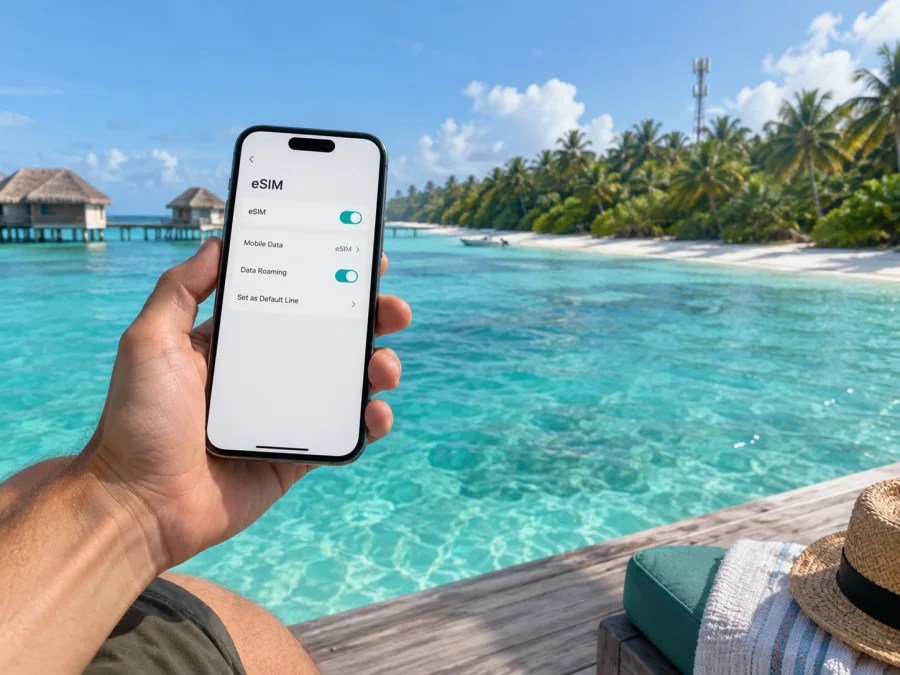
Nothing Phone 4a Pro 256GB eSIM compatibility and setup
If you are checking whether a Nothing Phone 4a Pro 256GB can use an eSIM for a trip, the country where that phone was sold matters more than its storage capacity. Nothing’s current support information says eSIM is supported only on versions sold in Japan. So a Japanese-market version may be compatible, while a version intended for another market, including an imported 256GB handset, should not be assumed to support eSIM. Confirm the exact sales region and check the phone itself for an EID and an eSIM setup option before choosing a travel plan.
This distinction is important because “256GB” identifies storage, not the cellular hardware or regional software configuration. Nothing sells the Phone (4a) Pro in different memory and storage combinations by market. The Japanese store lists a 12+256GB configuration, while other markets can have different combinations; India-market models are a particular reason to check the origin rather than rely on a reseller’s abbreviated title. A retailer may write “Nothing Phone 4a Pro 256GB” for more than one regional variant.
At a glance
| Item | What to know |
|---|---|
| Device name in this guide | Nothing Phone 4a Pro 256GB |
| Storage in the requested variant | 256GB; this alone does not determine eSIM capability |
| Operating system | Nothing OS on Android; menu wording can vary by version and language |
| eSIM answer | Supported only on versions sold in Japan, according to Nothing support |
| Practical decision | Verify EID and Add eSIM on the specific phone before purchasing a plan |
| Main travel use | Mobile data through a compatible travel eSIM plan |
The manufacturer’s support article gives a market limitation rather than stating that every version of the model supports eSIM. That makes a blanket “yes” inaccurate for a device identified only by storage. Treat the 256GB label as an incomplete identifier: find out whether the handset was sold for Japan or another market, then verify the hardware and software directly. A seller’s use of “global version,” “unlocked,” or “dual SIM” is not a substitute for this check. Physical dual-SIM support and embedded SIM support are separate features.
Does Nothing Phone 4a Pro 256GB support eSIM?
The answer depends on the market. Nothing’s current support guidance says eSIM works only on versions sold in Japan. Its Japanese Phone (4a) Pro product page lists a 12+256GB model, and Japan software information includes eSIM activation guidance for Phone (4a) Pro. These manufacturer materials support eSIM on the Japan-market version; they do not establish support for every 256GB version worldwide.
If your phone was sold in Japan, eSIM is expected to work, subject to its software, carrier provisioning, and the plan’s rules. If it was sold for India or another market, do not assume it can install an eSIM profile. Verify the EID and eSIM controls on that unit, and get confirmation from Nothing or the seller if uncertain. Importing a handset does not change its regional configuration, and an update cannot be relied on to add missing eSIM hardware.
Why region and carrier details matter
Regional versions can differ in cellular or SIM configuration even when they share a consumer-facing name. For this model, Nothing explicitly limits eSIM availability to Japan-sold versions. Storage, colour, 5G, a dual-SIM tray, “global” wording, or unlocked status does not override the market distinction. Physical dual-SIM and embedded SIM are separate features.
A phone with eSIM hardware can still be restricted by a carrier lock or account rule, and a travel plan can have its own supported-device list, activation window, and destination coverage. Before buying, ask the seller for the exact SKU and original market, whether this unit has an EID and Add eSIM option, and whether it is unlocked. For a second-hand phone, ask to see those settings on the specific unit. If the seller cannot establish the market, treat support as unknown and verify with Nothing.
How to check EID and eSIM settings
Menu wording can vary by Nothing OS version and language.
- Check the sales details. Find the original market, model code, and memory/storage combination; “256GB” alone is incomplete.
- *Enter `#06#` in the dialler.** The information screen may show an EID alongside IMEI numbers. Do not share device identifiers publicly.
- Open Settings. Look under Network & internet → SIMs or Mobile network for Add eSIM, Download a SIM, or similar. Confirm the option without scanning a QR code.
- Check lock status and update software. If needed, install updates over Wi-Fi, restart, and check again. An update may correct a menu issue on a supported unit but cannot be assumed to add regional eSIM capability.
- Confirm the SKU. Ask Nothing or the seller whether that exact market variant supports third-party eSIM profiles.
An EID is used by the eSIM system and strongly indicates embedded SIM capability, but a provider or carrier may still restrict activation. If the EID and eSIM menu are both absent after an update, treat the phone as incompatible until Nothing confirms otherwise. A physical SIM tray does not prove eSIM support. Keep EID, IMEI, and QR activation details private, sharing them only through verified support channels when needed.
Compatibility checklist
<a id="kesim-device-compatibility"></a>
Before buying a travel eSIM for the Nothing Phone 4a Pro 256GB, confirm each item:
- [ ] The exact handset is a Japan-market version, or Nothing has confirmed this specific SKU supports eSIM.
- [ ] An EID is visible on the phone.
- [ ] Settings includes an eSIM download or add-profile option.
- [ ] The phone is unlocked and can accept a profile from the intended provider.
- [ ] The plan supports the phone and covers the country or countries on your itinerary.
- [ ] You understand when installation occurs, what starts the plan’s validity, and whether data roaming must be enabled.
If you cannot check the handset in person, ask the seller for a live settings screen and a written answer tied to the exact SKU. Do not base a purchase on a generic compatibility checker that identifies only the model family. For a second-hand device, also ask whether any previous owner or carrier lock remains and whether the eSIM profile area is functioning normally.
Use the in-page link to check your device compatibility before ordering a plan. The final check is the actual handset’s EID and settings, not the amount of built-in storage or the appearance of a SIM tray.
Installing and activating an eSIM
Proceed only after confirming that your exact Nothing Phone 4a Pro 256GB supports eSIM. Read the plan’s destination, data allowance, validity, and activation conditions. Check whether installation starts validity or whether the plan begins on first connection abroad. Keep the phone on Wi-Fi, display the QR code on another screen or print it, and remember that many profiles can be installed only once.
Add the profile
- Open Settings → Network & internet → SIMs (or the equivalent on your software version).
- Tap Add eSIM or Download a SIM. If absent, stop and reconfirm compatibility.
- Scan the provider’s QR code from another screen. Enter activation details manually only if the provider supplies them.
- Confirm the download, stay on Wi-Fi, and wait for the profile. Name it “Travel data” for easy identification.
- Select the SIM for calls, texts, and mobile data. You may be able to keep the home SIM for your usual number and use the travel eSIM for data.
See Android eSIM installation instructions. The iOS guide is for setting up an eSIM on an Apple device: iOS eSIM installation instructions.
Activate for travel data
At your destination, turn off Airplane mode, enable the eSIM line, and select it for mobile data. Turn on Data roaming only if the plan instructions require it; roaming can be part of how a travel profile connects to a partner network. Allow a few minutes to register and test a simple webpage before relying on maps or tickets. If the plan says to activate only after arrival, wait until you reach a covered destination. Installation and activation may be separate steps. Check home-SIM roaming settings and charges. Many travel plans are data-only and do not include an ordinary number, voice calls, or SMS unless stated.
Using it on a trip
A travel eSIM can handle maps, email, ride-hailing, translation, and messaging while your home SIM remains available for verification texts or calls. Check home-operator roaming terms; switch off the home line if you do not need it and want to avoid unintended roaming use. For a multi-country itinerary, confirm that the plan includes every destination. If sharing a hotspot, check whether tethering is allowed. Background updates, backups, and video can use data quickly, so download maps over Wi-Fi and review usage.
Kaspersky eSIM Store is an app and website where you can choose, arrange, and activate an eSIM with a mobile data plan for an international trip. Compare destination, data, validity, and activation instructions; availability and terms depend on the destination and offer.
Troubleshooting
No Add eSIM option or EID: confirm the original market and SKU. Nothing limits eSIM to Japan-sold versions, so a missing setting on another variant may be expected. Install available updates, restart, and check again. If both controls remain absent, contact Nothing or the seller; a reset or new plan will not add unsupported hardware.
QR code will not scan: raise the brightness on the screen showing the code, clean the camera lens, and check that the code is for this plan and has not been used. Enter activation details manually only if supplied by the provider. Keep the code private.
Profile downloads but has no service: ensure the eSIM is enabled and selected for mobile data, confirm the plan is active and covers your location, then toggle Airplane mode and wait for registration. Check whether data roaming or manual network selection is required.
Apps have no data or the home SIM behaves unexpectedly: turn on Mobile data and select the travel eSIM as the data line; temporarily disable Wi-Fi to test. Review APN details only if the provider gave them. Check which SIM handles data, calls, and texts, and turn off automatic data switching if you do not want the phone to change lines.
Profile was deleted or phone replaced: transfer depends on provider rules; a QR code may work only once. Contact the provider before deleting a working profile or resetting the phone. When asking for help, provide the exact regional SKU, software version, destination, and error step. Share EID or activation details only through verified support channels.
FAQ
Is every Nothing Phone 4a Pro 256GB compatible?
No. Nothing says eSIM is supported only on versions sold in Japan. Storage does not identify the market; check the original region, EID, and eSIM menu.
Does 5G or dual SIM prove eSIM support?
No. 5G is a network generation, and dual SIM may mean two physical cards. Check the EID, Add eSIM setting, and regional SKU.
Can I install before departure and connect after landing?
Often, but follow the plan’s timing. Some profiles can be installed beforehand and start on first connection in the destination; others start earlier. Installation and activation are not necessarily the same event.
Can I keep my regular number?
You may be able to keep the physical SIM for calls or texts and choose the eSIM for data. Check the supported line combination and home-carrier roaming costs.
Does a travel eSIM include voice and SMS?
Many plans are data-only. Use internet calling and messaging unless the plan explicitly includes a number, calls, or SMS.
What does “unlocked global model” mean?
It does not establish eSIM capability. Ask for the sales region and exact SKU, then check EID and eSIM settings. An unlocked phone can still be a regional version without eSIM.
Check your device before choosing a trip eSIM
For the Nothing Phone 4a Pro 256GB, first establish the original market. Nothing’s support information identifies Japan-sold versions as the eSIM-capable versions, while storage capacity alone cannot tell you whether your phone belongs to that group. Confirm the EID, find the eSIM download option in Settings, and check that the handset is unlocked. If the regional identity or menu is unclear, ask Nothing or the seller to verify the SKU before you buy a plan.
Once compatibility is confirmed, choose an eSIM plan for the countries on your route and compare its data allowance, validity, and activation conditions with your expected use. Kaspersky eSIM Store is available as an app and website to choose, arrange, and activate an eSIM with a mobile data plan for an international trip. Complete the device check first, follow the plan’s installation timing, and select the travel eSIM for mobile data when you are ready to connect.


