Travel connectivity guide
Novi Sad eSIM: Mobile Internet for Your Trip
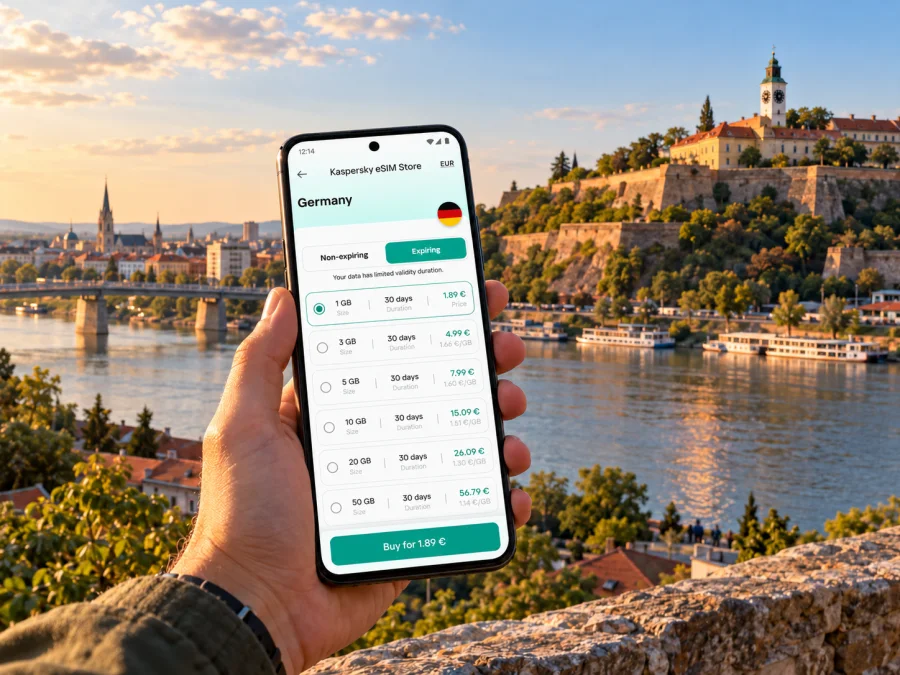
Novi Sad eSIM for mobile connection and internet during your trip
Novi Sad rewards a visitor who can move easily between its compact centre, the Danube waterfront and Petrovaradin Fortress on the opposite bank. A reliable mobile data plan can make that movement simpler: check a map after arriving, confirm a meeting point, look up a bus connection or message your host without depending on a café’s Wi-Fi. An eSIM lets you prepare mobile data digitally, while your usual SIM can remain available for calls and messages if your home operator and device allow it.
This guide focuses on the practical details of using mobile internet in Novi Sad: getting into town, crossing between the centre and Petrovaradin, choosing a data allowance, and preparing your phone before departure. Coverage and performance depend on the local network, your location, your device and current conditions. No single connection should be assumed to work identically in every street, building or part of a day trip.
First, understand the shape of the city
The Danube is a useful reference point when planning a day in Novi Sad. The historic centre is on the Bačka side; Petrovaradin and its fortress stand across the river. Bridges connect the two, and the distance that looks modest on a map can still matter when you are walking, carrying luggage or trying to make a timed appointment. Navigation is especially useful when you leave the central streets for the riverbank, a bridge approach or the uphill routes within the fortress.
For a first visit, many travellers use Liberty Square (Trg Slobode) as a starting point. The City Hall and the Church of the Name of Mary make the square easy to identify. From here, pedestrian streets such as Zmaj Jovina and Dunavska lead through the centre, while Dunavski Park offers a quieter pause. Nearby, the Matica Srpska Gallery and the Synagogue add different stops to a walking itinerary. Save the names in both Latin script and, when useful, Cyrillic: local signs and map listings may use either.
Petrovaradin Fortress is one of Novi Sad’s defining landmarks. Its upper town, clock tower, terraces and lanes are spread over a large complex, so it is sensible to download or save a route before setting off and keep your phone charged. The views across the Danube help you orient yourself, but they do not replace directions when you are looking for a particular entrance, museum, café or event location. The lower town and the riverside have a different feel from the upper plateau; allow time for the walk and the changes in elevation.
Other useful points of reference include the central pedestrian zone, the railway and bus station area, the university and SPENS, Liman, and Štrand beach. Liman and the waterfront make a natural extension to a city-centre stay, while a trip to Štrand is more comfortable if you check the route and return options before leaving. Fruška Gora and Sremski Karlovci are outside the city centre; treat them as separate outings, with their own transport and data needs rather than assuming that an urban itinerary covers them.
Where mobile data helps most
- On arrival: open your accommodation details, check the address and contact the host before leaving a station or transfer point.
- On foot: follow a route through Liberty Square, Zmaj Jovina Street, Dunavska Street and the Danube promenade without repeatedly stopping to orient yourself.
- Across the river: check the bridge and the exact entrance or meeting point for Petrovaradin Fortress; the destination pin may not be at the visitor entrance.
- For a meal or event: confirm opening information and the current location before you walk there. Listings can change, especially during busy event periods.
- On a day trip: keep timetables, tickets and offline maps accessible if you will travel beyond the central neighbourhoods.
Arriving in Novi Sad: plan the final leg
Novi Sad does not have a large international passenger airport in the city centre. Many international visitors fly to Belgrade Nikola Tesla Airport and continue by road or public transport, while others arrive by intercity bus or train. The best route depends on your flight time, luggage, onward timetable and the current state of transport services. Check the full journey before you board the flight: an airport arrival and a Novi Sad arrival are separate legs, and the transfer may need its own time buffer.
Rail information needs particular care. The Novi Sad Tourism Organisation’s current visitor guidance has reported that the main Novi Sad railway station is out of service during reconstruction and safety works, with trains using alternative stations and shuttle links. Station arrangements can change, so use the operator’s live timetable and departure information on the day, and confirm the station name shown on your ticket. Do not assume that a train described as “Novi Sad” will use the familiar central station entrance. If you are connecting from a flight, leave room for delays, station transfers and finding the right platform.
For an intercity bus, check the departure terminal, stop location and arrival time directly with the carrier. Keep a screenshot of the ticket and address details in case data becomes temporarily unavailable. If you use a taxi or arranged transfer from a station, confirm the pickup point and destination with the driver; station names and map pins can refer to different entrances or areas.
A practical arrival checklist:
- Save the accommodation address and host contact details offline.
- Check whether your transfer ends at the city centre, a station outside it or another pickup point.
- Confirm the current train or bus station from the ticket and live operator information.
- Keep enough battery for maps, messages and a booking confirmation; a small power bank is useful on a long transfer.
- Once you have a stable connection, review the route from your actual arrival point rather than navigating from a generic station pin.
Crossing the Danube and getting around
The centre is walkable for many short visits, but Novi Sad is not only a pedestrian-centre itinerary. You may need a city bus, taxi or ride arranged by your accommodation to reach a neighbourhood, station, beach or event. Use a live map to compare the walking and transit options, then verify the route and service time using current local information. Bus lines and timetables can change; an old screenshot or a map result cached before the trip is not a dependable substitute for a current check.
When crossing toward Petrovaradin, decide whether you want to walk over a bridge, take a bus or use a car. Your choice may depend on the weather, the event schedule, the part of the fortress you are visiting and the condition of the route. Add a little navigation time for the approach and the climb. If you are attending a concert or festival, check the organiser’s current entry instructions and post-event transport plans before you go; traffic and crowd patterns can differ from an ordinary afternoon.
A simple route-planning routine
- Put the destination pin on the specific entrance, not just on “Petrovaradin Fortress” or “Štrand.”
- Check the route at the time you expect to travel and note any bridge crossing.
- Compare the walking estimate with the bus option, including the walk to and from stops.
- Save the return route before entering a large venue or a quieter area.
- If you switch between mobile data and Wi-Fi, make sure your map has finished loading before you leave the connection.
For a city break, a plan that covers Serbia is often more practical than looking for a Novi Sad-only option. Kaspersky eSIM Store is an app and website where you can review available eSIM data plans for an overseas trip, compare the allowance and validity shown for each option, and choose one that fits your itinerary. You can check current eSIM options for Serbia and verify the destination, data amount, validity, price and any stated activation conditions before checkout. Availability and terms can change, so rely on the details displayed at the time you choose.
Choose data for your actual itinerary
There is no universal data amount for a visit to Novi Sad. A traveller who mainly uses navigation and messaging may use much less than someone who uploads video, joins work calls or streams content over mobile data. Think in terms of tasks and time away from Wi-Fi, not just the number of days on the booking.
| How you expect to use data | What to consider |
|---|---|
| Maps, messaging and occasional searches | A modest allowance may be enough if you save maps and use hotel Wi-Fi for larger downloads. |
| Frequent navigation and photos | Allow more room for route updates, cloud backups and sharing images; disable automatic uploads if you want to conserve data. |
| Remote work or video calls | Estimate call time and check the app’s data use. Have a backup connection and avoid relying on mobile data for a critical meeting without testing it first. |
| A longer Serbia itinerary | Compare the plan’s validity with the full trip, including travel days outside Novi Sad. Check that the plan covers the whole destination list. |
| A group or multiple devices | Check whether your phone supports hotspot sharing and whether the selected plan permits it under its terms. Sharing can use data quickly. |
Before buying, look at the plan’s coverage destination, data allowance, validity, activation timing and any restrictions. A plan for Serbia is not a promise of a particular signal level in every building or rural area. If your trip continues to another country, confirm that the plan includes that country or choose a suitable regional option where available. Do not infer cross-border coverage from a nearby map or from the fact that the trip is in Europe.
Prepare your phone before departure
An eSIM is a digital SIM profile installed on a compatible device. It can keep you from needing to find and insert a physical travel SIM, but it does not automatically include an ordinary phone number, voice calls or SMS. Check the terms for the specific plan. Your home SIM may continue to handle calls or texts if you leave it enabled, but your home operator’s roaming charges may still apply to those services.
First, confirm that your exact phone model and regional variant support eSIM and that the phone is not carrier-locked. Support can differ between versions sold in different markets, even when product names look alike. Check the manufacturer’s documentation or device settings and check whether your device supports eSIM before you choose a plan. If the phone is managed by an employer, ask whether its configuration permits adding a travel eSIM.
Then prepare the installation:
- Connect to a stable Wi-Fi network and update the operating system if needed.
- Sign in to the app or website account you intend to use and review the plan’s installation and activation instructions.
- Install the eSIM profile while you have reliable internet access. Avoid deleting the profile after installation unless support specifically tells you to; some profiles cannot be installed again after removal.
- Label the travel line clearly, such as “Serbia data,” so you can distinguish it from your usual SIM.
- Keep your primary line’s call and data settings in mind. Select the eSIM for mobile data when appropriate and review data roaming settings according to the plan instructions.
- When you arrive, enable the travel line and allow it to register. If data does not start, check the selected data line, the plan instructions and any required roaming setting before changing other settings.
For step-by-step help, use the Android eSIM installation instructions or the iPhone eSIM installation instructions. Menu names vary by operating-system version and manufacturer, so follow the instructions for your device rather than assuming every screen is identical.
Practical plans for different kinds of visit
A weekend based in the centre. Use Liberty Square as an orientation point, walk the central streets, and set aside a separate half-day for Petrovaradin Fortress. Save the route and accommodation address before leaving Wi-Fi. If you plan to visit Štrand or Liman, check how you will return in the evening.
A business visit. Confirm the venue’s exact address and entrance with the organiser. Test mobile data before a call, and use stable Wi-Fi for large files or meetings where possible. Download presentations and booking confirmations in advance; a travel data plan should not be your only copy of essential work material.
A festival or busy event. Save entry details and a meeting point before you go. Agree on a backup meeting location with companions in case messages are delayed or the network is busy. Check current transport arrangements and allow extra time for the journey out.
A trip beyond the city. Check that the plan’s destination and validity match your wider Serbia itinerary. Save route information for Fruška Gora, Sremski Karlovci or another stop before leaving a strong connection. Intercity journeys can have different network conditions from the centre, so keep offline navigation available.
Common questions
Will an eSIM work everywhere in Novi Sad?
No plan should be treated as a guarantee of service at every location. The experience depends on the network used by the plan, local conditions, your device, indoor construction and congestion. Check the plan’s destination details and keep offline alternatives for important routes and tickets.
Can I use the eSIM for regular calls and text messages?
A data-only eSIM plan does not provide a conventional number for standard calls or SMS unless the specific offer explicitly says otherwise. Internet calls and messages may work through apps already configured on your device. Your regular SIM remains subject to your home operator’s terms.
Should I install the eSIM before I travel?
Installing before departure is often convenient because you can use a reliable Wi-Fi connection and follow the instructions without time pressure. Confirm when the plan’s validity begins and when data use starts; these conditions differ by plan. Do not activate earlier than you intend if the plan’s validity clock begins at activation.
A final check before you go
- Confirm your exact device supports eSIM and is unlocked.
- Check that the plan covers Serbia, and compare its data allowance and validity with your dates.
- Read activation details and install instructions before departure.
- Save your accommodation, tickets, key addresses and offline map.
- Verify current arrival station and transfer information on the travel day.
- Keep your home SIM’s roaming terms in mind if you plan to use its number.
Novi Sad is easy to enjoy when you can spend less time sorting out logistics and more time exploring the centre, the Danube and Petrovaradin. Prepare a travel eSIM on a compatible phone, check the current plan conditions and install it over a reliable connection. When you are ready, review eSIM data options for Serbia in Kaspersky eSIM Store and choose an option that matches your trip.


