Travel connectivity guide
Novosibirsk eSIM: Mobile Internet for Your Trip
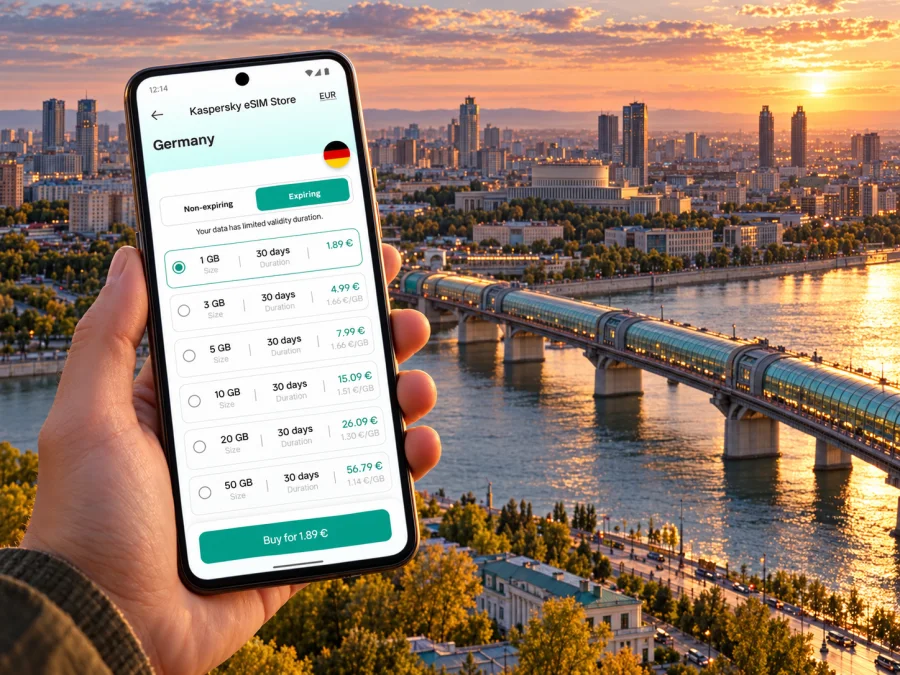
Novosibirsk eSIM: mobile connection and internet for your city trip
Novosibirsk is a major Siberian city on the Ob River and a natural stop for Trans-Siberian journeys, work trips and onward travel across western Siberia. A reliable mobile connection helps with more than checking messages: you may need to find the right airport transfer, compare a route across the river, locate a hotel entrance, or update a meeting plan while moving between districts.
An eSIM can be useful when your trip includes a data plan intended for visitors and your phone supports it. There is an important destination-specific condition to check first: the current Russian Federation plan page says its data plans are not available for purchase by Russian residents. It also describes an activation delay after connection in Russia. Review the latest terms for your circumstances before relying on a plan, and keep a backup way to get online. This guide covers practical city use, device preparation and options if the plan is not suitable.
What a data eSIM can and cannot do
An eSIM is a digital SIM profile installed on a compatible phone. A travel data plan can provide mobile data through the partner networks named in that plan’s terms. It can support maps, messaging apps, email, ride-hailing apps and web browsing. It does not automatically replace your home number: data-only plans do not include ordinary voice calls or SMS unless the specific offer says otherwise.
Kaspersky eSIM Store is an app and website where travelers can choose, arrange and activate an eSIM with a suitable plan for an international trip. It is not a mobile network operator. The network connection, eligible customers, coverage, speed, restrictions and activation rules depend on the chosen plan and local provider. A city name in an article is not a promise of coverage at every address, inside every building, or along every route.
For Novosibirsk, treat an eSIM as one part of a connection plan. Save essential information offline and understand the destination plan before departure, especially if you need data immediately after landing.
Plan around the city’s geography
Novosibirsk sits on the Ob River, and journeys between its banks can take longer than a map preview suggests. Tolmachevo Airport is in the city of Ob, within the wider urban agglomeration, about 17 km from central Novosibirsk. The city has a metro and surface transport. Check the address, river crossing and route; save an offline map and destination address.
The airport arrival: plan for more than a signal icon
Tolmachevo is the main air gateway for the city and sits outside Novosibirsk’s municipal boundary. Before departure, decide how you will get from the terminal to your accommodation. Check the current transport options and timetable close to your travel date; schedules, stops, payment methods and road conditions can change. A private transfer or taxi may be convenient with luggage or a late arrival, while public transport may fit a daytime route. The best choice depends on your arrival time, destination and bags.
The current Russian Federation destination page includes a specific service condition: in Russia, data may begin working 24 hours after connection. It says that to get access immediately, the user should follow a link in an SMS received after arrival. If the eSIM is not used within 72 hours, it may be suspended again for 24 hours. These are meaningful constraints for a traveler who expects to open a map as soon as the plane lands. Confirm that the current displayed terms still apply to the particular plan you are considering and understand how you will receive and open that SMS link.
Because of that condition, do not depend on the eSIM alone for an airport pickup. Download an offline map and save your hotel address, booking reference and host or driver contact. Arrange another eligible connection option for arrival; airport Wi-Fi and sign-in requirements can vary.
Arrival checklist
- [ ] Check whether the plan’s purchase and use rules apply to you; the current page excludes Russian residents from purchasing its Russia plans.
- [ ] Read the activation and SMS instructions while you still have a dependable internet connection.
- [ ] Save your accommodation address in both Latin and Cyrillic script if you have it.
- [ ] Download maps for the airport and the parts of Novosibirsk you will visit.
- [ ] Keep a plan for requesting a taxi or contacting your host without the travel eSIM.
- [ ] Confirm your transport stop and route using current information on the day.
- [ ] Carry a charger or power bank; navigation and roaming can use battery quickly.
A signal indicator does not prove activation is complete. If pages do not load, check the plan instructions, selected data line and required SMS step.
Moving through Novosibirsk
The metro is useful for some cross-city journeys, while buses, trolleybuses and trams serve routes beyond the rail network. The municipal transport overview describes two operating metro lines with 13 stations. Treat route and service details as changeable, and verify the current station entrances and journey information before setting out. Mobile data is particularly useful when a planned walk connects to surface transport or when you need to change direction around a station or interchange.
The Ob is a practical orientation point. Check which bank your destination is on and whether your route crosses the river. A route that looks close on a small map can involve a bridge crossing, a transfer or a longer walk than expected. In winter, allow extra time for cold weather, snow and slippery paths; in any season, leave a margin if the trip depends on a fixed train or meeting time. These are planning considerations, not a statement about current weather or road conditions.
For street navigation, enter the full address and verify the building number and entrance. Large blocks, courtyards and buildings with several entrances can make the map pin less precise than it first appears. If you are going to a clinic, office or apartment, ask for an entrance description or a nearby landmark. A short saved note in Russian can help you show a driver or ask for directions even when the phone has no data.
A practical route workflow
- Before leaving: enter the destination, inspect the whole route and note the expected transfers. Save the destination address and a map screenshot.
- At the stop or station: compare the platform, direction and station name with the route shown in your navigation app. Do not rely on a moving blue dot alone in a crowded or underground space.
- At a transfer: reopen the route when you have a connection. If the app cannot refresh, use the saved destination and station sequence to continue to a known point.
- At street level: confirm the correct side of the road and the building entrance. If the pin is uncertain, message the host while you still have connectivity.
- Before the return trip: check the latest departure or service information and leave time for a route change.
A travel eSIM provides data; it does not pay fares or guarantee that a foreign bank card or mobile wallet will be accepted. Carry a workable payment method and check current fare instructions.
Choosing a place to stay and planning by area
For a first visit, a central address can reduce the number of unfamiliar transfers if your meetings and sightseeing are also central. A hotel near Novosibirsk-Glavny can be practical for rail arrivals or departures. A stay near a metro station may help with some journeys across the city. If your destination is Akademgorodok, a central hotel still means planning a longer outbound trip; if most of your schedule is in the university district, compare accommodation there instead of assuming that every trip will be quick.
Use mobile data to coordinate check-in, find the exact entrance, and update a host if a train or flight is delayed. Yet the address and entry instructions should also be available offline. If you are staying in an apartment, save the building number, entrance, floor and any door-code instructions securely before you travel. Avoid relying on a live message for information you could have confirmed in advance.
Estimate data by activity, not just trip length: maps and messages use less than video calls, large uploads, tethering or cloud backups.
How to assess a plan for Novosibirsk
The current Russian Federation destination page is the appropriate place to inspect the available terms for the country. Use it to review the plan that is actually shown at the time of purchase. A country-level listing is not a city-specific coverage guarantee or a promise about a specific local operator. Confirm the destination label, data quantity, validity, price, any fair-use or speed conditions, activation timing, and eligibility limitations before checkout.
Review the current eSIM options for the Russian Federation when you are ready to check the live conditions. The page currently states that Russia data plans are not available for purchase by Russian residents, and it describes the 24-hour activation condition and SMS route to immediate access. Those terms can be updated; read the page again close to purchase and follow the instructions provided for the exact plan. If you are a Russian resident, do not try to work around the eligibility restriction: use a connection option for which you are eligible.
Kaspersky eSIM Store is an app and website for selecting, arranging and activating an eSIM with a travel data plan. The current Russian Federation destination page says the eSIM service is supplied by a technology partner and that services are supplied by local telecommunications providers. The actual provider, network access and other conditions are those disclosed for the chosen plan. Avoid inferring provider identity or availability from the city name alone.
Match the package to how you travel
| Usage pattern | What to consider | A sensible check |
|---|---|---|
| Maps and occasional messages | Modest, steady usage | Estimate how many days you will navigate and message away from Wi-Fi |
| Frequent browsing and uploads | Higher and less predictable use | Check data allowance and how apps upload photos in the background |
| Remote work | Calls, files and backup connection | Confirm your workplace setup and a separate fallback connection |
| Shared hotspot | Several devices can consume data | Confirm tethering is allowed and monitor usage on each device |
| Multi-stop itinerary | Coverage in each country or region | Verify every destination in the plan terms; do not assume a Russia plan covers a neighboring country |
The table is a way to estimate needs, not a usage promise. Turn off automatic photo backup and large app updates over mobile data if you want to conserve an allowance. Download entertainment, maps and documents before leaving reliable Wi-Fi. For an important video meeting, identify a second connection option in advance rather than assuming a single plan will be uninterrupted.
Device compatibility and regional variants
An eSIM-ready device is not necessarily compatible with every eSIM profile. Support can vary by exact model, country or region of sale, carrier lock status, software version and the provider’s requirements. Two phones with the same retail family name can have different SIM configurations. Do not infer support from a product name alone, and do not assume an imported model behaves like the local variant.
Before choosing a plan, check the exact model number in the manufacturer’s settings or documentation and confirm that the device is unlocked for use with another provider. On an iPhone, Apple’s support guidance says to check Settings → General → About and look for Carrier Lock: No SIM restrictions. For other manufacturers, consult the official support information for your exact model. The phone should also be able to connect to Wi-Fi or another network during installation if the activation flow requires it.
Check whether your device supports eSIM before purchase. This compatibility check is especially important if the phone was bought in another market, is carrier-locked, or has a model suffix you have not seen before. If support cannot be confirmed, plan around your existing SIM, roaming or another eligible connection method rather than buying on an assumption.
Install and activate with a fallback ready
Complete installation before departure when the plan’s rules allow it and you have stable Wi-Fi. Some plans start their validity at installation, first connection or another event described in their terms, so check the trigger first. The Russian Federation page’s local access conditions make it particularly important to read the activation steps, not simply scan a QR code and expect data immediately.
A careful setup sequence is:
- Confirm that the plan is available to you and is intended for the Russian Federation.
- Compare the data allowance and validity period with your itinerary and expected use.
- Check that your device supports eSIM and is not restricted by a carrier lock.
- Install the eSIM using the instructions shown in the app or purchase confirmation. Keep the QR code or setup details accessible as directed.
- Label the line clearly, for example “Travel data,” so it is easy to identify beside your home SIM.
- Set mobile data to use the travel eSIM when the plan is ready. Keep the home line’s data roaming setting under control to avoid unexpected charges from your home carrier.
- At the destination, follow the exact local activation instructions, including any SMS link described by the plan page.
- Test a simple page or message, then check the app or account for remaining data and validity.
For detailed setup steps, use the Android eSIM installation guide or the iPhone and iOS eSIM installation guide. Settings names can differ by operating-system version and manufacturer, so follow the screen prompts for your device. On some phones, data roaming must be enabled for the travel eSIM; whether that is needed depends on the plan instructions. Check which line is selected for mobile data before turning settings on or off.
If data does not work, do not delete the eSIM immediately. Check that it is enabled, selected for data, active and past any required SMS step. Review the plan’s network and roaming instructions; restarting may help a temporary issue but cannot bypass eligibility or activation timing. Keep another connection available for support.
If a travel eSIM is not suitable
If the destination plan is unavailable to you, its activation timing conflicts with your arrival, or your phone does not support eSIM, you still have practical alternatives. Compare your home carrier’s roaming terms, ask your accommodation whether Wi-Fi is available, or investigate a local SIM or other connection option for which you are eligible. Local purchase, registration and identification requirements may apply; check official local information before making plans. If none of those options is confirmed before arrival, save maps and essential travel details offline and arrange a connection at the first suitable point.
For a short layover, a plan with an activation wait may not fit. For a longer visit or work trip, compare eligible options and prioritize predictable access. The right choice depends on eligibility, device support, timing and the actual terms.
Frequently asked questions
Is Novosibirsk in the Russian Federation?
Yes. It is a city in the Russian Federation. The country destination is the relevant listing to inspect, but it does not guarantee reception at every address.
Can Russian residents buy the Russia plan?
The current destination page says Russia data plans are unavailable for purchase by Russian residents. Check the live rules and choose an option for which you are eligible.
Will data work as soon as I land?
Do not assume so. The current page describes a 24-hour delay after connection and an SMS link for immediate access. It also says an unused eSIM may be suspended again after 72 hours. Follow the selected plan’s current instructions and keep a backup.
Does a data eSIM include a phone number?
Not unless the particular plan says so. Data-only plans support internet use but do not normally include ordinary calls or SMS.
Will it work on any phone?
No. Support depends on the exact model and regional variant, software and carrier lock. Confirm the model with its manufacturer and use the compatibility checker.
What should I save offline?
Download maps, the airport-to-hotel route, accommodation address, booking information and essential contacts before departure.
Prepare your Novosibirsk connection plan
Novosibirsk is easier to navigate when you combine a clear route with realistic expectations about mobile data. Check the live Russian Federation plan conditions, verify eligibility and device compatibility, and account for the activation steps described for use in Russia. Save essential maps and addresses before travel, then keep a backup connection ready for arrival, transport changes and important messages.
When the current terms fit your trip, check the available eSIM options for the Russian Federation in Kaspersky eSIM Store and choose a plan only after reviewing its validity, data allowance and activation instructions. Install it using the Android guide or iOS guide, and keep your offline route available until the connection is confirmed.


