Travel connectivity guide
Nungwi eSIM: Mobile Internet for Your Zanzibar Trip
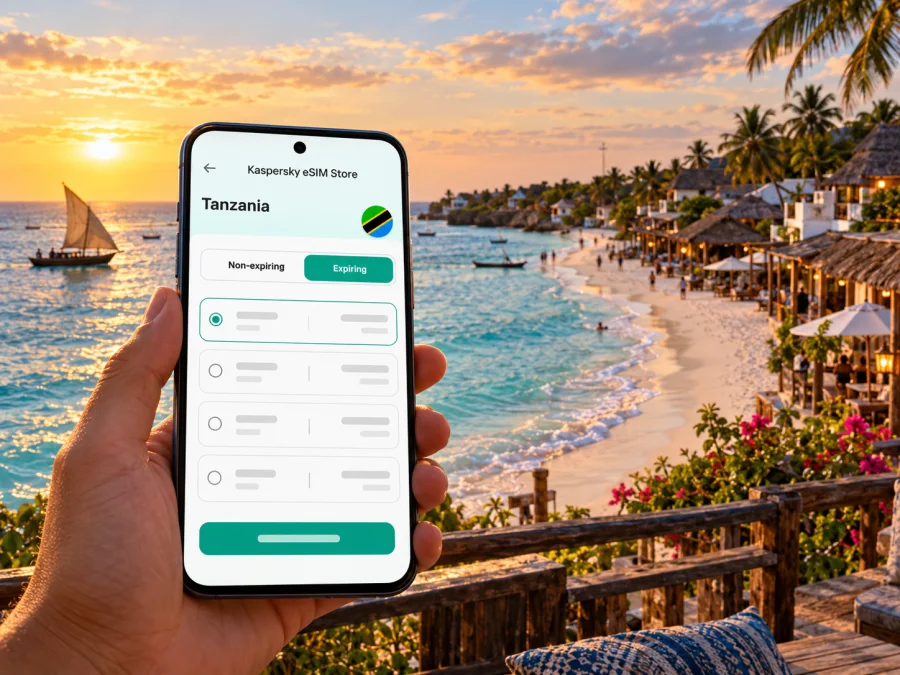
Nungwi eSIM: mobile connection and internet for a Zanzibar stay
Nungwi is a beach settlement at the northern end of Unguja, the main island of Zanzibar in the United Republic of Tanzania. A trip here often begins far from the beach: you may land elsewhere on the island, arrange a transfer, check in, and then use your phone for directions, bookings, messages and day trips. An eSIM can provide mobile data without replacing your physical SIM, provided your device supports eSIM and the selected plan covers Tanzania.
This guide focuses on practical connectivity for Nungwi: what to prepare before travel, how to think about data use, and what to check when you arrive. Mobile coverage and performance can vary with location, network conditions, device and building, so no single connection experience can be promised for every hotel or stretch of coast.
Nungwi’s location and why it matters for mobile data
Nungwi is on Unguja, the island commonly called Zanzibar. It is not in mainland Tanzania, even though it is part of the United Republic of Tanzania. That distinction matters when choosing a travel eSIM: check the plan’s destination list and terms for Tanzania rather than assuming a regional or island-specific label means the same thing. If you are combining Nungwi with another country, confirm that every stop on the itinerary is included before you buy.
| Part of the trip | Common phone tasks | Useful preparation |
|---|---|---|
| Before departure | Confirming bookings, downloading tickets and maps | Save essential confirmations offline and check the eSIM instructions |
| Arrival on Unguja | Contacting a driver, opening a map, messaging your hotel | Keep the accommodation address and driver details accessible offline |
| Transfer to Nungwi | Navigation, updates to family, checking a pickup point | Carry a charger and avoid relying on continuous video or large downloads |
| Stay in Nungwi | Messages, local bookings, maps, photos and work | Review background data use and check connectivity where you will stay |
| Island excursion | Meeting-point details, messages and route information | Save the meeting location and tour contact before leaving Wi-Fi |
From arrival to the first evening in Nungwi
The Zanzibar Commission for Tourism describes commercial flights and ferries as ways to reach the islands and lists taxis, buses and rental cars among transport options after arrival. Your route to Nungwi will depend on your ticket, arrival point and transfer arrangement. Confirm the pickup location and travel details directly with your accommodation or transport provider; do not assume that a map pin alone is enough in an unfamiliar area.
Mobile data is most useful during transitions. A map can help you follow a route, while messaging makes it easier to confirm that a driver has found you or to update someone if your arrival changes. Download the map area and save your hotel’s name, address and phone or messaging contact before you leave a reliable connection. Keep your booking confirmation available offline in case you need to show it while your phone has no data.
A useful arrival checklist
- [ ] Save your accommodation name, address and booking reference offline.
- [ ] Confirm where and how your driver will meet you.
- [ ] Keep your home SIM active if you need its number for calls or account verification.
- [ ] Check which line is selected for mobile data before using maps.
- [ ] Keep a power bank or charging option available for a long transfer.
- [ ] Send a short arrival update when you have a working connection.
Staying oriented around Nungwi
A beach stay can involve more than moving between the hotel and shore. You may walk between restaurants, dive or boat-trip meeting points, shops and nearby accommodation. Some routes are easier to follow with a saved map, but GPS positioning and mobile data are separate: your phone may show your location on a downloaded map while it cannot load new details or send a live message.
Before heading out, save the destination and the return point. For a tour, keep the operator’s meeting instructions and a contact method in your notes. If several people are travelling together, agree on a clear meeting place that everyone can identify without needing to share a live location. This is especially useful when a group splits between a beach visit, a meal and a boat departure.
Nungwi is also a starting point for activities on the water and trips to other parts of Unguja. A connection can help with booking messages and itinerary changes, but boat or coastal routes may have different signal conditions from the village. Download confirmations and any directions before departure. Ask the excursion provider what to expect for communication during the trip rather than assuming your eSIM will have a signal offshore.
What usually uses mobile data?
| Activity | Typical data pattern | A practical way to manage it |
|---|---|---|
| Text messages and email | Usually modest, though attachments add up | Send large files over Wi-Fi when convenient |
| Navigation | Often light to moderate, with more use when maps reload | Download the area in advance and avoid repeatedly opening satellite views |
| Photo sharing | Variable; high-resolution uploads can use more data | Turn off automatic cloud uploads while travelling if you want to conserve data |
| Voice or video calls in apps | Can use data steadily, especially video | Use audio when video is unnecessary and check your remaining balance |
| Streaming and backups | Can use a substantial amount | Set downloads and backups to Wi-Fi only |
| Work calls and hotspot use | Depends on meeting length and connected devices | Check plan terms and test your setup before relying on it |
Choosing a data plan for a Nungwi itinerary
Start with the full route, not only the name of the beach. If Nungwi is one stop on a broader trip, the destination coverage, validity period and data allowance should fit every intended use and travel date. Read the current plan details before purchase: availability, included locations, price, data amount, validity and activation terms can change. Do not infer those details from an illustration, an old screenshot or a country name alone.
If you want to review currently listed destination options, check the available eSIM plans for the United Republic of Tanzania. The Kaspersky eSIM Store app and website help travellers choose, purchase and activate an eSIM with a suitable plan for mobile internet abroad. Check the live plan page for its terms, destination coverage, data and validity before deciding; this country page is not a promise of a particular signal or performance in Nungwi.
A quick plan-selection worksheet
Write down your answers before comparing plans:
- Where will you go? Include Nungwi, arrival and departure points, and any other country on the route.
- How long do you need data? Compare the plan’s validity with your travel dates and activation conditions.
- What will you do online? Separate maps, messages and booking checks from video calls, streaming and hotspot use.
- What is your backup? Decide which confirmations, maps and contacts you can keep offline or access through accommodation Wi-Fi.
- What do the terms say? Check whether data is limited, how validity starts, whether top-ups are available, and what the plan does not include.
For a short stopover, prioritize the tasks you must complete before continuing: reaching your transfer, contacting your hotel and viewing the next booking. For a longer beach stay, think about repeated map use, tour coordination and work calls across the whole period. In both cases, the plan should match the route and habits, while offline information covers the moments when mobile data is unavailable.
Check your device and prepare the eSIM
An eSIM is a digital SIM profile used by a compatible device. Support depends on the exact device and sometimes its sales region or carrier status. Before purchasing, confirm eSIM support for your specific handset and verify that it is not locked in a way that prevents use with another provider. Do not rely only on a family member’s similar-looking phone or a model name: variants can differ. Check whether your device supports eSIM.
Installation and activation sequence
The exact wording in settings varies by device and operating system. Follow the plan’s current instructions and the prompts on your phone.
- Check compatibility and carrier lock status. Resolve these questions before payment, not at the airport.
- Choose a plan for the right destination and dates. Read the included locations, validity, data allowance and activation conditions.
- Install while you have dependable internet. Use the app’s guided flow or the supplied QR code where the plan supports it.
- Label the new line clearly. For example, call it “Tanzania data” so you can recognize it beside your personal SIM.
- Choose the eSIM for mobile data when you are ready to use it. Keep your usual line configured for calls or verification if needed.
- Check the plan’s roaming-data instructions. Some travel eSIMs require data roaming to be enabled on that eSIM profile; follow the plan instructions rather than changing every line indiscriminately.
- Test with a light task. Open a simple page or send a message, then check the selected data line if it does not work.
For device-specific steps, see the Android eSIM installation guide or the iOS eSIM installation guide. Install at a time that suits the plan’s activation rules. Installing a profile and starting its validity are not necessarily the same event, so check the exact terms before you begin.
If the connection does not work as expected
A missing data connection does not automatically mean that the eSIM is faulty. Check the basics in order and avoid deleting the profile unless the support instructions specifically tell you to; some eSIM profiles cannot simply be reinstalled after removal.
- Confirm that the eSIM profile is installed and turned on.
- Verify that the phone is using the eSIM for mobile data.
- Check that the plan is active and valid for the current date and location.
- Review the plan’s instructions about data roaming for that profile.
- Toggle airplane mode briefly or restart the phone, then allow it time to reconnect.
- Move to a more open location and retry a basic page or message.
- If the issue continues, use Wi-Fi to review the setup details and contact the service support channel shown in your account.
Do not change network-selection settings at random or remove a working profile in an attempt to force a connection. If mobile data is unavailable at a particular moment, use saved maps, offline booking details and the contact information you stored before leaving. For urgent local help, use the contact method recommended by your accommodation or tour provider.
Work, short visits and multi-stop travel
Nungwi can be a quiet base for a holiday, but a trip may still include remote work, a brief overnight stay or a connection onward to another destination. Those situations call for different preparation.
| Travel situation | Before leaving | While in Nungwi |
|---|---|---|
| Beach holiday | Save hotel details, excursions and return instructions | Use data for messages and maps; keep large photo uploads for Wi-Fi if preferred |
| Remote work | Confirm plan terms for hotspot use and test video calls at home | Ask your accommodation about its Wi-Fi as a backup and avoid scheduling calls around an untested connection |
| Short stopover | Save the transfer point and next ticket offline | Reserve data for essential updates and navigation |
| Island plus mainland itinerary | Check that the destination list includes every stop | Recheck the selected data line when crossing between destinations |
| Family or group trip | Share meeting points and booking details before splitting up | Agree on a fallback meeting place in case someone loses data or battery |
Connectivity habits that help on the coast
- Save addresses, tickets and tour details before travelling between areas.
- Keep offline map access enabled for places you expect to visit.
- Check that the right eSIM is selected for mobile data after restarting or changing settings.
- Use Wi-Fi for operating-system updates, photo libraries and large downloads when practical.
- Carry a portable charger if you will be away from your accommodation for several hours.
- Avoid depending on one live map pin or one messaging app for a time-sensitive pickup.
- Confirm current plan details and local arrangements close to your departure date.
Frequently asked questions
Is Nungwi in Tanzania or Zanzibar?
Nungwi is on Unguja, the main island of Zanzibar. Zanzibar is part of the United Republic of Tanzania, so a travel plan should be checked against its Tanzania destination terms.
Will an eSIM work everywhere in Nungwi?
No coverage can be guaranteed at every address, indoors, on the beach or offshore. Reception and data performance depend on the local network, location, device and conditions at the time. Check the selected plan’s current coverage information and keep offline essentials available.
Can I install the eSIM before flying?
Often you can install a travel eSIM before departure, but installation, activation and the start of plan validity may follow different rules. Read the specific plan instructions and choose a setup time that does not start validity earlier than intended.
Can I use my usual number at the same time?
If your phone supports dual SIM use, you may be able to keep your regular SIM active while selecting the eSIM for mobile data. Settings and roaming charges depend on your device and home operator. Check both before travel.
Does a travel eSIM include calls and SMS?
That depends on the specific plan. A data-only plan does not provide an ordinary phone number or conventional calls and texts unless the plan explicitly includes them. Messaging and app calls may use mobile data.
What should I do if I have no data after landing?
Check that the eSIM is enabled, selected for mobile data, valid for your location and configured according to its instructions. If it still does not connect, use Wi-Fi where available, consult the setup steps and contact support. Keep your transfer and accommodation details offline as a backup.
Should I rely on mobile data for excursions from Nungwi?
Use it as a helpful tool, not as the only source of directions or coordination. Save meeting details and contact information before departure, and ask the excursion provider about communication during the trip.
Prepare before your trip
For a smoother arrival in Nungwi, check your device, choose a plan whose destination and validity match your actual route, and install it with dependable internet while you have time to follow the instructions. Keep maps, bookings and transfer contacts available offline, and check the selected mobile-data line when you arrive. These steps make it easier to use mobile internet for navigation and coordination while leaving room for local conditions to vary.
When you are ready, review the eSIM options for the United Republic of Tanzania in Kaspersky eSIM Store. Compare the current plan terms, confirm that your device is compatible, and choose an option suited to your Nungwi itinerary.


