Travel connectivity guide
Nyagatare eSIM: Mobile Internet for Your Trip
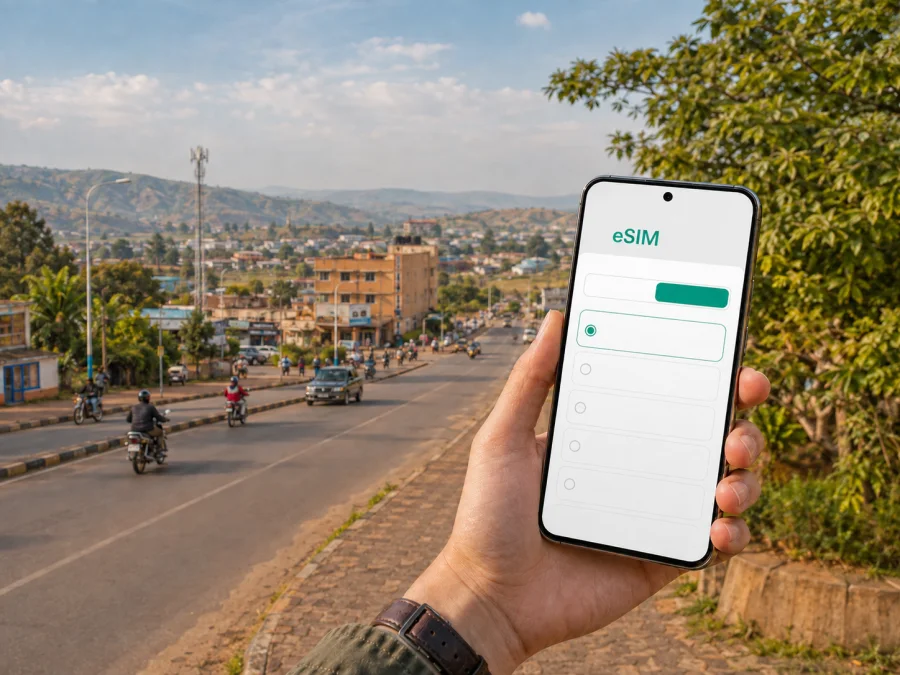
Nyagatare eSIM: reliable mobile connection and internet for your Rwanda trip
Nyagatare is a practical destination in Rwanda’s Eastern Province, whether you are travelling for work, visiting relatives, exploring the district, or using the city as a base for an eastern Rwanda itinerary. A mobile connection is useful from the first stage of the journey: checking a transfer message, opening a map after a long overland trip, confirming a hotel reservation, or letting someone know that you have arrived.
An eSIM, or virtual SIM card, can provide mobile internet without requiring you to remove your everyday physical SIM card. Kaspersky eSIM Store is an app and website that helps you choose, arrange and activate an eSIM with a suitable plan for mobile internet during an overseas trip. The eSIM plan is subject to the destination, traffic allowance, validity period and other conditions shown for the selected offer.
This guide keeps the focus on Nyagatare: preparing for arrival, moving around the city, staying connected in accommodation and work settings, and choosing an eSIM for a trip that may continue elsewhere in Rwanda.
Why mobile internet matters in Nyagatare
Nyagatare has a different travel rhythm from Kigali. It is a regional city and the administrative centre of Nyagatare District, with daily movement connected to offices, businesses, education, markets and nearby communities. A visitor may spend time in the central urban area and then travel farther along roads where planning is more important than spontaneous access to a familiar Wi-Fi network.
You may use data for several small tasks throughout the day:
- checking the location of a hotel, guesthouse, meeting venue or restaurant;
- sharing a live location or sending a message when a transfer changes;
- using navigation between Nyagatare and other towns;
- confirming bookings and reading updates from a transport provider;
- translating a short phrase or looking up opening information;
- joining a work call when accommodation Wi-Fi is unavailable;
- keeping messaging and two-factor authentication available without changing your main SIM.
The value of an eSIM here is mainly organisational. You can prepare a mobile-data profile before leaving home, keep your regular number available where your home plan allows it, and decide which line should handle data after arrival. It is not a replacement for every mobile service: unless the chosen conditions say otherwise, a travel eSIM plan is intended for mobile internet and does not include a standard telephone number, ordinary voice calls or SMS.
The first-hours scenario
Many international visitors enter Rwanda through Kigali and then continue east by road. Nyagatare can therefore be the end of a substantial transfer or one stop in a longer route. With a prepared data profile, you can keep a map, booking details and messages available as you move from airport transport to an intercity vehicle and then to local transport.
This does not mean that every stretch of the route will have identical service conditions. Buildings, terrain, weather, congestion and the local network used by the selected plan can affect the experience. Save essential booking details, keep your accommodation address in an offline note, and do not make the journey dependent on one online service alone.
Getting to Nyagatare and planning the first hours
Nyagatare is reached overland from other Rwandan cities. A common planning pattern is to travel east from Kigali through the wider Kayonza area and onward to Nyagatare. Your exact route and journey time will depend on road conditions, stops, weather and the transport arrangement.
Before leaving Kigali or another arrival point, prepare a small offline travel pack:
- Save the full name and address of your Nyagatare accommodation.
- Screenshot the booking confirmation and contact number.
- Mark the meeting point for a driver, colleague or local host.
- Download the map area you expect to need, if your navigation app supports it.
- Keep a note of the next town or landmark on the route.
- Charge your phone and carry a power bank for the road day.
Use live data for changes, not as the only place where important information exists. A driver may call instead of sending a message, a guesthouse may have a different entrance from the map pin, and a road journey may take longer than an initial estimate. If someone is collecting you, send your name, expected arrival window and accommodation before departure, then confirm your arrival after checking in.
Choosing an eSIM plan for a Nyagatare trip
There is no single correct amount of data for every visit. The right choice depends on the number of days in Nyagatare, whether you will work online, how often you upload photos, whether you expect to use hotel Wi-Fi, and whether the itinerary continues through other locations in Rwanda.
Start with four questions:
| Question | Why it matters |
|---|---|
| How long will the trip last? | The plan validity should cover the period when you expect to use mobile data. |
| What will you do online? | Maps and messages use less data than video calls, cloud work or frequent uploads. |
| Will you move beyond Nyagatare? | A country or regional option may suit a multi-stop route better. |
| When should the plan begin? | Conditions may relate to installation, activation or the first data use. |
Match the plan to the travel pattern
For a short stop focused on messages, maps, booking checks and occasional browsing, restrict automatic media downloads. For a business visit, allow more room for email attachments, cloud documents, authentication pages and calls when venue Wi-Fi is unreliable. For a longer stay or an eastern itinerary, compare the validity period and destination scope with the complete route rather than choosing based on Nyagatare alone.
Before opening the selection page, note whether Nyagatare is your only stop or part of a wider route. After deciding how much of the journey will depend on mobile data, you can choose an eSIM plan for a trip to Rwanda. Review the destination, allowance, duration and conditions shown at the time of selection; these details can vary by plan.
Keep data use under control
Simple settings can extend a modest allowance:
- disable automatic updates while travelling;
- restrict background data for video and cloud-storage apps;
- cache a route where your navigation app permits it;
- send compressed images when full resolution is unnecessary;
- use trusted Wi-Fi for large uploads when appropriate;
- turn off data roaming on your home line if you do not want it to use data abroad;
- check which SIM is selected for mobile data after installation.
Installing and activating eSIM before or after arrival
Installation is easiest when the phone is charged and connected to a reliable internet connection. Before you begin, check that the phone supports eSIM and is not locked to another operator. You can check your device compatibility before choosing a plan. Some models differ by market or configuration, so a model name alone is not always enough.
For detailed steps, use the Android installation instructions or the iOS installation instructions. Menu labels may vary slightly by operating-system version, but the overall sequence is similar.
Before the trip
- Check eSIM support on your device and confirm that it is not operator-locked.
- Choose a Rwanda plan matching the duration, data needs and route.
- Complete the setup flow shown in Kaspersky eSIM Store.
- Keep the QR code or profile information available in the account or app.
- Install the eSIM while dependable internet is still available.
- Label the new line clearly, such as “Rwanda travel data”.
- Keep your usual line available for the services you still need.
Installing before departure can reduce tasks at the end of an overland journey. It does not necessarily mean that data use should begin immediately; check the plan conditions and choose the timing that matches your schedule.
After arrival in Nyagatare
If you install the profile after reaching the city, connect to trusted Wi-Fi first and keep the QR code accessible on another screen where possible:
- Open the mobile-network settings.
- Select the option to add a mobile plan or eSIM.
- Scan the QR code or follow the profile instructions.
- Give the new line a recognisable name.
- Select the eSIM as the line for mobile data.
- Check whether data roaming must be enabled for that eSIM.
- Test a simple page or message before a demanding task.
Activation or connection may take several minutes. If data does not work, confirm the selected data line, review the plan conditions, check the signal indicator and restart the phone if appropriate. Do not delete the profile as a first troubleshooting step: removal can make reinstallation more difficult, depending on its conditions.
Moving around Nyagatare with a dependable data routine
The urban area is easier to navigate when your phone is prepared for short, repeated checks rather than continuous screen use. Save your accommodation and meeting venues, then use the map for the next leg only. This conserves battery and reduces the chance of following an outdated pin after plans change.
Allow extra time when crossing from the central area to an outlying meeting point or continuing into the district. A location pin is helpful, but pair it with a description of a nearby public building, junction, market area or recognised landmark. Ask your host or driver to confirm the final approach if the address is unfamiliar.
Before leaving your accommodation:
- check the destination name and spelling;
- open the route while you have a strong connection;
- save the driver’s or host’s number;
- carry enough battery for the return journey;
- note whether the destination is urban or farther out in the district;
- agree on a meeting point that is easy to describe;
- send an arrival estimate when someone is waiting.
For a taxi or motorbike-taxi journey, confirm the destination before setting off and keep the phone secure. For a hired car or private transfer, share the route and expected stop in advance. Transport availability and payment practices can vary, so do not assume that a mobile app replaces local arrangements in every situation.
If data drops temporarily, switch to the saved address, screenshot or offline map. When the connection returns, refresh the route rather than relying on a cached position. This two-layer approach is more useful than treating any one map or network as infallible.
Hotels, guesthouses and short stays
Accommodation in Nyagatare may serve business visitors, people staying overnight on an eastern route, families visiting nearby communities and travellers planning time around Akagera. Ask about Wi-Fi before arrival, but also plan for periods when it is slow, crowded or unavailable.
At check-in, confirm:
- the correct room or building;
- the Wi-Fi name and password, if provided;
- where you can charge your phone safely;
- whether a reception contact is available after hours;
- how to describe the property to a driver for the next transfer.
Use mobile data for private account access when a public network is not suitable. The point is not to avoid Wi-Fi completely; it is to have a second option when you need a map, message or booking confirmation and the local Wi-Fi is not dependable.
Business travel and remote work in Nyagatare
Business visitors often need a predictable data routine. A meeting may start on time even when a road transfer does not, and an attachment or verification message may arrive away from the hotel. eSIM can be a prepared data option, but it should be part of a wider work plan.
Before departure, download documents you may need offline, sync the calendar, write down essential contacts and meeting addresses, restrict background data for nonessential apps, and charge the phone, laptop and power bank. During the workday, reserve mobile data for messages, navigation, authentication and urgent documents. Video calls can consume more data, so use stable Wi-Fi when appropriate and monitor the allowance if tethering a laptop.
Kaspersky eSIM Store helps you choose, arrange and activate the eSIM profile and manage the selected plan through the app or website. It is not a mobile operator and does not guarantee identical connection conditions in every place. The experience depends on the selected plan, the local network available to it, the device and the surroundings.
From Nyagatare to an eastern Rwanda itinerary
Nyagatare can be one stop in a route that also includes other towns or time near Akagera National Park. Once you leave the city, you may spend longer in a vehicle, encounter fewer facilities and need to confirm arrangements before reaching the next stop.
Plan the route as a sequence of data decisions:
| Stage | Prepare before moving on |
|---|---|
| Leaving Nyagatare | Save the next accommodation, departure point and contact. |
| Road transfer | Keep the phone charged and use offline route notes. |
| Arriving at a rural or park-area location | Confirm the next check-in or activity while online. |
| Returning towards a larger town | Refresh maps and messages, then save the next leg. |
Check the country or regional scope, validity period and conditions of your chosen plan before leaving Nyagatare. If the itinerary crosses a national border, treat that as a separate destination check rather than an automatic extension of a Rwanda plan.
For an Akagera-related trip, confirm the entrance, meeting time, vehicle arrangement and accommodation in advance. A map pin alone may not show where a transfer can safely wait. Carry a backup power source and save the information you will need while concentrating on the journey rather than the screen.
What to check before paying or installing
Use this review before the trip:
- [ ] The destination is Rwanda and the plan scope fits the itinerary.
- [ ] The validity period covers the days when data is needed.
- [ ] The allowance matches navigation, messaging and work needs.
- [ ] The device supports eSIM for its specific model and region.
- [ ] The device is not locked by a current operator.
- [ ] The QR code or profile can be accessed when installation begins.
- [ ] You know which line will be used for mobile data.
- [ ] You understand whether data roaming must be enabled for the eSIM.
- [ ] Hotel, transfer and meeting details are saved offline.
- [ ] Your phone and power bank are charged for the first travel day.
The common planning mistake is to focus only on purchase and postpone device and route checks. In Nyagatare, where arrival may follow a long road journey and an onward plan may extend beyond the city, those details matter as much as the amount of data.
Frequently asked questions
Is eSIM useful for a short visit to Nyagatare?
Yes, if you need mobile internet for maps, messages, booking details or a transfer and your device supports eSIM. Match the plan validity to the short stay and choose an allowance that fits your use.
Can I keep my usual SIM card in the phone?
Usually, a compatible dual-SIM phone can retain the physical SIM while an eSIM handles mobile data, but the exact options depend on the device and settings. Check your device compatibility, then confirm which line is selected for data and review possible roaming charges on your home line.
Will an eSIM give me a normal phone number in Nyagatare?
Not unless the selected conditions explicitly include one. A travel eSIM plan is generally used for mobile internet; ordinary calls and SMS are not automatically included. Internet-based messaging and calling apps can work over data when their requirements are met.
Do I need Wi-Fi to install eSIM?
You need an internet connection for installation in many device setups. Installing before departure over a reliable connection is often more convenient. If you wait until Nyagatare, use trusted Wi-Fi or another dependable connection and keep the QR code available.
What if mobile data does not start after installation?
Check that the eSIM is enabled and selected for mobile data, confirm the plan conditions, and see whether data roaming is required. Wait a few minutes, then restart the device if appropriate. If the problem continues, use the available support channel and keep the profile installed until you receive guidance.
Is Kaspersky eSIM Store a mobile operator?
No. Kaspersky eSIM Store is an app and website that helps you choose, arrange and activate an eSIM with a suitable plan for mobile internet during an overseas trip. It is not a mobile network and does not replace a local operator for every type of communication.
Prepare your Nyagatare connection before departure
The reliable routine is simple: decide what you need online, check the phone, read the plan conditions, and save the details you will need on the road. Install the eSIM while dependable internet is available, select the correct data line at the right time, and keep offline copies of accommodation and transfer information.
When you are ready, choose an eSIM plan for your Rwanda journey, review the current allowance and validity period, and activate it according to the selected plan’s conditions. A prepared eSIM can make arrival, navigation, work and onward travel around Nyagatare easier to manage while keeping expectations realistic.


