Travel connectivity guide
O2 eSIM in Slovakia: What to Check Before You Travel
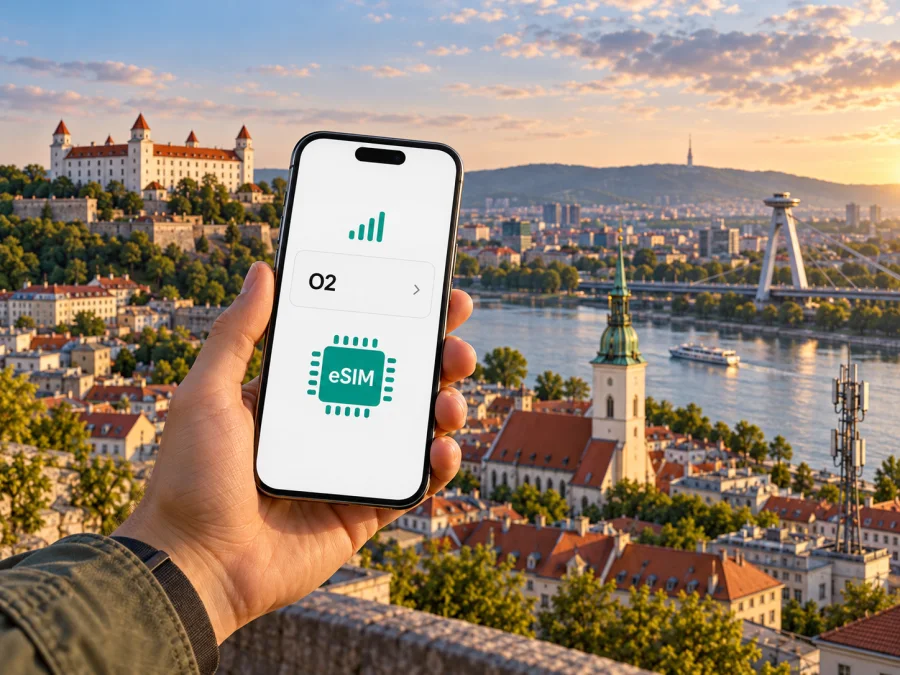
O2 eSIM in Slovakia: activation, compatibility and travel checks
If you are travelling to Slovakia and looking at an O2 eSIM, separate two questions before you leave: whether your phone supports eSIM, and whether O2 can issue the specific service you need as an eSIM. O2’s current Slovak-language information confirms that it offers eSIM for both billed and prepaid services. The published setup routes include ordering a new service in the O2 mobile app and visiting an O2 shop to replace a physical SIM or request a new eSIM. The exact steps, eligibility and documents for a visitor may depend on the service and customer situation, so confirm them with O2 before relying on an in-person purchase.
O2 is a mobile operator serving Slovakia. Its public network information lists 2G, 4G/LTE and 5G availability, with a coverage map for checking a particular place. O2 also states that 5G is available on eSIM. Those statements describe the operator’s network and technical support; they do not guarantee that a signal or a particular generation of service will be available at every address, indoors, along every route or on every compatible device. Check locations you will actually use, including your accommodation and transport stops, and keep a fallback connection plan for arrival.
Kaspersky eSIM Store is an app and website where travellers can choose, purchase and activate an eSIM for mobile data abroad. It is a separate travel option and is not O2, a mobile network operator, a network owner or a provider of mobile internet. Kaspersky eSIM Store and O2 are not affiliated, and Kaspersky eSIM Store is not presented here as O2’s official partner or distributor. The O2 and Kaspersky eSIM Store names and marks belong to their respective owners.
What O2 eSIM means for a trip to Slovakia
An eSIM is a digital SIM profile installed on a compatible device. O2 explains that its profile can be loaded using an activation QR code. Once installed, an eSIM can perform the SIM role for the service attached to that profile. This does not by itself tell you what calling, messaging, data, roaming or other service conditions apply: those depend on the selected O2 service and its current terms. Read those conditions before ordering, rather than assuming that every eSIM is a travel-only data product or that it works in the same way as a roaming add-on.
For a traveller, O2 eSIM may be relevant in several different situations. You may already have an O2 service and want to convert its physical SIM to an eSIM before leaving home. You may be considering a new O2 service while in Slovakia. Or you may simply want data for a short visit without changing your regular number or home SIM. These are distinct use cases. The official eSIM pages confirm the technology is available for prepaid and billed services, but do not establish that every visitor can complete a new purchase remotely, that every service can be activated from abroad, or that a particular prepaid service is offered to every non-resident. Ask O2 which route applies to your circumstances.
A travel data eSIM can be a separate option when you prefer to keep your main SIM in place for calls and verification messages while using a second profile for mobile data. Kaspersky eSIM Store’s Slovakia destination page currently provides a way to review available travel data options. Availability and conditions can change, so use the live page to check what is offered for your dates and route. A travel eSIM should not be described as an O2 subscription unless the product terms explicitly identify the service and operator involved. The destination page lists local providers for some of its offers, but the product may use a partner-provided service and its conditions should be reviewed in the store before purchase.
O2 in Slovakia: network and geographic checks
O2’s coverage pages show that its network footprint is specific to Slovakia and varies by technology and location. The current coverage map allows a visitor to check 5G, 4G/LTE and 2G at a named place. O2’s 5G information says its 5G service is available on eSIM, and the operator publishes a population coverage figure on that page. A population figure is not the same as a guarantee of usable signal at a given building, road, valley or station. It also does not predict an individual customer’s speeds or indoor reception.
Before a trip that depends on data, search the O2 coverage map for the exact town or address rather than relying on a country-level statement. Check likely overnight locations and any rural or mountain destinations separately. A map is a planning aid, not a service guarantee: buildings, terrain, local network load, device radio support and temporary outages can all affect the experience. If an important meeting, ticket or route depends on connectivity, save essential information offline and confirm that your accommodation or transport provider has an alternative way to reach them.
Technology labels also need context. A phone must support eSIM to install an eSIM profile, and a 5G phone and plan are needed to use 5G where it is available. When any of these conditions is missing, the device may connect using another supported network generation, or may not connect. O2’s coverage information describes its own network in Slovakia; it is not a statement about roaming service on a foreign home SIM. If you plan to use your existing SIM while abroad, check roaming availability and costs with your home operator separately.
Slovakia is an actual country destination, while a regional travel eSIM may cover several countries. These are not interchangeable geographic labels. A Slovakia-only destination is relevant when the trip is confined to Slovakia; a regional option may be useful for a multi-country itinerary if its current coverage list includes every stop. Do not assume a regional plan includes all neighbouring countries or the same networks everywhere. Review the service’s country list and any restrictions before purchase, then compare that scope with your route.
Is your phone ready for eSIM?
O2’s support page says that eSIM use requires a device that supports the technology and an activation QR code. Device support can vary by country, hardware variant, carrier lock and software configuration. Check the full model number and regional version in the manufacturer’s documentation.
Before buying or asking O2 to convert a SIM, confirm each of these points:
- The exact handset variant supports eSIM in the country where it was sold.
- The phone is not locked to another carrier in a way that prevents adding a different profile.
- The operating system is current enough to display the eSIM installation controls.
- You can connect to Wi-Fi during setup if the phone needs internet to download the profile.
- You can access the email account or customer account that will receive the QR code or activation details.
- You know whether adding the eSIM will replace an existing SIM or add a second line, and which line will be used for data.
- The eSIM provider confirms that the profile is valid for your destination and the dates of your trip.
The compatibility check should be specific to the product you intend to install. A device’s general ability to store an eSIM does not prove that every operator profile, plan or service is supported. Conversely, a phone that supports dual SIM features may require you to choose one profile for mobile data and another for calls. If compatibility is unclear, ask O2 or the travel eSIM provider to verify the exact variant before purchase. You can also check eSIM device compatibility before choosing a travel option.
If you use a tablet, smartwatch or other connected device rather than a phone, check its specific eSIM support and the service’s activation process. O2’s pages describe additional device services separately, so do not assume that a phone eSIM flow also applies to a watch or tablet. Some products require account-based setup or a companion app. Confirm that the device type is supported and that the activation steps match its operating system.
How to get and activate an O2 eSIM
O2’s current public guidance describes two main routes. For a new service, the operator says an eSIM can be ordered through the O2 mobile app and installed and activated as part of the order flow. For a conversion from a plastic SIM or a request for a new eSIM, O2 directs customers to an O2 shop, where they receive a QR code. The QR code is then scanned in the device’s settings. The operator notes that the process can vary by device.
Use this preparation sequence so that a connection issue does not begin at the airport or hotel:
- Choose the service first. Confirm whether you are ordering a new O2 service, converting an existing SIM, or using a separate travel data eSIM. Ask O2 whether the service can be issued to you and whether it can be activated at your intended time and place.
- Verify the phone. Check the exact device variant, eSIM support and carrier-lock status. Confirm that you have access to the email address or account tied to the order.
- Ask about identity and customer requirements. O2’s public eSIM overview does not give a single universal list of documents or eligibility rules for every visitor. Contact O2 directly to learn what is required for your selected service and whether an in-person visit is necessary.
- Arrange a secure connection. Download the O2 app or any required software in advance. If installation needs internet access, use trusted Wi-Fi and keep your existing SIM available until the new profile is working.
- Follow the instructions supplied with the eSIM. If O2 provides a QR code, open the phone’s cellular or SIM settings, choose the option to add an eSIM and scan the code. Some devices also allow manual entry of activation details. Use the device maker’s current menu labels, because they differ between operating systems and models.
- Choose line settings deliberately. If the phone supports two active SIMs, set the intended profile for mobile data. Decide separately which line should handle calls and text messages. Turn off data roaming on your home SIM if you do not want it to use roaming data, and check your home operator’s terms before changing that setting.
- Test before depending on it. Confirm that the eSIM appears in settings, that the line is enabled and that it registers on a network. Test a web page or map, then check that your calls and messages still use the line you expect.
Treat an activation code or QR code as private account information. O2 tells customers not to share an eSIM with third parties and advises checking the code’s packaging before scanning. Keep the original card or digital message accessible until the profile is installed and working, and retain any recovery details in a secure place. Do not post the code in a public support forum or send it to someone who contacts you unexpectedly.
If the profile does not install, pause before repeatedly scanning or deleting it. Check whether the device is online, whether the QR code has already been used, whether the correct device is being configured and whether the eSIM line is enabled. O2 says a deleted profile may be restored with the original QR code in some circumstances; if the code is lost or does not work, contact O2 or visit an O2 shop to ask about a replacement. Do not assume that the original activation code can be reused indefinitely.
Local O2 service or travel eSIM?
The right option depends on what you need the connection to do. O2’s local service may suit someone who wants an O2 line and is able to meet the operator’s current customer requirements. A travel eSIM may suit someone who mainly needs mobile data during a trip and wants to keep their usual number active on another SIM. There is no universal best choice: compare the service scope, setup requirements, device compatibility and support route against your actual itinerary.
| Question | O2 eSIM in Slovakia | Travel data eSIM |
|---|---|---|
| What does it describe? | An O2 SIM profile for an O2 service, including eligible prepaid or billed services | A separate eSIM product intended for mobile data while travelling |
| How is it obtained? | O2 describes ordering a new service in its app or asking in an O2 shop for a new eSIM or SIM conversion | The provider’s website or app explains how to select, purchase and activate the travel eSIM |
| What should be verified? | Eligibility, identity requirements, available service type, activation route and current service conditions | Destination coverage, data-only or voice features, validity, activation timing and support terms |
| What does it mean for your number? | Depends on the O2 service and whether it replaces or supplements your current SIM | A travel data eSIM may not include a regular phone number, voice calls or SMS; check its terms |
This table compares setup categories, not prices or individual plans. O2’s prepaid eSIM support means that eSIM technology is not limited to billed services; it does not establish that every prepaid product is available to every visitor or can be purchased without local verification. Similarly, a travel eSIM’s destination label does not guarantee access at every location. Read the current conditions and make sure they fit your device and route.
If you want to compare current travel eSIM availability for this destination, browse eSIM options for Slovakia. The page is a destination selection page, not an O2 tariff page. Review the provider, included service, geography, activation details and other conditions displayed at the time you make a decision.
Using both your home SIM and an eSIM
Many travellers keep a home SIM active for calls or verification messages and use a second eSIM for data. Whether this works depends on the phone’s active-line limits and settings. Before travelling, learn how to select the data line and check that your home SIM can receive the messages you need. Disable data roaming on the home SIM if you want to avoid it using mobile data, but check your home operator’s rules for calls and SMS abroad.
A Slovakia destination does not automatically include a neighbouring country. For a multi-country route, review the current country list and network conditions for every stop. Keep support details and essential bookings available offline.
Common questions
Does O2 offer eSIM in Slovakia?
Yes. O2’s official eSIM page and support centre describe eSIM and its setup. O2’s support page says that eSIM can be used with both billed and prepaid services. Visitors should confirm current service requirements with O2.
Does an O2 eSIM work on 5G?
O2 states that 5G is available on eSIM. To use it, your exact device variant must support eSIM and 5G, your service must permit 5G, and you must be in a place where O2’s 5G network is available. Use the coverage map for a location-specific check; the map is not a guarantee of indoor reception or a particular speed.
Will my foreign phone work with O2?
Possibly, if the exact variant supports eSIM and is not blocked from using another carrier. Device features can vary by regional version. Check the complete model number and ask O2 about any supported-device or network requirements before ordering. A generic model name alone is not enough to confirm compatibility.
What should I do if activation fails?
Check internet access, device compatibility, the QR code or activation details, and whether the eSIM line is enabled. Follow the instructions for your phone model and contact the provider that issued the profile. If O2 issued the code, ask O2 support whether it was used and whether a replacement is needed. Avoid deleting a working profile or sharing an activation code while troubleshooting.
Before you travel: a short checklist
- Confirm which service you intend to use: O2 local eSIM, your existing home SIM with roaming, or a separate travel data eSIM.
- Ask O2 directly whether your selected service is available to you, what documents or account details are required and whether you must visit a shop.
- Verify the exact phone variant supports eSIM and is not carrier-locked.
- Check O2’s map for important Slovak addresses; check a travel provider’s country list for every destination on a multi-country route.
- Install the profile over a reliable connection and test it before you depend on it.
- Select the correct data line and check roaming settings on your home SIM.
- Keep QR codes, recovery information and support contacts private and accessible.
- Save maps, reservations, tickets and key addresses for offline use.
For travel data, you can review current eSIM options for Slovakia and compare the conditions with your route before choosing. Kaspersky eSIM Store helps users choose, purchase and activate an eSIM for mobile data abroad; the service does not own O2’s network or provide O2 mobile service.
Sources checked
The factual details above were checked on 1 November 2026 against O2 Slovakia’s official “eSIM” product page and “How can I get an eSIM?” support-centre article, which describe the QR code, device requirement, app and shop routes, and compatibility with prepaid and billed services. O2’s official 5G information page states that 5G is available on eSIM and links to a coverage map; its official network coverage section lists 5G, 4G/LTE and 2G lookup. Kaspersky eSIM Store’s live Slovakia destination page was also checked on the same date for its current destination selection and general eSIM setup information. Service eligibility, individual plans and coverage can change; confirm current details with the relevant provider before purchase.


