Travel connectivity guide
Oaxaca eSIM: Mobile Internet & Connection Guide
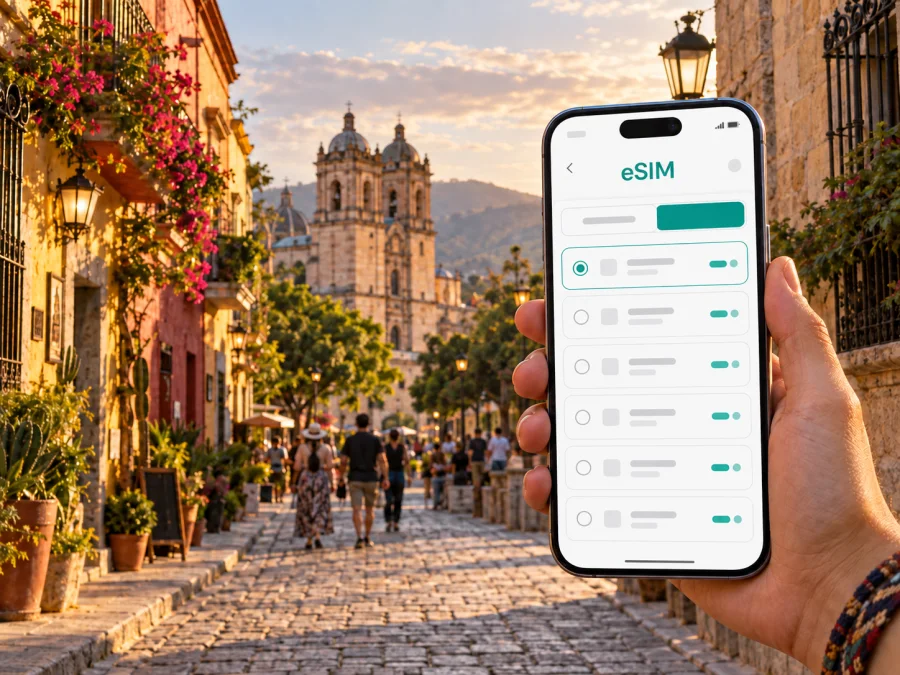
Oaxaca eSIM: A Practical Guide to Mobile Connection and Internet in Mexico
Oaxaca is a city where a reliable mobile connection makes the whole visit easier. You may need directions from the airport, a message to a hotel, a map while walking through the historic centre, a translation during a market visit, or a video call before dinner. An eSIM lets you prepare mobile internet for the trip without removing your home SIM card. That is useful in Oaxaca because a day in the city can combine an airport transfer, long walks, changing neighbourhoods, a reservation, and an excursion beyond the centre.
This guide explains how to plan mobile data for Oaxaca, what to consider when choosing a tariff for Mexico, and how to set up an eSIM before departure or after arrival. Kaspersky eSIM Store is an app and website that helps you choose, arrange, and activate an eSIM tariff for mobile internet during an international trip. The tariff conditions, available data, validity period, and supported destination should always be checked before purchase.
Why an eSIM can be useful in Oaxaca
The first benefit appears before you reach your hotel. After landing at Oaxaca International Airport, you may need to open the address of your accommodation, contact a transfer, check a map, or let someone know that you have arrived. With an eSIM prepared for Mexico, these first tasks do not have to depend on finding public Wi-Fi or locating a physical SIM card counter.
Oaxaca is compact enough for many central journeys on foot, but the practical details still matter. Streets change character quickly between the Zócalo, Santo Domingo, Jalatlaco, Xochimilco, and newer commercial areas. A map can help you choose a route, confirm the entrance to a museum or restaurant, and return to your accommodation after an evening walk. Mobile data is also useful when a booking message, QR code, or digital address is stored in an app rather than printed.
An eSIM is particularly convenient for travellers who want to keep their primary SIM active. You can use the eSIM for mobile data and keep your usual number available for important calls or text messages, subject to your home operator’s roaming settings and charges. Remember that an eSIM travel tariff is normally intended for data: a regular phone number, voice calls, and SMS are not included unless the conditions of the selected tariff say otherwise. Internet-based messengers can be used for calls and messages when you have data.
Oaxaca situations in which mobile data helps
| Situation | What mobile data helps you do | A useful preparation step |
|---|---|---|
| Arrival at the airport | Open the accommodation address, contact a transfer, and check the route into the city | Save the hotel name and address in your notes |
| Walking in the centre | Follow a map, check opening information, and share your location | Download key addresses or keep them in a message thread |
| Moving between districts | Compare walking and road routes and coordinate a taxi | Keep the destination written in Spanish as well as your own language |
| Food and market visits | Find a reservation, translate a short phrase, or message your group | Carry a portable charger for long days outside |
| Business travel | Join a call, send a file, and respond to work messages | Test the eSIM and your hotspot policy before departure |
| Day trips from Oaxaca | Recheck meeting points and tell your accommodation when you return | Choose a tariff with enough validity for the complete route |
The point is not to stay on your phone throughout the trip. It is to have a practical connection available when a small uncertainty could otherwise become a long search for Wi-Fi.
Choosing an eSIM tariff for Mexico
Kaspersky eSIM Store helps you compare the available direction, data allowance, validity period, and price before you arrange an eSIM. For a trip centred on Oaxaca, select Mexico as the destination and then match the plan to your actual route. The city name is useful for planning, but the tariff itself is generally selected for the country or region in which the eSIM is intended to operate.
Consider these questions in order:
- How long will you need mobile data? Include the arrival and departure days, not only the nights booked in Oaxaca.
- Where will you use it? Decide whether the plan is for the city only or for a wider route in Mexico.
- What will you do online? Separate light navigation and messaging from video calls, social uploads, cloud backup, and hotspot use.
- When should the validity begin? Read the conditions so you know whether activation or first data use starts the validity period.
- What happens when the allowance is used? Check whether the tariff can be topped up, whether speed changes, and how the balance is shown.
Once you know the answers, you can choose an eSIM tariff for your trip to Oaxaca and review the current Mexico options. This link is for the country destination because Oaxaca is in Mexico; it is not a separate city plan. Read the selected tariff details before confirming the purchase, especially the data allowance, validity, activation terms, and any limitations.
A simple data-planning table
| Your travel pattern in Oaxaca | Main data needs | What to watch for |
|---|---|---|
| Mostly walking in central districts | Maps, messages, occasional search | Battery use and map access when streets are busy |
| Frequent photos and short videos | Uploads, backups, messaging | Automatic backups and social-media autoplay |
| Business calls during the trip | Meetings, email, files, hotspot | Allowance, stability, and hotspot conditions |
| Excursions beyond the city | Maps, meeting points, updates | Regional scope and validity across the route |
| Shared planning for a group | Messages, location sharing, reservations | Keep the organiser’s device charged |
Arrival at Oaxaca International Airport
The first hour is easier when the important information is available before the aircraft door opens. Save your accommodation’s name, address, check-in instructions, and a contact number in your phone. If the address is available in both English and Spanish, keep both versions. A driver, taxi desk, or hotel receptionist can then identify the destination more easily.
Before departure, install the eSIM while you still have a dependable internet connection, if the device and tariff instructions allow it. You do not necessarily need to make it the active data line until you arrive. Label the profile clearly, such as “Mexico,” so you do not confuse it with your home line. If you prefer to install after landing, keep the QR code or activation details accessible offline and make sure the phone is charged.
At the airport, use mobile data for the specific tasks that matter:
- confirm the route and estimated meeting point for your transfer;
- send an arrival message to your accommodation or travel companion;
- check the address before entering a taxi;
- open a translation or map when you need it;
- save the route for the next part of the journey.
Avoid changing several network settings at once while you are tired. First select the travel eSIM for mobile data, then confirm that data roaming is enabled for that eSIM if the instructions require it. Keep data roaming disabled on your home line if you want to avoid accidental roaming charges, unless your home operator has given you different instructions.
Getting around Oaxaca without losing the thread of your route
The historic centre is rewarding to explore on foot, but quiet side streets, busy pedestrian areas, and changing light can make navigation less obvious than it looks on a map. Check the street name at each turn and share a precise location when meeting someone. For longer trips, compare walking with a taxi or another local option, confirm the destination before setting out, and keep your accommodation address in the phone.
Oaxaca’s neighbourhoods support different plans. Centro and the Zócalo are useful for first orientation, central addresses, restaurants, museums, and evening plans. Santo Domingo, Jalatlaco, and Xochimilco suit walking routes with cultural stops and quieter streets. Reforma and San Felipe del Agua may make transport coordination more important for appointments, shopping, or accommodation outside the central grid. Save the next address before leaving the hotel, and keep the phone charged for the return route.
At a market, café, or evening square, use data for a reservation, translation, map pin, or message, then put the phone away. A power bank is useful on days combining navigation, photography, and mobile data. Public Wi-Fi can be convenient, but an eSIM reduces dependence on finding it for basic travel tasks.
Installing and activating your eSIM
The exact menu names vary by phone model and operating system version. Use the instructions for your device: Android installation instructions or iOS installation instructions. In general, the sequence is:
- Check that the phone is unlocked and connected to the internet for the installation.
- Open the eSIM or mobile-network settings and choose the option to add a mobile plan.
- Scan the QR code or enter the activation details supplied after purchase.
- Label the new line so it is easy to identify as the Mexico travel profile.
- Select the eSIM as the line for mobile data when you are ready to use it.
- Follow the tariff instructions about data roaming and network selection.
- Test a map, a web page, and a message before leaving the airport or hotel.
Before you buy, check whether your device supports eSIM. Also confirm that the phone is not locked to a home operator. Some profiles cannot be transferred after activation, so install the eSIM on the device you intend to use in Oaxaca and read the conditions before moving or deleting it.
If the connection does not start, pause before reinstalling anything. Check that the travel eSIM is switched on, that it is selected for mobile data, that data roaming is enabled when required, and that your home line is not taking over data. Restarting the phone may help, but repeated deletion and reinstallation can create a new problem. If the settings look correct and the issue continues, contact support with the device model, the eSIM status, and the steps already tried.
A practical pre-departure checklist
Use this list one or two days before leaving for Oaxaca:
- [ ] Confirm the dates of your Mexico trip and the tariff validity period.
- [ ] Review the data allowance and the rules for top-ups or balance checks.
- [ ] Check eSIM support and operator-unlock status on the phone.
- [ ] Install the profile, or keep the QR code and activation details accessible offline.
- [ ] Save your accommodation address, airport transfer details, and first destination.
- [ ] Decide which line will handle mobile data after arrival.
- [ ] Check whether data roaming must be enabled for the eSIM.
- [ ] Pack a charger or power bank and test the cable.
- [ ] Tell travelling companions how to reach you through an internet messenger.
On arrival, test the connection with a low-risk task such as opening a map. Then check a message and the route to your accommodation.
Frequently asked questions
Is an Oaxaca eSIM different from a Mexico eSIM?
For a city trip, you normally choose the country or region in which the eSIM is intended to work. Oaxaca is the travel destination, while Mexico is the relevant country selection in the plan. Review the exact scope of the tariff if your route includes places beyond the city.
Can I keep my usual SIM card in the phone?
Many dual-SIM devices let you keep the physical SIM or primary eSIM installed while using the travel eSIM for data. The available settings depend on the device. Select the intended data line and review your home operator’s roaming rules so that the wrong line does not generate unexpected charges.
Does a travel eSIM include a Mexican phone number?
Not usually. A travel eSIM tariff is generally for mobile data, and ordinary voice calls or SMS are not included unless the specific conditions say so. You can use internet-based messaging and calling services over the data connection.
Should I install the eSIM before flying?
Installing before departure can be convenient because you have a dependable internet connection and time to read the steps. You can then activate or select it according to the tariff instructions. If you install after arrival, keep the QR code accessible and have another temporary way to reach the internet for setup.
What if my phone does not connect in Oaxaca?
Check the active data line, eSIM status, data roaming requirement, and operator-lock status. Confirm that the tariff is valid and that the phone shows a network connection. If the problem remains, contact support and provide the relevant device and activation details rather than deleting the profile immediately.
Prepare your Oaxaca connection before departure
Oaxaca is easier to navigate when the basics are ready: the first address is saved, the route is clear, the phone has power, and the data line is selected deliberately. An eSIM can reduce dependence on physical SIM-card arrangements and scattered public Wi-Fi, while still leaving you in control of the tariff, validity period, and data use.
Review the Mexico options, choose the package that matches your Oaxaca itinerary, and prepare your eSIM tariff for a trip to Mexico through Kaspersky eSIM Store. Install it on a compatible device that is unlocked, test the connection, and keep the tariff conditions available throughout the journey.


